NewProfilePic: Profile Picture
- 5.53K
- 4.2
- Installs
- 5.00M
- Price
- Free

Screenshots


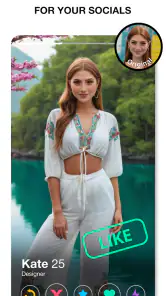
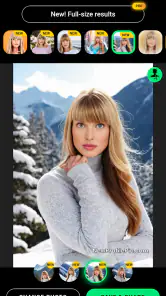
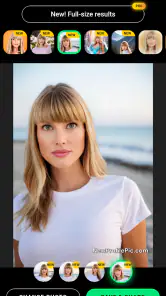
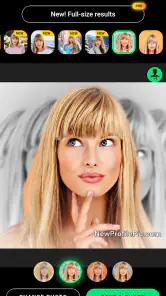
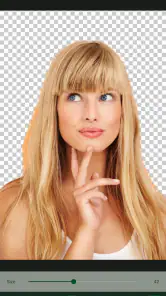
Analysis by Reviewed
I spent time with NewProfilePic: Profile Picture as a photography app, focusing not only on the cartoon-style results but also on how comfortable it feels for people using it in different situations. The basic idea is easy to understand: choose a photo, apply a stylized portrait treatment, and create an image that works well as a profile picture. It is free to install, aimed at Everyone, and developed by PHOTO LAB DMCC.
That simplicity is the main reason I can imagine recommending it to a friend. You do not need to know anything about layers, masks, curves, or manual retouching to get started. At the same time, the experience is not equally comfortable for every user. The visual presentation is built around browsing effects and judging faces, so the app works best when you can see small differences clearly and have enough time to compare several versions.
How the app feels to read and navigate
I focus here on how the reading and navigation experience affects a portrait-editing session, from making visual choices at a comfortable pace to keeping the task manageable on a small screen. I also consider how a little preparation can reduce unnecessary browsing, which leads into the practical routines that determine whether the app remains useful beyond an initial burst of curiosity.
A straightforward starting point
The first useful quality is that the purpose of the app is immediately clear. This is not a general photo editor with a crowded toolbox. Its focus is profile portraits, cartoon treatments, filters, and other visual changes that can make an ordinary selfie feel more distinctive. I found that narrow purpose easier to approach than an editor that presents dozens of unrelated controls at once.
For someone who is new to photo editing, the workflow feels less intimidating because the important decision is usually visual: choose an image, look through possible treatments, and decide whether the result suits you. That reduces the need to understand technical terminology. A user who is unfamiliar with exposure or color correction can still experiment without first learning a complete editing vocabulary.
The browsing experience does require attention, though. Effect choices are more useful when I can inspect the face and compare how each style handles hair, glasses, skin tones, shadows, and the background. If several options look similar in a small preview, I need to open or apply them to make a fair judgment. That is manageable, but it makes the app less effortless for anyone who finds visual comparison tiring.
Readable decisions matter more than advanced controls
I would describe the app as visually led rather than text led. The image itself explains most of what is happening, while labels and controls mainly guide the next step. This can help people who prefer learning by seeing a result instead of reading instructions. It also means that a user with limited vision may need to rely on device-level enlargement or other personal adjustments to inspect the portrait properly.
More From Our News Desk

Weather by Xiaomi Review: Clear at a Glance, Less Clear Up Close

X Under Pressure: Can It Recover When Posting Goes Wrong?

Clash of Clans Is Won Between the Battles

Android Auto Makes the Case for Quieter Car Software

MobiOffice: Transforming Mobile Productivity with Seamless Integration

EA SPORTS FC™ Mobile Soccer: Redefining Mobile Sports Gaming
The most practical way to use it is to make one change at a time and pause before moving on. I would not rapidly tap through every effect just because the choices are available. A slower pass makes it easier to notice when a style changes facial proportions, removes recognizable details, or produces an image that looks attractive in the preview but less natural when used at a smaller profile size.
There is also a useful distinction between making a fun image and making a dependable identity image. A dramatic cartoon treatment may be entertaining for a temporary social profile, while a softer effect may work better on a work-related account. I recommend deciding where the picture will be used before spending time comparing styles. That simple step prevents the browsing process from becoming a search for the most eye-catching result rather than the most suitable one.
What I would tell a first-time user
Start with a clear, front-facing photo and keep the original image available. Even when an effect looks successful, I like having the unedited version nearby so I can compare whether the final portrait still feels like me. This is especially important for users who want a recognizable profile picture rather than a purely decorative avatar.
I would also avoid judging an effect only at full-screen size. Profile pictures are often displayed small, so fine details can disappear. A style with a simple outline and clear contrast may communicate better than a highly detailed treatment. That is one of the app’s less obvious trade-offs: the most elaborate visual option is not automatically the most readable one once the image is reduced.
Motor and sensory considerations
From a motor point of view, a portrait editor based on selecting images and tapping visual choices is less demanding than an editor that expects precise brushwork. I do not need to trace around a face or repeatedly draw over tiny areas to get a basic result. That makes the app approachable for people who find prolonged fine finger movements uncomfortable.
However, browsing can still involve repeated taps and scrolling. Someone with limited dexterity may prefer to prepare a small set of suitable photos first rather than navigating through a large personal gallery during the editing session. Choosing the image in advance reduces the number of decisions made inside the app and makes the overall process feel calmer.
For users sensitive to strong visual changes, cartoon filters deserve a little caution. Facial features, contrast, color, and background treatment may shift together, and the finished image can feel much more intense than the original. I found it better to preview an effect briefly, step away from the screen, and return with a fresh look before deciding. That is not a technical requirement, but it is a sensible way to avoid making a rushed choice based on novelty.
People who rely on audio guidance should approach the app with more care. The core task is visual, and the important question is whether the portrait looks right. I would not choose this as my first recommendation for someone who cannot inspect images independently unless they already have a trusted way to review the result. The app is much more naturally suited to visual decision-making than to spoken or text-only editing.
Color perception can also affect the experience. Some treatments depend on differences in hue, skin tone, or background color, while others communicate mainly through outlines and shape. If color distinctions are difficult for you, I would favor effects with strong structural changes and check the final picture at the size where it will actually appear. A portrait that looks balanced on a large screen may lose its separation when reduced.
Using it in everyday situations
A realistic use case is preparing a new profile image before joining an online group. I might take a recent photo in ordinary indoor light, try a restrained cartoon treatment, and compare it with the original before choosing the version that remains recognizable at a small size. The app is helpful here because it can make a casual image feel more intentional without requiring a full design workflow.
It can also suit a quick creative project with friends or family. For example, I could make several portraits in a consistent style for a private group chat, provided everyone is comfortable sharing their photos and reviewing the results. The visual theme gives the group a common look, while the simple workflow keeps the activity accessible to people who do not normally edit images.
On a busy day, the app is less convenient if I am trying to work in poor lighting, on a small screen, or while moving between places. Comparing subtle portrait changes requires concentration. If I am outside in bright sunlight, dealing with glare, or using one hand while carrying something, I would postpone the final selection rather than trust a quick glance. The app can support short sessions, but the quality of the decision still depends on the viewing conditions.
The age guidance is Everyone, which makes the concept broadly suitable for general audiences. Even so, I would still treat photo sharing as a personal choice, particularly when the image belongs to a child or another person who may not be able to assess how the finished portrait will be used. The creative effect is lighthearted, but the source photo and final profile image still deserve ordinary care.
Where it compares well with usual alternatives
Compared with a traditional manual photo editor, this app is quicker for a very specific job. I do not have to build a portrait from individual adjustments or learn a complicated sequence of tools. If my goal is a stylized profile image, a focused editor like this can get me to a usable result with less effort.
Compared with a camera app that mainly adds live effects, it is more oriented toward transforming an existing portrait into something I can evaluate as a finished profile image. That distinction matters when I already have a photo I like and want to explore different visual directions instead of taking another picture.
The trade-off is control. A manual editor is usually the better choice when I need exact skin-tone correction, careful cropping, selective retouching, typography, or a precise brand color. NewProfilePic is not where I would go for a complete social-media design or a polished professional headshot workflow. Its strength is fast stylization, not detailed image production.
It also differs from a simple avatar maker. Rather than starting with a fully illustrated character, the experience begins with a personal photograph. That can preserve more of the user’s recognizable appearance, but it also means the quality of the original photo matters more. A poorly framed or blurry source image gives the effect less useful material to work with.
Remaining barriers and practical trade-offs
The biggest barrier is the dependence on visual inspection. I can make selections quickly, but deciding whether the result is flattering, recognizable, and suitable for a particular audience still requires careful viewing. Users with low vision, color-vision differences, or difficulty distinguishing subtle facial changes may find the comparison stage more demanding than the initial editing step.
Another limitation is that stylization can hide information I may want to keep. Glasses, facial hair, skin texture, and distinctive features can be simplified or altered by an effect. For a playful account this may be acceptable; for a profile where people need to identify me easily, it can become a real drawback. I would always compare the finished image with the source before using it publicly.
The free entry point is helpful, but in-app purchases range from $0.99 to $149.99 per item. That wide range means I would pay attention before confirming anything and decide in advance whether the free experience already meets my needs. Someone looking only for an occasional cartoon portrait should be especially careful not to confuse a premium-looking option with a necessary one.
The app has a 4.2 average from around 108 thousand ratings and more than 5 million installs, so it is clearly being used by a substantial audience. I see that as useful context rather than a guarantee that every person will find the interface comfortable. Popularity can suggest that the central idea works for many people, but it does not remove the need to check whether the visual workflow fits your own abilities and habits.
The current version is 0.5.32 and it runs on Android 7.0 or later. For someone using an older phone, I would check the operating-system requirement before planning a portrait session. On a compatible device, I would also keep the original photo untouched and save only the version I genuinely prefer. That small workflow habit makes experimentation feel safer because I can try a bold effect without losing the starting point.
Who should use it and who should skip it
I think the app is a good match for someone who wants a quick, recognizable-but-stylized profile image and prefers choosing from visual treatments instead of learning manual editing. It is also suitable for casual creative sessions, group themes, and users who want to refresh an old profile without designing an image from scratch.
I would skip it if I need pixel-level control, dependable color correction, a formal business portrait, or a fully accessible text-driven editing workflow. A conventional editor is better for precise corrections, while a dedicated avatar tool may be better if I want to design a character without starting from a real photograph.
I would also think twice if I dislike seeing my face altered substantially. The app’s appeal comes from transformation, and that can be exactly what some people do not want. A gentle filter may preserve more identity, but anyone seeking a natural camera result should probably use a standard photo editor instead.
My inclusive verdict
After using it, I see NewProfilePic as an approachable photography app with a clear creative purpose. Its strongest inclusive quality is the low technical barrier: I can explore cartoon-style portraits without mastering complicated editing tools. The main weakness is equally clear: the important decisions remain visual, and the app is less comfortable for people who need strong nonvisual guidance or who struggle with small visual differences.
My advice is to use a well-lit, recognizable source photo, compare the result at profile-picture size, and choose an effect that keeps important facial details visible. Give yourself time to review the image rather than accepting the first striking preview. If you follow that workflow, the app can be a pleasant way to create a personal profile picture without turning the task into a design project.
It is free to try, suitable for Everyone, and backed by a large installed audience, but I would treat optional purchases carefully and judge the result by usefulness rather than novelty. The best reason to choose it is speed with personality; the best reason to look elsewhere is the need for precise control or stronger support for nonvisual access. For casual portrait stylization, I would recommend giving it a try, while keeping a traditional editor ready for situations where accuracy matters more than playful transformation.
NewProfilePic: Profile Picture Frequently Asked Questions
Can NewProfilePic make profile pictures from photos I already have?
Yes. NewProfilePic: Profile Picture is intended to transform existing portraits into distinctive profile images using artistic effects and filters. You can choose a photo from your gallery, preview different looks, and save or share a result for an account or messaging service. The final appearance depends on the photo you choose and the style you apply.
What kind of photos work best with NewProfilePic?
A clear, well-lit portrait is a good starting point, especially when your face is easy to see in the original image. Effects can make a photo look more polished or creative, but they cannot guarantee the same result for every image. Try a few different portraits if the first one does not suit the filter you want to use.
Can I use NewProfilePic pictures on social media and messaging profiles?
The app is designed to create profile images from your photos, so you can generally save or share the finished picture for use on social networks, messaging services, dating profiles, or other accounts. Check the export or sharing options available on your device, then choose the destination you prefer. Review the result before posting to make sure it fits the account.
Does NewProfilePic have a suitable age rating for general audiences?
NewProfilePic: Profile Picture has an Everyone age rating and is intended for a broad audience. It is a photography app focused on transforming portraits with filters and effects. As with any app, parents and guardians may wish to look over its features and purchase options with younger users, particularly before allowing in-app spending.
What should I check before buying a premium effect or feature?
Some effects, tools, or premium features may require an in-app purchase. Prices range from $0.99 to $149.99 per item, so check the amount and purchase terms shown in the app before confirming anything. Free features and premium content may change with updates, and reviewing the available options first can help you decide whether a paid feature is worthwhile for your needs.
Pros
- Creates polished profile photos with AI-powered effects and filters.
- Simple interface makes editing quick
- even for beginners.
- Offers artistic styles beyond standard portrait adjustments.
- Easy to save finished images and share them on social platforms.
- Useful for refreshing avatars without advanced photo-editing skills.
Cons
- Some styles and features may require a subscription or in-app purchase.
- AI results can vary depending on lighting
- pose
- and image quality.
- Processing may take time
- especially for detailed or popular effects.
- Edited portraits may look overly artificial with certain filters.
- Uploading personal photos may raise privacy concerns for some users.
- Category
- Photography
- Version
- 0.5.32












