Phone Cleaner - AI Cleaner
- 10.90K
- 4.8
- Installs
- 50.00M
- Price
- Free

Screenshots
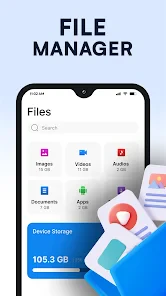
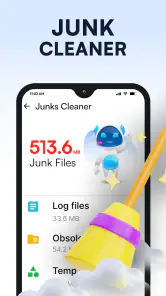
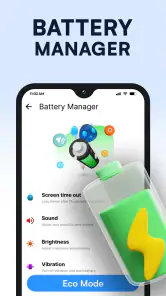
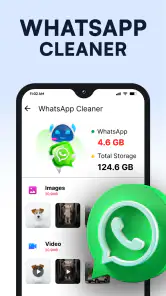
Analysis by Reviewed
The first few days with a phone cleaner can feel satisfying: a scan points to clutter, a button promises a quick reset, and the storage screen looks less daunting. I found that the more useful question is what happens after that first cleanup. Does the app help me make better decisions about space, or does it become another thing asking for attention? With Phone Cleaner - AI Cleaner, the answer depends less on a dramatic speed boost and more on whether you have a recurring storage problem you want to manage.
The appeal of a quick first cleanup
When a phone is crowded, it is tempting to delete things at random just to make room. A cleaner can give that task some structure by bringing potential clutter into focus. I like that kind of guided starting point, especially for someone who does not want to dig through every setting or folder before deciding where to begin. The app is free to download, and its simple presentation makes the first visit feel approachable rather than technical.
That convenience is most valuable when there is a specific reason to act: a warning that storage is tight, trouble saving a new photo, or a planned trip when you want room for offline media. A scan can help turn a vague “my phone is full” feeling into a prompt to review what is taking up space. I would still treat any suggested cleanup as a recommendation, not an instruction. Before removing anything, check whether it is something you may want later.
What a cleaner can and cannot change
It helps to separate storage management from performance repair. Removing files you genuinely do not need can free space, but that does not make an older processor new or guarantee that every sluggish moment will disappear. If a phone feels slow because of an aging battery, a demanding app, or a software issue, deleting clutter may not address the cause. I would use this app as a tool for reviewing space, not as a promise that every device problem has one-tap fix.
The same caution applies to battery and temperature claims. Advice about battery use can be a useful nudge to inspect your habits, but closing apps indiscriminately is not always the best response; some services need to run in the background, and repeatedly reopening an app can be inconvenient. If a phone is unusually hot, I would first pause heavy use, unplug it if appropriate, and look for the immediate cause rather than relying on a cooler button alone. A cleaner is most helpful when it supports sound choices instead of replacing them.
What’s the Deal with Phone Cleaner - AI Cleaner?
So, Phone Cleaner - AI Cleaner is all about optimizing your phone’s performance. It’s designed to clear out the junk files, manage your storage, and even boost your battery life. Sounds like a tech wizard, right? I was a bit skeptical at first, but the app has a pretty clean interface. It’s simple enough that even if you’re not tech-savvy, you’ll find your way around it.
Getting Started: The Setup
Installing the app was a breeze. It’s available for both Android and iOS, and I had it up and running in no time. The initial setup guides you through the permissions it needs, which is quite standard for any cleaning app. Once you’re in, the dashboard gives a nice overview of your phone’s current status, including storage usage and battery health.
More From Our News Desk

Weather by Xiaomi Review: Clear at a Glance, Less Clear Up Close

X Under Pressure: Can It Recover When Posting Goes Wrong?

Clash of Clans Is Won Between the Battles

Android Auto Makes the Case for Quieter Car Software

MobiOffice: Transforming Mobile Productivity with Seamless Integration

EA SPORTS FC™ Mobile Soccer: Redefining Mobile Sports Gaming
Features that Stand Out
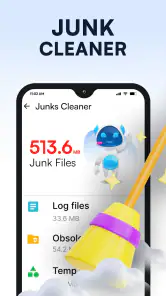
Now, onto the good stuff. One of the first features I tried was the junk file cleaner. It scans your device for unnecessary files that just hog space and slows everything down. I was amazed at how much digital clutter was just lying around. With a tap, it was all gone, and I did notice a slight improvement in speed.
Another neat feature is the battery saver. The app analyzes which apps are draining your battery and offers suggestions on what to close or uninstall. It’s like having a personal battery coach. There’s also a CPU cooler function, which is supposed to reduce overheating. While I didn’t notice a huge temperature drop, it’s nice to have that reassurance.
My Personal Take
Honestly, Phone Cleaner - AI Cleaner does what it says on the tin. It’s not a magic wand that’ll turn your old phone into the latest model, but it certainly helps in making your device run smoother. The app’s AI component is intriguing, as it learns from your usage patterns to offer better cleaning suggestions over time.
One thing I’d love to see improved is the ads. They can be a bit intrusive, but hey, it’s a free app, so it’s something I can live with. If they ever offer a paid, ad-free version, I’d consider it.
In conclusion, if your phone’s feeling a bit under the weather, Phone Cleaner - AI Cleaner might just be the app you need to give it a little TLC. It’s straightforward, effective, and doesn’t require a tech degree to understand. Give it a whirl and see if it makes a difference for you!
Making the cleanup useful month after month
The better long-term routine is occasional and deliberate, not constant scanning for its own sake. I would open the cleaner when a real need appears, review the categories it flags, and then confirm that anything selected is safe to remove. That small pause matters: a file can look disposable to a tool while still being useful to you. A little time spent checking is preferable to having to recreate or recover something later.
For example, imagine you are about to leave for a weekend and want to take photos without worrying about space. Instead of tapping through a broad cleanup in a hurry, use the moment to identify what you can confidently part with, then leave personal photos and files you have not reviewed alone. Afterward, make a note of what was consuming space. If the same type of clutter keeps returning, changing how you save or store that material may solve more than repeating a cleanup.
This is where the app’s recurring value becomes clearer. It can be a convenient checkpoint for someone who rarely checks storage until the phone complains. It is less compelling if you already review large files and app storage in your phone’s built-in settings. The cleaner should save you effort or make the review easier; it does not need to become a daily habit to justify keeping it.
Choosing what to remove, and what to leave alone
A practical tip is to separate reversible decisions from risky ones. Clearing something you can easily download again is different from deleting a personal document or a photo with no backup. When a result is unfamiliar, stop and inspect it rather than assuming that a label such as “junk” tells the whole story. I would also avoid treating a larger cleanup total as a better outcome: the point is to recover useful space without losing anything important.
Think about the source of the problem before repeating the scan. If space is mostly going to photos and videos, a cleaner may help you find room in the short term, but deciding what to keep or moving files to a storage option you trust is the lasting fix. If a particular app is taking up room, its own storage controls may offer more precise choices. This distinction prevents the frustrating cycle of cleaning, filling the phone again, and expecting the same button to solve the underlying habit.
It is also worth being selective with battery suggestions. A list of apps using power can direct your attention, but use patterns matter: an app you rely on may need to stay available, while one you rarely use may be a better candidate for removal. I would compare the suggestion with my own experience before changing anything. That makes the feature a useful prompt rather than a rule to follow blindly.
How it compares with built-in tools
Most phones already include ways to check storage, remove apps, and review battery use. Those built-in controls are often the better choice when you want a precise explanation or prefer not to install a separate utility. They can also keep the process focused on a particular app or file category instead of presenting a broad cleaner workflow. If you only need to delete a few downloads or uninstall an app you no longer use, opening system settings may be quicker.
The case for a dedicated cleaner is convenience. A single, more approachable place to start can be helpful if navigating settings feels confusing or you want a nudge to inspect device clutter. The trade-off is that a cleaner may encourage extra scanning and prompts when a simple manual check would do. I would compare the actual effort saved, not just the number of items a scan displays. The right choice is whichever method helps you make a careful decision with the least friction.
That also explains who is likely to get the most from it. It suits people who often run short on storage, want a clear starting point, or appreciate reminders to review battery use. It is less suitable for someone who expects a dramatic speed transformation, wants complete control over every file, or already manages storage comfortably through system settings. On a phone with plenty of free space and no noticeable problem, the app may not earn a regular place in your routine.
Recurring friction and sensible expectations
The interface is easy to approach, but no cleaner can decide what matters to you. You still need to read suggestions and check that removing something will not create a new problem. That is a real maintenance cost, especially if you install utilities hoping never to think about storage again. The best outcome is not a screen that looks cleaner at any price; it is having enough room while keeping the files and apps you actually use.
Ads are another source of fatigue. I found them noticeable, and repeated interruptions can make a utility feel less useful when all you want is a quick check. Because the app is free, that may be an acceptable compromise for occasional use, but it is still part of the experience. There are in-app purchases priced at $19.99 per item, so I would look carefully at what is offered before spending anything and decide whether the free experience already meets the need.
Questions about compatibility and trust are reasonable before installing any cleaning tool. This app is listed for Android version 7.0 and above, carries an Everyone age rating, and is made by Brain Trust. I would still review the permissions presented during setup and grant only what makes sense for the task. The app has a 4.8 average from around 480,000 ratings, and it has been installed over 50 million times; that popularity is useful context, but it does not replace checking whether its workflow fits your own phone.
Another practical question is whether a cleaner needs to run all the time. I would not assume that continuous attention is necessary. If you only reach for it when space becomes tight, use it on that occasion, check the recommendations, and close it when you are done. A tool that supports an occasional maintenance task is easier to live with than one that turns every small change in storage into a reason to intervene.
Who should keep it installed?
I would keep it in mind if I regularly hit storage limits, find system menus difficult to navigate, or want a simple prompt to review clutter. It can also suit someone helping a less confident phone user, provided they make the decisions together and avoid deleting personal material without checking. In those cases, ease of entry matters more than advanced controls, and the app’s plain presentation is a genuine advantage.
I would skip it if storage is rarely a concern, if ads quickly wear on you, or if you expect an app to repair slow hardware, extend battery life dramatically, or cool a phone by itself. A built-in storage manager is a sensible alternative for people who want fewer apps and more direct control. For a device that remains slow after sensible cleanup, troubleshooting the specific cause—or considering the limits of the hardware—is a better next step than repeating scans.
My lasting verdict is that this is best treated as an occasional helper, not a permanent performance ritual. Its convenience can make storage maintenance less intimidating, but the lasting benefit comes from choosing carefully and noticing why the phone fills up in the first place. If that support fits a real problem in your routine, it may be worth keeping. If the novelty fades and you no longer need its prompts, uninstalling it and using the phone’s own tools is a perfectly reasonable choice.
Phone Cleaner - AI Cleaner Frequently Asked Questions
What does the app’s “AI-powered” cleaning mean for everyday use?
Phone Cleaner - AI Cleaner is presented as a tool for cleaning up phone space with AI-powered cleaning. In everyday use, that description may appeal if you want a utility focused on storage cleanup rather than a broader phone-management app. Before installing, consider whether an automated cleaning approach fits how you prefer to review and manage files on your device.
Will Phone Cleaner - AI Cleaner work on my Android phone?
Phone Cleaner - AI Cleaner supports Android devices running version 7.0 or later. Check your phone’s Android version before downloading, especially if you use an older device. The app is a Tools utility focused on cleaning up storage, so it is worth considering whether that purpose matches what you want from an app before you install it.
What should I check before downloading Phone Cleaner - AI Cleaner?
Phone Cleaner - AI Cleaner is a free Tools app from Brain Trust, with a Everyone age rating. It has a 4.8 average from around 480,000 ratings and over 50 million installs. Before downloading, check that your device runs Android 7.0 or later and that the app suits the kind of storage cleanup you want. The app’s short description is simply “Phone Cleaner.”
What is Phone Cleaner - AI Cleaner and how does it work?
Phone Cleaner - AI Cleaner is an app designed to optimize and enhance the performance of your smartphone by using AI technology. It works by scanning your device for junk files, cache, and unnecessary data, and then safely removing them to free up storage space. It also helps in boosting the speed of your phone by managing background processes and apps that consume resources.
Is Phone Cleaner - AI Cleaner safe to use on my device?
Yes, Phone Cleaner - AI Cleaner is safe to use. It is developed with advanced security protocols to ensure that your personal data is not compromised during the cleaning process. The app only targets unnecessary files and cache, ensuring that no important data is deleted. However, it is always advisable to double-check the files before deletion.
Pros
- Efficient junk file removal
- Boosts device speed effectively
- User-friendly interface
- Battery saver feature included
- Customizable cleaning options
Cons
- Contains in-app ads
- Requires regular updates
- Limited free features
- May overclean necessary files
- Occasional false positives
- Category
- Tools
- Version
- 1.0.91








