PDF Reader App : Read All PDF
- 3.93K
- 4.4
- Installs
- 50.00M
- Price
- Free

Screenshots
Analysis by Reviewed
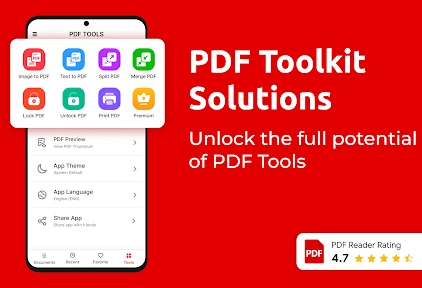
When I need to check a document on my phone, I want to find the right page quickly and read without wrestling with tiny text or confusing menus. That’s the practical promise of PDF Reader App: Read All PDF, a free tools app from Trusted PDF Tools. It brings reading and common document tasks together, and its 4.4 average from around 548,000 ratings suggests many people use it as an everyday PDF option. I find it most appealing when I want a single place to open a file, mark it up, and move on.
Read comfortably and find your place
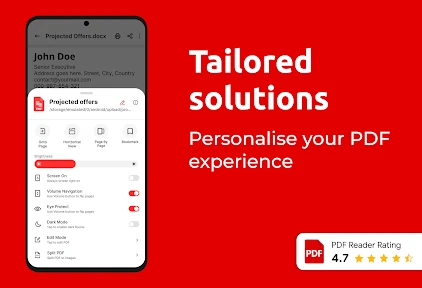
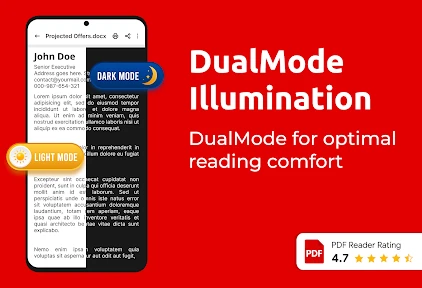
The basic reading experience is straightforward: open a PDF, move through its pages, and use search when you need a particular term or passage. That makes a noticeable difference with a long handout or a work document; searching for a section is often easier than repeatedly swiping through pages and trying to remember where you saw it. Portrait and landscape viewing, along with day and night modes, also give you some choice about how a document appears.
These options are useful, but I wouldn’t treat them as a substitute for accessible document design. A PDF made from page images may remain difficult to search or read with assistive technology, regardless of which reader opens it. For text-heavy material, I’d first check whether the document contains selectable text. If it does, search and ordinary page navigation are much more likely to help than if every page is effectively a photograph.
Choosing a useful reading routine
For a long report, I’d use search to jump to a topic, read the surrounding passage, and then return to the document’s pages rather than trying to build my whole understanding from isolated search results. A keyword hit can land in a table, a footnote, or a sentence that only makes sense with the paragraph before it. Treating search as a shortcut to the right place—not as a replacement for context—makes the app more useful for careful reading.
When a document is awkward to follow, I’d also try changing the orientation before giving up. A wide table may be easier to inspect in landscape, while a single column of text can feel more natural in portrait. That small adjustment is particularly handy on a phone, where the same page can feel cramped in one position and readable in another. Day and night modes offer another option, although they cannot fix low-quality scans or poor contrast built into the file itself.
A Handy Tool in Your Pocket
Right off the bat, the PDF Reader App: Read All PDF proves to be incredibly useful. This app is like having a mini library in your pocket, capable of handling all your PDF needs. Whether you're a student, professional, or just someone who likes to keep their documents organized, this app has got you covered.
Motor and sensory considerations
One of the first things I noticed was the app’s user-friendly interface. Navigating through the app is a breeze, even for someone who might not be the most tech-savvy. The layout is intuitive, with everything clearly labeled. I didn’t have to spend ages trying to figure out how to open a PDF or adjust the settings, which is a huge plus in my book.
More From Our News Desk

Weather by Xiaomi Review: Clear at a Glance, Less Clear Up Close

X Under Pressure: Can It Recover When Posting Goes Wrong?

Clash of Clans Is Won Between the Battles

Android Auto Makes the Case for Quieter Car Software

MobiOffice: Transforming Mobile Productivity with Seamless Integration

EA SPORTS FC™ Mobile Soccer: Redefining Mobile Sports Gaming
Having a choice of page orientation and day or night viewing can make reading more comfortable in different settings, but the app’s usefulness still depends on the document and the reader’s needs. If you rely on a particular screen reader, enlarged interface controls, or other assistive settings, try a familiar file and test the actions you use most before depending on it for important paperwork. A quick test can reveal whether navigating pages and reaching the tools feels manageable on your device.
Testing a task before relying on it
I’d make that check concrete rather than simply opening a file and deciding the app seems accessible. Pick one familiar document and try the exact sequence you expect to use: open it, move to a page, locate a phrase, and reach any annotation or signing control you need. If one step is difficult, that can matter more than the general impression of a tidy interface. A short trial with a low-stakes file is a sensible way to see whether the reading and controls fit your own motor, vision, or hearing needs.
It is also worth separating document readability from app usability. A clear screen and simple controls cannot make a scanned page selectable, and a searchable PDF can still have confusing structure or small text. If a document is essential and the content is inaccessible, I’d ask for a more usable copy where possible rather than assuming a different viewing mode will solve the problem. That distinction helps set realistic expectations for any PDF reader.
Marking up documents on the move
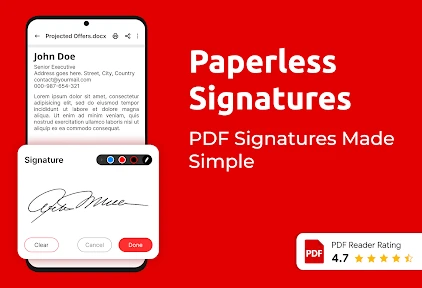
Let’s talk features. This app isn’t just about reading PDFs; it’s packed with functionalities that make it stand out. You can annotate documents, highlight important sections, and even sign PDFs directly from your phone. This is especially handy for those last-minute document reviews or when you need to sign something on the go.
A useful workflow is to search for a key phrase first, then highlight the passage you need rather than marking whole pages. For a class reading, that makes it easier to revisit a definition; for a draft, annotations can flag a question for later. Signing on a phone is convenient when a document is ready to return, but I’d still review the final file carefully before sharing it, especially if the signature or marks need to appear in a particular place.
Keep review and editing in perspective
Annotations and highlights are best for personal review, study, or a quick exchange about a document. I wouldn’t confuse them with full document editing: if the task involves restructuring pages, carefully adjusting layout, or making many precise changes, a desktop editor is a better fit. On a phone, I’d keep the job narrow—find the relevant passage, add a note or mark, and check the result—rather than trying to turn a quick review into a complex production workflow.
Before sending a marked-up or signed file, I’d reopen the saved version and check that the marks appear where intended and that the page remains legible. This extra pass is especially useful when a signature sits near a line, box, or other printed instruction. It is a simple safeguard against the small-screen trade-off: tapping is convenient, but it can be less precise than working with a larger display and a pointer.
The app also supports various viewing modes, so whether you prefer reading in portrait or landscape, day mode, or night mode, it’s got you covered. And let’s not forget the search functionality. If you’ve got a lengthy document, you can easily find what you’re looking for without having to scroll endlessly.
Everyday access and the alternatives
Imagine getting a course handout while you’re waiting for a bus. You can open it on your phone, search for the topic the instructor mentioned, and highlight the relevant paragraph to review later. That kind of short, focused session is where a mobile reader earns its place. With more than 50 million installs, this app is clearly used at broad scale, though popularity alone can’t tell you whether its controls suit your habits.
Compared with relying on a browser preview or a basic built-in viewer, a dedicated reader is more useful when you want to annotate or sign as well as read. On the other hand, if you only open an occasional PDF and never mark it up, your phone’s existing viewer may be enough and avoids adding another app to your routine. For editing page layouts or handling complex document production, I’d choose a desktop PDF tool instead; a phone is better for quick review than precise, sustained editing.
When a phone is the right place to read
This app makes the most sense for brief, practical sessions: checking a timetable, looking up a clause, reviewing a reading before class, or marking a passage to discuss later. Those tasks benefit from having search and annotation available together. A bus stop or a waiting room is a realistic place to use it, provided you can focus on the screen and have enough time to verify what you’ve marked. For sustained reading, a larger screen may be more comfortable, especially with dense pages or documents that require comparing several sections.
There is a useful trade-off between convenience and control. A phone keeps a document close at hand, but small targets and limited screen space can make precision work slower. If you need to compare two pages repeatedly, inspect fine print, or check alignment across a form, I’d move to a tablet or computer when available. The app’s role is strongest as a portable reader and quick markup tool, not as a substitute for every part of a desktop document workflow.
Performance, costs, and practical limits
Performance-wise, the app is solid. I didn’t experience any crashes or glitches, which is always a relief. It opens PDFs quickly, and I didn’t notice any lag when scrolling through pages. This reliability makes it a trustworthy tool for anyone who needs to access PDFs regularly.
Moreover, the app doesn’t take up much space on your device, which is a bonus for those of us who are constantly battling with storage issues.
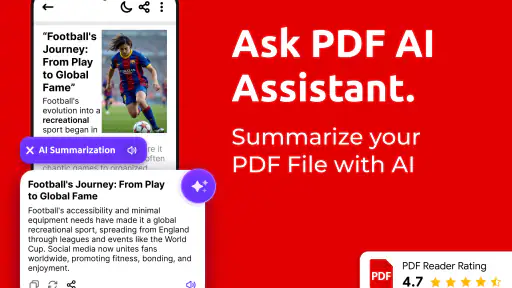
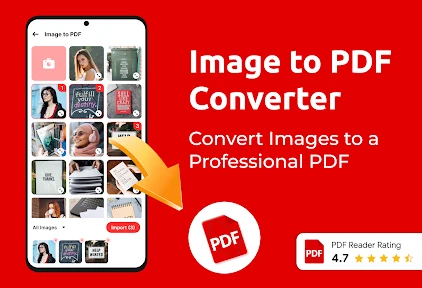
The app is rated for Everyone and supports Android 7.0 or later; its current version is 1.30.39. It is free to install, with optional in-app purchases ranging from about 49 cents to nearly 46 dollars per item. I’d start with the free experience and only consider a purchase if a feature I actually use warrants it. The developer describes it as an AI PDF reader and converter, but I’d judge any conversion or summarizing task by checking the result against the original before relying on it—especially when exact wording matters.
Be cautious with conversion and summaries
For a summary, I’d treat the result as a first-pass aid, not as a replacement for the source. It may help me decide which parts of a long document deserve attention, but names, dates, qualifications, and exceptions are precisely the details I would verify in the PDF itself. The same caution applies to conversion: if the appearance or wording matters, compare the output with the original before using it. That extra check is important for forms, study notes, and work documents where a small change can alter meaning.
That approach also answers a practical question about whether the app can be trusted with important paperwork: I’d use it to read and prepare a routine file, then inspect the saved result before sending or relying on it. For a legally significant document, a transaction, or anything with strict formatting requirements, I’d prefer a workflow that gives me a larger screen and a clear way to verify every detail. Convenience is valuable, but it should not replace review.
Who will get the most from it
I’d recommend PDF Reader App: Read All PDF to someone who regularly receives PDFs on a phone and wants search, annotations, highlights, and signing in the same general workflow. It can suit students reviewing readings and people who need to check routine documents away from a desk. If accessibility depends on a specific assistive feature, or if you handle sensitive or legally important paperwork, test the exact workflow first and use a more suitable alternative if anything is hard to control or verify. Its 3,900 reviews give prospective users another source of perspective, but my practical advice is still to try it with the kinds of files you really use.
Who may prefer another option
I’d skip it if my needs were limited to opening a PDF once in a while and the viewer already on my phone handled that comfortably. I’d also look elsewhere if I needed detailed page editing, especially when precise placement and repeated comparisons are part of the job. Someone who depends on a particular assistive setup should test the actual tasks they need rather than assume that general ease of use guarantees a good fit. In those cases, the best reader is the one that works reliably with the person’s device, document, and preferred way of interacting.
Its 4.4 average across around 548,000 ratings is a useful sign that the app has reached a large audience, but it cannot predict how it will behave with a particular scanned handout, form, or accessibility configuration. I’d judge it on a small set of real files: one ordinary text PDF, one document I expect to mark up, and—if relevant—one file that tests my assistive settings. That gives a much more useful answer than installing it and only tapping through a sample document.
Final Thoughts
In conclusion, the PDF Reader App: Read All PDF is a fantastic option for anyone looking to manage their PDFs efficiently on a mobile device. Its user-friendly interface, combined with a rich set of features, makes it a standout choice. Whether you’re a student needing to review notes, a professional handling business documents, or just someone who likes to keep their files in order, this app is definitely worth checking out. Give it a try, and you might just find it becomes one of your go-to apps for managing PDFs on the fly.
My inclusive verdict
For me, the strongest case for this reader is practical: it brings page navigation, search, viewing choices, and everyday markup into a phone-based routine. That can make routine documents easier to handle when I’m away from a desk, and it gives readers a chance to test how the experience fits their own preferences. I would not treat its broad popularity or simple layout as proof that every PDF or assistive setup will work smoothly, though.
I’d recommend trying it with a familiar, low-stakes document before making it part of an important workflow. If the text is selectable, the controls feel manageable, and the marked-up file is easy to verify, it can be a handy everyday choice. If those conditions do not hold—or if you need sustained, precise editing—a built-in reader, a different app that better suits your access needs, or a desktop tool may serve you better. That is the balance I’d want a friend to know before installing it.
PDF Reader App : Read All PDF Frequently Asked Questions
Can I read PDF files without an internet connection?
Yes, the PDF Reader App can be used offline, allowing you to access and read PDF documents saved on your device without an internet connection. This can be especially helpful while traveling or somewhere with limited connectivity. Keep in mind that features involving online services may require internet access, but offline reading makes it easier to continue with documents you already have.
Is PDF Reader App: Read All PDF suitable for students and work documents?
It can be a handy option for everyday document reading, whether you are reviewing study material, checking a work file, or reading a personal PDF. The app is categorized as a Tools app and is rated for Everyone. Its focus on reading, summarizing, and converting PDFs may suit people who want document tasks gathered in one mobile app.
Does the app include tools for finding information in a document?
The app is presented as a PDF reader, and its published feature description includes text search, annotations, and bookmarks. These tools can help you locate a phrase, mark a useful passage, or return to a page later. Together, they make it easier to navigate longer documents and keep track of details while reading.
Can PDF Reader App: Read All PDF help summarize or convert PDF files?
Yes. The app is presented as an AI PDF reader and PDF converter, with tools intended to help users read, summarize, and convert PDF files. This may be useful when you want to get through a document more quickly or work with a file in another format. The app is free to download, with in-app purchases available for additional options.
What devices and operating systems can run PDF Reader App: Read All PDF?
The app is made for mobile devices and is available for Android, with a minimum operating system requirement of version 7.0. It is rated for Everyone, so its content rating is suitable for a broad audience. Before downloading, check that your device meets the Android requirement and has enough available space for the installation and your documents.
Pros
- Fast document loading and rendering.
- User-friendly interface with easy navigation.
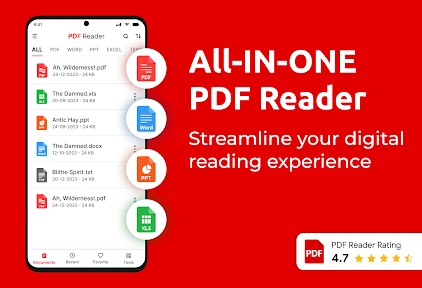
- Supports multiple file formats.
- Offline access to saved documents.
- Annotation and highlighting tools available.
Cons
- Ads can be intrusive at times.
- Limited features in the free version.
- Occasional crashes on older devices.
- No cloud storage integration.
- Requires frequent updates for stability.
- Category
- Tools
- Version
- 1.30.39








