PDF Reader and Photo to PDF
- 67.00
- 4.0
- Installs
- 10.00M
- Price
- Free
Screenshots
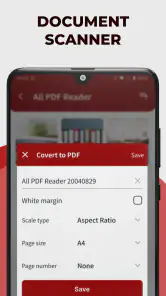
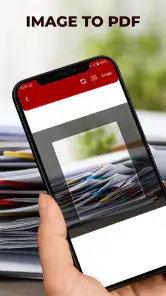
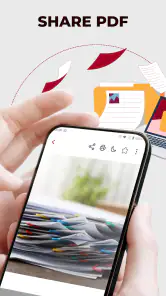
Analysis by Reviewed
Ever found yourself in a pinch trying to quickly convert a photo to PDF or needing a reliable PDF reader on the go? Well, welcome to the world of PDF Reader and Photo to PDF, an app designed to make your life a tad easier when juggling digital documents.
The All-in-One PDF Solution
Let’s dive right into it. The PDF Reader and Photo to PDF app is like having a Swiss army knife for all things PDF-related right in your pocket. This app is available for both Android and iOS. It's not just a PDF reader; it also transforms your photos into PDFs with just a few taps. Imagine snapping a picture of a document with your phone and instantly converting it into a PDF file. Pretty neat, right?
Easy Navigation and User-Friendly Interface
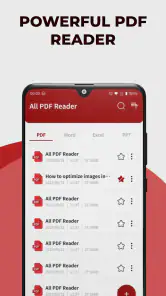
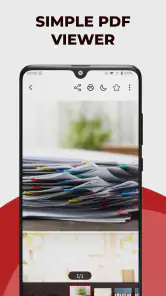
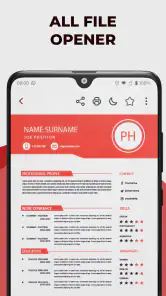
First impressions matter, and this app knows how to make a grand entrance. The interface is super intuitive, which means you won’t find yourself clicking around aimlessly trying to get things done. Everything is laid out in a manner that even my tech-challenged aunt could navigate with ease. The home screen offers quick access to all main features, so you’re never more than a couple of taps away from getting stuff done.
Features That Pack a Punch
Now, let’s talk features. Besides the usual PDF viewing capabilities, this app brings a lot more to the table:
- Photo to PDF Conversion: Snap a photo of any document and watch it turn into a PDF in seconds. This is perfect for those moments when you need to send a signed document via email, and a photo just won’t cut it.
- PDF Annotation: Highlight, underline, or add notes to your PDFs. Ideal for students or professionals who need to mark up documents on the fly.
- Text Recognition (OCR): This feature is a lifesaver. It scans your images or PDFs and extracts text, making it searchable and editable.
These features collectively make this app a powerhouse for personal and professional use, letting you handle documents like a pro.
Performance and Reliability
Performance-wise, this app is pretty slick. It’s quick to open documents and handles large files without batting an eyelid. During my time using it, I didn’t experience any crashes, which is a major plus. There’s nothing worse than an app failing on you right when you need it the most.
Also, it doesn’t hog your device’s resources, so you can multitask without worrying about your phone becoming a hot brick.
You May Like

Clash of Clans Is Won Between the Battles

Android Auto Makes the Case for Quieter Car Software

MobiOffice: Transforming Mobile Productivity with Seamless Integration

EA SPORTS FC™ Mobile Soccer: Redefining Mobile Sports Gaming

How Microsoft OneDrive Became a Mobile Productivity Giant

How Google Translate Breaks Language Barriers Effortlessly
Final Thoughts
At the end of the day, PDF Reader and Photo to PDF stands out in a crowded market by offering a robust set of features wrapped in an easy-to-use package. Whether you're a student needing to annotate lecture notes, a professional working with digital documents, or just someone who wants to convert photos to PDFs effortlessly, this app has got you covered.
So, if you’re on the lookout for a reliable app to manage your PDFs on the go, give this one a try. It’s like having a personal assistant for your digital documents, without the hefty price tag. Go ahead, download it and see how it transforms your document management game!
PDF Reader and Photo to PDF Frequently Asked Questions
What features does PDF Reader offer for managing PDF documents?
PDF Reader provides a range of features including viewing, annotating, and editing PDF files. Users can highlight text, add comments, and fill out forms directly within the app. Advanced features like merging documents, converting files to different formats, and managing pages within a PDF make it versatile for both personal and professional use.
How does the Photo to PDF feature work, and is it user-friendly?
The Photo to PDF feature allows users to convert images into PDF format with ease. Simply select the images from your device's gallery, arrange them in the desired order, and convert them with a single tap. The app ensures that the conversion process is quick and maintains the quality of the images, making it highly user-friendly for all levels of users.
Is the app compatible with both Android and iOS platforms?
Yes, the PDF Reader and Photo to PDF app is designed to function seamlessly on both Android and iOS platforms. This cross-platform compatibility ensures that users can access and manage their PDF documents and convert photos to PDFs regardless of the device they are using, providing flexibility and convenience.
Are there any in-app purchases or subscriptions required for premium features?
While the basic functionalities of the PDF Reader and Photo to PDF app are free, there are premium features that require in-app purchases or subscription plans. These may include advanced editing tools, additional cloud storage options, and enhanced security features. Users can choose to upgrade based on their needs and usage requirements.
How secure is my data when using the PDF Reader and Photo to PDF app?
The app prioritizes user privacy and data security by implementing robust encryption technologies. Documents and images processed through the app are safeguarded with industry-standard security measures. Additionally, users have control over file permissions and can secure sensitive documents with passwords to ensure their information remains protected.
Pros
- Easy to navigate interface.
- Fast PDF conversion.
- Supports multiple file formats.
- Offline mode available.
- Secure file handling.
Cons
- Limited editing features.
- Ads in free version.
- Occasional crashes reported.
- Requires in-app purchases.
- Limited cloud storage integration.

- Category
- Productivity
- Version
- 1.3.0











