PBS KIDS Video
- 12.44K
- 4.4
- Installs
- 10.00M
- Price
- Free

Screenshots
Analysis by Reviewed
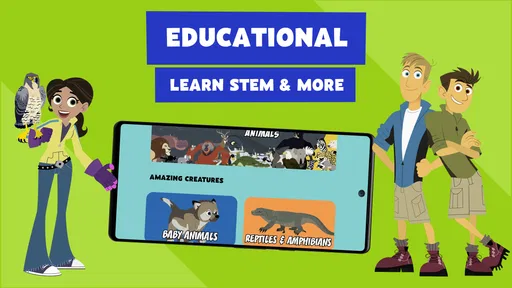
For a family choosing what to put on a child’s screen, the useful question is not simply whether a video app has cartoons; it is whether its viewing options suit the moment. I find PBS KIDS Video most appealing when a parent wants children’s programming with an educational bent, rather than an endless mix of general entertainment. It is a free education app from PBS KIDS, rated for Everyone, and its focus makes it easier to choose when a short, familiar viewing break is the goal.
How I’d use it in an ordinary day
Imagine a child getting restless in a waiting room while an adult needs a few minutes to handle an appointment. I’d pick a suitable episode before handing over the device, then treat the video as a contained activity rather than letting autoplay become the plan for the afternoon. The app’s combination of episodes, shorts, movies and TV gives families more than one kind of viewing session: a short clip can fit a brief pause, while a longer choice may suit a quiet stretch at home.
That distinction is practical, not just a matter of convenience. A short video can be easier to stop when it is time to leave, whereas a longer program may work better when a parent can stay nearby and talk about what the child watched. I also like the idea of using a familiar show as a starting point for conversation afterward; the screen can hold attention, but the learning value is stronger when an adult joins in instead of treating video as a substitute for interaction.
Streaming, downloads and the connection trade-off
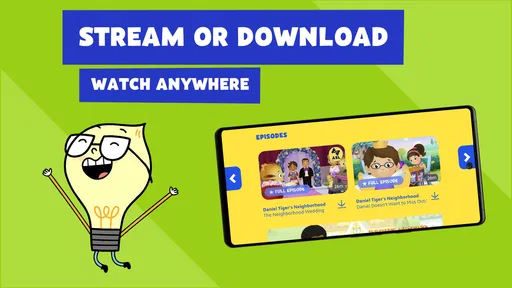
The option to stream or download changes how I’d plan around connectivity. At home, streaming is the straightforward choice. Before a trip or a long wait, downloading content while a reliable connection is available can make the app more useful when internet access is inconvenient. I would check that the intended video is ready before leaving, rather than assume every title will be available offline at the moment it is needed.
This is a small workflow that can prevent a familiar frustration: discovering that a child’s chosen video cannot start when the connection is weak. It also means downloads need a little planning and device storage, so I would not save a large collection casually. For families who mainly watch at home, streaming may be enough; for travel, a few deliberately chosen downloads are the more sensible compromise.
All About the Fun and Learning
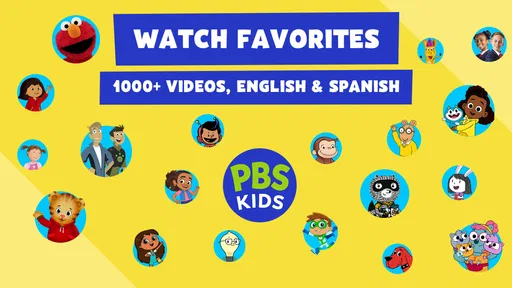
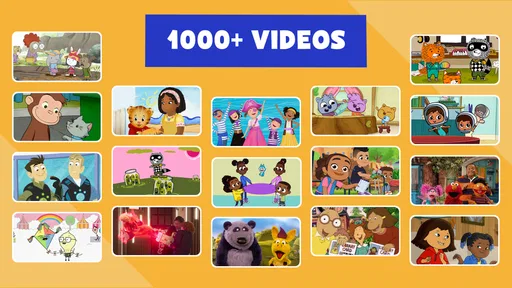
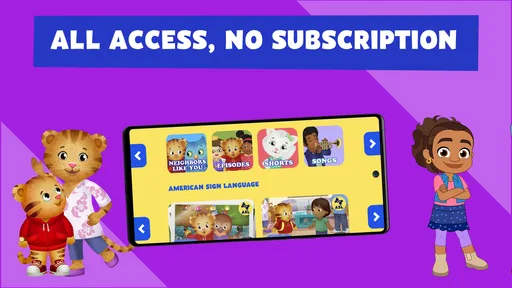
The PBS KIDS Video app is like having a treasure chest of educational content right at your fingertips. It’s loaded with videos from all the classic shows that we’ve come to love from PBS. Think along the lines of Daniel Tiger's Neighborhood, Arthur, and Curious George. And the best part? There’s no subscription fee! You get access to a vast library of content that’s both engaging and educational.
Easy Navigation for Little Hands
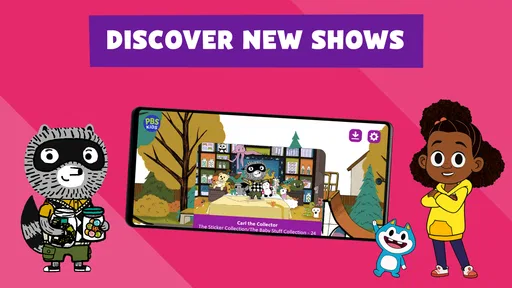
What I really appreciate about this app is the intuitive design. The interface is super user-friendly, which means even the youngest members of the family can navigate their way around with ease. The colorful and vibrant layout is inviting and simply screams fun. My kids can easily find their favorite shows without any adult assistance, and that’s a win in my book!
More From Our News Desk

Weather by Xiaomi Review: Clear at a Glance, Less Clear Up Close

X Under Pressure: Can It Recover When Posting Goes Wrong?

Clash of Clans Is Won Between the Battles

Android Auto Makes the Case for Quieter Car Software

MobiOffice: Transforming Mobile Productivity with Seamless Integration

EA SPORTS FC™ Mobile Soccer: Redefining Mobile Sports Gaming
Independent browsing is useful, but I would still set expectations before handing the device over. A young child may tap a favorite show repeatedly instead of exploring something new, so I’d help choose an episode or offer two suitable options if variety matters. That small bit of guidance can make the app feel more intentional without turning a simple viewing break into a complicated setup routine.
Safe and Secure Environment
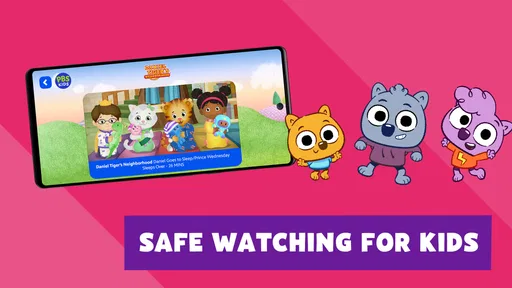
As a parent, safety is always a concern, especially when it comes to online content. This app ensures a safe viewing experience by providing content that is free from inappropriate ads and external links. It’s reassuring to know that I can hand over my phone and let my kids explore without having to worry about what they might stumble upon. Plus, the app doesn’t require any personal information to get started, which is always a plus.
Even with a child-focused app, I would keep the device itself in mind: notifications, other apps and the option to leave the video are separate from the content being watched. A parent can prepare the phone or tablet before passing it over, especially for a younger viewer who might wander away from the video by tapping around. That is not a reason to avoid the app; it is simply a realistic boundary between a focused children’s viewing experience and the broader device.
Streaming on the Go
One of the features I love the most is the ability to stream content wherever we are. Whether we're in the car, at the park, or even in a waiting room, the PBS KIDS Video app keeps my kids entertained. As long as there’s an internet connection, we’re good to go. And let’s face it, sometimes a little screen time can be a lifesaver.
For parents comparing it with a general video platform, the trade-off is focus. A broad service may be a better fit for adults who want one place for many kinds of viewing, while this app is more clearly aimed at children’s educational programming. It is also different from a game-based learning app: watching is passive unless an adult turns a moment into a conversation or activity. I would choose it for a calm video break, not as the main tool for practising a skill through interaction.
Who will get the most from it
I’d recommend it to caregivers who want free, child-oriented videos and are comfortable choosing viewing as one part of a child’s day. It can suit a quick pause at home, a planned travel download, or a familiar program during a wait. Families who want interactive lessons, a tightly managed schedule, or a single app for every kind of entertainment may be better served by a different option. The right choice depends on whether the priority is accessible children’s video or a more structured activity.
The app has a 4.2 average from around 65,000 ratings, and it has been installed over 10 million times. Those figures suggest broad use, but I would still judge it by whether its content and viewing style fit my own household. PBS KIDS released it in 2014, and version 7.1.10 is the current version; that gives a sense of a product with a long history and a present-day build, not a guarantee that every family’s experience will be identical.
What to keep in mind
The main limitation is that video remains video: it can occupy a child, but it does not automatically make the viewing active or suit every age and situation. A parent who needs hands-on practice, open-ended play or adult-focused entertainment should look elsewhere for that particular need. I would also make a choice before a short outing rather than relying on a child to browse indefinitely, and prepare downloads in advance when a dependable connection may not be available.
In conclusion, the PBS KIDS Video app is a must-have for any parent looking to blend entertainment with education seamlessly. It’s packed with quality content, safe for little ones, and easy to use. Plus, it doesn’t cost a dime. So, if you haven’t already, go ahead and download it. Trust me, you and your kids will thank me later!
Making a viewing choice that fits the moment
I find it helps to decide what the screen break is meant to do before opening the app. If the goal is to keep a child settled while dinner is being prepared, a familiar episode may be a better choice than browsing for something new. If there is more time and an adult is available, a short program can be a prompt to ask what the child noticed or which character made a thoughtful choice. That simple distinction makes the same app useful in different ways without expecting the video itself to do all the teaching.
For a practical routine, I would choose a title first, check whether the connection is stable, and then hand over the device with a clear stopping point. That is especially helpful when the viewing happens just before leaving home: selecting a short option avoids having to interrupt a longer program at an awkward moment. A parent can also keep a backup plan in mind, such as a book or small toy, because no video app can guarantee that a child will stay settled in every setting.
What downloads change for families
Downloading is most valuable when it is treated as preparation rather than a promise that every video will be available wherever you go. I would test the plan before relying on it for a flight, car ride or appointment: choose the content while connected, let the download finish, and check that it is ready before putting the device away. This avoids using mobile data unexpectedly or finding out at the last minute that a video still needs a connection.
There is a useful trade-off here. Saving a couple of chosen videos can make travel less dependent on reception, but keeping many titles on a phone or tablet uses storage that may be needed for photos, schoolwork or other apps. I would refresh the selection after a trip rather than build up a permanent library of downloads. Families who rarely leave reliable Wi-Fi may not need this extra step at all.
How it compares with other children’s options
Compared with a general video service, this app has a narrower purpose: it is centered on children’s programming rather than serving as a shared entertainment library for the whole household. That focus can make it easier for a caregiver to offer a child a suitable viewing choice, but it also means it is not the best place to look for every kind of show. A broader service may suit families who want adult and child viewing under one roof, though they may prefer PBS KIDS Video when the priority is a more specifically educational tone.
Compared with learning games, the difference is more than presentation. A game can ask a child to make choices or practise a task; a video asks the child to watch and listen. I would not substitute one for the other if the aim is active practice. Instead, the app works well as a low-effort viewing option, especially when a caregiver can connect a story to a conversation, drawing or pretend-play idea afterward.
Age, supervision and everyday boundaries
The Everyone age classification is reassuring as a broad label, but it does not decide whether a particular program is right for an individual child. Children differ in what they understand, how long they can comfortably watch, and whether a story is appealing or confusing to them. I would preview a new choice when unsure, then pay attention to the child’s response rather than assuming that one age label fits every family’s preferences.
For a younger child, I would also make the device handoff part of the routine: open the intended video, reduce distractions from the rest of the phone or tablet where possible, and explain what happens when the video ends. That helps avoid a common mismatch, where the content is suitable but a child accidentally wanders into another app or becomes upset when the viewing session stops. The app can make choosing children’s videos easier, but ordinary device boundaries still matter.
A long-running app and what I’d watch next
PBS KIDS Video has been available since 2014, and the current version is 7.1.10. I read that history as evidence of a long-running product with a current release, not as proof that every part of the experience has changed in a particular way. For someone who already uses it, the practical test is whether it continues to fit the household’s routine: can you find a suitable program without fuss, and does streaming or advance downloading work for the situations where you need it?
When considering any future use, I would pay attention to the parts that matter day to day rather than expecting a version number alone to tell the whole story. A family may care most about how easily a child can find a familiar show, whether the available viewing choices suit a short break, and how predictable downloads are before a trip. Those are the details that determine whether the app remains convenient, while any hopes for new tools or changes are just expectations until they are actually part of the experience.
When I would choose something else
I would skip this app if the main goal is to keep a child actively solving problems, practising reading or working through a structured lesson. Video can support a broader routine, but it is not a replacement for a teacher, a conversation or an interactive activity. I would also choose another option when the household needs a single entertainment service with a wider mix of programs, or when the adult wants close control over a planned sequence of learning tasks.
For families whose need is a free, child-focused video break, though, the balance is more appealing. The app gives caregivers a place to start when they want a familiar program without turning the search into a tour through general online video. I would keep the session purposeful, prepare offline viewing when necessary, and use the stories as an invitation to talk rather than a claim that screen time alone creates learning. That is where I think PBS KIDS Video earns its place in a family’s set of everyday tools.
PBS KIDS Video Frequently Asked Questions
What devices and operating systems can run PBS KIDS Video?
PBS KIDS Video is available for Android and iOS devices, making it an option for families who want to watch on a phone or tablet. Before downloading, check that your device can install the app and has enough storage for it. The app is designed around watching video, so consider which screen will be most comfortable for your child.
Does PBS KIDS Video need an internet connection to watch shows?
The app supports streaming and also describes options to download and watch video. Streaming requires an internet connection, while downloading can be helpful when you expect to be away from a reliable connection. Availability may depend on the video and the app’s current options, so it is worth checking the episode you want before relying on it for travel.
Is PBS KIDS Video suitable for young children and families?
PBS KIDS Video is an education-focused app for children and families, with video content intended for a broad audience. Its content rating is Everyone, and the videos center on learning and entertainment. Parents can preview the app and its shows together with a child to decide whether the content and viewing experience suit their family.
What is PBS KIDS Video, and what content does it offer?
PBS KIDS Video is a family-friendly app designed to provide children with access to a wide range of educational and entertaining videos. The app features episodes from popular PBS KIDS shows like "Daniel Tiger's Neighborhood," "Curious George," and "Sesame Street." It offers a safe and ad-free environment where kids can watch their favorite characters while learning valuable lessons and skills.
Is PBS KIDS Video free to use, or does it require a subscription?
PBS KIDS Video is a free app that offers access to a vast library of children's videos without requiring any subscription. However, it may offer premium features or additional content through in-app purchases or donations to support PBS programming. The core content remains free for all users, making it accessible to families without any financial commitment.
Pros
- Educational content for kids.
- Ad-free viewing experience.
- Available on various devices.
- Easy navigation for young users.
- High-quality video streaming.
Cons
- Limited offline viewing options.
- Requires internet for full access.
- Some content may require subscription.
- Limited parental control features.
- App may occasionally crash.













