Explore Daniel's Neighborhood
- 263.00
- 3.4
- Installs
- 100.00K
- Price
- $2.99

Screenshots




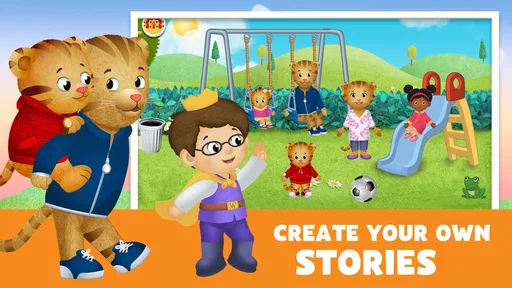



Analysis by Reviewed
When I want a gentle, familiar activity for a young child, Explore Daniel's Neighborhood is an appealing choice because it turns pretend play into a chance to explore everyday places and interactions. It is an educational game from PBS KIDS, centered on Daniel Tiger’s world, and its strongest fit is preschoolers who enjoy guided play without needing a complicated setup.
A simple routine for starting play
I’d begin by letting a child choose a place to explore, then stay nearby for the first few minutes to see what catches their attention. The game’s store summary points to pretend play at the doctor’s office and school, while the activities described in the app also include places such as a bakery and music shop. That variety gives caregivers an easy way to connect play with familiar routines: a checkup, a school morning, or helping prepare food.
A realistic use is a short turn after breakfast or while waiting for an appointment. Rather than handing over the device and expecting a long stretch of independent play, I’d treat it as a shared conversation starter: “What do you think happens at the doctor?” or “What should we do next?” This keeps the activity purposeful and gives a child room to narrate what they are doing.
Choosing the right fit for your child
The game is aimed at young children, and its Everyone age rating makes that audience clear. It may suit a child who likes Daniel Tiger, pretend scenarios, and familiar social situations more than a child looking for fast action, scores, or a competitive challenge. If your child would rather draw freely, build elaborate worlds, or play a more open-ended toy sandbox, another kind of children’s app may hold their attention better.
It also works differently from a straightforward video. A show can model a feeling or routine while a child watches; here, the child gets to take part in the setting and decide where to focus. That active element can make the experience more engaging, though it does not replace conversation with an adult when a child is working through a real worry or difficult feeling.
Worth checking before handing over the device
The game costs $2.99, so I’d decide whether its particular Daniel Tiger setting is a good match before buying. Its average rating is 3.4 from around 1,600 ratings, with around 240 written reviews, and it has been installed over 100,000 times. Those figures suggest it has found an audience, but they are not a substitute for considering whether your child likes this slower, familiar style of play.
It was released in 2015, and version 4.6.7 requires Android 5.1 or later. I would check the device’s compatibility before purchase, especially if you are setting it up on an older tablet. Because a young child may tap around quickly, it is also sensible to open the game together first and see how its navigation feels on your screen rather than assuming every child will find the controls equally easy.
More From Our News Desk

Weather by Xiaomi Review: Clear at a Glance, Less Clear Up Close

X Under Pressure: Can It Recover When Posting Goes Wrong?

Clash of Clans Is Won Between the Battles

Android Auto Makes the Case for Quieter Car Software

MobiOffice: Transforming Mobile Productivity with Seamless Integration

EA SPORTS FC™ Mobile Soccer: Redefining Mobile Sports Gaming
Play that works best with a little guidance
Hey there, fellow parents and caregivers! If you're on the hunt for an engaging and educational app for your little ones, let me introduce you to Explore Daniel's Neighborhood. This app has quickly become a favorite in our household, and I can’t wait to tell you all about it.
Step Into Daniel's World
Ever wondered what it's like to be a part of the Neighborhood of Make-Believe? Well, with Explore Daniel's Neighborhood, your child can dive right into the delightful world of Daniel Tiger. This app is inspired by the beloved PBS KIDS series, designed to help preschoolers learn and grow through exploration and play.
Interactive Learning
The app is all about interactive learning. It’s packed with mini-games and activities that encourage kids to think creatively and solve problems. From visiting the bakery to exploring the music shop, each location is a chance for your child to learn about daily routines, social skills, and even some basic problem-solving. My kiddo especially loves making new recipes at the bakery—it’s like a mini cooking class!
Fostering Emotional Connections
One of the standout features of this app is how it fosters emotional connections. The characters in the app, like Daniel and his friends, often express feelings and navigate social situations. This is a fantastic way for kids to learn about empathy and emotional intelligence. I’ve noticed my little one picking up on these cues and even using some of Daniel’s strategies in real life, like taking deep breaths when feeling upset. It’s heartwarming to see these lessons being applied!
User-Friendly Interface
As a parent, I really appreciate how user-friendly the app is. The interface is colorful and intuitive, making it easy for kids to navigate independently. Plus, there’s no need to worry about in-app purchases or ads interrupting the experience, which is a huge relief. The peace of mind knowing that my child can play safely is priceless.
Learning Through Play
Explore Daniel's Neighborhood offers a balance of structured learning and open-ended play. Kids can follow the storyline or simply roam around the neighborhood at their own pace. This flexibility means the app can cater to different moods and interests, keeping my little one entertained and engaged for longer.
In conclusion, Explore Daniel's Neighborhood is more than just an app; it's an interactive adventure that combines fun with essential learning. Whether it’s developing social skills, learning about emotions, or just having a blast with Daniel and friends, this app is a fantastic tool for young learners. Give it a try and let your child explore, learn, and grow in a safe and nurturing digital environment. Happy exploring!
Making repeat visits feel fresh
For repeat play, I’d let the child choose one familiar place and give them a small pretend-play prompt rather than trying to complete every activity in one sitting. For example, they can decide what a character needs before visiting the doctor or talk through what might happen at school. This simple routine helps a caregiver notice whether the child is following the play, experimenting, or just tapping quickly—and each calls for a different level of support.
One useful trade-off is that familiar settings can make the game approachable, but they may also make it less compelling after a child has explored the parts that interest them. I would keep sessions flexible and avoid presenting it as a lesson that must be finished. If attention fades, stopping and returning another day is likely to work better than steering a restless child through the remaining activities.
What the game can and cannot do
The emotional themes are a good opening for conversation, not a promise that an app will teach a child how to manage every real-life situation. I’d use a moment in the game to name a feeling, then connect it gently to something the child has experienced. If they are upset or anxious in a more serious way, a screen activity is not a substitute for a caregiver’s attention and reassurance.
Compared with broad preschool learning apps that rotate through letters, numbers, puzzles, and songs, this one has a narrower identity: pretend play and social situations in Daniel Tiger’s familiar neighborhood. That focus is a strength for fans who respond to the characters, but a drawback if you want wide-ranging academic practice or a large variety of unrelated activities. I would choose it for imaginative, everyday scenarios rather than as an all-purpose learning toolkit.
My take after weighing the trade-offs
With a 3.4 average, it is worth approaching with realistic expectations rather than assuming every family will find it equally smooth or engaging. The price is modest, but it is still a paid choice, and its value depends on whether your child connects with Daniel Tiger and enjoys this kind of exploratory play. I’d also make the first session a shared one, so you can judge the pacing and navigation before relying on it as a solo activity.
Overall, I’d recommend Explore Daniel's Neighborhood to caregivers looking for a calm, character-led activity that can support pretend play and give children an easy way to revisit familiar social settings. I would skip it if the child wants high-energy challenges, a broad curriculum, or open-ended building. Used in short, conversational visits, it can be a pleasant part of a routine—but its best value comes from the play and talk a caregiver brings to it.
A practical way to fit it into the day
For a child who is reluctant about an ordinary transition, I’d use a location as a gentle rehearsal rather than a reward to bargain over. Before a school morning, for instance, a caregiver can invite the child to explore the school setting and talk through what the characters might do next. The useful part is not getting a perfect answer; it is giving the child a low-pressure way to put a familiar routine into words. If the game starts to feel like a test, I’d drop the questions and let the child lead.
This also makes it easier to keep screen time bounded. I’d agree on a small stopping point before play begins—such as finishing the child’s chosen pretend scenario—then give a simple warning before closing the app. That habit is more dependable than waiting until a child has become absorbed and abruptly taking the device away. It works best when the adult frames the end as a normal transition, not as a penalty for enjoying the game.
Small habits that make shared play easier
When a child repeatedly taps through an activity without seeming to notice what is happening, I’d slow down by asking them to choose between two next steps or describe one thing they see. A limited choice can help a younger player stay involved without turning the session into a series of adult instructions. On another day, I might say very little and simply follow their choices. Comparing those approaches helps a caregiver work out whether the child wants a prompt, company, or room to explore independently.
I would also avoid trying to cover every setting each time. Revisiting one place can be more useful than bouncing around the neighborhood, especially if the child is using the pretend play to make sense of a real event. The trade-off is that repetition may feel stale to a child who wants constant novelty. In that case, I’d rotate this game with a book, toy figures, or a different activity instead of expecting the app alone to supply a fresh experience every day.
Where it sits among children’s apps
Against a general early-learning app, this game gives up breadth for a more coherent pretend-play setting. If the goal is practicing a mix of academic skills, a broader app may be a better fit; if the child is drawn to Daniel Tiger and likes role-play, this focused world can be easier to connect with. Compared with a video, it invites the child to make choices, but it asks for more attention and may work less well when a caregiver needs a quiet, hands-off distraction.
That distinction matters when deciding whether the purchase will earn a place on your device. I’d choose it for a child who returns to familiar characters and enjoys acting out everyday situations, not simply because it carries an educational label. The game can give a caregiver a starting point for conversation, but it is not a substitute for toys, stories, outdoor play, or direct practice in the real places it depicts.
Questions I would settle before buying
If you are wondering whether a child can use it alone, my answer is that some may manage the basic exploration, but I would supervise the first visit and see how they handle the choices on your device. A child who gets frustrated when a screen does not respond as expected may need an adult close by. If you are looking for a long, independent activity, I would test that expectation carefully rather than counting on it to occupy a child for an extended period.
If you are deciding whether the paid price is worthwhile, I’d base that on the child’s interest in the characters and the kind of play they already enjoy. A fan who likes familiar routines is more likely to revisit it than a child who prefers open construction or fast challenges. And if your main aim is to discuss a sensitive emotion, use the game only as an optional prompt; listening to the child and responding to their own experience should remain the priority.
A measured recommendation
PBS KIDS has made a recognizable setting the center of this educational game, and that gives it a clear audience rather than universal appeal. The best results, in my view, come from pairing its familiar places with a repeatable routine: let the child choose, follow their lead, offer one thoughtful prompt, and stop while the mood is still positive. That approach makes the experience feel like play rather than a lesson imposed by an adult.
I would keep it in mind for a preschooler who enjoys Daniel Tiger, everyday role-play, and calm exploration, especially when a caregiver can join in briefly. I would look elsewhere for a broad skills curriculum, free-form building, or reliably hands-off entertainment. Its value is not that it does everything; it is that the right child can use its neighborhood as a comfortable starting point for pretending, talking, and revisiting familiar experiences.
Explore Daniel's Neighborhood Frequently Asked Questions
What does Explore Daniel's Neighborhood cost, and what should I know before downloading?
Explore Daniel's Neighborhood is a paid educational game that costs $2.99. It is based on Daniel Tiger's Neighborhood and invites children to explore familiar places through pretend play. Before downloading, parents may want to check that the device meets the minimum operating system requirement and consider whether the neighborhood activities match their child's interests.
What is Explore Daniel's Neighborhood app about?
Explore Daniel's Neighborhood is an interactive educational app designed for children, based on the popular children's television series Daniel Tiger's Neighborhood. The app allows kids to engage with Daniel Tiger and his friends through various fun and educational activities that promote learning and development. It provides a virtual experience of exploring different locations within the neighborhood, encouraging imaginative play and learning.
Is Explore Daniel's Neighborhood suitable for all age groups?
Explore Daniel's Neighborhood is primarily designed for young children, particularly those aged 2 to 5 years. The app's content is tailored to this age group, offering simple yet engaging activities that help in developing cognitive and motor skills. Parents should consider their child's readiness and interest in the app's themes when deciding if it's suitable for their child. Its content rating is Everyone, though the simple preschool focus may be most appealing to younger players.
What are the key educational features of Explore Daniel's Neighborhood?
The app offers a variety of educational features that are beneficial for early childhood development. These include interactive games that teach basic math, social skills, and problem-solving. The app also includes storytelling elements that enhance literacy and language skills. Additionally, it promotes emotional learning by allowing kids to explore feelings and empathy through Daniel Tiger's interactions.
Does Explore Daniel's Neighborhood require an internet connection to use?
Explore Daniel's Neighborhood does not require a constant internet connection to be used, making it convenient for travel or offline play. However, it may need an internet connection for initial download and occasional updates. Parents can rest assured that their children can enjoy the app's activities without worrying about connectivity issues.
Pros
- Interactive gameplay fosters learning
- Vibrant graphics engage children
- Encourages emotional development
- User-friendly interface for kids
- Educational content is well-structured
Cons
- Limited content for older children
- In-app purchases can be frequent
- Requires internet for full features
- Not much parental control options
- May not hold interest long-term













