PBS KIDS Games
- 12.37K
- 4.3
- Installs
- 10.00M
- Price
- Free

Screenshots
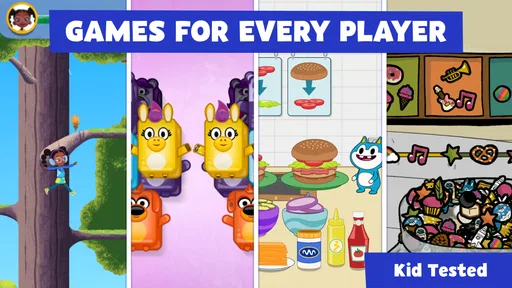
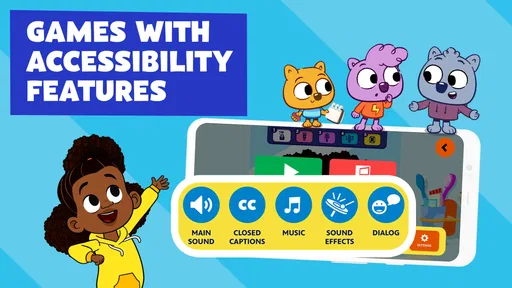
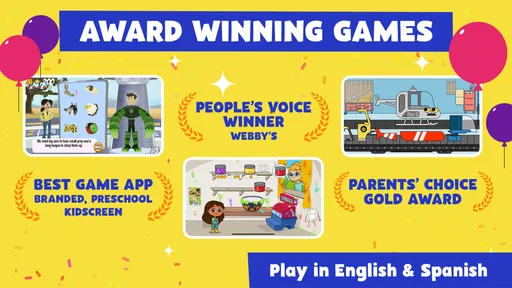
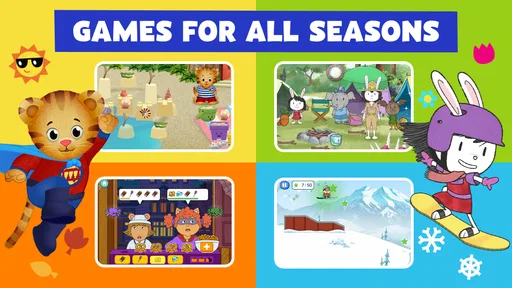
Analysis by Reviewed
I approach the PBS KIDS Games App as a parent looking for something children can explore without needing a lesson plan beside them. It is a free educational game from PBS KIDS, and its familiar characters give children an easy way into play that can also prompt questions about animals, stories, numbers, and everyday problems. I would treat it as a useful activity for short stretches, rather than a substitute for reading, conversation, or hands-on play.
Finding a game without making an adult do the searching
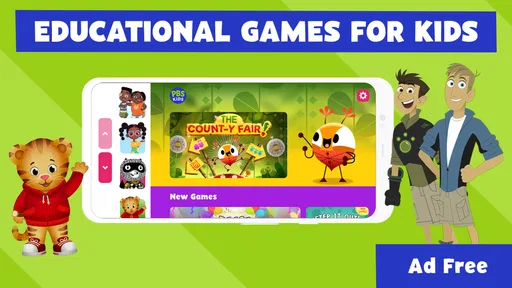
The first practical question is whether a child can find something appealing without a grown-up navigating every screen. The interface is colorful and organized around recognizable characters, which can make choosing a starting point feel less abstract for a young player. In my experience, a child who already knows Daniel Tiger or the Wild Kratts may recognize a route into the app right away. That familiarity is helpful, though it does not guarantee that every game will be equally easy to understand once opened.
For a smoother first visit, I would sit with the child and try a few different activities before handing over the device. Notice which screens they can interpret independently and where they ask for help; that tells you more than the character they choose. It also gives you a chance to connect a game to a real interest—for example, an animal activity can lead to a conversation about what that creature needs in its habitat. The app works best when the child’s choice sets the direction and an adult is available for a little follow-up, not when the adult turns every round into a quiz.
Readable choices, varied ways to take part
Large, colorful scenes and familiar characters can make the experience inviting, but visual appeal is not the same as clear readability for every child. Children who are still learning to read may benefit from an adult nearby to help interpret instructions, while a child who prefers less visual stimulation may find busy game scenes tiring. I would try a game together first and watch whether the child can tell what to do from the screen or needs the directions explained aloud.
Motor comfort is another individual matter. A child who finds precise touch gestures difficult may manage some activities more comfortably than others, so I would not assume that the whole collection feels equally accessible. Give them time to try a few choices and see whether they can make progress without repeated adult intervention. If a particular game becomes frustrating, switching to another character or activity is a sensible adjustment, not a failure.
When it fits into family life
This is a handy option for a waiting room, a quiet moment before dinner, or a short break during travel, provided the device is available and the child is comfortable using it. In a real evening routine, I might let a child pick one game while I prepare food, then ask what they noticed when we sit down together. That small conversation can make the screen time feel connected to the rest of the day rather than like a separate task.
The app is free, rated for Everyone, and has an average rating of 4.4 from around 51,000 ratings, with over 10 million installs. It was released on April 27, 2016, and version 5.3.19 requires Android 5.1 or later. Those details make it easy to judge basic fit, but a device’s own performance and the child’s preferences still matter. I would check that the app runs comfortably on the intended device before relying on it for a trip or a busy afternoon.
More From Our News Desk

Weather by Xiaomi Review: Clear at a Glance, Less Clear Up Close

X Under Pressure: Can It Recover When Posting Goes Wrong?

Clash of Clans Is Won Between the Battles

Android Auto Makes the Case for Quieter Car Software

MobiOffice: Transforming Mobile Productivity with Seamless Integration

EA SPORTS FC™ Mobile Soccer: Redefining Mobile Sports Gaming
Bringing Education and Fun Together
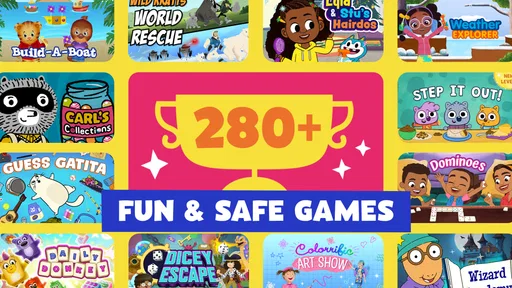
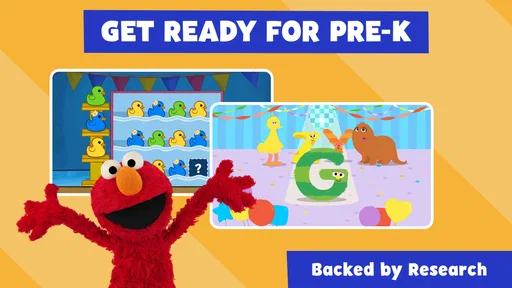
When it comes to children’s apps, the balance between education and entertainment is crucial. The PBS KIDS Games App nails this balance by offering a vast collection of games that cover a wide range of subjects. From math and science to reading and creativity, there’s something for every curious mind. Each game is designed to engage kids while subtly weaving in educational content that aligns with school curriculums.
A World of Adventure Awaits
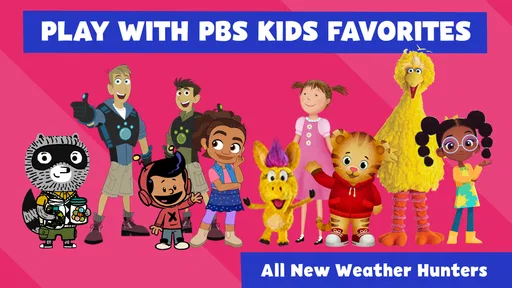
As soon as you open the app, you’re greeted with a colorful and intuitive interface. It’s like stepping into a virtual playground where kids can choose from a variety of adventures. The app features beloved characters from PBS shows, making the experience even more engaging. Whether your child is a fan of Wild Kratts, Daniel Tiger’s Neighborhood, or Arthur, they’ll find familiar faces guiding them through each game.
One of the standout features is the diversity of games available. For instance, if your little one is interested in nature, they can join the Wild Kratts on a mission to learn about different animals and their habitats. Or, if they’re into building and problem-solving, the Ruff Ruffman games offer a chance to explore engineering concepts in a fun way.
Safe and Kid-Friendly
Safety is a top priority for any parent, and the app delivers in this department too. It’s designed to be a safe digital environment where kids can explore without the risk of stumbling upon inappropriate content. There are no ads, in-app purchases, or external links that could lead your child astray. It’s peace of mind knowing that your child can navigate the app independently without any unwanted surprises.
Moreover, the app offers a variety of parental controls, allowing you to customize the experience based on your child’s age and preferences. You can even set time limits to ensure that screen time doesn’t get out of hand.
My Personal Take
After spending some quality time exploring the app, I can confidently say that the PBS KIDS Games App is a winner in the realm of educational apps. It’s engaging, informative, and most importantly, it’s fun! The fact that it’s free to download and use just adds to its appeal. Whether you have a toddler or a school-aged child, this app is a fantastic resource to have in your digital toolkit.
In conclusion, if you’re on the hunt for an app that offers a perfect blend of learning and fun, look no further. The PBS KIDS Games App is here to make education an exciting adventure for your little ones. Give it a try and watch your child’s curiosity and knowledge grow!
Who will get the most from it
I would recommend it most to families whose children already enjoy PBS characters and like trying different kinds of play. Its variety is useful when one child wants an animal-themed activity and another is drawn to a problem-solving game; they can explore different interests without switching to a completely different app. It can also suit a caregiver who wants a free, child-focused option for occasional independent play, while staying close enough to help when instructions or touch controls become confusing.
It is less suitable if you need a tightly structured learning course, a clear sequence of lessons, or an app tailored to one specific skill. Compared with a dedicated reading or maths practice app, this collection is broader and more playful, but it may be harder for an adult to direct toward a precise learning goal. If a child is easily overwhelmed by bright, busy screens, or needs consistent adult support to operate touch games, I would test it together before making it a regular go-to.
A few useful trade-offs before you rely on it
One small but useful approach is to let the child choose a character first, then use that choice to narrow the activity rather than browsing every option. That can keep a short play session from turning into a long search. I would also avoid promising that a particular subject will be covered in a specific way: the games differ, and the child may spend more time exploring than practicing a skill an adult has in mind.
The app’s kid-friendly setting is reassuring, but it does not remove the value of a quick adult check-in. Sit nearby during an early session, confirm the child understands how to move between choices, and agree on a natural stopping point before handing over the device. That routine is especially useful when a child gets absorbed in play or has difficulty shifting to the next activity. The content can support curiosity, but the parent still sets the boundaries around device use.
A practical choice, with individual limits
PBS KIDS is a familiar name in children’s educational entertainment, and this game collection makes sense when you want approachable activities rather than a formal teaching tool. Its 4.4 average across around 51,000 ratings and more than 10 million installs suggest that many families have tried it, though popularity cannot tell you whether a particular child will find the controls comfortable or the scenes calm enough. I would judge it by a short shared trial, not by the numbers alone.
My inclusive verdict is positive but measured: the variety and recognizable characters give children several ways to become interested, while individual games may still differ in readability, sensory intensity, and touch demands. If your child enjoys character-led exploration and can use the device comfortably, it is a sensible free option to keep available. If they need a quieter presentation, a specific curriculum, or more accessible controls than a game collection can reliably provide, another carefully chosen activity may be a better fit.
Making a short session work well
For a child who tends to bounce between choices, I would make the first decision before the device comes out: choose an interest together, then let the child select from the related characters or activities they recognize. This gives the session a gentle shape without turning it into a lesson. A useful stopping cue can be something concrete, such as finishing the current activity before putting the device away, rather than asking for an abrupt stop in the middle of play.
This approach also helps answer a practical question parents often have: does the app work better as independent play or something to do together? I see it as flexible, but not uniformly hands-off. A child who reads directions confidently and manages touch controls may explore more independently, while a younger player or one who needs help interpreting a screen may enjoy it more with an adult nearby. Shared play need not mean constant instruction; watching, listening, and asking one open question afterward is often enough.
Choosing it over other children’s apps
Compared with a single-purpose learning app, this collection is a better fit when a child’s interest changes from day to day. A character-led animal activity can appeal when curiosity is high, while another kind of game may suit a different mood. The trade-off is that a broad collection is not the same as a step-by-step course: if your goal is repeated practice of one defined skill, a focused reading or maths tool is likely easier to use consistently.
It also differs from passive video viewing in a useful way: the child has to make choices and take part rather than simply watch a story unfold. That does not make every activity equally educational or equally calm, and I would not treat all screen play as interchangeable. When a child is tired, overstimulated, or looking for a quiet wind-down, a book, audio story, or simple offline activity may be a better choice than colorful interactive play.
Questions worth settling before download
Parents may wonder whether the app is suitable for a child who is not reading yet. The Everyone rating makes it appropriate for a general audience, but age suitability and independent usability are not identical. I would start beside the child, help with any written directions, and then see which activities they can manage without that support. The same trial is useful for checking whether the visual pace and touch interactions feel comfortable.
Another practical consideration is the device. The current version is 5.3.19 and Android support starts at 5.1, so I would check compatibility before planning to use it away from home. Even on a compatible device, a brief test at home is sensible: it lets you confirm that the child can move around comfortably and that the experience suits your routine. I would not count on it as a guaranteed distraction for a long journey until you have tried it on the device you intend to bring.
For caregivers weighing the free price against a paid, structured alternative, the choice comes down to purpose. If you want varied character-based play and a low-pressure way to spark conversation, free access is a real advantage. If you need detailed progress tracking, a carefully ordered curriculum, or controls designed around a particular access need, I would look for a tool that explicitly serves that purpose instead of expecting this game collection to do everything.
Leaving room for the child’s own response
My best advice is to judge the app by the child in front of you, not by its popularity or the promise of educational play. Watch for small signs: can they locate an activity, understand what is being asked, and keep going without becoming tense? Do they want to tell you about what they did afterward? Those observations help distinguish an engaging fit from a screen that is merely occupying time.
That is why I would keep expectations modest and let the child’s reaction guide how often it appears in the routine. The strongest use is as one option among books, conversation, outdoor discovery, and other play—not a replacement for them. For families looking for approachable, varied activities tied to familiar PBS characters, it earns a place on the shortlist, provided the child’s reading, sensory, and motor needs are considered individually.
PBS KIDS Games Frequently Asked Questions
What is PBS KIDS Games, and what can children expect from it?
PBS KIDS Games is an educational game for children, built around playful activities and familiar PBS KIDS characters. Its store summary highlights safe educational games with Daniel Tiger, Wild Kratts, and more. It offers a way for children to explore learning through games rather than simply watching a show, making it worth considering for families looking for character-based play with an educational focus.
Who develops PBS KIDS Games?
PBS KIDS is the developer of PBS KIDS Games. The app brings the PBS KIDS name and characters into a collection of educational games for children, including familiar faces such as Daniel Tiger and the Wild Kratts. Families who already know PBS KIDS may find that connection reassuring when deciding whether the game’s playful learning approach is a good fit for their child.
What is the age rating for PBS KIDS Games?
PBS KIDS Games has an Everyone content rating, so its listed age classification is broad. The app is an educational game centered on children’s play and learning, with recognizable PBS KIDS characters. Parents can still consider their child’s individual interests and readiness when choosing games, but the Everyone rating makes the app suitable to explore with a wide audience in mind.
When was PBS KIDS Games released, and what is its current version?
PBS KIDS Games was released on April 27, 2016, and its current version is 5.3.19. These details can help you identify the app and understand that it has been available for several years. Before downloading, it is sensible to check that your device can run it and that you are selecting PBS KIDS Games from the developer PBS KIDS.
Is PBS KIDS Games free to download?
Yes. PBS KIDS Games is a free educational game, so families can download it without paying for the app. Its focus is on giving children a playful way to learn through familiar PBS KIDS characters and activities. If you are comparing options for a child, the free price makes it easy to try the app and see whether its games suit your family.
Pros
- Wide variety of educational games.
- No in-app purchases or ads.
- Games feature favorite PBS characters.
- Offline play available.
- Simple
- child-friendly interface.
Cons
- Requires regular updates.
- Limited content for older kids.
- Some games may lag on older devices.
- Needs internet for initial download.
- Not all games are equally engaging.













