Nora VPN – Fast & Secure VPN
- 22.00
- 4.0
- Installs
- 1.00M
- Price
- Free

Screenshots



Analysis by Reviewed
When I consider a VPN, I care less about a bold promise of speed than about whether I can understand what the app asks me to do and whether its controls suit the way I browse. Nora VPN is a free Android tool from Irma, aimed at people who want a straightforward VPN connection without creating an account. That makes it approachable, but it also means I would treat it as a simple option for everyday use rather than assume it meets every privacy or security need.
Nora VPN has an average rating of 4.0 from around 16,000 ratings, and it has passed over 1 million installs. Those figures suggest that plenty of Android users have tried it, though popularity alone cannot answer the most important VPN question: whether its privacy practices match your expectations. I’d decide based on the controls and disclosures I can actually inspect, not on a high rating or reassuring wording.
What trust looks like in a simple VPN
A VPN changes how your internet traffic is routed, so choosing one deserves more thought than choosing a basic utility. Nora’s no-sign-up approach removes one common hurdle: you can try the app without first creating a profile. I find that convenient for a quick test, but an account-free start should not be confused with proof of anonymity. It tells me about the sign-up flow, not everything about what happens to connection or usage data.
The developer is listed as Irma, and the app is rated for Everyone. That gives a useful sense of who publishes it and its general audience, but neither detail is a substitute for reading the app’s privacy disclosures and checking Android’s permission prompts. When I install a VPN, I look at what access the operating system requests, whether the app explains its choices clearly, and whether I can stop or remove it without friction.
Nora is listed as free, which makes it easy to try without making a purchase decision first. For me, that lowers the barrier to testing the basic experience, but it does not settle questions about how a free service is supported or what information it handles. I would check the current privacy information before routing sensitive activity through it, especially if I need a VPN for work, financial tasks, or a high-risk situation.
Check the choices Android actually shows
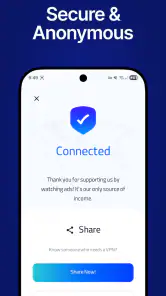
On first launch, I would slow down at any system prompt rather than tap through automatically. Android’s VPN confirmation is an important moment: it explains that the app can establish a VPN connection, and the operating system asks for your approval. Read the prompt, make sure it names the app you intended to use, and only proceed if you are comfortable. You can later review VPN settings in Android and disconnect or remove the app there.
That is a practical form of user control, but it has limits. The operating system prompt does not independently certify a provider’s privacy practices, and a connection indicator does not tell you how long any information is retained. I would treat permissions, privacy disclosures, and the ability to disconnect as separate checks rather than assuming one answers all the others. If a disclosure is unclear, I would avoid using the service for activity where that uncertainty matters.
More From Our News Desk

Weather by Xiaomi Review: Clear at a Glance, Less Clear Up Close

X Under Pressure: Can It Recover When Posting Goes Wrong?

Clash of Clans Is Won Between the Battles

Android Auto Makes the Case for Quieter Car Software

MobiOffice: Transforming Mobile Productivity with Seamless Integration

EA SPORTS FC™ Mobile Soccer: Redefining Mobile Sports Gaming
There is also a useful distinction between needing a VPN and needing a particular VPN provider. A VPN can change the network path your traffic takes, but it does not make every website trustworthy, protect you from phishing, or replace careful account security. I still use unique passwords, keep Android updated, and avoid entering sensitive details on pages I do not trust. Those habits remain relevant whether Nora is connected or not.
Where it may fit into an ordinary day
Picture a familiar situation: I’m waiting in a café and want to read the news or check a non-sensitive account while using the venue’s Wi-Fi. A VPN can be part of a cautious approach to that connection, and Nora’s no-account setup could make a quick start less cumbersome. I would still check that the VPN is active before browsing, avoid assuming the café network is safe, and switch to mobile data for a task that calls for extra confidence.
For a person who wants a simple Android tool and does not want to register before trying it, Nora may be an easier starting point than a service that puts account creation first. Its short description emphasizes a simple connection, and the app’s current version is 115.0.0. Still, I would test it with low-stakes browsing first: install it, inspect the prompts, connect, and confirm that Android shows the VPN as active. If the connection behaves inconsistently, I would not rely on it for a time-sensitive task.
A second useful habit is to decide before connecting what you need the VPN for. If the goal is simply to use a public network more cautiously, a quick session may be enough. If you need stable access for a video call, a work login, or a large download, test the service ahead of time rather than discovering a slowdown or connection problem at the worst moment. VPN routing can affect how some apps connect, so having a fallback such as mobile data is sensible.
What the simple approach does—and does not—tell me
The appeal of a lightweight VPN is that it can avoid a complicated setup. But fewer visible steps do not necessarily mean fewer trade-offs. Before relying on Nora for anything sensitive, I would look for clear explanations of its data handling and the choices available inside the app. If those are not easy for me to understand, I would choose a provider with disclosures and controls that answer my questions more directly.
I would also avoid treating a VPN as a tool for every kind of privacy concern. It may help route traffic through a VPN connection, but it does not erase browser history stored on the phone, prevent a service from recognizing an account you sign into, or stop tracking that happens inside an app. If my main concern is limiting app-level tracking, I would review Android privacy settings and the individual app’s permissions as well.
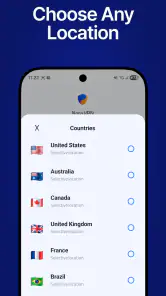
For travel, another question is whether the service reliably reaches the sites and apps I need. I would check that in advance and keep a backup connection method. If I need a specific country selection, advanced network options, or detailed connection controls, I would compare Nora with VPNs that clearly document those capabilities instead of assuming a simple interface includes them.
How it compares with familiar alternatives
Compared with a VPN bundled into a broader security suite, Nora’s main practical attraction is its focused, account-free entry point. A suite may be a better fit if I want VPN service alongside other security tools and a single place to manage them. A dedicated paid VPN may suit someone who prioritizes detailed privacy documentation, support, or clearly described advanced settings. Those alternatives can involve more setup or a purchase, so the right choice depends on what matters more than convenience.
Compared with browsing without a VPN, Nora adds an extra connection step and may affect how some services behave. That trade-off is worthwhile only when the VPN serves a real purpose for me. If I am at home on a trusted connection and simply need to access a banking app, I may prefer the direct connection and the bank’s own security measures. If I’m on unfamiliar Wi-Fi, I may choose to connect, while still being selective about what I do.
The app is free and its content rating is Everyone, so the initial decision to try it is low-friction for many users. However, “free” and “suitable for everyone” do not mean it is the right choice for every level of risk. Someone handling confidential work, researching sensitive subjects, or relying on a VPN to satisfy a formal security requirement should review the provider’s documentation carefully and consider a service with independently clear commitments and controls.
Who should try it, and who should look elsewhere
I’d consider Nora if I use Android, want to test a basic VPN without signing up, and am comfortable checking permissions and privacy details myself. Its broad adoption—over 1 million installs—makes it a familiar option to investigate, while its 4.0 average rating offers a rough signal of user reception rather than a guarantee of performance or trustworthiness. The release date is Apr 4, 2026, and it requires Android 7.0 or later, so compatibility is worth checking before installation.
I would look elsewhere if I need transparent, detailed answers before trusting a VPN with sensitive activity, or if I depend on advanced features that I cannot verify in the app. I would also skip it if I only want protection from malicious links or app tracking: a VPN is not a complete substitute for those safeguards. In those cases, a more specialized privacy tool or a provider with documentation that directly addresses my requirements would be a better match.
A low-risk way to decide
My practical recommendation is to start with a low-risk test. Review the Android prompts, read the privacy information, connect before doing anything important, and confirm you can disconnect from the app or system settings. If that process feels clear and the connection works for your ordinary browsing, Nora may be a convenient everyday tool. If you need stronger assurance than its visible information gives you, do not let ease of setup stand in for evidence.
Overall, Nora VPN is most appealing as a simple, free Android option for people who want to try a VPN without account creation. I like that low-friction starting point, but I would keep my expectations measured: trust comes from understandable disclosures and choices, not from a minimal setup alone. For casual browsing on unfamiliar networks, it may be worth evaluating; for sensitive or demanding use, I’d choose only after its privacy details meet the standard I need.
Small checks that make the trial more useful
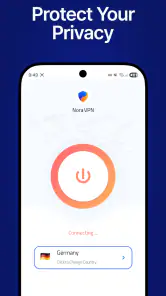
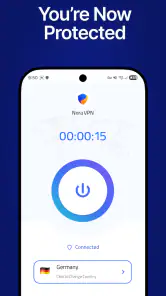
I would use the first session to learn how Nora behaves rather than to test it with anything important. Before connecting, note whether the app makes its connection state easy to recognize; after connecting, check Android’s VPN indicator and try a routine page or service. Then disconnect and reconnect once, so you know what the normal controls look like. This simple sequence can reveal confusing status feedback before you are relying on the app away from home.
It is also worth checking what happens when the connection drops. I would not assume that a VPN automatically blocks all traffic if its tunnel stops; that depends on controls and Android settings that should be checked rather than guessed. If uninterrupted protection is essential, investigate whether the options available on your device meet that need, or choose a service that clearly documents the behavior. For casual browsing, simply noticing a disconnect and pausing sensitive activity may be a more realistic routine.
One practical trade-off is convenience versus consistency. A quick-connect style of use suits someone who only needs occasional help on unfamiliar Wi-Fi, but a person who wants to leave a VPN on throughout the day should pay attention to battery use, app compatibility, and whether routine services still work as expected. I would observe those effects on my own phone instead of assuming that another user’s experience predicts mine.
Questions worth settling before relying on it
Can I use it without an account? The no-sign-up approach makes trying Nora possible without first creating a profile, but I would still read the privacy disclosures before deciding what activity to route through it. Does a VPN protect every app and every kind of information? No: I would treat it as one part of safer browsing, not a replacement for secure logins, careful app permissions, or avoiding suspicious links.
Will it suit travel or a particular streaming, work, or banking service? I would test the exact service and network I plan to use, because VPN routing can change how some apps respond. If reliable access to a particular region, advanced configuration, or documented support is essential, I would compare providers that explain those capabilities clearly. And if the phone runs an older Android release, I would check compatibility before installing; Nora requires Android 7.0 or later.
That leaves a fairly clear boundary for my recommendation. Nora makes most sense for an Android user who values a quick, account-free trial and is willing to verify the prompts, connection state, and privacy information personally. It is a weaker match for someone who needs documented assurances, specialized controls, or uninterrupted access for consequential tasks. In those cases, I would choose based on explicit evidence and tested behavior, not on convenience alone.
Nora VPN – Fast & Secure VPN Frequently Asked Questions
What is Nora VPN – Fast & Secure VPN used for?
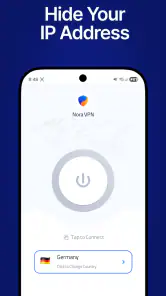
Nora VPN is designed to route your internet traffic through a VPN server, which can help protect traffic on public Wi-Fi and mask your IP address from websites you visit. A VPN does not make you completely anonymous or protect against every online threat, so you should still use strong passwords, keep your device updated, and review the app’s privacy information before relying on it.
Is Nora VPN free, and does it have subscriptions or usage limits?
Availability, pricing, and limits can vary by platform, region, and app version. Check the app’s store listing and its in-app subscription screen for current details about any free access, trial, data or speed limits, and recurring charges. If you start a trial or subscription, read the renewal terms and cancellation instructions carefully; uninstalling the app alone may not cancel a store-managed subscription.
Can I use Nora VPN to access streaming services or restricted websites?
A VPN may change the apparent location of your connection, but it cannot guarantee access to a particular streaming service, website, or region-specific content. Services may block VPN servers, and their terms may restrict location changes. Performance can also vary by server and network conditions. Before subscribing for this purpose, check the service’s rules and test whether Nora VPN works reliably for your intended use.
Will Nora VPN slow down my internet or drain my battery?
A VPN adds an extra step to your connection, so browsing, downloads, and video may be slower than without one. The impact depends on your internet connection, the distance and load of the selected server, and your device. Keeping a VPN connection active can also use additional battery and mobile data. If performance is poor, try a closer server and compare results on Wi-Fi and cellular data.
What should I check about Nora VPN’s privacy and permissions before installing it?
Review Nora VPN’s privacy policy and the disclosures on the Google Play Store or Apple App Store before installing. Pay attention to what connection or usage data may be collected, how long it is retained, whether it is shared, and how to request deletion. A VPN provider can handle your traffic, so avoid assuming that the app keeps no logs unless its current policy clearly supports that claim.
Pros
- One-tap connection makes it easy to get started.
- Useful for securing traffic on public Wi-Fi.
- A VPN can help mask your IP address from websites.
- Lets you choose a virtual location for browsing.
- Can be disconnected quickly when you no longer need it.
Cons
- VPN speeds can vary depending on the server and network.
- Some websites may block traffic from VPN servers.
- A VPN does not make you fully anonymous online.
- Using a VPN may increase battery and data usage.
- Review the privacy policy before sharing sensitive activity.
- Category
- Tools
- Version
- 115.0.0








