MyUPMC
- 3.20K
- 4.3
- Installs
- 500.00K
- Price
- Free

Screenshots

Analysis by Reviewed
Have you ever found yourself tangled in the web of healthcare appointments, test results, and medical records? Well, say hello to MyUPMC, the app that's here to simplify your healthcare experience. As someone who's always on the lookout for apps that make life a little easier, I decided to give MyUPMC a whirl, and boy, was I impressed!
Getting Started with MyUPMC
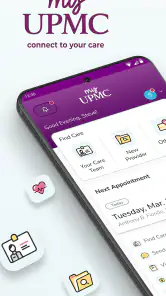
First things first, setting up MyUPMC is a breeze. A simple download from your app store, and you're good to go. The interface is user-friendly, which is a big win for those of us who aren't exactly tech-savvy. The app seamlessly integrates with your UPMC health record, ensuring all your information is just a tap away.
Features that Stand Out
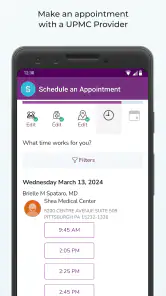
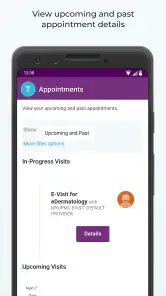
One of the features that I absolutely love is the ability to schedule appointments directly through the app. No more waiting on hold for ages! You can see your doctor's availability and pick a time that suits you best. Plus, if you need to cancel or reschedule, it's all done with just a few clicks.
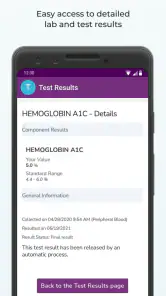
Another game-changer is the access to test results. Remember the days of anxiously waiting by the phone for your doctor to call? With MyUPMC, test results are readily available, and you can view them as soon as they're released. It's like having a mini health hub in your pocket!
The Convenience of Medical Records
Keeping track of medical records can be a hassle, but not with MyUPMC. All your documents, from immunization records to past visit summaries, are neatly organized within the app. This feature is particularly handy during travel or when visiting new healthcare providers.
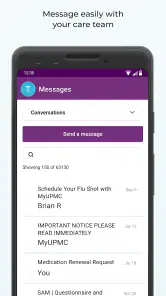
Moreover, the app provides a secure messaging system with your healthcare team. If you have a question or concern, you can send a message and get a response without the need for an appointment. It's efficient and saves a ton of time!
A Few Considerations
While I found MyUPMC to be incredibly useful, it's worth mentioning that the app is primarily designed for those within the UPMC network. If you're not part of this network, you might not get the full benefit of the app's features. Also, like any tech, occasional glitches can happen, but they’re usually resolved quickly with updates.
In conclusion, MyUPMC is a powerful tool for managing your healthcare needs. It's convenient, easy to use, and puts a wealth of information at your fingertips. Whether you're tech-savvy or not, this app makes managing healthcare a breeze. So, if you're part of the UPMC network, I'd say give it a shot. You might just find yourself wondering how you ever managed without it!
Pros
- Easy access to medical records
- User-friendly interface
- Convenient appointment scheduling
- Secure messaging with doctors
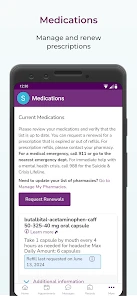
- Prescription refill requests
Cons
- Limited features without full registration
- Occasional app crashes
- Slow response time during peak hours
- Requires constant internet connection
- Limited customization options

- Category
- Medical
- Version
- 3.26.1