My Molina
- 729.00
- 4.3
- Installs
- 500.00K
- Price
- Free

Screenshots
Analysis by Reviewed
Hey there, friend! Today, let me walk you through my experience with the My Molina app, a digital companion for all things related to managing your healthcare plan. If you're a Molina Healthcare member, this app could very well be your new best friend. I spent some quality time with it, and here's what I think.
Your Healthcare, Simplified
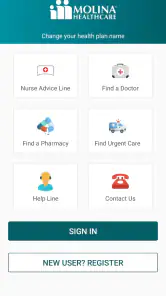
First off, the My Molina app is all about making your healthcare journey smoother and more accessible. Right from the word go, the app greets you with a friendly and intuitive interface. It's like having a healthcare assistant right in your pocket, minus the white coat.
Getting Started
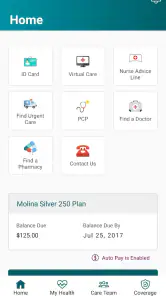
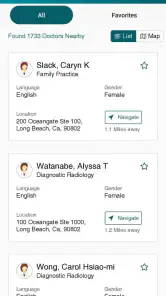
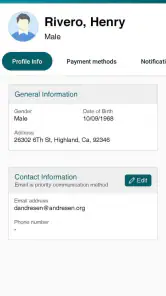
The setup process is a breeze. Signing up or logging in is straightforward, and once you're in, everything feels just a tap away. I appreciate how it doesn't overwhelm you with too many options right off the bat. Instead, it provides a neat dashboard that highlights what's important—whether it's checking your benefits, finding a doctor, or viewing your ID card.
Features That Matter
One of the standout features is the ability to view and manage your healthcare benefits with ease. The app breaks down your plan details in a way that's easy to digest. No more squinting at fine print or getting lost in technical jargon. Also, I found the doctor search and appointment scheduling features particularly handy. You can locate network providers based on your needs and even schedule an appointment without making a phone call. Talk about convenience!
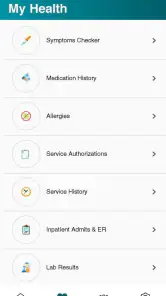
Another cool feature is the access to your digital ID card. Forget about fumbling through your wallet or purse—your card is right there on your phone, ready to be shown at a moment’s notice. Plus, having access to your health records on the app ensures you're always in the loop about your medical history.
Keeping You Updated
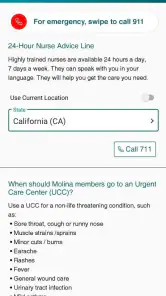
The app does a stellar job of keeping you informed. Notifications about upcoming appointments or any changes in your plan are timely and precise. It's like having a personal assistant who ensures you never miss an important update. This is particularly useful for busy bees who have a lot on their plate.
Moreover, the app supports multiple languages, making it accessible to a wider audience. Whether you're more comfortable in English, Spanish, or another language, My Molina has got you covered, ensuring everyone gets the care they deserve.
Final Thoughts
In a world where managing healthcare can often feel like navigating a maze, the My Molina app is a breath of fresh air. It’s user-friendly, functional, and quite frankly, a game-changer for Molina Healthcare members. Whether you're tech-savvy or a bit of a newbie, this app caters to all, ensuring your healthcare needs are met with minimal fuss.
So, if you’re someone who values ease and efficiency in managing your healthcare, give the My Molina app a go. It might just make your life a tad bit simpler!
Pros
- User-friendly interface for easy navigation.
- Quick access to health plan information.
- Secure messaging with healthcare providers.
- Personalized notifications for appointments.
- 24/7 access to medical records.
Cons
- Limited features in free version.
- Occasional app crashes reported.
- Some users find navigation confusing.
- Login issues reported by several users.
- Requires stable internet connection.

- Category
- Medical
- Version
- 5.10.15