Merkury Smart
- 2.13K
- 4.1
- Installs
- 500.00K
- Price
- Free

Screenshots
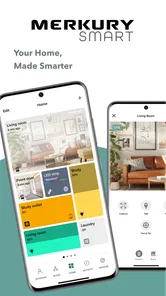
Analysis by Reviewed
I like the idea of making a few everyday home tasks easier from my phone, and Merkury Smart is aimed at exactly that. It’s a free House & Home app from Merkury Innovations for bringing compatible smart devices into one place. I’d approach it as a practical control hub, not as a promise that every device in a home will work together automatically.
What to expect from a home-control app
There’s a useful distinction to keep in mind before you begin: the app can only help with devices that are compatible with its ecosystem. If you already have Merkury smart products, one place to manage them can be more convenient than switching between separate controls. If your home is built around another brand, check device compatibility before planning a move; the app is not a universal remote for every connected product.
For a first-time user, a good starting goal is modest: connect one device and learn its basic controls before adding more. That makes it easier to tell whether the device, your home network, and the app are all communicating as expected. The app has a 4.5 average from around 15,000 ratings and has passed 500,000 installs, so it has reached many smart-home users, though those figures alone can’t tell you whether a particular device will suit your setup.
Getting Started with Merkury Smart
First things first, downloading the Merkury Smart app is a breeze. Just head over to your app store, search for it, and hit download. Boom, you’re on your way to a smarter home! Once installed, setting it up is as simple as pie. The app walks you through every step, making it user-friendly even for those who aren’t tech-savvy. You’ll be connecting your smart bulbs, cameras, and plugs in no time.
Make the first setup easier
Before pairing anything, identify the exact device you want to add and keep it close enough to follow its setup instructions. I’d also avoid trying to connect several devices at once: completing one pairing first gives you a clear test of the process and makes troubleshooting less confusing. If setup stalls, check that the device is ready to pair and follow its own instructions rather than repeatedly tapping through the app.
One practical trade-off is that a smooth app experience still depends on the device and home network behaving properly. A setup problem does not automatically mean the app itself is at fault. Starting with one device helps narrow down where the snag is, and gives you a useful first success before you build out a larger collection.
Features Galore
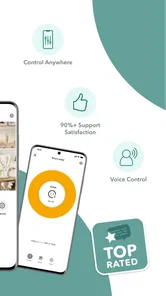
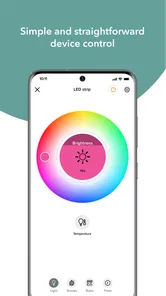
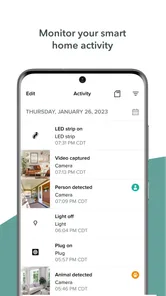
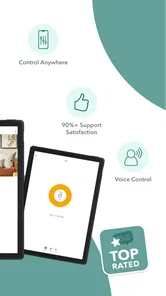
What makes this app stand out are its features. You can control your lights, adjust your thermostat, and even monitor your security cameras all from your phone. One of my favorite features is the scheduling option. Imagine waking up to your lights gradually turning on or your coffee maker starting just as you’re getting out of bed. It’s like living in the future! The app also supports voice control, so you can literally tell your home what to do via Google Assistant or Alexa.
More From Our News Desk

 Block Blast!
 Makes Every Clear Feel Like One More Turn
A clean little block puzzle becomes a study in space, risk, and self-control. Its best moments come from one satisfying clear; its toughest test is knowing when to stop.

 Super Stylist Fashion Makeover
Super Stylist Turns Dress-Up into a Runway Career
Its makeover-to-client loop turns quick outfit decisions into shareable style theater. The question is whether the closet keeps giving players a reason to return.

 Block Craft 3D:Building Game
Block Craft 3D Under Pressure: How Well Does It Recover When Building Goes Wrong?
A failure-focused look at Block Craft 3D’s forgiving building loop, its uncertain recovery edges, and the moments that demand more than a cheerful village.

 Woodturning
 Trades Creative Freedom for a Satisfying Carving Loop
If your usual creative game is about building, decorating, or styling, Woodturning trades open-ended projects for a tactile, tightly guided carving loop. Here is what that switch really costs.

 PUBG MOBILE
 Shows What Battle Royale Must Get Right
PUBG MOBILE shows how battle royale has matured: bigger systems matter less than meaningful choices, readable fights, and a reason to return after every loss.

 Braindom: Brain Games Test
Braindom’s Social Life Happens Between Puzzles
Braindom turns quick logic traps into a personal ritual, but its community value is more about comparing answers than building together.
Latest News



Turn one control into a useful routine
A realistic first routine could be turning a light on at a regular time in the evening, rather than trying to automate the whole house at once. That gives you a simple way to judge whether scheduled control fits your habits. For a plug, I’d be careful to use scheduling only with an appliance that is appropriate to control that way; a phone command is convenient, but it doesn’t replace checking that a device is safe for unattended operation.
Voice control can be handy when your hands are full, while the app remains the more direct choice when you want to check a device or make a precise change. I’d treat those as complementary ways to interact, not assume that voice commands are always faster or more reliable in every room.
There’s also a useful distinction between a schedule and a reminder in your own routine. A schedule is best for an action you genuinely want repeated at a regular time; it can be a poor fit when your plans change every day. If your evenings vary, opening the app to make a one-off adjustment may be less frustrating than repeatedly editing a routine. I’d start with one predictable action, then keep it only if it continues to save effort.
User Experience
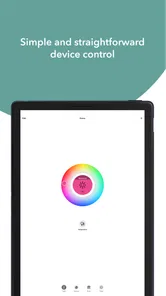
Using the Merkury Smart app is a delight. The interface is intuitive, and everything is organized neatly. You don’t have to dig through complicated menus to find what you need. Plus, the app is quite responsive; commands are executed almost instantly. It’s refreshing to see an app that doesn’t lag or crash unexpectedly.
Compared with managing each product through a separate brand app, a single control point can make ordinary actions less scattered. On the other hand, people who already rely on a different smart-home platform may prefer to keep their devices there, especially if that platform is where their routines and other products already live. I’d choose based on the devices I actually own, not on the appeal of having another home app installed.
That comparison matters most when you’re deciding where to add your next device. A dedicated app can be the simpler choice if your needs stay within compatible Merkury products. A broader platform may be more convenient if you already use it to organize devices from several brands. Neither approach is automatically better: dividing controls between apps can feel untidy, but moving everything just to avoid one extra app may not be worth the effort either.
Who will get the most from it
I’d recommend trying it if you’re starting with compatible Merkury devices and want a straightforward way to manage them from your phone. It also makes sense for someone who wants to begin with one light or plug, then decide whether more connected controls are worthwhile. I’d skip it if you expect it to control unrelated products without checking compatibility, or if you’re committed to a different ecosystem and don’t want to divide your home controls across apps.
It is particularly appealing if you want a small, practical improvement rather than a major home-technology project. A person who mainly wants to control a light without getting up, or check a compatible camera from a phone, has a clear reason to try it. By contrast, anyone shopping for a complete system should first list the devices they already own and the ones they plan to buy, then check that the app fits that mix.
For a simple everyday example, picture arriving home with shopping in both hands on a dark evening. If a compatible light is already set up, controlling it from the phone can be more convenient than putting everything down to reach a switch. That is a small benefit, not magic, and it depends on the device being connected and the control path working. Still, little moments like that are a more useful measure of a home app than how impressive a long device list looks.
Security and Privacy
In today’s world, security is a big concern, and rightly so. Luckily, the Merkury Smart app takes this seriously. It uses encryption to protect your data, ensuring that your information remains safe. Plus, you have control over what data is shared, giving you peace of mind.
My practical advice is to treat cameras and other sensitive devices more thoughtfully than a lamp. Place a camera with its purpose in mind, and consider who in the household should be able to access it. For any connected device, use a strong account password and keep access details private. The app’s convenience is only a good trade if the way you use it also feels comfortable for everyone at home.
What to check before adding more devices
After your first successful control, add devices gradually and give each one a clear, useful role. For example, a light you often forget to switch off may benefit more from a schedule than a device you rarely use. This small bit of planning helps keep the app useful instead of turning it into a crowded list of controls you seldom open.
The app is free, rated for Everyone, and its current version is 3.10.0; it supports devices running Android 7.0 or later. Those details make it accessible to a broad range of Android users, but the best reason to install it is still having compatible hardware to manage. If you’re comparing it with another home-control option, weigh device compatibility and the routines you already use more heavily than the number of controls in an interface.
If you’re installing it on a shared household phone or setting it up for someone else, make the first test easy to repeat. Choose a device whose purpose is obvious, demonstrate the same basic action twice, and let the other person try it without rushing. That exposes small practical snags—such as uncertainty about which control affects which light—before you add more products. A little naming and organization at the start can save time later, especially when several similar devices appear in the same home.
One question I’d ask before investing in additional hardware is whether the first device has become part of a real habit. If you still reach for its wall switch or forget that it is connected, adding more devices is unlikely to solve the underlying problem. If you do use the app regularly, that is a better sign to expand than simply enjoying the novelty of setup. Keep the collection tied to tasks you actually want to simplify.
In conclusion, if you’re looking to simplify your life and make your home smarter, the Merkury Smart app is definitely worth checking out. With its easy setup, plethora of features, and emphasis on security, it’s a solid choice for anyone venturing into the world of smart homes. So, why not give it a try and see how it transforms your daily routine? Trust me, once you start using it, you’ll wonder how you ever lived without it!
Merkury Smart Frequently Asked Questions
What should I check before connecting a Merkury product to the app?
Before downloading Merkury Smart, identify the smart product you want to use and check that it is designed to work with the app. The app is intended to control compatible smart devices, and Merkury Innovations products are its main focus. Checking compatibility first can help you avoid installing an app that does not suit the device you already own or plan to buy.
Who makes Merkury Smart, and what is it designed to do?
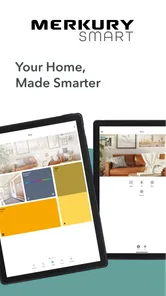
Merkury Smart is a House & Home app developed by Merkury Innovations. Its purpose is straightforward: it makes it easy to control compatible smart devices from a mobile app. It may be useful if you want a central place to manage supported products around your home, rather than relying on a separate control method for each device.
Is Merkury Smart free to download, and what devices can run it?
Merkury Smart is a free House & Home app from Merkury Innovations for controlling compatible smart devices. It is rated for Everyone and requires Android 7.0 or later on Android devices. Before downloading, check that your phone or tablet meets the operating-system requirement and that the smart products you plan to use are compatible with the app.
What features does Merkury Smart offer for home automation?
Merkury Smart provides a comprehensive suite of features for home automation, including remote control of smart devices, scheduling, and automation through the app. Users can control lighting, cameras, and other compatible smart home devices. It supports voice commands through integration with Google Assistant and Amazon Alexa, making it convenient to manage your smart home effortlessly.
Is Merkury Smart compatible with all smart devices?
While Merkury Smart is compatible with a wide range of devices, it is essential to check compatibility with your specific devices before downloading the app. The app generally supports Merkury Innovations products, including smart bulbs, cameras, and plugs. Always refer to the product specifications or customer support to ensure compatibility with your smart devices.
Pros
- User-friendly interface for easy navigation
- Wide compatibility with various devices
- Customizable settings for personal preferences
- Seamless integration with smart home systems
- Reliable performance with minimal lag
Cons
- Limited advanced features for tech-savvy users
- Occasional connectivity issues
- Requires stable internet for optimal use
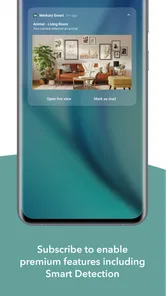
- Some features locked behind premium
- Initial setup can be time-consuming