Mayo Clinic
- 2.91K
- 3.6
- Installs
- 1.00M
- Price
- Free

Screenshots




Analysis by Reviewed
Hey there! Today, I want to chat with you about an app that's been making waves in the health and wellness community— Mayo Clinic. If you're like me and often find yourself wandering through the maze of health apps, this one might just be your new best friend.
Getting to Know Mayo Clinic
First things first, let's get acquainted with the Mayo Clinic app. This app is your gateway to a treasure trove of medical information and resources straight from one of the most reputable names in healthcare. Whether you're a hypochondriac like me or just someone who likes to stay informed, this app has got your back.
Features That Stand Out
So, what makes this app worth your precious screen space? For starters, it offers a comprehensive symptom checker. You know those days when you're feeling a little off, and suddenly you're convinced you have some rare tropical disease? Well, this feature can save you from spiraling down that rabbit hole. It provides a logical flow of questions to help narrow down potential conditions, all while keeping your anxiety in check.
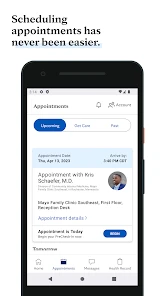
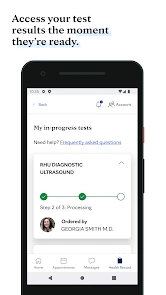
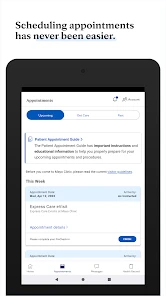
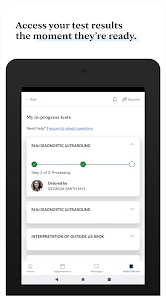
Another cool feature is the ability to access your medical records. If you're a Mayo Clinic patient, you can easily view your lab results, medications, and appointment schedules right from your phone. Talk about convenience! Plus, the app lets you schedule and manage your future appointments, making it super easy to keep track of your health journey.
Educational Resources Galore
If you're a sucker for knowledge like I am, you'll love the wealth of educational resources available on the app. From articles written by medical experts to videos explaining complex procedures in layman’s terms, there's something for everyone. It's like having a mini medical library in your pocket.
The app also offers healthy lifestyle tips, which I find particularly helpful. Whether you're looking to improve your diet, start a new exercise routine, or just want to understand a bit more about mental health, these tips are practical and easy to digest.
My Personal Take
Now, on to my personal experience. I've been using the Mayo Clinic app for a few months now, and I must say, it’s been a game-changer. The symptom checker is my go-to whenever I feel the slightest twinge. It’s reassuring to have a logical and expert-backed process to follow instead of relying on random internet searches.
Access to my medical records on the go has also been a blessing. No more scrambling to find paperwork before a doctor’s visit—everything I need is right there on my phone. And the educational content? Let's just say I've become the go-to medical trivia champ in my friend group.
In conclusion, if you’re looking for a reliable, informative, and user-friendly app to support your health journey, give the Mayo Clinic app a whirl. It’s more than just an app; it’s like having a healthcare companion in your pocket. So, go on, check it out and let me know what you think!
Pros
- Comprehensive medical information.
- Easy navigation and user-friendly interface.
- Trusted source for health advice.
- Regularly updated content.
- Offers symptom checker feature.
Cons
- Requires internet connection.
- Limited offline access.
- Some features need account registration.
- May overwhelm with too much information.
- Occasional app crashes reported.

- Category
- Medical
- Version
- 14.1