Live Weather Forecast
- 1.44K
- 4.7
- Installs
- 10.00M
- Price
- Free
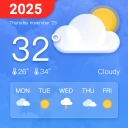
Screenshots
Analysis by Reviewed
When I’m deciding whether to take a jacket or change the timing of an errand, I want a forecast I can check quickly and understand without digging through menus. Live Weather Forecast is a weather app from Ten Stars Lab, and its straightforward presentation is aimed at making those everyday decisions easier. It is free to install, though it includes optional in-app purchases, and its Everyone age rating makes it suitable for a broad audience.
That kind of quick check is especially useful when plans are flexible rather than fixed. If I’m choosing between walking and driving, or deciding whether to bring washing in from outside, I want enough context to make a sensible call without turning a small decision into a research project. The app’s appeal is strongest for that practical middle ground: more informative than glancing out the window, but less involved than studying specialist weather charts.
I’d also think about where a forecast fits into a routine before choosing it as my main weather source. Someone who checks conditions once in the morning may value an easy local overview, while a person who monitors weather throughout the day may care more about quick home-screen access and low battery impact. Live Weather Forecast is better suited to opening when a question comes up than to serving as a permanent glanceable display.
Features That Make It Shine
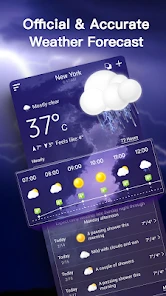
One of the best things about the Live Weather Forecast app is how incredibly user-friendly it is. The interface is as intuitive as it gets, making it ridiculously easy to navigate through the various features. You don't need to be a tech whiz to figure this one out! As soon as you open the app, you're greeted with an up-to-date weather report for your current location. It's like having a personal meteorologist right in your pocket.
That quick arrival at a local forecast is useful when I’m already halfway out the door and need an answer, not a tour of a complicated dashboard. A sensible habit is to check the current conditions first, then look ahead only as far as your plans require. For a commute, the next few hours matter more than a distant outlook; for an outdoor weekend plan, the broader forecast is a starting point rather than a promise. This keeps the app’s range of information practical instead of overwhelming.
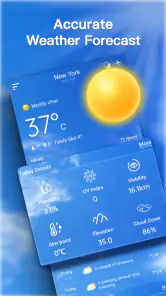
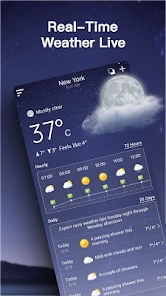
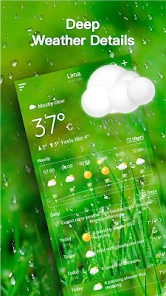
Now, let's talk about its accuracy. The app provides real-time weather updates and forecasts that are as precise as they come. Whether you're planning a weekend getaway or just figuring out what to wear tomorrow, the app offers detailed insights with hourly updates. It covers everything from temperature and humidity to wind speed and UV index. Trust me, once you start using it, you'll wonder how you ever lived without it!
For a useful check, I’d avoid treating every available measurement as equally important. Temperature helps with clothing, wind can change how pleasant a walk feels, and UV information is more relevant when I expect to spend time outdoors. Humidity adds context when the air feels uncomfortable, but it is rarely the deciding factor for a quick trip to the shop. Matching the details to the decision keeps the forecast readable and makes it less tempting to overinterpret small changes.
More From Our News Desk

Weather by Xiaomi Review: Clear at a Glance, Less Clear Up Close

X Under Pressure: Can It Recover When Posting Goes Wrong?

Clash of Clans Is Won Between the Battles

Android Auto Makes the Case for Quieter Car Software

MobiOffice: Transforming Mobile Productivity with Seamless Integration

EA SPORTS FC™ Mobile Soccer: Redefining Mobile Sports Gaming
Why You'll Love It
Another cool feature is the weather alerts. The app keeps you in the loop with notifications about severe weather conditions, so you're never caught off guard. It's especially useful if you're living in areas prone to sudden weather changes. Plus, the app lets you customize these alerts, ensuring you only get the information you care about.
For a realistic daily routine, I’d check the hourly outlook before leaving for work, then use an alert as a backstop rather than a reason to keep reopening the app. That division of labor is helpful: forecasts support planning, while a warning can prompt a second look when conditions may become disruptive. If notifications feel noisy, narrowing them to the kinds of weather you genuinely need to know about should make them more useful. I would still check official local guidance during dangerous conditions instead of treating a phone forecast as the only source to rely on.
There’s a useful distinction between being notified and being fully prepared. An alert can bring a change to my attention, but it cannot decide whether a particular route is safe or whether an outdoor event should go ahead. I’d use it as a prompt to reassess plans, especially if I’m responsible for children, older relatives, or a long drive. For routine choices, it is convenient; for serious weather, local emergency instructions remain the more important authority.
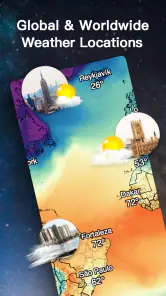
And let's not forget about the radar maps. They are incredibly detailed, offering a visual representation of weather patterns in your area. It’s like having a mini weather station at your fingertips. You can zoom in and out, pan around, and get a real sense of what's happening in the skies above.
The radar is most valuable when timing matters more than a single temperature reading. Before a walk, school pickup, or short drive, I’d use it to judge whether a band of rain seems close enough to change my plans, then compare that impression with the hourly forecast. A map can make movement easier to picture, but it is still a visual guide, not a guarantee about the exact conditions on one street. People who prefer a minimal glance at temperature may find this extra layer unnecessary; anyone who likes to see weather patterns rather than read only numbers has a clearer reason to keep it.
A small but useful workflow is to start with the radar only when the forecast raises a timing question. If the sky looks unsettled and I need to know whether to leave now or wait, the map adds a different perspective from the hourly figures. If I’m simply choosing a coat, it is probably more information than I need. That selective use also helps avoid spending time panning around a map when a quick look at current conditions would answer the real question.
Room for Improvement?
While the app is pretty spot-on, there are a few areas where it could step up its game. Some users have mentioned that the app tends to drain battery life a bit faster than they'd like. However, considering the wealth of information it provides, this is a small price to pay for staying one step ahead of the weather.
For anyone concerned about battery use, I’d avoid leaving a radar view open longer than needed and review which alerts are worth keeping enabled. That is a practical compromise, not a promise that these choices will eliminate drain. Weather apps can be checked briefly or revisited often, and the latter habit may make resource use more noticeable on a phone that is already under strain. If you only need a basic temperature check, your phone’s built-in weather option may be the lighter, simpler choice.
Another suggestion would be to add a widget feature for quick glances at the weather without needing to open the app. It would be a sweet addition for those of us who love efficiency.
That missing quick-glance route matters most to people who check conditions repeatedly throughout the day. If you want weather visible on your home screen at all times, a competing app with a widget may fit your routine better. By contrast, opening this app when you have a specific question is a reasonable workflow, especially if you value its combination of local conditions, alerts, and radar more than constant access from the home screen.
The same trade-off applies when comparing it with a minimalist weather app. A very simple alternative may answer “Is it hot or cold?” with fewer steps and less visual detail, but it may not offer the same radar-led way to think about rain timing. At the other end, specialist services can suit people who want technical charts or more control over how they interpret weather. I’d choose this app for accessible everyday planning, not as a replacement for professional forecasting tools or a dedicated severe-weather source.
On a busy morning, for example, I’d check the local conditions while getting ready, then look at the hourly outlook if I have a walk or school pickup later. If rain appears likely to affect the timing, I’d use the radar to decide whether leaving earlier makes sense. I would not keep every screen open in the background; a few targeted checks are more useful than repeatedly refreshing out of habit. That workflow makes the app feel like a practical assistant rather than another source of notifications demanding attention.
It is also worth setting expectations about performance. The app’s simple entry point makes it feel suited to quick checks, while maps and frequent revisits naturally ask more of a session than reading a single current-condition summary. I would not judge reliability from one brief delay or a forecast that changes as conditions develop; weather predictions are inherently estimates, and local results can differ. If a screen does not refresh as expected, reopening the app and checking again is a sensible first step before making a decision that depends on changing weather.
For speed, I’d expect the most straightforward use—opening the app to check the current local picture—to be the least demanding part of the experience. A map requires more interaction, and checking several times in quick succession can make any weather app feel less effortless than a single glance. I’d keep the phone’s overall condition in mind too: limited battery or a crowded device can affect how comfortable frequent use feels, without that automatically pointing to a problem with this app itself.
Reliability is not only about whether the app opens; it is also about using the forecast with sensible expectations. A forecast can shift as weather develops, and a broad regional picture cannot guarantee conditions at a specific doorstep. I’d treat an unexpected change as a reason to check again, not proof that every earlier reading was useless. If a decision has serious consequences, I’d compare the app’s guidance with official local updates rather than relying on a single screen.
Live Weather Forecast has a 4.7 average from around 116,000 ratings and has passed 10 million installs, which suggests it has found a substantial audience. It was released in 2020, and version 2.1.0.2 supports Android 6.0 and later. Optional purchases are listed at $2.99 to $3.99 per item, so I’d look at the purchase details in the app before paying; the core download is free. The main trade-off is that convenience depends on your habits: people who want a compact forecast and visual radar may appreciate it, while users seeking a home-screen widget or the leanest possible check may prefer another option.
Those details make the app accessible to many Android users, but I would still consider the device I plan to use. If it is older or already low on available battery, I’d keep my sessions short and avoid leaving the radar open unnecessarily. Someone using a newer phone who wants to compare conditions visually may be more comfortable with that richer routine. Either way, there is no need to buy anything simply to try the basic experience; I’d first decide whether the app’s style of checking weather suits my day.
The optional purchases are another reason to make the decision based on actual use rather than assumptions. I’d explore the free experience first and only consider a purchase if its in-app details clearly match something I want. A person who needs only local conditions and occasional planning may have no reason to spend, while someone curious about paid options should review what each item offers before confirming. The free entry point lowers the barrier to trying it, but it does not mean every extra is necessary for everyone.
In the end, I’d recommend this to someone who wants local weather information, radar, and configurable alerts in one approachable place, and who is comfortable opening an app rather than relying on a widget. I’d steer a person toward a simpler built-in forecast if they only need a quick temperature check, or toward a more specialized source if they need technical analysis or authoritative emergency guidance. That distinction is what makes the app easier to judge: it is useful for everyday decisions, but it does not need to be the only weather tool a person uses.
In conclusion, the Live Weather Forecast app is a must-have for anyone who likes to plan their day according to the weather. With its user-friendly interface, precise forecasts, and handy alerts, it's a powerhouse of a weather app. So next time you’re planning to step out, let this app be your trusty weather companion.
Live Weather Forecast Frequently Asked Questions
Is Live Weather Forecast suitable for children and families?
Live Weather Forecast has an Everyone content rating, so it is presented as suitable for a broad audience. Families looking for a weather app can consider it for general forecast checking, while keeping in mind that the app includes optional in-app purchases. If children use a device with a shared payment method, it is sensible to review purchase settings and supervise transactions.
What kind of weather app is Live Weather Forecast?
Live Weather Forecast is a weather app from Ten Stars Lab, described as a local forecast and daily weather assistant. Its short description is “Live Weather,” and its summary presents it as a private local weather forecast app. It is intended for people who want weather information as part of their day, rather than a game or a general-purpose utility.
What devices can run Live Weather Forecast?
Live Weather Forecast is a weather app for Android devices, and its minimum operating system requirement is Android 6.0. Before downloading, check your device’s software version so you can be sure it meets that requirement. The app is free to download, and it is rated Everyone, making it suitable for a broad audience.
Who develops Live Weather Forecast, and how widely is it used?
Live Weather Forecast is developed by Ten Stars Lab. It has more than 10 million installs, with an average rating of 4.7 from around 116 thousand ratings. Those figures suggest that it has reached a large audience, although individual experiences can still vary. The app is described as a daily weather assistant for checking local conditions.
What features does the Live Weather Forecast app offer?
The Live Weather Forecast app provides real-time weather updates, detailed daily forecasts, and extended 7-day forecasts. It includes features like radar maps, severe weather alerts, and weather widgets for your home screen. Users can also access detailed information on temperature, precipitation, wind speed, and humidity, making it a comprehensive tool for weather enthusiasts.
Pros
- Accurate real-time weather updates
- User-friendly interface
- Detailed weather maps
- Customizable weather alerts
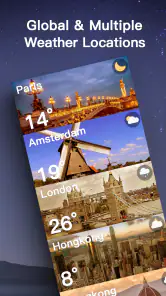
- Supports multiple locations
Cons
- May drain battery quickly
- Ads can be intrusive
- Requires internet for updates
- Some features locked behind paywall
- Occasional location inaccuracies
- Category
- Weather
- Version
- 2.1.0.2











