Inkitt: Books, Novels, Stories
- 5.88K
- 4.5
- Installs
- 5.00M
- Price
- Free

Screenshots

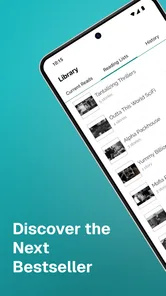
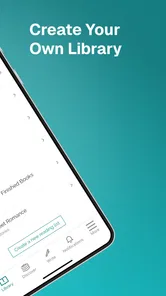
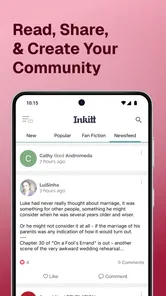
Analysis by Reviewed
I reach for reading apps in two very different moods: when I know exactly which book I want, and when I have a few spare minutes and want a story to pull me in. Inkitt suits the second mood especially well. It is a free reading app from Inkitt Inc in the Books & Reference category, built around discovering fiction and following stories by independent writers. I find it most appealing if browsing is part of the fun, rather than just a step before opening a familiar bestseller.
When a connection is part of the reading routine
Inkitt’s broad catalogue makes browsing feel like exploring, but discovery naturally works best when the app can connect: looking through titles and finding a new author are different from settling down with a book you already chose. I would use a reliable connection to pick a story before a commute or a trip, then check what reading access is available for that title rather than assuming every book behaves the same way. That small habit helps avoid the annoying moment of opening the app somewhere with weak reception and discovering you have not prepared what you wanted to read.
This is also where Inkitt differs from a bookshop-style app focused mainly on finding a specific published title. Its appeal is the chance to encounter fiction you might not have searched for by name. The trade-off is that browsing a large stream of possibilities can take longer than returning to a book already saved in a conventional library app. If I have only a minute, I prefer to decide on a story beforehand; if I have time to explore, the open-ended discovery is a strength.
Short reading windows and longer sessions
On a phone, a chapter can fit into a coffee break, a waiting room, or the quiet part of a bus ride. I like that this makes it easy to keep a story moving without carrying a physical book, but the screen still matters: a long session on a small display may not suit everyone. I would adjust the reading appearance for comfort before settling in, then use a shorter session to test whether the layout works for my eyes. That is more useful than assuming one font or background will feel right in every place and light level.
A realistic routine might be browsing for a new romance at home, choosing one story while connected, and reading a few pages during lunch the next day. The key is to make the choice before the break begins; otherwise, discovery can consume the very time you hoped to spend reading. Readers who mainly want a known author or a carefully curated catalogue may find a dedicated ebook store or library app more direct. Inkitt makes better sense when sampling emerging fiction is itself part of the appeal.
A Library in Your Pocket
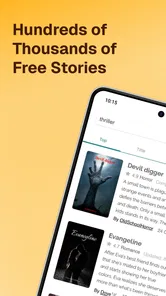
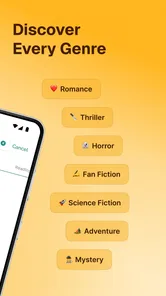
One of the first things that struck me about Inkitt: Books, Novels, Stories is its vast collection. It's like having a library right in your pocket, accessible anytime and anywhere. The app boasts a diverse range of genres – from heart-pounding thrillers to swoon-worthy romances, and everything in between. Whatever your reading preference, Inkitt has got you covered. And the best part? The app is super user-friendly. You won't find yourself lost in a maze of menus trying to find that perfect read.
Discover Hidden Gems
What sets Inkitt apart from other reading apps is its commitment to showcasing works from indie authors. Think of it as a platform where undiscovered talents get a chance to shine. I've stumbled upon some absolute gems here that I probably wouldn't have come across otherwise. Plus, there's something really special about supporting budding authors and watching them make a name for themselves. It's like being part of their journey, and that's a pretty cool feeling!
More From Our News Desk

Weather by Xiaomi Review: Clear at a Glance, Less Clear Up Close

X Under Pressure: Can It Recover When Posting Goes Wrong?

Clash of Clans Is Won Between the Battles

Android Auto Makes the Case for Quieter Car Software

MobiOffice: Transforming Mobile Productivity with Seamless Integration

EA SPORTS FC™ Mobile Soccer: Redefining Mobile Sports Gaming
Personalized Reading Experience
Another feature that I absolutely love is the personalized reading recommendations. Based on your reading habits and preferences, Inkitt suggests books that you're likely to enjoy. It's like having a personal librarian who just gets you. This feature has introduced me to authors and genres I might not have considered before, broadening my reading horizons significantly.
And let's not forget the offline reading option. Once you've downloaded a book, you can read it anytime, even without an internet connection. Perfect for those commutes or when you're just lounging around the house.
Seamless User Experience
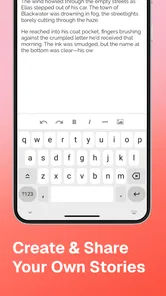
Navigating the app is a breeze, with a clean interface that doesn't clutter your screen. The reading experience is smooth, with customizable fonts and backgrounds to suit your eye comfort. Whether you're reading in bed or stealing a few minutes during lunch, the app ensures that your reading experience is top-notch.
Choosing stories with care
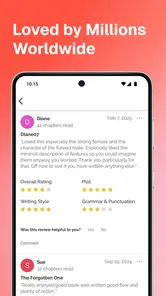
The range includes romance and fiction, as well as mature material, so I would treat the Teen age rating as a cue to check a book’s subject matter rather than assume every story will suit every reader. Inkitt is a better fit for readers comfortable with varied independent writing than for someone seeking only polished, familiar releases. With an average rating of 4.4 from around 91,000 ratings and more than five million installs, it has drawn a substantial audience, though popularity does not guarantee that every individual story will match your taste.
My practical approach is to sample a story before committing to a long reading streak. If the voice, pacing, or subject does not click, I move on instead of treating a recommendation as an obligation. That is one advantage of a discovery-led catalogue: you can use it to test new genres and authors, while keeping a more traditional ebook library for titles you already know you want. The app is less suitable if you expect every pick to have the consistency of a carefully edited mainstream release.
What happens when the signal drops
Connectivity can shape the experience most at the transition between finding a book and reading it. I would choose the next story while online and confirm it is ready for the kind of access I need before leaving home. If a page or recommendation fails to load, I would first check the connection, then return to the selected story once service is available; repeatedly tapping around during a weak signal rarely makes discovery easier. Planning a little ahead is a simple way to make a commute less dependent on reception.
For data-conscious readers, browsing and reading are not necessarily the same kind of activity. I would limit exploratory browsing to Wi-Fi when possible, make a deliberate choice rather than scrolling indefinitely, and avoid assuming that every title is already available for offline use. These habits are useful if you have a tight data allowance or travel through patchy coverage. They also make Inkitt work better as a reading habit: less time loading possibilities, more time with a story you have actually chosen.
Making recommendations work for you
Recommendations are helpful as a starting point, not a promise that the next suggestion will be a perfect match. I would treat each one as an invitation to sample a different voice or genre, then use my own reaction to decide whether to continue. This is especially useful when I have enjoyed one kind of romance but want to see whether the app can lead me toward a different style. If I keep selecting only familiar themes, the suggestions are less likely to surprise me; if I follow every suggestion automatically, I may spend time on stories that do not suit my mood.
A small routine makes discovery more manageable: save a few possibilities for later, choose one when I have time to read, and leave the rest for another day. That separates browsing from reading and prevents a long scroll from becoming the main event. It also gives me an easy fallback when I open the app with only a short break available. Rather than expecting the catalogue to make the decision for me, I use recommendations to widen my shortlist and then choose based on the opening pages.
Reading around work, travel, and interruptions
For a reader fitting stories around a busy day, Inkitt works best when the next step is obvious. I might look for a story at home, settle on one before leaving, and use a quiet moment later to continue rather than starting a fresh search in a crowded station. If a notification, conversation, or stop interrupts me, returning to a story I already chose is easier than trying to remember which title caught my eye while browsing. That is a small but practical difference between using a discovery app intentionally and opening it whenever boredom strikes.
On a longer trip, I would prepare before entering a low-signal stretch and check that the chosen book is available in the way I need. The app’s offline reading option can help after a book has been downloaded, but I would not assume every title is prepared automatically. If I am unsure, checking while connected is less frustrating than discovering the issue after service disappears. Readers who need every book to be reliably available without a connection should make that preparation part of their routine, or consider a library app whose offline workflow they already know.
Independent fiction versus a familiar ebook shelf
Inkitt’s independent-story focus gives it a different feel from a conventional ebook store, where I might arrive with an author or title already in mind. Here, the reward is finding a writer I would not have searched for, but the quality and style can vary from one story to another. That variation is not automatically a flaw: it is part of exploring writing beyond the familiar shelf. Still, if I want a tightly edited book from a known publisher for a book-club discussion, a traditional store or library catalogue is the more reliable place to start.
There is also a difference between choosing a book and following a writer’s developing work. Readers who enjoy seeing independent authors build an audience may find that relationship appealing. Someone who wants a finished, predictable reading experience may prefer to check how a story feels before investing in it. I recommend approaching Inkitt with curiosity rather than expecting every discovery to become a favorite. That mindset makes a mixed result less disappointing and helps the app deliver what it does best: a route into stories outside a reader’s usual search.
Choosing stories with care
The range includes romance and fiction, as well as mature material, so I would treat the Teen age rating as a cue to check a book’s subject matter rather than assume every story will suit every reader. Inkitt is a better fit for readers comfortable with varied independent writing than for someone seeking only polished, familiar releases. With an average rating of 4.4 from around 91,000 ratings and more than five million installs, it has drawn a substantial audience, though popularity does not guarantee that every individual story will match your taste.
My practical approach is to sample a story before committing to a long reading streak. If the voice, pacing, or subject does not click, I move on instead of treating a recommendation as an obligation. That is one advantage of a discovery-led catalogue: you can use it to test new genres and authors, while keeping a more traditional ebook library for titles you already know you want. The app is less suitable if you expect every pick to have the consistency of a carefully edited mainstream release.
What happens when the signal drops
Connectivity can shape the experience most at the transition between finding a book and reading it. I would choose the next story while online and confirm it is ready for the kind of access I need before leaving home. If a page or recommendation fails to load, I would first check the connection, then return to the selected story once service is available; repeatedly tapping around during a weak signal rarely makes discovery easier. Planning a little ahead is a simple way to make a commute less dependent on reception.
For data-conscious readers, browsing and reading are not necessarily the same kind of activity. I would limit exploratory browsing to Wi-Fi when possible, make a deliberate choice rather than scrolling indefinitely, and avoid assuming that every title is already available for offline use. These habits are useful if you have a tight data allowance or travel through patchy coverage. They also make Inkitt work better as a reading habit: less time loading possibilities, more time with a story you have actually chosen.
Who will enjoy Inkitt most
I would recommend it to readers who like romance, enjoy discovering independent writers, and are happy to sample several stories before finding one that sticks. Writers may also appreciate that the app addresses both readers and writers, although the experience I am reviewing here is its reading side. Someone who wants a predictable catalogue, a particular established title, or a distraction-free experience that never asks them to browse may be happier with a conventional ebook service or a library app. The best choice depends on whether discovery or certainty matters more to you.
Inkitt is free, and its current version is 3.4.0; it is listed for devices running Android 7.0 or later. The app was released on January 7, 2017, and its Teen rating is worth keeping in mind when choosing stories for younger readers. I would not judge the whole catalogue from one recommendation: give it a little time, adjust the reading display, and see whether its mix of discovery and mobile reading fits your habits.
So, if you're on the hunt for an app that offers a plethora of stories while supporting new authors, Inkitt is definitely worth checking out. With its vast selection and user-friendly interface, it's an absolute delight for any book lover. Happy reading!
Inkitt: Books, Novels, Stories Frequently Asked Questions
Can I use Inkitt without creating an account?
Inkitt is built around discovering and reading stories in its app, so an account may be useful for keeping your reading activity and library together. You can explore the app’s available options when you open it and decide what information you want to provide before getting started. If you prefer to browse first, check which features are accessible before signing up.
Is Inkitt available for both Android and iOS?
Yes. Inkitt is a mobile reading app available for Android and iOS, making it an option for readers using either platform. On Android, the app requires version 7.0 or later, so it is worth checking your device’s software before downloading. Once installed, you can use it to explore stories and novels in the Books & Reference category.
Can I read Inkitt stories offline?
Inkitt is designed for reading stories in the app, and its existing description says users can download stories to read offline. This can be useful when you want to continue a book without relying on an internet connection. Download the stories you plan to read while online, then look for them in your library or downloads area.
What is Inkitt and how does it work?
Inkitt is a digital platform where readers can discover and read novels, stories, and books across various genres. The app allows users to access a vast library of content created by independent authors. Users can download the app, create an account, and start exploring or downloading stories to read offline. Additionally, Inkitt uses an algorithm to recommend books based on your reading history and preferences.
Is Inkitt free to use?
Yes, Inkitt is a free-to-use app. Users can browse and read a wide selection of stories and novels without any cost. Before downloading, keep in mind that the app’s available content and features can shape your experience, and you can review any purchase options presented in the app before deciding whether to use them.
Pros
- Diverse selection of genres
- Offline reading available
- User-friendly interface
- Regular updates of content
- Community-driven feedback
Cons
- Requires internet for downloads
- Ads in free version
- Limited book customization
- Mature content not filtered
- No text-to-speech feature













