

Inkitt CandyJar: TV & Shorts
- 1.56K
- 4.6
- Installs
- 5.00M
- Price
- Free

Screenshots







Analysis by Reviewed
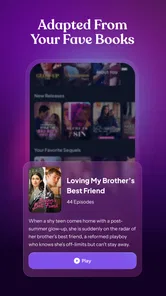
If you enjoy stories that unfold in quick installments, CandyJarTV is best approached as a short-form viewing app rather than a replacement for a full streaming service. Its focus on drama, fantasy, and romance suits the small gaps in a day: a commute, a lunch break, or a quiet stretch before bed. I’d try it when I want a story I can dip into without setting aside an entire evening.
Quick episodes, with a different kind of viewing rhythm
The short-episode format changes how I use the app. Instead of browsing for a feature-length film, I can sample a story and decide whether its characters and premise hold my attention. That makes the first few minutes useful as a test: if I’m not drawn in, I can move on without feeling that I’ve abandoned a big time commitment. The trade-off is that cliff-hangers and serial pacing may make a supposedly brief visit turn into several episodes.
For a realistic routine, I’d open it during a break, watch one installment, and stop before starting another if I have somewhere to be. That sounds obvious, but the episodic structure can make “just one more” tempting. If you prefer stories that resolve in a single sitting, a film app or a complete book will likely suit you better.
Who will get the most from it
I’d recommend this entertainment app to viewers who like romance, fantasy, and heightened drama, especially when they want something easy to pick up on a phone. Inkitt Inc is the developer, and the app is free to install, which makes sampling it a low-commitment way to see whether its style clicks with you. CandyJarTV is marked Teen, so it is aimed at a teen audience and above; I’d still make viewing choices based on the individual story and the viewer’s comfort.
The audience numbers suggest it has found a substantial readership: it has over a million installs, with an average rating of 4.5 from around 35,000 ratings and roughly 1,100 written reviews. Those figures are useful context, not a guarantee that every series will suit your taste. I’d browse with a particular mood in mind—light romance, fantasy, or more dramatic plots—rather than assume every title has the same tone.
It is especially suited to viewers who enjoy following a continuing plot but don’t always have time for a full episode of a conventional series. If you mainly want background entertainment while cooking or commuting, though, a podcast or audio-first option is more practical: CandyJarTV’s stories ask you to watch, not just listen. Likewise, a reader who prefers to set their own pace and imagine the scenes may be happier with a book than with a screen-based serial.
Costs and the choice to keep watching
Although the app is free, in-app purchases range from $1.99 to $199.99 per item. That wide range is worth noticing before getting absorbed in a continuing story. I’d treat any optional purchase as a separate decision: check the displayed price, decide what I’m comfortable spending, and avoid tapping through simply because an episode ends on a tense moment. If you want entertainment with a predictable one-time cost, a subscription service or a book purchase may be easier to budget for.
More From Our News Desk

 Gmail
GmailGmail in a Busy Inbox: Who Benefits Most?
From first account to crowded workday, Gmail earns its place through dependable search and flexible sorting—but its best fit depends on how much inbox maintenance you can tolerate.

 Prime Video
Switching to Prime Video: What Changes in Your Viewing Routine
Prime Video can make a compelling second home for streaming, but switching means learning a different catalog, rental layer, and route from browsing to playback.

 Universal TV Remote Control
Universal TV Remote Control Works Best as a Reliable Backup
A phone remote earns its place through quick setup and reliable habits. Here is how to get more from Universal TV Remote Control—and where its limits show.

 Weather - By Xiaomi
Weather by Xiaomi Review: Clear at a Glance, Less Clear Up Close
Xiaomi’s weather app makes everyday forecasts quick to scan, but its calm surface can leave useful details and recovery paths harder to find than they should be.

 X
XX Under Pressure: Can It Recover When Posting Goes Wrong?
A resilience-focused review of X, examining setup, mistaken posts, interruptions, weak connections, and the gaps that matter when recovery needs to be dependable.

 Clash of Clans
Clash of Clans Is Won Between the Battles
Its raids are quick; its community is a long-term project of coordination, teaching, rivalry, and shared responsibility—with all the friction that entails.
Latest News



A practical tip is to pause at the end of an episode and ask whether I’m choosing to continue or reacting to a cliff-hanger. That small habit helps keep a casual session within both my time and spending limits. The free entry point is convenient, but it shouldn’t be confused with a promise that every way of continuing a series will cost nothing.
That pause also helps answer a common practical question: can I simply try a story before deciding whether it deserves more of my time or money? The app is free to install, so I can explore its style without committing to a purchase. I’d still read the price shown for any specific optional item before confirming it, especially if I’m watching late at night and tempted to rush through a suspenseful ending.
Speed expectations and everyday performance
Because CandyJarTV centers on video, the connection matters more than it would in a text-first reading app. I’d expect playback to feel more comfortable on a stable Wi-Fi or mobile connection, while a weak signal can make any video session less predictable. The app’s version is 3.4.0, but a version number by itself doesn’t tell me how it will behave on a particular phone or network, so I’d judge it in the setting where I plan to watch.
For a short break, I’d open the app before the break starts and give a title a moment to load rather than count on instant playback at the exact moment I have free. If I’m watching on the move, I’d be mindful of mobile data and battery use, as sustained video playback can draw on both. That is a general video-viewing trade-off, not a measured claim about this app.
My low-friction approach would be to browse and choose a story while connected to reliable Wi-Fi, then start playback when I have enough time to settle in. That separates the decision-making from the few minutes I actually want to spend watching. I would not assume I can prepare episodes for a no-signal journey, so if offline viewing is essential to your routine, a service with a clearly suitable offline workflow is the safer choice.
What’s New in CandyJarTV?
Rebranding often comes with a slew of changes, and CandyJarTV is no exception. The app has revamped its user interface, making it more intuitive and visually appealing. It's like stepping into a candy store, with each section of the app offering a delightful assortment of content to binge-watch. The transition from GalateaTV to CandyJarTV was smooth, and I didn’t have to re-enter any of my data, which was a relief.
Content Library: A Treasure Trove
Now, let’s talk content. CandyJarTV has expanded its library significantly. From gripping dramas, heartwarming rom-coms to adrenaline-pumping action flicks, there’s something for everyone. I was particularly impressed by the addition of indie films and international series, which added a layer of diversity that was somewhat lacking in its predecessor. It’s like having a mini film festival right at your fingertips!
One feature that stands out is the personalized recommendation system. It’s almost eerie how accurately it predicts what I’d like to watch next. Whether it’s a lazy Sunday afternoon or a weeknight escapade, this feature ensures I’m never at a loss for what to watch.
User Experience: Smooth and Seamless
Navigating through CandyJarTV is a breeze. The app’s layout is clean, and the streaming quality is top-notch. Even with a less-than-stellar internet connection, I experienced minimal buffering, which is a huge win in my book. The download feature is also a lifesaver for those moments when you’re on the go and need your entertainment fix.
In terms of accessibility, the app performs well across both Android and iOS devices. The developers have clearly invested in ensuring a uniform experience irrespective of the device, which is commendable. I found the notification system particularly useful as it keeps me updated on new releases and episodes of shows I’m following.
For an everyday example, I’d use it on a quiet evening when I have a short window before bed: pick a story that fits my mood, watch an installment, and decide deliberately whether I want to continue. That works better for me than opening a broad streaming catalogue with no plan and spending the whole break choosing. The short format makes starting easy, but I’d set a stopping point in advance if I need to protect my sleep or get back to a task.
Choosing it over the usual alternatives
For me, the key comparison is not simply how many titles an app can surface, but how well its format fits the moment. CandyJarTV’s bite-sized serial viewing is convenient when I want a continuing plot in a small window of time. A broad, conventional streaming catalogue is a better fit when I’m choosing a long film, browsing across many genres, or planning a shared movie night. Podcasts and reading apps are easier to use when I need to keep my eyes free, while this app makes sense when I can give the screen my attention.
Its recommendations can help when I don’t know what to pick, but I wouldn’t let them make every choice for me. If I’m in a specific mood, I’d start with a genre or story premise that matches it, then use suggestions as a second step. That keeps discovery useful without turning the session into endless browsing.
One useful way to keep recommendations from narrowing my choices is to treat them as a starting point, not a queue I have to work through. I’d choose based on the kind of story I want that day, then give a suggested title a chance only if its premise appeals. This is a small habit, but it makes browsing feel intentional and reduces the chance that I spend a whole short break scrolling instead of watching.
Reliability, recovery, and device fit
In my experience, the clearest performance test is a normal viewing session rather than a quick app launch. I’d see how playback behaves on my usual connection, then try again later if the network is busy; a brief interruption may be down to connectivity rather than the app itself. If a video stalls, I’d first check the connection and reopen the episode before assuming the whole service is unusable. I wouldn’t plan an important viewing moment around a connection I already know is unreliable.
The app is listed for Android devices running version 7.0 or later, and it is also available on iOS. On an older or less capable phone, I’d leave some free storage and close other demanding apps before a longer session, especially if the device already struggles with video. These are sensible precautions rather than a promise about performance on every model. If you mainly watch on a large television, a service designed around TV viewing may be more comfortable than a phone-first routine.
Notifications are useful when I want reminders about followed stories, but they can become noise if I’m only trying the app casually. I’d keep them on while following a series and reconsider if they interrupt work or downtime. Likewise, I’d check whether the app is still enjoyable after sampling a few different stories; a strong recommendation for one title doesn’t necessarily mean the whole catalogue matches my tastes.
On a phone that already runs hot or slows down during video, I’d keep sessions short and close other demanding apps first. That is a sensible device-management habit, not a claim that CandyJarTV is unusually heavy. If the app feels less responsive, I’d distinguish between an overloaded handset, a weak connection, and a one-off playback interruption before deciding it is a persistent problem. For people with limited data or a small battery, occasional viewing over Wi-Fi is a more comfortable fit than relying on long mobile sessions.
Final Thoughts
In conclusion, CandyJarTV has emerged as a formidable contender in the streaming app arena. It retains the charm of GalateaTV while infusing new life into its offerings. Whether you’re a movie buff or a casual viewer, this app has something for everyone. The rebranding has not only elevated the app’s aesthetics but also enriched the user experience with its expansive content library and intuitive features.
If you haven’t tried it yet, I’d say it’s high time to dive into the world of CandyJarTV. Trust me, your entertainment cravings will thank you!
My performance verdict
I’d choose it for quick, screen-focused story sessions, not as my only source of entertainment or as a guaranteed offline option. Its appeal is strongest when the short installments, story genres, and recommendations match what I’m after; its main trade-offs are video’s dependence on a decent connection and the need to be deliberate about optional purchases. If that balance sounds right, the free app is easy to sample. If you want complete films, hands-free listening, or a fixed-cost viewing plan, another format may fit better.
Inkitt CandyJar: TV & Shorts Frequently Asked Questions
Can I watch CandyJarTV episodes in short sessions?
Yes. CandyJarTV is built around short, bite-sized episodes, making it a natural fit for viewers who want to follow a story in brief sessions rather than set aside time for a long film or full-length episode. Its dramas, fantasy stories, and love stories give you different kinds of narratives to explore, while the episodic format lets you return to a story when it suits you.
Does CandyJarTV have in-app purchases, and how can I avoid unwanted spending?
CandyJarTV is free to download, but it also offers in-app purchases. Before confirming a purchase, read the price and terms displayed in the app and consider enabling purchase approval or spending controls through your device settings, especially if a teenager will use the app. The app’s free entry point and optional paid items make it sensible to check purchase settings before starting to watch.
What is the minimum Android version needed to install CandyJarTV?
CandyJarTV requires Android 7.0 or later. Check your device’s Android version before attempting to install the app; if it is older than the minimum, you may need to update the operating system or use a compatible device. Also make sure you have enough available storage for the app and any content you choose to access, and review purchase settings before using optional paid features.
Who makes CandyJarTV, and is it the same app as GalateaTV?
CandyJarTV is developed by Inkitt Inc. It was previously known as GalateaTV, so people familiar with that name may recognize it as the same app under its current branding. Its focus is entertainment, with short, bite-sized episodes featuring drama, fantasy, and love stories. If you are searching for the app, checking the CandyJarTV name and developer can help you identify the intended download.
When was CandyJarTV released, and what is its current version?
CandyJarTV was released on November 17, 2023, and its current version is 3.4.0. If you are deciding whether to install it, check the version shown for your device and keep the app updated when updates are available. Using a current version can help you access the latest version of the app’s experience, while compatibility still depends on meeting the minimum Android operating-system requirement.
Pros
- Intuitive user interface for easy navigation.
- Wide variety of content across genres.
- High-quality video streaming available.
- Regular updates with new features and content.
- Supports multiple languages for broader access.
Cons
- Occasional buffering issues on slower connections.
- Subscription required for premium features.
- Limited free content available.
- Ads may interrupt viewing experience.
- Some content may not be available in all regions.













