Inkitt Galatea: Audio & eBooks
- 54.13K
- 4.6
- Installs
- 10.00M
- Price
- Free

Screenshots

Analysis by Reviewed
I’d approach GALATEA: Novels & Audiobooks as a story app first, not as a replacement for every reading tool on my phone. It’s aimed at readers who want fiction to feel lively and easy to pick up in spare moments. If you’re new to it, the best first step is simple: browse until a premise genuinely catches your attention, then give that story a short trial before deciding whether its format suits you.
Finding a first story that fits
When I’m choosing what to read, I try not to judge a book only by its cover or genre label. A romance, thriller, or fantasy title can make a very different first impression once the story begins, so I’d sample the opening with your current mood in mind. Want a quick evening escape? Pick something with a premise you can follow when you’re tired. Prefer a longer listening session? Try the audiobook route when you have a quiet stretch and can pay attention.
That small bit of intention matters because GALATEA leans into presentation as well as prose. Sound, music, and character messages may be part of the reading experience, so it can feel more dramatic than a plain ebook. I’d start with one story rather than adding several to a queue immediately; that makes it easier to tell whether the added atmosphere helps you stay engaged or distracts you from the writing.
From installation to a satisfying first session
For a first-time reader, I’d keep the setup low-pressure. Install the app, open the story selection, and choose one title based on a premise you actually want to explore rather than trying to understand every part of the app before reading. You don’t need to build a perfect reading list on day one. The first useful test is simply whether the opening makes you want to continue.
Then choose the format that matches where you are. If you’re on a break or waiting somewhere, read a few pages and see whether the presentation feels comfortable on your phone. If you have a quiet stretch and would rather not look at a screen, try listening. I’d avoid judging the audiobook experience while multitasking in a noisy place; a story with atmosphere and character details is easier to follow when you can give it some attention.
A small but useful habit is to note what you liked about the opening before switching stories: was it the premise, the character voice, or the sound design? That makes the next choice less random. It also helps you tell whether you enjoy Galatea’s style itself or simply happened to pick a story that matched your mood that day.
A Universe of Stories
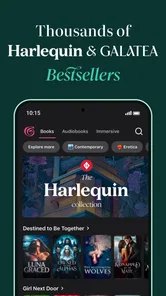
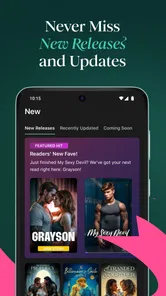
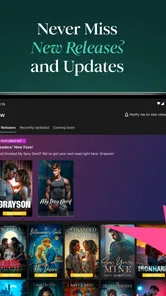
So, imagine this: you're commuting, your headphones are on, and suddenly you're not on a crowded bus but in a mystical land, thanks to GALATEA: Novels & Audiobooks. With its vast library, the app offers a plethora of genres that cater to every mood and taste. Whether you're into the heart-racing thrillers, swoon-worthy romances, or mind-bending sci-fi, there's something here for everyone. The collection is constantly updated, so there's always something fresh to dig into.
More From Our News Desk

Weather by Xiaomi Review: Clear at a Glance, Less Clear Up Close

X Under Pressure: Can It Recover When Posting Goes Wrong?

Clash of Clans Is Won Between the Battles

Android Auto Makes the Case for Quieter Car Software

MobiOffice: Transforming Mobile Productivity with Seamless Integration

EA SPORTS FC™ Mobile Soccer: Redefining Mobile Sports Gaming
Interactive Reading Experience
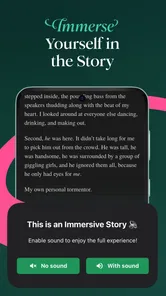
What really sets GALATEA apart is its immersive reading experience. It’s not just about words on a screen. Picture this: sound effects, ambient music, and text messages from characters popping up as you read. It’s like a movie playing in your head, and honestly, it makes the stories incredibly engaging. This interactive feature is perfect for those who find traditional reading a bit monotonous and are looking for something more dynamic.
Easy on the Eyes and Ears
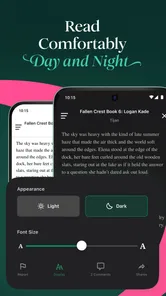
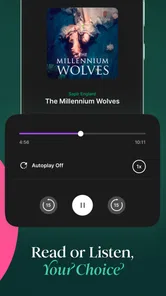
The app's design is as smooth as butter, making it easy to navigate even for the not-so-tech-savvy folks. The interface is clean, letting you focus on what truly matters—the stories. Plus, the audiobook feature is a game-changer. For those long drives or lazy Sunday afternoons, just hit play, and let the narrator's voice transport you to another world. The audio quality is top-notch, ensuring you don't miss a single detail of the story.
Getting comfortable with the rhythm
A useful way to test whether the app fits your routine is to treat the first session as a small reading habit, not a commitment to finish a whole novel. For example, I might open a story during a lunch break, read a little, and return to it later when I have time to focus. If the in-story sounds are enjoyable at home but awkward in a shared space, headphones can make that format easier to use; if you’d rather read quietly, the text itself remains the point of entry.
One practical trade-off is that an immersive presentation asks for more attention than a bare-bones ebook reader. That can be a strength when you want fiction to pull you in, but less convenient if you’re trying to skim, annotate heavily, or move between many unrelated books. For those jobs, a conventional ebook app may feel more direct. I’d choose Galatea when I want a story experience, and a standard reader when I’m mainly collecting reference material or managing a broad personal library.
What can feel different from a regular ebook
Compared with a conventional ebook app, Galatea puts more emphasis on how a story is delivered, not just on displaying text. That distinction is worth thinking about before you settle in. A plain reader is often better when I want to search a long book, make detailed notes, or switch quickly among reference material. Galatea makes more sense when I want fiction to hold my attention through its presentation and audio options.
The trade-off is that a more directed experience may not suit every reading style. If I’m reading in short bursts, sound and messages can add personality; if I’m trying to concentrate on a complicated passage or read in a quiet public place, those elements may feel like extra stimulation. I’d treat them as part of the appeal rather than assuming every story or every session will benefit equally.
Community and Connectivity
One cool aspect of GALATEA is its community vibe. You can connect with other readers, discuss plot twists, and even get recommendations. It’s like a book club that fits right into your pocket. The app also suggests books based on your reading history, so it’s like having a personal book concierge. Pretty neat, right?
Who will get the most from it
I think the strongest fit is someone who enjoys serialized-feeling fiction, likes audio as an option, or wants a more theatrical alternative to reading plain pages. It can also work well for a first-time fiction reader who finds a conventional ebook screen a little flat. On a regular weekday, I could see opening a story while waiting for a meal, then switching to listening during a quiet walk later; the same title can suit different pockets of time without turning reading into a major project.
A realistic routine might be to read a little while dinner is in the oven, pause when something needs attention, and return to the same story before bed. On another day, you might listen during a quiet walk rather than stare at the screen. The useful point is flexibility between reading and listening, not trying to squeeze a full novel into one sitting. I’d pick a stopping point that leaves the story easy to resume, rather than beginning a new title every time I have a spare minute.
Galatea is less compelling if your priority is a neutral tool for books you already own, academic texts, or a carefully organized mixed-format library. It is also not my first choice when I want silent, distraction-free reading above all else. Readers who mostly want a clean page, extensive study workflows, or a single place for material from many sources will likely be better served by a general ebook reader or a dedicated audiobook app. The right choice depends on whether you want the story’s presentation to be part of the entertainment.
Cost, age, and what to check
GALATEA is a free Books & Reference app from Inkitt Inc, and its average rating is 4.6 from around 542,000 ratings. It has been installed over 5 million times, is rated Teen, and version 14.14.1 requires Android 8.0 or later. Those details make it easy to check basic compatibility before installing, but the free download does not mean every part of the experience is necessarily included at no cost: in-app purchases range from $0.99 to $399.99 per item.
Before spending, I’d look carefully at the specific purchase prompt and consider whether I’m happy with the amount and what it unlocks. That is especially sensible if you’re trying the app for the first time or sharing a device with a younger reader. The Teen rating is a useful starting point for families, but I’d still make story choices together rather than treating an age label as a substitute for checking the content.
How to keep the experience comfortable
My practical advice is to separate trying a story from deciding whether to pay for anything. First see whether you enjoy its writing and format; if a purchase prompt appears, pause and read what the specific option offers before confirming. The range of possible in-app purchase amounts is broad, so I wouldn’t assume one purchase works the same way as another or that paying is necessary to find out whether the app suits you.
For a shared phone or a younger reader, choosing a story together is more useful than relying only on the Teen label. It also gives you a chance to check whether the themes fit the person who will be reading. If you’re easily distracted by audio or dramatic effects, try a text session first; if you lose focus on plain pages, the more atmospheric elements may be what makes a story click.
Making the next choice
If you finish a story and want another, recommendations can help you discover something that matches your reading history. I’d use them as a shortlist rather than a command: choosing by mood is often more satisfying than following every suggestion. If you’re unsure whether audio, atmospheric effects, or the community side is for you, try the parts that naturally appeal and leave the rest alone. You don’t need to use every feature to enjoy a good story.
When deciding what to try next, I’d use one clear preference rather than browsing without a goal: a different genre, a more relaxed mood, or an audiobook for a time when listening is practical. Recommendations can narrow the search, but they don’t know whether you’re in the mood for a tense plot or something lighter. If a title doesn’t hold your attention, moving on is a sensible choice, not a reason to force yourself through it.
If you’re deciding whether to install it, my short answer is yes when you want a fiction-focused app that makes reading feel more dramatic and gives you an audio option. Start with one story, test it in the setting where you’d really use it, and check any purchase screen carefully. If what you want is a plain, versatile reader for study, reference, or books gathered from many places, choose a more general tool instead.
In conclusion, GALATEA: Novels & Audiobooks is not just another reading app. It's an experience, a journey, and a community all wrapped into one. Whether you're a bookworm or a casual reader, this app has something to offer. With its interactive features, vast library, and community engagement, it’s more than just reading—it's living the story. So, why not give it a try and let your imagination run wild?
Inkitt Galatea: Audio & eBooks Frequently Asked Questions
Can I listen to stories instead of reading them in Galatea?
Yes. Galatea includes audiobooks alongside ebooks, novels, and stories, so it can suit people who prefer listening as well as those who like reading text. Its storytelling experience can also combine audio with written passages and other immersive elements. If you mainly want an audio-first experience, browse the available titles to see which stories offer the listening format you prefer.
What does it cost to use Galatea, and are there purchases inside the app?
Galatea is free to download, but it also offers in-app purchases for readers who want access to paid content. Individual items can range from $0.99 to $399.99, so it is worth checking each purchase option before confirming. You can explore the app and its stories before deciding whether to spend money, but the cost of unlocking content depends on the item.
Is Galatea suitable for younger readers?
Galatea is rated Teen, so it is aimed at teen readers and older rather than young children. Its fiction includes genres such as romance, mystery, fantasy, and thriller, which may explore mature themes. Parents and readers should consider the age rating and the kind of stories they enjoy before downloading, and can browse the available titles to decide whether the content feels appropriate.
What is GALATEA: Novels & Audiobooks?
GALATEA: Novels & Audiobooks is an interactive reading app that offers a unique experience by combining traditional text with audio, sound effects, and visual elements. Designed for both Android and iOS users, it provides a wide range of genres including romance, mystery, fantasy, and more, catering to a diverse audience seeking immersive storytelling experiences.
How does the interactive element in GALATEA work?
The interactive element in GALATEA allows readers to engage with stories in a way that traditional books do not. Through sound effects, music, and timed text releases, readers can feel more immersed in the narrative. Some stories may also offer user-driven choices, allowing readers to influence the storyline, making each reading session a unique experience.
Pros
- Extensive library of diverse genres.
- High-quality audio narration.
- User-friendly interface design.
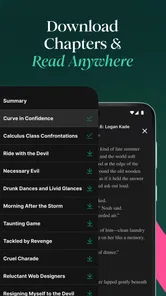
- Offline reading capability.
- Regularly updated content.
Cons
- Premium content requires subscription.
- Limited free novel selections.
- Audio may drain battery quickly.
- Occasional app crashing issues.
- Requires internet for updates.













