InColor: Coloring & Drawing
- 6.30K
- 4.6
- Installs
- 50.00M
- Price
- Free
Screenshots

Analysis by Reviewed
When I want a quiet activity that feels more hands-on than scrolling, I look for something I can pick up for a few minutes and leave without a big setup. InColor: Coloring & Drawing is built around that kind of creative pause: it gives me pages to color and tools for making art of my own. I find it most appealing when I want to experiment without needing to be confident at drawing first.
A quick session or a longer creative break
The app works best for me when I treat it as a flexible activity rather than a project that needs a finished result. I can choose a prepared page when I want to begin immediately, or use the drawing side when I have an idea I would like to explore. That choice makes it easier to fit the app around the day: a few minutes can be enough to add color to one area, while a longer stretch leaves room to try combinations and develop a picture.
A realistic example is a quiet wait before an appointment. I might open a straightforward page, choose a few colors, and work on one section without needing to complete the image before my turn comes. If I am at home with more time, I can slow down and test a palette across a larger part of the page. I would not rely on a coloring session as a substitute for every kind of break, though: it still asks me to look at and interact with a screen.
Choosing pages without making the choice a chore
When I am unsure what to color, browsing the available page styles is a useful way to get moving. The selection described in the app includes mandalas, animals, and landscapes, so I can choose based on whether I want repetition, a recognizable subject, or a scene. I find it helpful to decide how much attention I have before picking: intricate patterns suit a focused session, while a less demanding image is a better fit when I may be interrupted.
That small decision also makes the experience more approachable for people who feel daunted by a blank canvas. A prepared outline gives me boundaries to work within, but it still leaves room to make choices about color and style. If I want more freedom, I can move to a sketch or drawing instead. The trade-off is that the prepared page can guide my creativity without teaching a structured drawing method; someone hoping for lessons that build technique step by step may need a different kind of app.
I also avoid trying to make every page look polished. On a small screen, coloring a few larger sections can be more comfortable than chasing tiny details, and a limited set of colors can give the image a consistent feel. If I am using a stylus, I can make more deliberate strokes; with a finger, I would keep expectations relaxed and choose a page that does not demand constant precision. These are ways to adapt the activity, not guarantees that every image or device will feel equally easy to use.
Finding a comfortable way to create
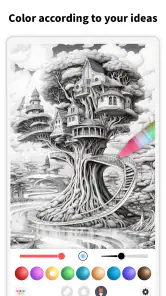
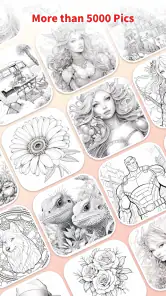
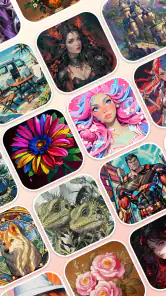
The first thing you'll notice about InColor is its stunning array of coloring pages. From intricate mandalas to cute animals and breathtaking landscapes, there’s something for everyone. The app caters to all skill levels, whether you're a seasoned artist or someone who can barely draw a stick figure. The intuitive interface makes it easy to navigate through the different categories, and before you know it, you might find yourself lost in a world of colors.
More From Our News Desk

Weather by Xiaomi Review: Clear at a Glance, Less Clear Up Close

X Under Pressure: Can It Recover When Posting Goes Wrong?

Clash of Clans Is Won Between the Battles

Android Auto Makes the Case for Quieter Car Software

MobiOffice: Transforming Mobile Productivity with Seamless Integration

EA SPORTS FC™ Mobile Soccer: Redefining Mobile Sports Gaming
Readability, choices, and creative control
That range of page styles matters for more than variety. I’d start with a simpler image if I had only a short break, then choose a detailed mandala when I had more patience and time. The contrast between open spaces and intricate patterns lets me match the task to my mood instead of treating every session like an art lesson. The app is an entertainment app from Eyewind, and its coloring-first approach makes the purpose clear: browse, pick an image, and focus on filling it in.
For readability, the practical question is not only whether I can find a page, but whether the details stay comfortable to work with on my particular screen. Fine patterns can become fiddly on a phone, especially when I am tired or using the app in a bright place. I would try a less detailed image first, then decide whether zooming and precise coloring feel natural in my hands. That trial is more useful than assuming a single interface will suit every eyesight or screen size.
Tools for different hands and habits
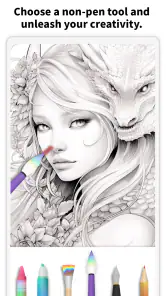
One of the standout features of InColor is its wide variety of tools. You get a chance to play around with different brush styles and colors that seem almost limitless. The app also offers a unique color palette that allows you to create your own shades, giving each artwork a personal touch. I spent hours just experimenting with colors, and let me tell you, it was oddly satisfying!
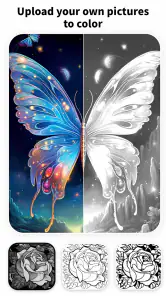
Another cool feature is the ability to import your own drawings. Yes, you heard me right! You can take your doodles or sketches and transform them into digital art. The app also supports Apple Pencil, which is a plus for iPad users who want a more precise drawing experience.
That combination gives the app two different kinds of appeal: a ready-made page for someone who would rather not plan a composition, and a route for turning a sketch into a more finished digital piece. A useful habit is to settle on a small palette before starting a detailed page; it keeps the result cohesive and avoids spending the whole session cycling through colors. On a phone, small areas may call for slower, more deliberate taps, while a larger tablet and stylus can feel easier for controlled strokes. Those are practical trade-offs, not a promise that every device or hand will feel the same.
For a sketch I want to import, I would keep the source drawing clear and relatively simple so its outlines are easy to work with once it is on screen. That is a practical workflow choice, not a guarantee about how every image will appear. It also helps me decide whether I want to color an existing idea or create from scratch before I start. If my main goal is detailed line work with precise control over layers and a broad professional toolset, I would compare dedicated illustration apps rather than assuming a coloring-focused app will replace them.
A social layer, with room to keep things personal
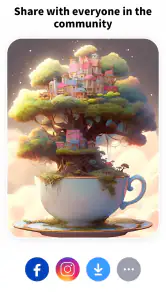
What’s art without a bit of sharing? InColor provides a vibrant community where users can share their masterpieces and get inspired by others. It’s like having a mini social network dedicated to art lovers. Plus, the app makes it super easy to share your creations on other platforms like Instagram or Facebook, because who doesn’t want to show off their latest artwork?
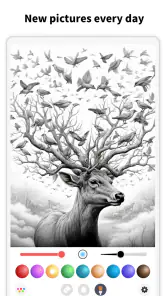
And if you're like me, who sometimes needs a little motivation, the app offers daily challenges and themes to keep you inspired. It’s a great way to push your creative boundaries and try out new styles.
For a realistic everyday use, I’d open a simple page while waiting for an appointment, work on a small section, and return to it when I had another spare moment. The challenges can help when choosing a subject feels like the hardest part; if I already have a clear idea, I’d skip the prompt and use the drawing tools instead. Sharing is optional in practice: someone who prefers private, solitary coloring can still focus on the artwork rather than treating the community as the main attraction.
I would approach the community as inspiration rather than a measure of my own ability. Seeing other artwork can give me an idea for a color combination or a theme, but it can also make a relaxing activity feel like a performance if I start comparing results. I get more from the social side when I browse with a specific purpose, such as finding a palette idea, and then return to my own page. If I would rather not share, the core appeal of coloring and drawing remains the more relevant reason to use the app.
Paying attention to comfort and context
Not every setting is equally suited to screen coloring. At home, I can take time over a detailed image and adjust how I hold the device. On a commute or in a waiting room, interruptions and limited space make a simple page more practical. I would also be mindful of glare and fatigue: if the screen is uncomfortable to look at, a paper coloring book may be a better choice for that moment, even if the digital version is easier to carry.
The app’s different ways of starting—choosing a ready-made page, responding to a theme, or bringing in a sketch—are useful for different levels of energy. When I feel stuck, a prompt lowers the effort of deciding what to do. When I have a specific idea, importing a drawing gives me a route into it without beginning with a blank digital canvas. Neither option removes the need for touch input, so people who find tapping or dragging difficult should try a short session before settling into a long one.
Where it fits—and where it may not
Compared with a traditional paper coloring book, this is easier to carry and offers flexible digital color choices, but it can’t replace the feel of pencils on paper. Compared with a general drawing app, its ready-to-color pages make it less demanding to begin, though people seeking a highly controlled professional illustration workflow may prefer a dedicated art tool. The app is free to download, with optional in-app purchases ranging from $1.99 to $99.99 per item, so I’d check what is included before spending; the free starting point does not mean every option is necessarily free.
That comparison is useful when deciding what kind of creative routine I actually want. Paper is the simpler pick if I want to avoid a screen, enjoy physical materials, or color without relying on a device. A general drawing app makes more sense when I care most about a broader illustration workflow. InColor sits between those choices: it offers ready-made outlines for low-pressure coloring alongside ways to work with my own art. I would choose it for approachable variety, not for a promise that it can do everything an artist might need.
It is also worth deciding whether the free starting point is enough for the way I plan to use it. The app includes in-app purchases, so I would look carefully at what an item offers before buying and avoid treating every attractive option as essential. Someone who only wants an occasional coloring break may be content to explore without spending; a person who wants a specific extra should confirm its value to them before paying. That simple pause keeps the purchase decision separate from the enjoyment of the activity.
Its rating averages 4.6 from around 123,000 ratings, and it has been installed over 50 million times. Those figures suggest broad interest, but they can’t tell me whether its interface suits my eyesight, coordination, or tolerance for screen time. The content rating is Everyone. It was released on October 1, 2016, and version 7.1.0 requires Android 5.0 or later. For iPad users, Apple Pencil support is a specific advantage; Android users should consider their own device and preferred input before expecting the same drawing feel.
In practical terms, the age rating makes the app broadly suitable for a general audience, while comfort and supervision still depend on the person and situation. I would set it up for a child or a less experienced user by starting with a simple page and a small number of color choices, then letting them explore at their own pace. For older users or anyone with changing vision or dexterity, I would test a short session on the device they will actually use. The rating is not a substitute for checking whether the screen and touch controls feel manageable.
My take on its everyday accessibility
Overall, InColor: Coloring & Drawing is more than just a coloring app; it’s a gateway to relaxation and creativity. Whether you're looking to de-stress after a long day or explore your artistic side, this app offers a little bit of everything. It’s user-friendly, packed with features, and offers a delightful escape into the world of colors. So why not give it a try and see where your creativity takes you?
I’d recommend it to casual colorists, people who enjoy prompts, and anyone who wants a low-pressure way to make something personal. I’d hesitate if you need large, consistently easy-to-read controls, dislike touch-based precision, or want a purely offline paper-like routine; those needs are better tested against your device and habits before committing time or money. For me, its strongest inclusive quality is the choice between coloring prepared art and working from a sketch, rather than assuming everyone wants to create in the same way. It offers a welcoming starting point, while the best experience still depends on how comfortably you can use your screen and tools.
My recommendation is to begin with one uncomplicated page, spend a few minutes trying the palette and input method, and notice whether the activity feels restful or fussy on your device. If the controls suit you, there is room to move from quick coloring to more personal work without needing to draw confidently first. If they do not, paper or a tool designed around your preferred way of working is a sensible alternative. That makes this a worthwhile option for accessible creative variety, with the important caveat that its welcome is strongest when touchscreens are comfortable for you.
InColor: Coloring & Drawing Frequently Asked Questions
Can I create coloring pages with AI in InColor?
Yes. InColor’s store summary highlights creating AI coloring pages, alongside sharing your art. This gives you another way to start a creative project rather than choosing only from ready-made coloring pages. You can explore this option in the app and see how it fits your preferred way of making art.
Can I save and share artwork made in InColor?
InColor lets users save completed work and share it with friends or on social media platforms. That can be useful if you want to keep a copy of a finished page or show someone what you have colored. The store summary also emphasizes sharing your art, so sharing is part of the app’s creative focus.
Do I need drawing experience to enjoy InColor: Coloring & Drawing?
No drawing experience is needed to get started. InColor: Coloring & Drawing offers coloring pages that users can fill in with colors, making it approachable even if you do not usually draw. You can explore the available tools at your own pace and choose a page that feels comfortable. It can also suit users who want to experiment with their own creative ideas.
What is InColor: Coloring & Drawing and how does it work?
InColor: Coloring & Drawing is a digital coloring book app designed to offer users a relaxing and creative outlet. It provides a wide variety of coloring pages, including intricate mandalas and nature scenes, that can be filled with a palette of colors. Users can select different brushes and tools to customize their artwork. The app also allows users to save and share their completed work with friends or on social media platforms. Its store summary also highlights creating AI coloring pages and sharing your art.
Is InColor: Coloring & Drawing suitable for all age groups?
Yes, InColor: Coloring & Drawing is designed to be user-friendly and suitable for all age groups, from children to adults. The app includes a range of coloring pages that vary in complexity, catering to both beginners and experienced colorists. Additionally, its intuitive interface makes it easy for users of any age to navigate and enjoy the coloring experience. The app is rated for Everyone, though parents may still want to choose pages and features that suit their child.
Pros
- Wide range of coloring pages available.
- User-friendly interface for all ages.
- Offline mode for coloring anywhere.
- Regular updates with new content.
- Supports importing personal drawings.
Cons
- Some features require in-app purchases.
- Ads can be intrusive at times.
- Limited free color palette options.
- Occasional app crashes reported.
- Requires significant storage space.
- Category
- Entertainment
- Version
- 7.1.0