Hubspace
- 4.11K
- 4.7
- Installs
- 1.00M
- Price
- Free

Screenshots
Analysis by Reviewed
Have you ever found yourself tangled in the web of smart home apps, wondering if there’s an all-in-one solution to make life a little easier? Hubspace might just be the app you’ve been searching for. Let’s dive into what makes this app a worthy contender in the smart home arena.
A Smart Home Revolution
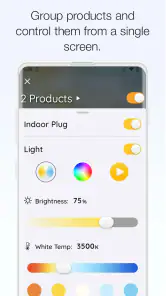
Imagine coming home from a long day at work, and with just a few taps on your phone, your lights dim, your thermostat adjusts, and your coffee maker starts brewing your favorite blend. That’s the kind of seamless experience Hubspace aims to deliver. It’s all about integrating smart devices under one roof, allowing you to control them effortlessly.
Easy Setup and Integration
Setting up smart devices can sometimes feel like rocket science, but not with Hubspace. They’ve simplified the process, so even if you’re not tech-savvy, you’ll find it a breeze. The app supports a wide range of devices, and connecting them is as easy as scanning a QR code. This means no more fumbling with manuals or endless searches online for how-tos.
Intuitive User Interface
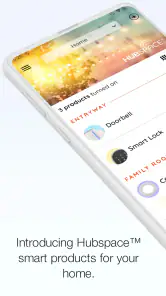
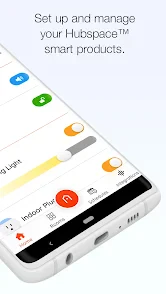
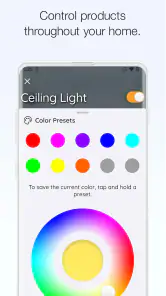
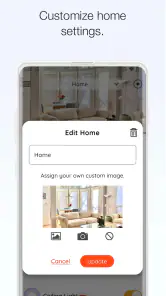
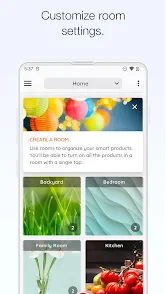
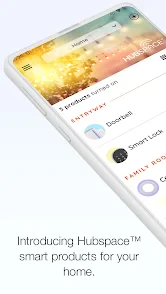
One of the standout features of Hubspace is its user-friendly interface. The app is designed with simplicity in mind, ensuring that all age groups can navigate it without any hassle. The dashboard is clean and intuitive, providing you with real-time updates on your connected devices. Need to adjust the thermostat or check your security cameras? It’s all accessible with a few swipes and taps.
Voice Control Compatibility
In today’s fast-paced world, convenience is key. Hubspace understands this, which is why it’s compatible with popular voice assistants like Alexa and Google Assistant. Imagine waking up and saying, “Good morning, Hubspace,” and having your curtains open, lights turn on, and your favorite morning playlist start playing. It’s like living in the future!
Security Features
In a world where data breaches are becoming all too common, Hubspace takes your security seriously. The app employs high-level encryption to ensure your data stays private and secure. Furthermore, with customizable security settings, you can tailor your smart home’s security to fit your needs, giving you peace of mind.
All in all, Hubspace is a game-changer for smart home enthusiasts. Whether you’re just dipping your toes into the world of smart devices or you’re a seasoned pro, this app offers something for everyone. The ease of use, combined with its extensive compatibility, makes it a must-have for anyone looking to simplify their home automation. So why not give it a try and see how it can transform your everyday living?
Pros
- User-friendly interface for easy navigation
- Seamless integration with smart devices
- Energy monitoring for efficient usage
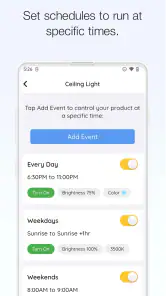
- Customizable scenes and schedules
- Remote access via cloud service
Cons
- Limited compatibility with non-supported devices
- Occasional connectivity issues
- Requires stable internet connection
- No voice control feature
- Limited advanced automation options

- Category
- House & Home
- Version
- 2.0.0