Modern House Design Draw House
- 180.00
- 3.6
- Installs
- 1.00M
- Price
- Free
Screenshots

Analysis by Reviewed
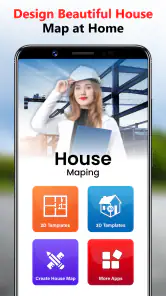
Have you ever wanted to design your dream house without breaking a sweat? Well, let me introduce you to the House Design Floor Plan App 3D. This handy app is like having a personal architect in your pocket, ready to assist you in crafting the perfect layout for your home. It's a fantastic tool whether you're planning a major renovation or just daydreaming about your future mansion.
Getting Started with House Design Floor Plan App 3D
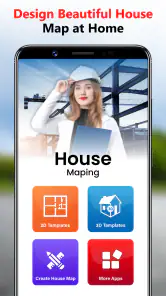
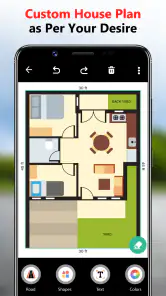
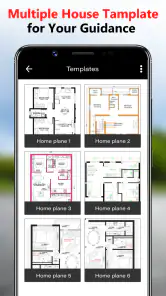
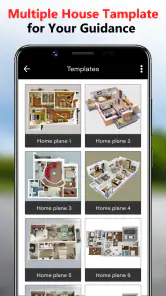
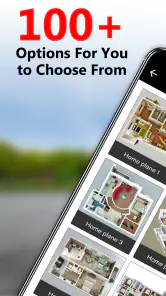
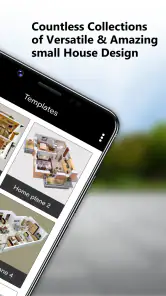
Diving into the House Design Floor Plan App 3D is as easy as pie. Once you download the app, you'll find an intuitive interface that welcomes you with open arms. The app offers a plethora of templates to kickstart your design journey, or you can start from scratch if you're feeling adventurous. With its drag-and-drop functionality, arranging rooms and furniture is a breeze, even for those of us who aren't exactly tech-savvy.
Features that Stand Out
What I absolutely love about this app is its stunning 3D visualization feature. You can switch from 2D to 3D views effortlessly, giving you a realistic perspective of your designs. It's like playing a video game, only this time, you're the architect! The level of detail is impressive; you can adjust everything from wall thickness to door and window styles. Plus, the app's library of furniture and decor is extensive, allowing you to experiment with different styles and layouts.
Another standout feature is the app's ability to save and share your designs. Whether you want to show off your creation to friends or consult with a professional, the app makes it simple to export your plans. You can even print them out if you're more of a tactile person. And let's not forget the app's compatibility with VR headsets, which takes the experience to a whole new level. Just imagine walking through your future home in virtual reality!
Why You'll Love It
One of the reasons I keep coming back to this app is its user-friendly design. It's clear that the developers put a lot of thought into making it accessible for everyone, from beginners to seasoned designers. The tutorials are super helpful, guiding you through the app's features without overwhelming you with jargon. Plus, if you ever get stuck, the community forum is a treasure trove of tips and tricks.
The House Design Floor Plan App 3D is not just about practicality; it's also about sparking creativity. It encourages you to think outside the box and experiment with different design elements. Whether you're planning a cozy cottage or a futuristic villa, this app provides the tools you need to bring your vision to life.
In conclusion, if you're looking for a fun and easy way to dabble in architecture, give this app a whirl. It combines the best of both worlds: professional-grade features with a playful edge. So go ahead, download the app, and start crafting your dream home today!
Pros
- Intuitive user interface for easy navigation
- Realistic 3D rendering of floor plans
- Extensive library of design elements
- Cross-platform compatibility
- Supports export to various file formats
Cons
- Limited free features
- requires in-app purchases
- Occasional slow performance on older devices
- High learning curve for advanced features
- No offline mode available
- Ads can be intrusive at times
- Category
- House & Home
- Version
- 6.6.1