Groovepad - Music Maker
- 98.34K
- 4.6
- Installs
- 100.00M
- Price
- Free

Screenshots
Analysis by Reviewed
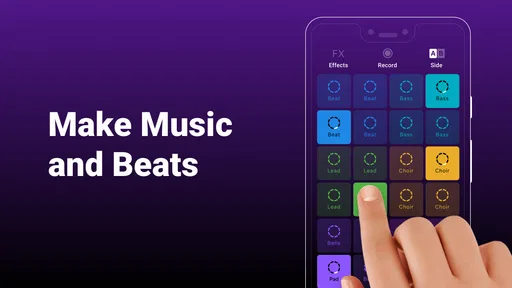
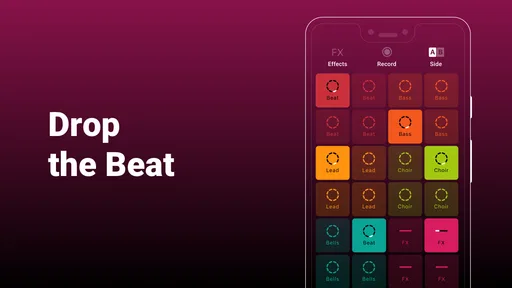
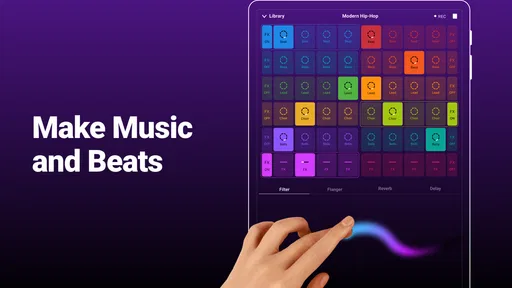
I enjoy Groovepad - music & beat maker most when I want to play with sound rather than plan a full song. Its colorful, pad-based approach makes the first few minutes feel welcoming: tap a sound, hear how it sits with the others, and build from there. That immediate feedback is the app’s clearest strength, especially for someone curious about making beats but unsure where to begin.
Readability and finding your way around
The interface is easy to approach because the main activity is visible and inviting instead of buried in a long sequence of menus. In my experience, that helps newcomers focus on listening and experimenting rather than learning music-production terminology first. The bright presentation adds energy, though it may feel visually busy if you prefer a quiet, minimal workspace.
Made by Easybrain, this free music-making app sits in the Music & Audio category and is rated for Everyone. Its 4.6 average from around 1.7 million ratings and more than 100 million installs show that it has reached a very broad audience. The current version is 1.26.0, and it runs on Android 7.0 or later. Those details make it easy to judge basic compatibility, but the more useful question is whether its hands-on style matches the way you want to create.
Making beats in a way that fits real life
I find that a short, focused session is often more useful than trying to build a complete track in one go. Starting with one sound and adding layers only when they improve the rhythm gives me a clearer way to explore, while leaving room to stop whenever the screen or sound becomes tiring. That everyday flexibility is worth considering alongside how comfortably the app’s touch-led controls fit your needs.
Motor and sensory considerations
Groovepad relies on tapping pads and reacting to sound, so it can feel playful and direct for people comfortable with touch controls. The same design asks for repeated, fairly deliberate screen interaction; anyone who finds small or quick touch targets tiring should try a short session before committing to a longer one. Sound is central, too. I would start at a comfortable listening level and use the app where its loops will not distract people nearby.
One useful way to reduce the pressure is to treat a session as a sketch, not a performance. Try a few combinations, keep the one that feels coherent, and stop when your ears need a break. That approach suits the app’s spontaneous character and makes it easier to explore without feeling that every tap must produce a polished track.
When it works best—and when it doesn’t
A realistic use is a short break at home: I can open the app, layer a few sounds for a few minutes, and save a musical idea to revisit or share. It also suits a beginner who wants an approachable first taste of beat-making, or a casual music fan who enjoys experimenting without studying a full production workflow. If you need detailed editing, precise control over every musical element, or a structured path toward producing a finished release, a more comprehensive music workstation will be a better fit.
More From Our News Desk

Weather by Xiaomi Review: Clear at a Glance, Less Clear Up Close

X Under Pressure: Can It Recover When Posting Goes Wrong?

Clash of Clans Is Won Between the Battles

Android Auto Makes the Case for Quieter Car Software

MobiOffice: Transforming Mobile Productivity with Seamless Integration

EA SPORTS FC™ Mobile Soccer: Redefining Mobile Sports Gaming
Compared with the usual alternatives, Groovepad favors quick, tactile combinations over the deeper arrangement and editing found in full-featured music-production apps. That trade-off is sensible for casual creation: it lowers the barrier to trying an idea, but limits how far you can shape it. In-app purchases range from $6.99 to $46.99 per item, so I’d explore the free experience first and decide whether any paid content genuinely adds to your routine.
Features that Make You Move
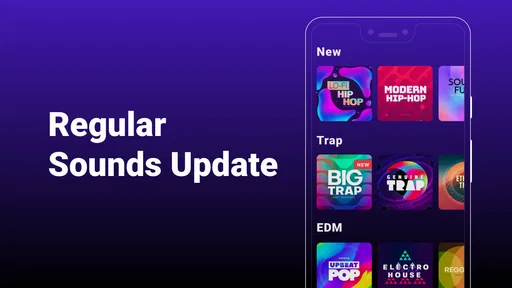
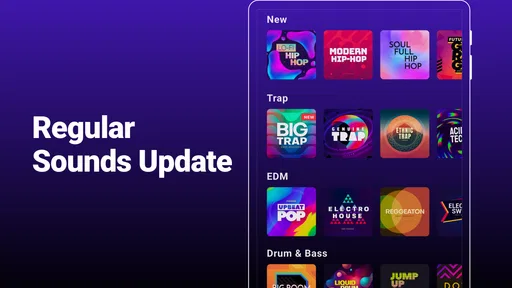
So, what's the big fuss about? Well, Groovepad is jam-packed with features that are designed to cater to both newbies and seasoned beatmakers. The app offers an extensive library of sound packs across various genres like hip-hop, EDM, house, and more. You can easily mix these sounds to create your unique tracks. It’s like being a kid in a candy store, but instead, you’re mixing beats!
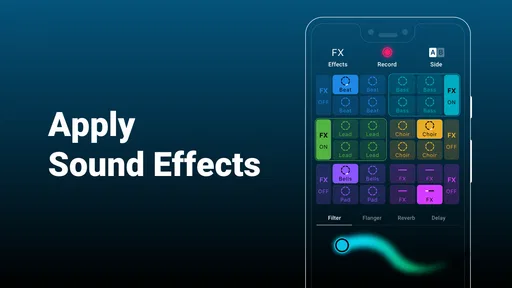
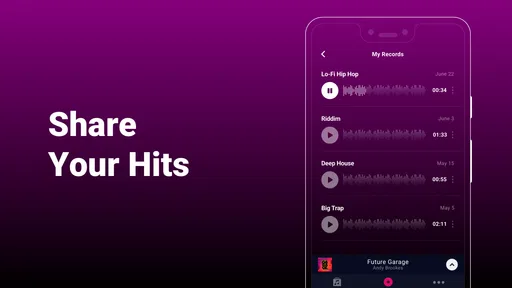
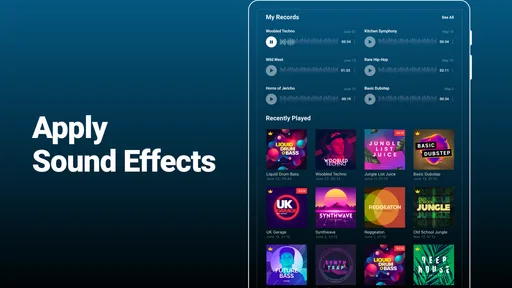
The magic happens with the Live Loop feature. It lets you create seamless music in real-time. You can add effects like delay and reverb to spice things up. The app also includes a loop sequencer that helps you make sure everything is perfectly timed. And the best part? You can record your creations and share them with your friends or even on social media. Instant fame, here we come!
Why You'll Love It
One of the standout features is how beginner-friendly it is. I mean, you don’t need to know how to read music or have prior experience. Just jump in, start playing around, and soon you'll find yourself crafting beats like a pro. The tutorials are super helpful, guiding you through the process step-by-step. It’s like having a mentor by your side!
Plus, the app is constantly updated with new sound packs, keeping things fresh and exciting. You’ll never run out of inspiration or feel like you’re stuck in a musical rut. Whether you’re into making chill lo-fi beats or high-energy party anthems, Groovepad has got you covered.
Situational access and everyday use
For a more focused session, I’d use headphones and experiment somewhere I can listen without rushing; for a shared space, keep the volume considerate and make a short loop rather than playing continuously. A small practical trick is to begin with one sound family and add only a couple of layers at a time. This makes it easier to notice which combination works, and avoids turning a promising idea into a crowded wash of sounds.
If you’re wondering whether you need music training, I don’t think you do: the appeal is trying sounds by ear, and the tutorials help with getting started. If you want to know whether it can replace a full studio, though, I’d say no. Its strength is the fast, accessible loop-making experience, not detailed control over a complete production. I’d also check the current in-app options before spending, since the free starting point may be all a casual user needs.
Inclusive verdict
Groovepad makes casual beat-making approachable through a clear, sound-first interface, and I’d recommend it to curious beginners, playful music fans, and anyone who wants a quick creative break. Its reliance on touch, bright visuals, and audio means it won’t suit every sensory preference or motor ability equally, and its streamlined workflow is not for people seeking advanced production tools. For me, that is a fair and useful distinction: it is an inviting place to try musical ideas, as long as you want an accessible sketchpad rather than a complete studio.
Final Thoughts
In a nutshell, Groovepad - music & beat maker is a must-have for anyone interested in music production. It’s a fun, easy-to-use, and addictive app that brings out the DJ in everyone. Whether you’re a newbie or a seasoned pro, there’s something here for everyone. So go ahead, download it, and start creating your musical masterpiece today. Who knows? You might just be the next big thing in music!
A low-pressure way to explore ideas
What I like about this kind of loop-based setup is that it gives a beginner a way to hear musical relationships before worrying about theory. You can notice that one sound feels too busy beside another, or that a simpler combination has more impact. That is useful even if you never intend to make a polished track: it turns listening into an active choice rather than a passive background activity.
For a practical first session, I’d pick a single sound pack, start with one repeating part, and add layers only when I can explain what each one contributes. If the result feels muddy, removing a sound is often more helpful than adding another effect. This small restraint is a better way to learn the app than tapping every available pad at once, and it makes short experiments easier to compare by ear.
Choosing the right kind of session
The app fits best into moments when I have a few minutes and want an immediate creative payoff: waiting at home before heading out, taking a relaxed break, or letting a music-minded child explore sounds with an adult nearby. The Everyone content rating makes the intended audience broad, but I would still think about volume and shared-device habits in a family setting. Beat-making is a listening activity, and a lively loop can quickly become irritating to someone in the same room.
It is less suited to a commute or another place where I cannot listen freely. I would not count on silent tapping to give the same experience, because the point is hearing how the sounds fit together. Headphones can help in public, but they also make it easier to lose track of surroundings, so I’d keep that kind of session short and stay aware of what is happening around me.
What to expect from recording and sharing
Being able to record a creation makes the app more useful than a momentary toy: a loop can become a small idea I keep or send to someone. I would treat that recording as a sketch or a playful message, not assume it is ready for professional release. If I were building a finished song, I would want the editing freedom and project control of a dedicated production tool. Groovepad’s appeal is getting to a sound quickly, not managing every later stage of music production.
Before sharing anything, I’d listen back once with fresh ears. A sequence that feels exciting while I’m tapping can seem repetitive after a longer listen, and a layer that sounded subtle in the moment may dominate the recording. That simple check helps me decide whether to keep the idea as a private experiment or send it to a friend, and avoids mistaking spontaneity for a finished arrangement.
Free access and the upgrade decision
Because the app is free to start, I’d use it long enough to learn whether its sound-first approach actually fits my habits before buying anything. Someone who opens it occasionally for a quick experiment may have no reason to spend. A user who returns often and finds a particular paid option useful can weigh that value for themselves; the listed purchase range is broad enough that I would check each item carefully rather than treating an upgrade as a necessary step.
That distinction matters because a large choice of sounds can be tempting, but more material does not automatically make a beat better. I’d first see whether I can make combinations I enjoy with what is already available. If I keep reaching a specific creative limit, that is a more grounded reason to consider an optional purchase than buying out of fear of missing out.
Who should look elsewhere
If your goal is to arrange a song across many sections, make detailed changes to individual notes, or develop a repeatable studio workflow, I would choose a full-featured music workstation instead. Those tools can take longer to learn, but their deeper controls are valuable when a quick loop stops being enough. Groovepad is a poor substitute for that sort of project, and expecting it to behave like a complete studio is likely to lead to frustration.
I would also pause if bright, animated-looking interfaces are tiring for you or if repeated tapping is uncomfortable. The app’s most direct strengths—visible pads, quick touch interaction, and sound-led feedback—are also the areas that may create friction. A short trial is the sensible test: notice whether you can comfortably find and tap what you want, and whether the audio feels enjoyable rather than overwhelming.
A sensible recommendation
My recommendation is strongest for curious beginners and casual listeners who want to make a beat without first learning a complex tool. It is also a good fit for someone who enjoys short creative exercises and is happy to treat a recording as a starting point. People seeking precise composition, long-form arrangement, or a quiet visual workspace should compare other options before settling on it.
That is why I see Groovepad less as a shortcut to professional production and more as a low-friction invitation to experiment. Its accessible style can help someone discover what kinds of sounds they enjoy combining, while its limits are easy to understand once the goal becomes a carefully edited, complete track. If that boundary matches what you need, it is a cheerful place to begin.
Groovepad - Music Maker Frequently Asked Questions
Does Groovepad need an internet connection to make beats?
Groovepad is built around tapping pads, playing tracks, and mixing sounds, so the core idea is easy to understand whether you are experimenting briefly or spending more time on a beat. If you plan to download the app or access content that may be offered through in-app purchases, an internet connection can be useful. Once you have it installed, try the available sounds and controls to see how they fit your routine.
Is Groovepad suitable for children and family use?
Groovepad has an Everyone content rating, and its straightforward pad-based approach can make music experimentation approachable for a broad audience. Users can tap sounds and combine them without needing formal music training. Parents may still want to review the app together with younger users, especially when considering optional in-app purchases, and decide what settings and spending rules make sense for their family.
Can I use Groovepad to learn the basics of making music?
Groovepad can be a friendly place to explore basic ideas such as layering sounds, trying different rhythms, and hearing how combinations change a track. Its tap-based controls keep the process approachable for newcomers, while offering room to experiment with different styles. It is best viewed as a hands-on creative tool rather than a replacement for structured lessons or a full music-production setup.
Is Groovepad a good choice if I only want to make music casually?
Yes, its emphasis on making beats on the fly suits quick, casual experimentation. You can tap pads, try combinations, and build a track without having to approach the process like a formal recording session. The app also has a free download, so it is possible to explore its basic workflow before deciding whether its style of music-making is something you want to use regularly.
Can I try Groovepad before deciding whether to keep using it?
Yes. Groovepad is free to download, so you can open it and explore its music-making approach before spending money. You can tap pads, combine sounds, and see whether the workflow suits you. Some additional content and features are offered through in-app purchases, but the app’s basic beat-making experience gives newcomers a way to get started.
Pros
- Intuitive interface for beginners
- Wide variety of sound packs
- High-quality audio output
- Real-time sound effects
- Offline mode available
Cons
- Contains ads in free version
- Limited features without subscription
- Occasional app crashes
- High battery usage
- Sound packs take up storage













