GPS Navigation - Route Planner
- 18.00
- 4.4
- Installs
- 500.00K
- Price
- Free

Screenshots
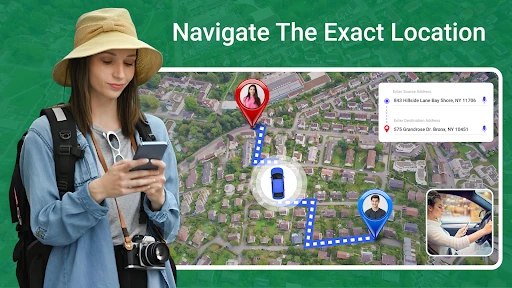
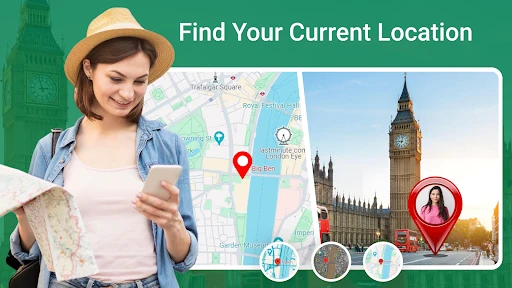


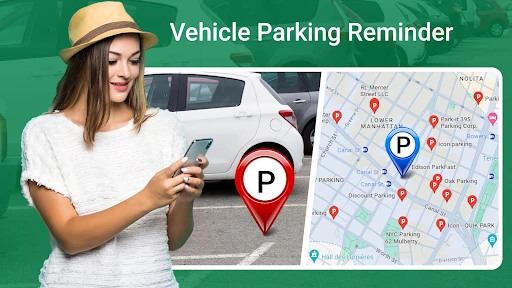
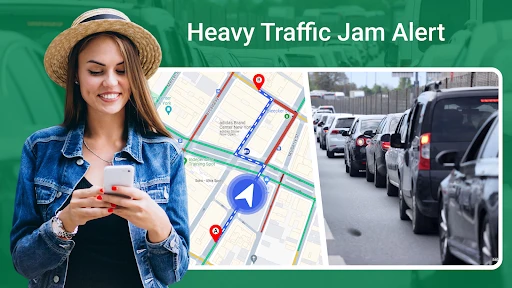
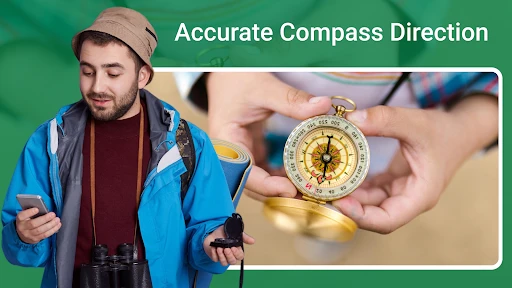
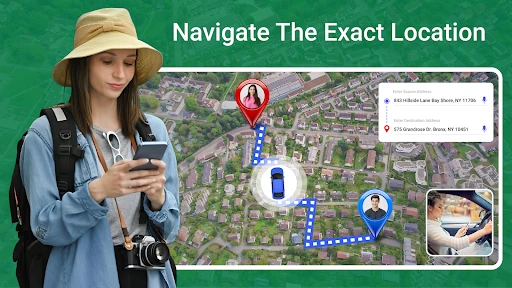
Analysis by Reviewed
On a typical trip, I want a navigation app to answer a simple question quickly: where should I go next? GPS Navigation - Route Planner is a travel app from Map Zone Studio that aims to make that everyday job straightforward. I find its strongest appeal is the uncomplicated approach: enter a destination, get directions, and focus on the journey rather than learning a complicated interface. It is free to install, though some in-app purchases are available, so I’d check the purchase details before deciding whether any optional extras are worth it to me.
A practical route-planning routine
My most useful habit with any GPS app is to plan before I set off. I enter the full destination while parked, check that the result matches the place I intend to reach, and start guidance before pulling away. That small pause matters when an address has several nearby entrances or when a business name points to more than one location. Once moving, I rely on the spoken directions and treat the screen as a quick reference, not something to keep watching.
For an unfamiliar city, I would use the route preview as a chance to orient myself: note the major turns and the general direction of travel before starting. That makes a missed instruction less stressful because I have some context for what comes next. If my plans change, I can stop somewhere safe and enter the revised destination rather than trying to type while driving.
One ordinary trip, planned with less fuss
Picture leaving work for a medical appointment across town during the evening rush. I’d enter the clinic’s full address before setting off, check the destination pin rather than trusting a name match, then listen to the route while keeping the phone in a stable, visible position. If traffic prompts a detour, I’d compare it with the route I know and consider whether the unfamiliar turns are worth taking. This workflow is useful precisely because it does not depend on constant screen checking or last-second decisions.
For a pickup at a large building, I’d also make a distinction between reaching the address and finding the right entrance. The result that looks correct on a map may not be the door I need, so I’d use the route to reach the area and follow local signs for the final approach. That is a practical limit of destination search, not a reason to abandon guidance; it is a reminder to verify the last few steps yourself.
Who benefits from a driving-first approach
I’d recommend trying it if most of your navigation is by car and you want a direct route-planning routine for commutes, errands, and occasional unfamiliar drives. A visitor who gets tense around complex junctions may appreciate spoken prompts and the lane guidance described in the app’s feature set. Someone who mainly needs a walking itinerary, public transport connections, cycling directions, or dependable offline navigation should compare tools built around those needs instead of assuming a driving-focused app will cover them equally well.
It may also suit a household where one person handles route planning for shared errands: entering the next stop while parked, confirming the destination, and then letting voice prompts handle the drive is easier to repeat than improvising directions from memory. For a multi-stop day, I would check how the app handles each leg before relying on it as a complete itinerary. The sensible approach is to plan the next destination deliberately rather than presume every navigation app organizes a chain of stops the same way.
More From Our News Desk

Clash of Clans Is Won Between the Battles

Android Auto Makes the Case for Quieter Car Software

MobiOffice: Transforming Mobile Productivity with Seamless Integration

EA SPORTS FC™ Mobile Soccer: Redefining Mobile Sports Gaming

How Microsoft OneDrive Became a Mobile Productivity Giant

How Google Translate Breaks Language Barriers Effortlessly
Settings and habits worth checking
Before using voice guidance on a regular commute, I’d check the app’s navigation settings and make sure the voice is audible over the car’s usual background noise. I also prefer to set the phone where it can be seen without blocking the road, and to connect or secure it before driving. These are simple choices, but they reduce the temptation to handle the device when traffic gets complicated.
Traffic information is most useful when I treat it as a prompt to reconsider, not an instruction to change course automatically. A suggested detour may look shorter but include turns or streets I don’t know; on a familiar route, I may prefer to stay on the main road. For a time-sensitive trip, I’d check the route before leaving and allow room for conditions to change rather than assuming any navigation app can make arrival time certain.
I’d make a short test drive before depending on a new setup for an important appointment. That gives me a chance to learn how loud the prompts are, where the map sits on the screen, and whether I can follow the instructions without reaching for the phone. It also lets me check that the device’s audio is not competing with other sounds in the car. A few minutes of preparation can prevent a rushed adjustment at a busy intersection.
Getting Started with Ease
First things first, downloading GPS Navigation - Route Planner was a breeze. Available on both Android and iOS, the app installed quickly and, before I knew it, I was ready to plan my first route. The user interface is straightforward, with a clean design that doesn’t overwhelm you with too many options right off the bat. I appreciated the simplicity, especially if you’re like me and prefer to jump right into things without reading a manual.
Features That Stand Out
One of the key features that immediately caught my attention was the real-time traffic updates. This feature is a lifesaver for anyone commuting during rush hour. The app provides up-to-date information on traffic jams, accidents, and even road closures, allowing you to adjust your route accordingly. No more getting stuck in a bumper-to-bumper nightmare!
Another cool feature is the lane guidance. If you’ve ever missed an exit because you were in the wrong lane, you’ll know how frustrating it can be. This app guides you into the correct lane well in advance, which is super helpful when driving in busy or unfamiliar areas.
Getting more from route guidance
A useful routine is to look at the route before starting and remember one or two major landmarks or turns, rather than trying to memorize every instruction. If a prompt is missed, that small mental map helps me understand whether I am still heading in the right general direction. It is especially helpful when a junction is noisy or when I need to prioritize watching traffic over looking at the display.
Lane guidance is most valuable when I prepare early, not when I wait until the exit is almost upon me. In an unfamiliar area, I’d listen for the instruction and move lanes only when it is safe and legal. Navigation can tell me where a turn is coming; it cannot make a gap in traffic appear. If I miss an exit, I’d continue safely and let the route adjust rather than attempting a sudden maneuver.
For repeat journeys, I’d build a simple personal habit: confirm the destination, start guidance while parked, and leave enough time to follow a safe route instead of chasing a minute-saving shortcut. Familiarity with the app’s voice and map presentation can make routine drives calmer, but it should not turn into overconfidence. Roadworks, temporary signs, and changed access points can make a route that worked last week unsuitable today.
Usability and Performance
Performance-wise, the app runs smoothly without any noticeable lags. The maps load quickly, and I didn’t experience any crashes or glitches during my testing. It’s also worth mentioning that the app’s search function is pretty robust. Whether you’re looking for a specific address or a point of interest like a coffee shop or gas station, the app delivers results swiftly.
The voice-guided navigation is clear and precise, which is crucial when you’re on the road and can’t afford to be distracted by looking at your phone screen. Plus, it supports multiple languages, making it accessible to a broader audience.
How it compares with familiar alternatives
Most people already have a map app they know, so I would judge this one by the job I need it to do rather than by the number of features on a screen. Its appeal here is a straightforward driving experience, with traffic information and lane guidance called out as useful parts of the trip. A broader mapping app may be a better fit if I need to combine a drive with transit, walking, or other detailed local planning in one place. For those trips, I’d check whether my usual alternative handles the whole journey more clearly.
I would not switch away from a trusted navigation tool just because another app is available. Instead, I’d test this one on a familiar route first, where I already know the turns and can notice whether the voice instructions and traffic suggestions suit me. If it feels comfortable and gives useful guidance, I’d then try it on a less familiar drive. This gradual comparison is more informative than making the first test a time-critical trip to an address I have never visited.
Where it fits—and where it doesn’t
A realistic use is an evening drive across town when a familiar route is slowed by traffic. I’d set the destination before leaving, listen for a possible alternative, and weigh it against the roads I already know. For a visitor, the lane guidance can be particularly reassuring at a complicated junction; for a regular commuter, quick destination entry and spoken prompts are the everyday conveniences. It is less suited to someone who needs specialized planning for walking, cycling, public transport, or offline trips, or who expects a navigation app to replace local signs and judgment.
Compared with the usual map apps, the value here is its direct, driving-focused feel rather than a promise that it will always find a perfect route. I’d keep a familiar alternative available for a trip where offline access or a particular map detail is essential. GPS directions can be affected by signal, changing road conditions, and the accuracy of a searched destination, so I still follow posted signs and stop safely if I need to correct an address or route.
For a rural drive or a trip through an area where I may lose connectivity, I would not make this my only plan unless I had checked that the route information I need is available. A downloaded or otherwise offline-ready alternative can be more appropriate when a connection is uncertain. The same goes for a destination with confusing access: I’d review its location in advance and keep the address handy, rather than assuming voice directions will settle every last-mile detail.
There is also a trade-off in how much I trust rerouting. Traffic updates can help me avoid a delay, but an unfamiliar shortcut may involve narrow streets, difficult turns, or a route I would rather not take. When the difference seems marginal, staying on a known road can be the calmer choice. I use the app to inform a decision, not to make every decision for me.
Who should give it a try
The app has a 4.4 average from more than 500 ratings and has passed 500,000 installs, which suggests it has found an audience among people looking for everyday route guidance. It is rated for Everyone, and version 2.0.7 supports Android 6.0 and later. I’d consider it when I want a simple driving companion, especially for commuting or occasional trips through unfamiliar streets. If I need a highly specialized navigation workflow, I’d compare alternatives before relying on it.
Map Zone Studio’s app is free to install, while in-app purchases range from $3.99 to $14.99 per item. I’d look at the purchase screen carefully before paying for anything and decide whether an optional item answers a need I actually have. If the basic route guidance covers my regular commute, there is no reason to buy extras just because they are offered. That makes it easier to judge the app on the practical value it gives me rather than on a feature list.
A measured verdict for everyday drivers
After spending some quality time with GPS Navigation - Route Planner, I can confidently say that it’s a solid option for anyone in need of reliable navigation assistance. It combines essential features with a user-friendly interface, making it suitable for both tech-savvy users and those who just want to get from point A to point B without a hassle.
So, if you’re on the lookout for a new GPS app that won’t let you down, give this one a try. With its real-time updates and intuitive design, it might just become your go-to navigation tool. Safe travels!
My recommendation is to start with a familiar drive, check the voice and route presentation while parked, and see whether the traffic suggestions fit the way you like to travel. It is a sensible candidate for everyday car navigation when its straightforward guidance matches the trip. I would choose another tool for an offline-dependent journey or a plan centered on walking, cycling, or transit. Used with those limits in mind, it can be a practical companion rather than something I expect to solve every travel problem.
GPS Navigation - Route Planner Frequently Asked Questions
How much does GPS Navigation - Route Planner cost, and are there in-app purchases?
GPS Navigation - Route Planner is free to download, so you can try its navigation tools without an upfront purchase. The app also offers optional in-app purchases priced from $3.99 to $14.99 per item. Check the purchase details in the app before confirming anything, especially if you only want to use its free features.
Which devices can install GPS Navigation - Route Planner?
The app is available for Android devices running Android 6.0 or later. Before downloading, check your device’s operating system version and make sure there is enough available storage for the app and any maps you plan to download. GPS Navigation - Route Planner is rated for Everyone, making its content suitable for a general audience.
Who makes GPS Navigation - Route Planner, and how widely is it used?
GPS Navigation - Route Planner is a travel and local navigation app from Map Zone Studio. It has passed 500,000 installs and has an average rating of 4.4 from 522 ratings, giving prospective users a useful sense of its reach and reception. Those figures do not guarantee that every feature will suit your particular device or travel needs.
What features does GPS Navigation - Route Planner offer?
GPS Navigation - Route Planner offers a comprehensive set of features designed to enhance your traveling experience. It includes real-time GPS navigation, turn-by-turn directions, and offline maps. Additionally, it supports multiple modes of transportation such as driving, cycling, and walking. The app also provides traffic updates and points of interest along your route, ensuring a seamless journey every time.
Is GPS Navigation - Route Planner available offline?
Yes, GPS Navigation - Route Planner is designed to be used offline. You can download maps for your selected regions, allowing you to navigate without an internet connection. This is particularly useful when traveling in areas with poor network coverage or when you want to save on data usage. Just remember to download the maps beforehand.
Pros
- User-friendly interface
- Accurate real-time traffic updates
- Offline maps available
- Customizable route options
- Multi-stop trip planning
Cons
- Consumes significant battery
- Occasional GPS signal loss
- In-app ads can be intrusive
- Limited free features
- Requires large storage space
- Category
- Travel & Local
- Version
- 2.0.7