GoDaddy Studio: Create & Grow
- 2.19K
- 4.5
- Installs
- 10.00M
- Price
- Free

Screenshots

Analysis by Reviewed
When I need a clean graphic quickly, I want to spend my time choosing a message and look—not wrestling with complicated design software. That is where GoDaddy Studio: Create & Grow makes sense: it is an art and design app aimed at people who want to put together polished visuals without needing a professional background. I find it most useful when a post, promotion, or small-business graphic needs to look considered but does not call for a full desktop design workflow.
Designing for everyday work
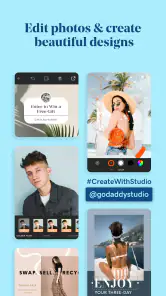
Let me tell you, the first thing that caught my eye about GoDaddy Studio: Create & Grow was its user-friendly interface. It's super intuitive, so even if you're like me and not exactly a tech wizard, you can still navigate through it like a pro. The app offers a plethora of templates that cater to everything from social media posts to business cards. I mean, who doesn't love a good template that makes life easier?
A practical starting workflow
I would begin with the final destination in mind: a feed post, a story, or a business card each needs a different shape and amount of breathing room. Starting from a template suited to that format gives me a useful layout, but I still replace the sample wording and imagery before judging whether it works. A design can look balanced with placeholder text and become cramped once my real offer or longer business name goes in.
For a realistic everyday example, imagine I run a small bakery and need to announce tomorrow’s special. I can use a template to establish the visual direction, add the item and pickup details, then check the design at phone size before sharing it. That last glance matters: tiny supporting text may look fine while editing but be difficult to read in a social post. I’d keep the message short and make the product image do most of the work.
Tools that reward a light touch
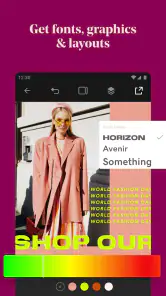
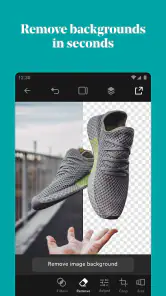
One of the standout features for me was the extensive library of fonts and graphics. You can truly let your creativity run wild here. Whether you're into modern, classic, or quirky designs, there's something for everyone. The app also allows you to layer images and text, which adds depth to your creations. And let's not forget about the background remover tool – it's like magic, getting rid of unwanted backgrounds with just a tap.
Layers are more useful when I treat them as a simple hierarchy rather than piling on decoration: the main image first, the headline where it stays legible, and smaller details last. If I use a background remover, I check the edges around hair, product outlines, or other fine shapes before calling the result finished. A quick cutout can save time, but a busy background or delicate edge may still need a different image or a simpler composition.
Settings that protect consistency
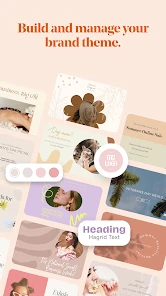
Before making several graphics, I’d settle on a small set of choices: a headline font, a supporting font, a limited palette, and a consistent way to place a logo or business name. This is not about finding a hidden brand-control switch; it is a repeatable habit that keeps separate designs recognizably related. I also check the chosen canvas format before adding text, since resizing or changing the destination late can force awkward compromises.
You May Like

Clash of Clans Is Won Between the Battles

Android Auto Makes the Case for Quieter Car Software

MobiOffice: Transforming Mobile Productivity with Seamless Integration

EA SPORTS FC™ Mobile Soccer: Redefining Mobile Sports Gaming

How Microsoft OneDrive Became a Mobile Productivity Giant

How Google Translate Breaks Language Barriers Effortlessly
One useful habit is to keep a short reference note outside the design itself: the colors I chose, the type styles I used, and where the business name usually sits. That is especially helpful if I return to the project after a few weeks or make a new graphic from scratch. It avoids relying on memory and makes small decisions faster, without assuming the app will automatically enforce a brand system for me.
Repeatable patterns for busy weeks
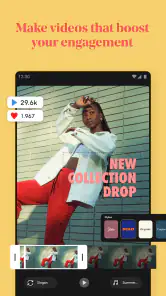
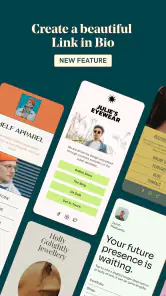
Now, if you're a small business owner or an aspiring influencer, this app is a game-changer. It provides tools that help you build your brand from scratch. With the app, you can create a cohesive look across all your platforms. Plus, it integrates seamlessly with social media, so sharing your creations is a breeze. It's like having a digital branding agency right in your pocket.
For a repeating weekly promotion, I’d keep a finished design as a visual reference and rebuild the next version by changing only the essentials: the product photo, offer, and date. That reduces needless decisions and helps the audience recognize the style. I would still review every new version carefully; carrying over an old date or price is an easy mistake when a familiar layout makes edits feel automatic.
A simple check before sharing can prevent that kind of error: read the graphic from the viewer’s point of view, confirm the offer and date, then inspect the small print at the size it will appear on a phone. I also try not to adjust several visual elements at once. Changing the image, font, color, and spacing together makes it harder to tell which change improved the result and which one made it less clear.
Oh, and did I mention the app's collaboration feature? You can invite team members to work on projects together. It's perfect for brainstorming sessions or when you need a second opinion on your designs.
For a small team, collaboration is most useful when feedback is specific. I’d ask someone to check the reading order, spelling, and whether the offer is clear, rather than asking for an open-ended redesign. That keeps a quick review from turning into a long round of subjective tweaks. If several people need precise control over complex files, though, a more specialized design tool may suit that workflow better.
Who benefits most from this approach
I’d recommend this kind of workflow to a solo seller who needs regular announcements, a local service provider making simple promotional graphics, or a creator who wants a consistent visual presence without spending each session learning a new editing technique. It is also a reasonable starting place if design is only one part of the workday: a person can focus on the message, use a template to get the structure in place, and spend the remaining time checking details.
It is less suitable for someone whose main goal is to draw original artwork, prepare highly controlled print files, or make complex compositions with exact technical requirements. A template-led mobile app can help with ordinary promotional work, but it is not a substitute for a professional desktop design program when fine control, detailed illustration, or production-specific adjustments are central to the job. I would also skip it if I rarely make graphics and already have an editor that fits my occasional needs.
How it compares with familiar alternatives
Compared with general-purpose design apps, the appeal here is an approachable route from template to a shareable business visual. Some alternatives are better when I want a broader set of illustration tools or a more elaborate editing environment; others may be preferable if I already work inside a particular creative suite and need compatible, detailed projects. The trade-off is straightforward: this app favors quick, accessible composition, while a more specialized tool may take longer to learn but give me finer control.
Templates can also become a visual crutch. If I choose a popular layout and leave its structure, colors, and type untouched, my promotion may resemble many others. I get a more personal result by changing the photograph, simplifying unnecessary decorative elements, and adjusting the spacing around the actual message. The aim is not to make every graphic unusual; it is to make sure the design suits the business and the information is easy to understand.
Practical limits to keep in mind
The free download makes it easy to try, but optional in-app purchases can affect whether it remains a good fit for ongoing use. I’d test the tasks I expect to do regularly before paying for extras, rather than assuming a paid option is necessary or that every desired tool is included without one. Its 4.5 average from around 41,000 ratings and more than 10 million installs show that it has a broad audience, but popularity alone cannot tell me whether its editing approach suits my particular work.
The app is made by GoDaddy Operating Company, LLC, and is rated Everyone. Version 8.4.0 runs on Android 6.0 and newer. Optional purchases range from $4.99 to $69.99 per item, so I would check the available choices in the app against the specific workflow I have in mind. A person creating a few uncomplicated posts may have different needs from someone making graphics for a business every week.
Getting comfortable with the details
One question I would ask before starting is whether I need to create a single graphic or a repeatable set. For one image, I would choose the clearest template and concentrate on the message. For a series, I would first settle the visual rules—type, color, logo placement, and image style—then reuse those choices deliberately. That small bit of planning makes a bigger difference than adding more effects, and it gives me a way to judge whether a new graphic belongs with the others.
I would also decide early whether the finished design is mainly for viewing on a phone or for another purpose. A graphic that looks polished on a larger editing screen can become hard to read when reduced. Checking the final layout at a realistic viewing size helps me spot overly small details, crowded edges, and text that competes with the main image. If the design only works when viewed up close, I would simplify it before sharing.
Is it worth making part of your routine?
In my honest opinion, if you're someone who loves DIY projects or needs to pump up their branding game, this app is definitely worth checking out. Sure, there are other design apps out there, but it offers a useful blend of simplicity and functionality. Plus, the satisfaction of creating something beautiful all by yourself is just unbeatable.
My main caution is that a quick template is a starting point, not a guarantee of a distinctive or readable design. I’d proofread every graphic, check it at the size people will actually see, and simplify any layout that feels crowded. If I only need a one-off visual, this can be an easy way to get moving; if I’m building a large, tightly controlled design system, I’d rather use a tool built for that level of precision.
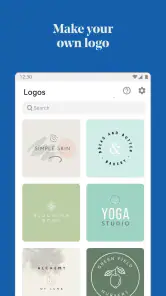
So, what are you waiting for? Give it a spin and unleash your inner artist. Whether you're crafting a quick social story or designing a logo for your startup, it can help you get a first version together. I’d treat the strongest results as a mix of a convenient starting layout and my own careful choices: clear wording, suitable imagery, consistent styling, and a final proofread. That is where a fast design becomes something I’m comfortable sharing.
GoDaddy Studio: Create & Grow Frequently Asked Questions
Can I use GoDaddy Studio to create content for my small business?
Yes. GoDaddy Studio is aimed at creating visuals, building a brand, and growing a business in one app, so it can suit small-business owners preparing branded graphics and marketing materials. It may also be useful for creators and people who make visual content for other purposes. You can start with the designs and tools available in the app and decide whether they fit your workflow.
What devices and operating systems should I check before downloading GoDaddy Studio?
GoDaddy Studio is available for Android and iOS. On Android, the minimum operating system is 6.0, so check your device’s software version before installing. The app is developed by GoDaddy Operating Company, LLC. If you plan to use it across devices, consider where you will do most of your design work and whether those devices are compatible with the app.
Is GoDaddy Studio free to download, and are there additional costs?
GoDaddy Studio is free to download, with in-app purchases available. Those purchases are listed in a range from $4.99 to $69.99 per item, so the final cost depends on what you choose to buy. You can explore the free features before deciding whether paid options are worthwhile for your projects. Check purchase details in the app before confirming a transaction.
What is GoDaddy Studio’s current version, and how long has it been available?
GoDaddy Studio’s current version is 8.4.0, and it was released on November 25, 2018. It is an Art & Design app from GoDaddy Operating Company, LLC. If you are considering installing it, check the app store on your device for the version available to you and make sure your operating system meets the compatibility requirement.
Who is GoDaddy Studio intended for, and what is its main purpose?
GoDaddy Studio is an Art & Design app for people who want to create visuals, build a brand, and grow a business in one place. It can be useful for small-business owners, creators, and anyone preparing visual content, whether or not design is their main skill. Its focus is on helping users make branded graphics and marketing materials.
Pros
- User-friendly interface for easy design creation
- Numerous templates for quick project setup
- Versatile tools for photo editing and graphic design
- Seamless integration with social media platforms
- Affordable pricing for premium features
Cons
- Limited free version capabilities
- Occasional app crashes reported
- Slow performance on older devices
- Limited font customization options
- Requires internet for most features

- Category
- Art & Design
- Version
- 8.4.0












