Flipboard:Your Social Magazine
- 135.32K
- 3.5
- Installs
- 500.00M
- Price
- Free

Screenshots

Analysis by Reviewed
I like Flipboard: Your Social Magazine best when I treat it as a calm starting point for reading, rather than a replacement for every news source I follow. It brings selected topics and stories into one browsing experience, which can make the daily question “What should I read?” easier to answer. The key is to spend a little time shaping the feed; otherwise, its mix can feel broad instead of personal.
What to expect from the reading experience
Flipboard is a free news and magazine app from Flipboard. It has been available since June 21, 2012, and version 4.3.40 supports devices running Android 7.0 or later. Its Everyone 10+ age rating makes it a general-audience option, though the stories you encounter naturally depend on the subjects and sources you choose. The app has a 3.5 average from around 1.4 million ratings, alongside over 500 million installs, so it is widely used but not universally loved.
The important distinction is that this is a discovery and reading layer, not necessarily a direct substitute for a newspaper’s own app. A publication app can be better if you want one newsroom’s coverage and familiar sections. Flipboard is more useful when you want a range of perspectives and interests gathered in one place, and are happy to decide which stories deserve a closer read.
The Latest on Flipboard:Your Social Magazine
Start with a few interests, not everything
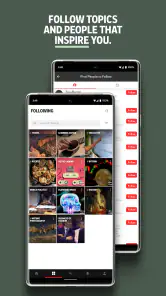
When you first open the app, choose a manageable handful of topics you genuinely want to follow. I would resist selecting every subject that sounds mildly interesting: a focused starting point makes the first feed easier to judge. Look for a mix that reflects how you actually read, such as one professional interest, one hobby, and one broader topic you like to keep up with.
After browsing for a while, pay attention to what you open and what you skip. The feed can respond to those interactions, so deliberate choices are more useful than scrolling past stories on autopilot. If your interests change, revisit your selections rather than assuming the first setup has to define the experience permanently. This small bit of curation is the difference between a useful front page and a stream that feels scattered.
Your first useful action: save with a purpose
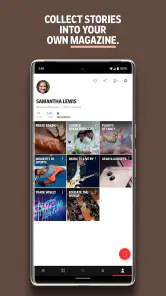
Once a story catches your attention, creating a magazine for a specific purpose can turn casual browsing into a practical habit. I might keep one collection for ideas related to a trip and another for articles I want to discuss with colleagues. Saving by theme makes it easier to return to something later than relying on memory, and sharing a magazine can give friends or collaborators a simple way to browse the same subject.
A useful routine is to sort while reading, not after a long session: save only the pieces you have a reason to revisit, and give each collection a clear focus. Otherwise, a saved pile can become just another inbox. Flipboard works best here as a lightweight reading notebook, not as a substitute for a dedicated research system when you need detailed notes, citations, or a carefully managed archive.
More From Our News Desk

Weather by Xiaomi Review: Clear at a Glance, Less Clear Up Close

X Under Pressure: Can It Recover When Posting Goes Wrong?

Android Auto Makes the Case for Quieter Car Software

MobiOffice: Transforming Mobile Productivity with Seamless Integration

EA SPORTS FC™ Mobile Soccer: Redefining Mobile Sports Gaming

How Microsoft OneDrive Became a Mobile Productivity Giant
Social feeds, sources, and a common point of confusion
The social side can add another perspective, but it is optional to the basic idea of browsing stories by interest. If you connect social accounts, your circles’ activity can sit alongside other reading; that may be handy when you want to see what colleagues or friends are discussing. If you prefer to keep news separate from social browsing, focus on topic-led reading instead. You do not need to make the social layer the center of your setup.
One thing worth keeping in mind is that a polished feed is not the same as a complete or neutral view of the news. Personalization helps surface material you are likely to read, but it can also narrow what catches your eye. I occasionally step outside my usual topics and check a publication directly when a story matters, rather than assuming the feed has shown me every useful angle. That habit is especially valuable for work decisions or fast-moving events.
Make it part of a realistic day
For a simple routine, I would open Flipboard during a commute or a short break, skim the feed, and save one or two pieces that deserve more attention later. In the evening, I could revisit a focused magazine instead of trying to reconstruct which article I saw earlier. This keeps browsing intentional and helps prevent the visually appealing stream from turning into an endless scroll.
Readers who enjoy sampling topics, discovering different publishers, and collecting stories will likely get the most from it. If you need a strict chronological feed, comprehensive breaking-news alerts, or a single publication’s full product experience, a publisher’s app or another news reader may suit you better. Flipboard’s strength is its magazine-like mix, not being the perfect tool for every way of following news.
Discover a World of Content
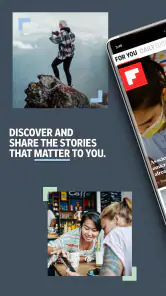
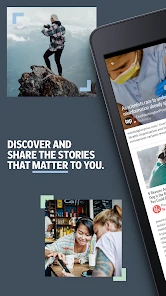
Once you open Flipboard, you’re greeted with a sleek interface that’s both inviting and easy to navigate. You start by selecting your interests—everything from tech, travel, to wellness and beyond. Flipboard then curates content from numerous sources across the web, including publications and blogs. It's like having a team of editors working to keep you updated on what matters most to you.
Personalized Experience
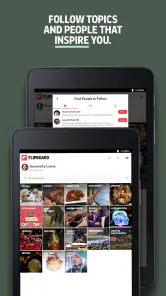
What I love the most is how the app learns from your interactions. As you engage with different stories, Flipboard gets better at tailoring the content to your liking. Imagine having a magazine that evolves with your changing interests. You can even create your own magazines to save and share articles, which is perfect for organizing your favorite reads or sharing them with friends.
Seamless Integration
The integration with social media is another highlight. You can connect social accounts to see what’s trending among your circles. This feature turns your social feeds into a magazine-style view, making it easier to keep up with what people you follow are discussing. I’d treat this as an optional route into the app, though: if your social timelines are already noisy, adding them to a reading session may make it harder to focus on the subjects you chose.
The Visual Appeal
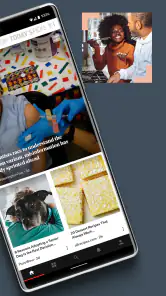
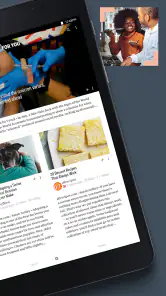
Flipboard isn’t just about content; it’s about presentation. The layout is visually inviting, with a magazine-like rhythm that makes browsing on a phone feel less like scanning a plain list. A strong image can help me decide whether a story is worth opening, and the varied presentation gives the feed a sense of discovery. The trade-off is that attractive cards can encourage more browsing than I planned, so I find it useful to enter with a purpose: check a topic, find something worth reading, then stop.
Make the first session count
For a new reader, the first meaningful success does not have to be a perfectly tuned feed. I would choose a few real interests, open a story from each, and save one article into a magazine with a clear name. That simple loop tests the parts that matter: whether the available mix is relevant, whether the reading presentation suits you, and whether saving feels useful. If the initial selection is off, adjust the topics rather than concluding from one session that the app has nothing for you.
One practical trick is to separate “read now” from “keep for later” in your own habits. A magazine is most useful when it has a recognizable purpose, such as background reading for a project or inspiration for a personal interest. If you save every mildly interesting headline, finding a particular article later becomes its own chore. I’d also avoid treating a shared collection as a finished research packet; it is a convenient way to gather and pass along reading, while important claims still deserve a look at their original source.
Where it fits beside other news apps
Compared with a publisher’s own app, Flipboard is better suited to crossing between subjects and sources than to following one newsroom in depth. Compared with a plain feed reader, its magazine presentation makes discovery feel more visual and approachable, but readers who want fine-grained control over feeds or a strictly chronological stream may prefer a tool built around those needs. I would use it as a broad front page, then go directly to a publication when I need its complete coverage, context, or established section structure.
It can also complement, rather than replace, the news habits you already have. For example, I might browse a few interests over breakfast, save a long read, and later open the publisher’s page for more context on an important story. That division gives Flipboard the job it handles well—helping me notice material I might otherwise miss—without asking a personalized feed to be my only source. If your main goal is immediate alerts or a comprehensive live account of developing events, a dedicated breaking-news service is the more sensible choice.
A routine that avoids the endless scroll
A realistic day might start with a quick look at a work-related topic and a local or cultural interest, without trying to read every card. I would save a useful feature for a quieter moment, then return to that focused magazine when I have time to concentrate. On a busy day, the same approach works during a lunch break: browse with one question in mind, keep only what answers it or invites a deeper look, and leave the rest. The visual format is enjoyable, but setting a stopping point keeps enjoyment from becoming an accidental time sink.
For families, the Everyone 10+ rating is a useful general guide, not a promise that every article will suit every reader; the subject matter varies with the sources and interests being followed. I would choose topics with the intended reader in mind and stay attentive to the actual stories in the feed. The app is free, which lowers the barrier to trying this style of discovery, but the best test is whether its selection and reading flow fit your habits after you have shaped the topics.
Final Thoughts
With its user-friendly interface and personalized content delivery, Flipboard: Your Social Magazine is a useful tool for anyone who enjoys staying informed across different interests. It’s not a replacement for every publisher or a guarantee of a complete news picture; it works best as a thoughtfully curated starting point. I’ve found that choosing topics carefully, saving selectively, and checking original sources when a story matters makes the experience more rewarding. If you like discovering articles in a visual, magazine-like feed, it is worth trying. If you want strict control, urgent alerts, or one publication’s full experience, another kind of news app will serve you better.
Flipboard:Your Social Magazine Frequently Asked Questions
Can I read news and feature stories from different publishers in one place?
Yes. Flipboard is a News & Magazines app that brings together stories from news publications, blogs, and social networks. You can browse material around topics that interest you instead of opening each source separately. Its magazine-style presentation gives articles and other media a visual, curated feel, making it a convenient option for people who want a broad reading experience in one app.
What should I know about Flipboard’s audience and popularity before downloading it?
Flipboard is rated Everyone 10+ and is published by Flipboard. It has an average rating of 3.5 from around 1.4 million ratings, with roughly 135,000 written reviews and over 500 million installs. Those figures offer a sense of its broad reach, but the app’s usefulness will depend on whether its selection of stories and magazine-style browsing suit your own reading habits.
Does Flipboard work on older Android devices?
Flipboard supports Android 7.0 and newer, so it may be an option if your device runs that version or a later one. It is also available for iOS users. Before downloading, check the operating system on your device and make sure it meets the applicable requirement; doing so helps avoid compatibility surprises and lets you decide whether the app is suitable for the phone or tablet you plan to use.
Does Flipboard help me discover stories beyond the sources I already follow?
Yes. Flipboard brings together stories from news publications, blogs, and social networks, so browsing can lead you to material beyond the sources you already know. You can start with topics that interest you and explore the articles and other media gathered around them. Its magazine-style layout makes discovery feel more like browsing a curated collection than scrolling through a plain list.
Can I use Flipboard without creating or sharing a public magazine?
Yes. Creating and sharing your own magazines is an optional feature, not a requirement for using Flipboard. You can personalize your reading by choosing topics and publications, then use the app to browse the resulting collection. If you later want to gather stories into a magazine and share it, that option is available, but it does not need to be part of your routine.
Pros
- Visually appealing interface
- Customizable content feeds
- Easy social media integration
- Wide range of topics covered
- Regular content updates
Cons
- Can be data-heavy
- Some ads in free version
- Limited offline access
- Occasional performance lags
- Requires account for full features
- Category
- News & Magazines
- Version
- 4.3.40