Flat Equalizer - Bass Booster
- 15.58K
- 4.7
- Installs
- 10.00M
- Price
- Free

Screenshots
Analysis by Reviewed
I reach for an equalizer when a song feels wrong for the headphones I’m wearing, not because every track needs more bass. Flat Equalizer - Bass Booster is built around that kind of hands-on adjustment: it gives Android listeners a way to shape playback, with bass enhancement as a prominent part of the experience. The useful question is not whether a bigger sound is always better, but whether a small change makes the audio more comfortable and enjoyable for you.
What the equalizer changes
At its heart, this Android music and audio app gives you a way to shape playback rather than simply turning the overall volume up. That distinction matters: boosting a particular part of the sound can make a track feel fuller or clearer, while raising everything may just make it louder. I find the equalizer most useful when a recording sounds thin through the headphones I happen to be using, or when spoken audio needs a little more presence.
It is made by Beat Blend Labs, and the free download has optional in-app purchases ranging from $0.99 to $99.99 per item. The app is rated for Everyone, and its 4.7 average from around 542,000 ratings suggests many listeners have found a use for it. It has passed 10 million installs, but popularity alone is not a reason to keep an audio tool running: I’d still judge it by whether its adjustments improve the sound on your own phone and headphones.
Sound Experience Unleashed
The Flat Equalizer - Bass Booster is all about enhancing your audio experience. From the moment I installed it, I felt like I had unlocked a whole new level of sound quality on my device. You know that feeling when you put on a pair of noise-canceling headphones for the first time? Yeah, it’s pretty much like that.
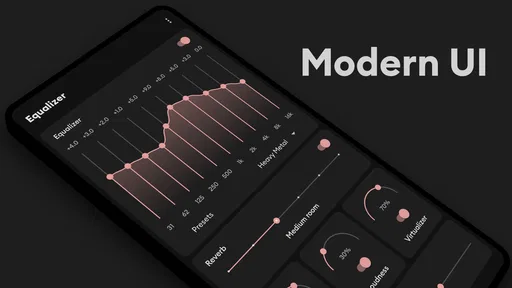
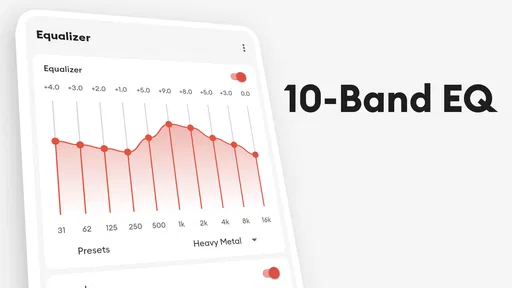
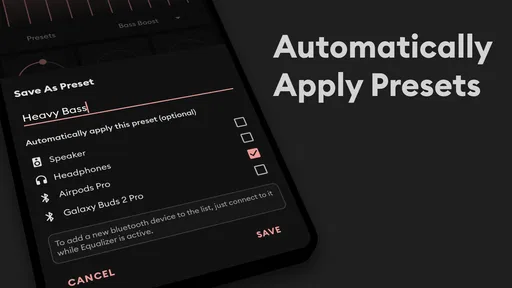
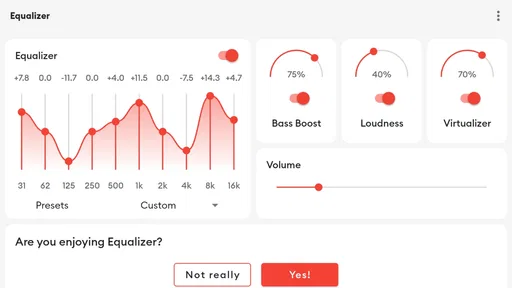
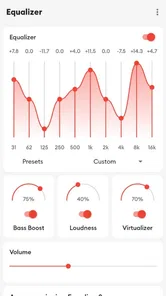
What’s really cool is how intuitive the interface is. I’m not exactly a tech guru, but navigating through the options was a breeze. The app features a straightforward design that makes adjusting the sound to your liking super easy. Plus, it’s got a bunch of presets that you can choose from, whether you’re jamming out to rock, pop, or classical. And if you're into customizing, you can tweak the settings yourself to get that perfect sound you’re craving.
Bass Boosting Magic
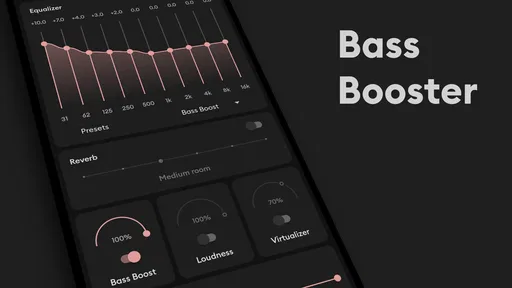
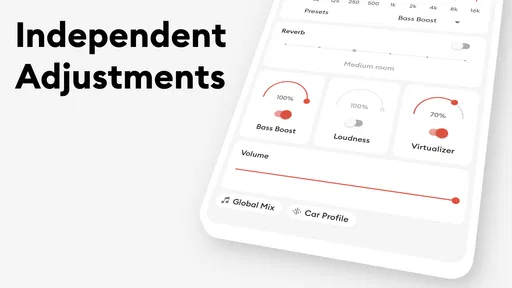
One of the standout features for me was the bass booster. I mean, who doesn't love a bit of extra thump in their music? With just a few taps, I was able to crank up the bass and feel the sound deep within my bones. It’s perfect for those moments when you want to feel the music as much as hear it. And the best part? It doesn’t distort the sound, keeping everything crisp and clear.
Now, you might be wondering, "Does it work with all apps?" The answer is a resounding yes! Whether you’re streaming tunes on Spotify, watching a movie on Netflix, or just listening to a podcast, this app has got you covered. The equalizer adjusts the sound output across all your media apps, so you’re always getting the best possible audio experience.
More From Our News Desk

Weather by Xiaomi Review: Clear at a Glance, Less Clear Up Close

X Under Pressure: Can It Recover When Posting Goes Wrong?

Clash of Clans Is Won Between the Battles

Android Auto Makes the Case for Quieter Car Software

MobiOffice: Transforming Mobile Productivity with Seamless Integration

EA SPORTS FC™ Mobile Soccer: Redefining Mobile Sports Gaming
Trying it in an everyday routine
A practical way to test it is to play a familiar track at a comfortable volume, make one small adjustment, and listen to the same passage again. I avoid changing several controls at once; otherwise, it becomes hard to tell which tweak helped. This simple A/B habit is more useful than chasing a dramatic effect, especially with bass, where too much can blur vocals or make a compact speaker sound strained.
That makes the app handy for a commute, a walk, or a quiet evening with headphones: I can start with a preset, then make a modest correction for the particular track or listening gear. For a podcast, I would prioritize intelligible voices rather than extra low end. For bass-heavy music, I’d keep the boost restrained and check that kick drums remain distinct. The best setting is not necessarily the most exciting one after the first few seconds; it is the one that stays comfortable through a full playlist.
Where it fits among audio tools
Compared with relying only on a music player’s built-in equalizer, a separate system-oriented tool can be appealing when I want adjustments to affect more than one kind of media. The trade-off is that device audio behavior can vary: another sound effect, player setting, or output route may affect what I hear, so I would test it with the headphones and apps I actually use rather than assume every combination behaves identically. If I only wanted to tune one music service, its own controls might be simpler; if I wanted a consistent sound change across listening, this app is the more natural experiment.
It is also not a substitute for good headphones, repairing a poor recording, or making a quiet environment louder safely. I would skip it if I am already happy with my device’s sound and prefer not to manage another set of controls. Anyone sensitive to heavy bass may want to leave that feature low and focus on a subtle tonal adjustment instead. And when I am listening in a shared or noisy place, I would not treat extra volume as a fix for unsafe listening habits.
A commute is a useful test
One realistic way I would decide whether to keep an equalizer is to use it during a familiar commute. I might listen to the same playlist on the way out and back, keeping the phone’s volume comfortable and changing only the tonal balance if a particular pair of headphones makes vocals hard to follow. A setting that seems thrilling for one song can become tiring over a longer stretch, so I would judge it after several tracks rather than after a quick demo.
I would also treat switching between headphones and a phone speaker as a fresh listening situation, not assume one adjustment suits both. Small speakers have limited low-end output, and pushing bass can make the rest of the mix seem less clear without creating the deep rumble someone might expect. With headphones, a restrained bass change may be more satisfying; for speech, I would favor clarity and leave the bass effect alone. That simple distinction helps avoid using one dramatic setting for every kind of audio.
Choosing between presets and a custom sound
Presets are a convenient starting point, especially if I do not know which part of a mix I want to change. I would listen to a familiar song at the same volume with a preset and with a flatter setting, then keep the option that improves the sound without making the vocals, cymbals, or bass line distractingly prominent. The comparison matters because a louder-feeling preset can seem better at first even when it is less balanced over time.
Once I have found a useful direction, I would make only one adjustment at a time and give each change a few minutes of listening. This is a practical way to learn whether I prefer more weight, less harshness, or clearer speech, rather than turning every control just because it is available. If I find myself repeatedly undoing a setting for different playlists, that is a sign to use a gentler everyday sound and adjust only when a specific recording calls for it.
What to expect from a separate equalizer
A player’s built-in equalizer is often the easiest choice when I only listen in that one app: there is less setup, and its controls are right beside the music. A separate equalizer is more interesting when I want to experiment with sound across different media, but it adds another layer that can interact with the phone, the playback app, or the audio output. In practice, I would test one source at a time and check that the change is audible before relying on it for a playlist or a film.
This is also why I would not promise myself a perfect, identical result everywhere. Android devices and audio routes can behave differently, and what sounds pleasing through one set of headphones may not translate to another. If the app seems to have no effect, I would first check the playback source and output route, then compare with another audio app at the same comfortable volume. If my goal is simply to fix a single album or player, that player’s own sound controls may be the less complicated option.
User-Friendly and Lightweight
Another thing I appreciated about this app is how lightweight it is. It doesn’t hog your phone’s resources or drain your battery, which is a massive plus in my book. I’ve had apps in the past that slowed everything down, but thankfully, that’s not the case here.
Setting it up was a piece of cake, too. It doesn’t bombard you with ads or unnecessary permissions, which is refreshing. Just install, set up your preferences, and you’re good to go. It’s like getting a VIP pass to your own personal concert.
Who I think should try it
I’d suggest it to people who already know roughly what they want to change—more weight in a thin-sounding track, or a little more definition for speech—and are willing to listen carefully rather than max every slider. Newcomers can start with the presets, then compare them with a neutral setting at the same volume. That comparison keeps “louder” from being mistaken for “better,” and makes it easier to settle on a preference that works across a whole listening session.
The app runs on Android 5.0 and later, and version 6.3.4 is the current release. Its age rating is Everyone, and the core download is free, so it is easy to try before deciding whether optional purchases matter to you. My advice is to begin with a low-key adjustment, keep your usual volume sensible, and give your ears time to judge the result rather than relying on a quick first impression.
Who may be better off without it
I would skip a separate equalizer if I already like the sound coming from my headphones and rarely switch between audio sources. In that case, adding more controls can create busywork rather than a meaningful improvement. The same goes for listeners who want a set-and-forget experience and do not want to compare settings: a music player’s own controls, or simply leaving playback unchanged, may suit them better.
It is a less convincing fit if the problem is the source itself. An equalizer can change tonal balance, but it cannot restore detail missing from a poor recording or turn a weak speaker into a powerful one. Nor would I use bass boost to compensate for listening in a loud environment; lowering the background noise or choosing a safer listening setting is a better answer than continually raising volume. Treating the app as a fine-tuning tool rather than a repair kit keeps expectations sensible.
Making the trial worthwhile
Because the app is free to download and offers optional purchases, I would spend time with its basic adjustments before deciding whether any purchase is relevant to me. The listed in-app item range runs from $0.99 to $99.99, so I would check the purchase details in the app carefully and avoid assuming that every listener needs to pay. The main test is straightforward: does the sound improve for the headphones and media I actually use, at a comfortable volume?
For a fair comparison, I would use the same short section of a familiar track, keep the volume steady, and switch between the neutral sound and one modest adjustment. Then I would repeat the test with a podcast or another source if cross-media listening is important to me. If the change is helpful in some situations but distracting in others, I can keep it subtle or use a different preset when needed. If I hear little benefit, there is no reason to force the app into my routine.
In conclusion, if you’re in the market for an app that can transform your listening experience, I’d highly recommend giving Flat Equalizer - Bass Booster a try. It’s user-friendly, effective, and really amps up your music game. Trust me, your ears will thank you!
Flat Equalizer - Bass Booster Frequently Asked Questions
Can I install Flat Equalizer - Bass Booster on a tablet, or is it only for phones?
Flat Equalizer - Bass Booster is an Android audio app, so it may suit an Android tablet as well as a phone, provided the device meets the app’s Android requirement. The app is intended to adjust audio output, making the main consideration whether you want sound controls while listening on that device. Check compatibility on your tablet before downloading.
Does Flat Equalizer - Bass Booster work without an internet connection?
The app is an audio equalizer and booster for Android, intended to adjust sound output while you listen. Whether it needs an internet connection for every feature can depend on how the app and your music source operate. If you plan to listen offline, try your preferred offline player after installing and check that the controls respond as expected.
Can Flat Equalizer - Bass Booster improve quiet audio or make sound louder?
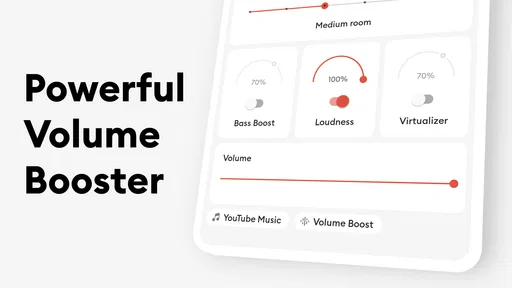
Flat Equalizer - Bass Booster includes volume boost alongside equalizer and bass boost tools. These controls can help you adjust the sound to better suit your listening preferences, including raising perceived volume. Results depend on your device, audio source, and output equipment, so make gradual changes and keep listening levels comfortable, especially when using headphones.
Is Flat Equalizer - Bass Booster available for iPhone, or is it an Android app?
Flat Equalizer - Bass Booster is an Android audio app, so it is intended for use on compatible Android devices rather than iPhone. Before downloading, check that your device runs Android 5.0 or later. If you primarily listen on iOS, you will need to look for an audio equalizer designed for that platform instead.
What is Flat Equalizer - Bass Booster and how does it enhance my music experience?
Flat Equalizer - Bass Booster is an app designed to enhance the audio quality of your music on Android devices. It provides users with options to customize sound settings, including bass boost, treble adjustments, and equalizer presets. By using this app, you can tailor the sound output to your preferences, ensuring a richer and more immersive listening experience.
Pros
- User-friendly interface and easy navigation
- Effective bass boosting capabilities
- Customizable sound presets
- Supports a wide range of audio formats
- Enhances overall audio experience
Cons
- Contains ads that may disrupt usage
- Limited advanced features for audiophiles
- May not support all devices
- Occasional performance lags
- Requires in-app purchases for premium features













