Find My Phone by Clap Launcher
- 10.22K
- 4.4
- Installs
- 1.00M
- Price
- Free

Screenshots

Analysis by Reviewed
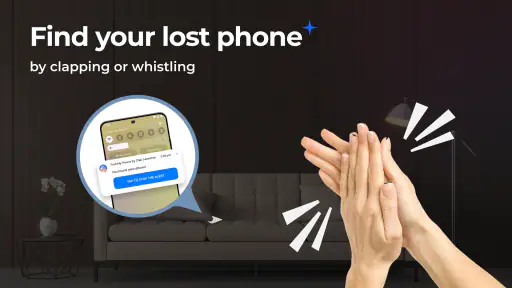
Misplacing a phone is rarely a dramatic event at first. I usually notice it when I am already late, carrying groceries, or standing in a room where the device seems to have vanished completely. Find My Phone by Clap Launcher takes a very direct approach to that familiar problem: instead of opening another device-finding service and checking a map, I can try to trigger the missing phone with a clap or a whistle.
That makes it a focused tools app rather than a full replacement for every phone-recovery service. It is aimed at the moments when the phone is probably nearby but hidden under a cushion, inside a bag, or left in another room. I found the idea easy to understand, and the free price makes it simple to try without turning a small convenience into a purchase decision.
How the app feels when speed matters
The main appeal is immediacy. When I lose a phone at home, I do not necessarily want to borrow another device, remember an account password, or navigate through a web dashboard. A sound-triggered finder is useful because the search begins with something I can do immediately: make a noise and listen for a response.
That workflow feels faster than the usual alternatives in one important situation: the phone is close enough to hear, but not visible. A map-based locator is more useful when the device has been left somewhere outside the house, while a call from another phone works well only when there is another phone available and the ringer can be heard. This app sits between those options, concentrating on the nearby search.
My expectations would still be realistic. The app is not a magic locator that reveals a phone through walls or identifies its exact position on a map. Its value depends on the phone being powered, close enough for its response to be noticed, and in an environment where a clap or whistle can be distinguished from ordinary background noise. That distinction matters more than the simple promise of finding a missing device.
I also appreciate that the concept does not require me to change how I normally search. I can check the sofa, desk, bedroom, and coat pockets while using the sound trigger as a shortcut. In practice, that makes it feel less like a complicated security tool and more like a small emergency utility that earns its place when the phone disappears inside familiar surroundings.
A realistic everyday search
Imagine coming home, putting the phone down while unpacking, and then failing to remember where it went. I might first check the kitchen counter and the entryway, then realize the device is not visible anywhere. With this app prepared for that situation, I can use a clap or whistle and pause between attempts to listen carefully.
The pause is important. Repeated noise without listening turns the search into guesswork, especially in a room with a television, fan, or other people talking. I would use short, deliberate attempts near likely locations rather than making constant noise while walking around. That is one of the more useful practical lessons with this kind of tool: the app can start the search, but a quiet listening routine makes the response easier to notice.
It can also help in low-visibility situations. If the phone has slipped behind furniture or under bedding, visual searching becomes slow and awkward. A sound-based prompt gives me another way to narrow the area. I would not rely on it for a phone lost in a busy public place, but it makes sense for the small domestic mysteries that otherwise waste several minutes.
What happens during repeated or heavy use
The app’s performance should be judged by how it behaves during a search, not by how many options it displays. A finder that is quick to open and easy to understand has an advantage because frustration is already high when the phone cannot be found. I prefer a tool that keeps the interaction simple instead of making me pass through several screens before trying the trigger.
Heavy use can mean different things here. It may involve testing the response repeatedly in different rooms, checking whether a whistle works better than a clap, or leaving the app available as part of a regular routine. Those situations expose practical friction: background sound, distance, obstacles, and the need to recognize the response quickly.
I would avoid treating the app as something that should run continuously without thought. A sound-activated finder is most sensible when I have prepared it for the situation and understand how I want to use it. Keeping any utility active for long periods can affect the overall phone experience depending on the device and its system settings, so I would rather use it deliberately than assume it is invisible to battery or resource management.
That is also where this app differs from a conventional ringing call. A call is familiar and often effective, but it depends on a second device and may be inconvenient when the phone is set to a quiet mode or buried somewhere difficult to reach. The clap-or-whistle approach is more self-contained for nearby searches, although it is less helpful when I need a location history or a remote lock.
Stability and the limits of sound detection
For this type of app, reliability is not only about whether it opens. It is about whether I can use the trigger consistently in the places where I tend to lose my phone. A quiet bedroom is a very different test from a kitchen with an extractor fan, a living room with music, or a shared office where other sounds may resemble a clap.
I would therefore treat the first setup as a small personal test. I would try the chosen sound from several distances, then repeat it with ordinary household noise in the background. This gives me a better idea of whether the app suits my environment than simply assuming the feature will behave identically everywhere. It also helps me learn how long I should wait for a response before moving to the next room.
Whistling and clapping are not equally convenient for everyone. Some people can whistle sharply and consistently, while others may find clapping easier. Children, pets, neighbors, or sleeping family members can also make loud triggers impractical. The app is most comfortable for users who can make a recognizable sound without disturbing the surrounding space.
There is a second reliability issue that is easy to overlook: finding a phone after it has become silent or unavailable is a different problem. If the device is switched off, out of reach, or unable to respond, a sound-triggered tool cannot turn a nearby search into a guaranteed recovery. For those cases, the phone platform’s built-in account-based locator remains the better companion, especially when the device may have been left outside the home.
My advice is to think of this app as one layer in a recovery plan. Use it for the sofa, bedroom, car, or office desk. Keep the standard device-location service available for theft, travel, and map-based recovery. Those tools overlap only partly, so choosing between them is less useful than understanding when each one is strongest.
Device requirements and practical constraints
The app is available for Android devices running version 10 or later. That requirement is important for anyone using an older handset, because the feature may sound suitable while the operating system still prevents installation. I would check the phone’s Android version before planning around it, particularly if the device is an older spare phone that I keep at home.
It is free and carries an Everyone content rating, which makes it approachable for households that want a simple finder without age-restricted material. The developer is AtomApplications, and the app belongs to the tools category. Its current version is 1.21.0, so users should still pay attention to how their particular phone handles sound detection and background activity rather than assuming every Android model will behave the same way.
Hardware and surroundings matter as much as the operating system. A phone inside a thick bag, beneath a blanket, or behind a cabinet may produce a response that is difficult to hear. Large rooms and hard surfaces can create echoes, while soft furniture can muffle sound. These are not failures that an app update can always solve; they are physical limits of the recovery method.
I would also avoid using it as a substitute for basic phone habits. A consistent charging spot, a visible desk location, or a case that stands out can prevent more searches than any finder app. The best use of this tool is as a backup for ordinary forgetfulness, not as permission to leave the phone anywhere and expect a perfect rescue later.
Who will benefit most
This is a good match for people who regularly misplace a phone inside their home, workplace, or car. It is especially appealing if the missing-device problem is usually “I know it is nearby, but I cannot see it.” The simple trigger can reduce the need to borrow another phone, and the free installation removes much of the risk of experimenting with it.
It may also suit families who share a living space and want a quick way to locate a device that has slipped behind furniture. Someone with limited patience for account dashboards may prefer the directness of a sound-based search. The app’s narrow purpose is a strength when that purpose matches the problem.
I would recommend skipping it if the main concern is recovering a lost phone across town, tracking a device on a map, remotely locking personal information, or managing several devices from one account. Those needs belong to the operating system’s built-in locator or another established security service. A clap and a whistle cannot replace remote recovery features.
It is also not the ideal choice for very quiet households where making noise is disruptive, or for users who expect every trigger to work through loud surroundings. In those cases, calling the phone, using a smartwatch, or checking a map-based locator may be more dependable. The right choice depends on where the phone usually goes missing, not on which method sounds most clever.
Popularity, presentation, and my overall experience
The app has reached over a million installs, with an average rating of 4.4 from around twenty-three thousand ratings and roughly ten thousand written reviews. Those figures suggest that the idea connects with a substantial group of Android users, although popularity should not be confused with universal performance. Sound recognition is naturally sensitive to the phone model, room acoustics, and the user’s habits.
What I like most is the clear division of labor. This is not trying to be a complete phone-security suite; it is a quick nearby-finder tool. That focus makes the app easier to understand and potentially faster to use in the exact moment when I am searching under cushions or checking a crowded desk.
The trade-off is equally clear. Its usefulness narrows sharply when the phone is far away, silent, unavailable, or surrounded by competing noise. I would also be cautious about leaving any sound-detection utility active for extended periods without considering the phone’s battery and background-management behavior. The app is most convincing as an on-demand convenience rather than a universal recovery system.
For a free tools app released on July 15, 2025, Find My Phone by Clap Launcher has a practical idea and a low barrier to entry. I would install it on an Android phone that regularly disappears somewhere nearby, test both available sound methods in my own rooms, and keep the built-in locator ready for more serious losses. Its real strength is speed of access during a local search, not complete device recovery.
My final verdict is positive with sensible boundaries. If your usual problem is a phone hidden in the house, this app can make the first few minutes of searching less frustrating. If you need maps, remote controls, or dependable recovery after leaving the device somewhere unfamiliar, choose the standard locator instead. Used for the situation it was designed around, this small utility is worth trying, and its free availability makes that decision particularly easy.
Pros
- Rings the device even when it is set to silent mode.
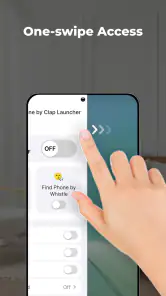
- Simple interface makes the main tracking tools easy to access.
- Can help locate a misplaced phone within nearby Bluetooth range.
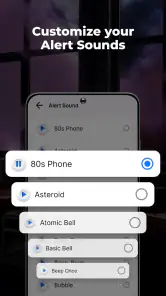
- Useful flashlight and sound alerts can speed up indoor searches.
- Lightweight design should have minimal impact on phone storage.
Cons
- Nearby-device features may require Bluetooth and location permissions.
- The phone must have battery power and connectivity for remote tools to work.
- Ad-supported screens may feel distracting during urgent searches.
- Accuracy can vary in crowded areas or when several phones are nearby.
- Some features may depend on the device model or Android version.

- Category
- Tools
- Version
- 1.21.0











