Filmic Pro: Mobile Cine Camera
- 1.95K
- 2.3
- Installs
- 1.00M
- Price
- Free

Screenshots
Analysis by Reviewed
I approached Filmic Pro as a serious mobile camera rather than a quick point-and-shoot app. That distinction matters. It is a photography app from Bending Spoons, but its appeal is really aimed at people who want to make more deliberate video and capture footage with a more controlled, film-oriented workflow. The free entry price makes it easy to try, while the in-app purchases, which range from less than a dollar to nearly sixty dollars per item, mean you should look carefully at what you actually need before spending money.
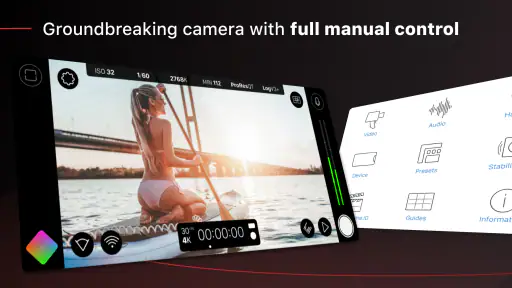
My first impression was that this is not designed to disappear into the background. The interface asks for attention, and that is intentional. Instead of treating the phone camera as a single shutter button, it encourages you to think about exposure, focus, framing, and movement before recording. I found that approach useful when I had time to prepare, but less convenient when something unexpected happened and I needed to start filming immediately.
How Filmic Pro feels in real use
I find the most useful way to judge Filmic Pro is to ask whether its extra control helps with the shot I’m about to make, rather than assuming a more involved camera is always better. For a planned clip, that deliberate approach can encourage steadier choices; for a fleeting moment, it can become a distraction. Once that trade-off is clear, the next step is making the first setup simple enough to use with confidence.
A deliberate camera rather than an instant camera
The store summary describes Filmic Pro as the professional choice of Oscar-winning directors, but I would not interpret that as a promise that a phone suddenly becomes a cinema camera. The real benefit is control. The app gives a more intentional shooting experience than the standard camera application, and that can help you make footage that feels planned instead of accidental.
For a casual photo of a meal, a quick family snapshot, or a short clip that only needs to be shared immediately, the usual camera app is often faster. It opens with fewer decisions and usually does a better job of keeping the process simple. Filmic Pro earns its place when the shot itself matters: a short interview, a travel sequence, a product demonstration, a rehearsal, or a personal project where consistency is more important than speed.
I especially liked the way the app changes my behavior. With a basic camera, I tend to tap record and hope the phone handles everything. With this app, I am more likely to check the scene, decide what should stay sharp, and think about whether the light is changing. That does not guarantee a better result, but it makes poor results easier to understand and correct on the next take.
What affects perceived speed
Speed here is not only about how quickly the app opens. It is also about how quickly I can make a decision once the controls are visible. Filmic Pro can feel quick when I have already set up the shot and know which controls I want. It can feel slower when I am moving between locations, changing the composition, or trying to react to an unplanned moment.
More From Our News Desk

Weather by Xiaomi Review: Clear at a Glance, Less Clear Up Close

X Under Pressure: Can It Recover When Posting Goes Wrong?

Clash of Clans Is Won Between the Battles

Android Auto Makes the Case for Quieter Car Software

MobiOffice: Transforming Mobile Productivity with Seamless Integration

EA SPORTS FC™ Mobile Soccer: Redefining Mobile Sports Gaming
The extra control creates a small mental cost. I have to check more than I would with the default camera, and that can make the first few attempts feel busy. After spending time with the interface, the process becomes more natural, but I still would not choose it for every spontaneous recording. This is a camera for preparation, not a replacement for the simplest camera shortcut on the phone.
One practical habit helped me: before recording, I decide whether the shot needs manual attention or whether automatic behavior is good enough. If the subject is moving unpredictably and the lighting is ordinary, I prefer to avoid unnecessary adjustments. If the scene has a bright window, a dark foreground, or a subject that must remain visually consistent, the additional control becomes much more valuable.
Heavy-use moments and resource awareness
Long recording sessions are where a camera app becomes more demanding than its feature list suggests. The phone has to keep the camera active, process the preview, write video, and manage the display at the same time. I therefore treat Filmic Pro as an app that deserves preparation before a demanding shoot, rather than something I would open casually with a nearly empty battery and limited free storage.
My advice is simple: close unrelated apps, start with a comfortable battery level, and leave enough storage for the footage you intend to record. These are not Filmic Pro-specific tricks, but they matter more when the camera is central to the task. A short clip for social media is one thing; repeated takes for an interview or a full event are another. The longer the session, the more important it becomes to monitor the phone’s condition instead of assuming it will remain comfortable indefinitely.
Heat is another practical consideration for any demanding mobile camera workflow. I would avoid covering the phone, leaving it in direct sun, or placing it on a soft surface while recording. A cooler setup gives the device a better chance of maintaining a steady experience. If I were filming something important, I would also make a brief test recording first, play it back, and confirm that the result is usable before committing to the main scene.
Recovery after interruptions
Mobile filming is vulnerable to interruptions: a call, a notification, a full storage location, an accidental screen action, or simply a phone that becomes uncomfortable under sustained use. I do not treat any camera app as immune to those risks. For important work, I prefer short planned takes rather than one enormous recording. That makes retakes less painful and reduces the amount of footage that could be affected by a single interruption.
A useful workflow is to record a short opening test, stop, and review it before continuing. This catches problems with framing, sound, focus, or exposure while the setup is still in front of you. It also confirms that the app and the phone are behaving as expected in that particular environment. I would rather lose a few seconds to testing than discover after an entire session that the camera was pointed too low or the subject was poorly exposed.
When I finish a take, I avoid immediately switching between several demanding tasks. I let the recording finish properly, check that it appears in the expected place, and only then move on. That small pause feels unnecessary during a rushed shoot, but it is exactly the kind of habit that makes recovery easier when something goes wrong.
Stability and the role of the phone
Filmic Pro can offer a more controlled capture process, but the phone still determines much of the experience. The camera hardware, processor, storage speed, display, battery condition, and operating-system behavior all influence how comfortable the app feels. A powerful modern phone may handle a demanding session more smoothly than an older device, while a device with limited space or a tired battery can turn the same workflow into a source of stress.
The minimum operating-system requirement is iOS 9, which makes the app accessible across a broad range of Apple software versions in principle. That does not mean every supported device will provide the same practical experience. Compatibility and comfort are different questions. An older phone may run the application while still being less suitable for extended recording, rapid setup, or heavy editing afterward.
I would also separate capture from finishing. Filmic Pro is useful when I want to control the recording stage, but the phone’s remaining resources matter once I begin reviewing, transferring, trimming, or processing clips elsewhere. If you regularly work with long videos, keeping a simple file-management routine is as important as choosing the camera app. Delete failed takes, move finished footage when possible, and do not wait until storage is almost full before checking it.
Where it beats the standard camera
The default camera app wins on immediacy. It is usually the better choice when the subject will disappear in a moment, when another person needs to operate the phone without instruction, or when the goal is simply to capture something and move on. Its simplicity is a strength, not a weakness.
Filmic Pro wins when the operator is part of the creative process. I prefer it for a planned talking-head clip, a small documentary-style sequence, a controlled product shot, or a travel scene where I want several clips to feel visually related. The app encourages me to slow down enough to make choices, and that is its clearest difference from a basic camera.
It is also more suitable for someone who has become frustrated by automatic changes during a shot. When brightness or focus shifts at the wrong moment, having more direct control can be worth the additional learning. The trade-off is that control creates more opportunities for user error. A person who does not want to learn the interface may produce worse footage with a complicated camera than with a simple one.
Everyday scenario: filming a small presentation
Imagine recording a friend explaining a project at a desk near a bright window. With the regular camera, I might frame the person, tap record, and later discover that the face became too dark or that focus changed when a hand moved through the scene. With Filmic Pro, I would first place the phone, inspect the face and background, and make sure the important part of the image remains consistent during the explanation.
I would then record a short test, ask the speaker to repeat a sentence, and review it with headphones if available. If the result looks acceptable, I would capture the presentation in manageable sections instead of relying on one uninterrupted take. That approach makes the app’s strengths practical: preparation, repeatability, and more confidence that the image will not change unexpectedly halfway through the recording.
However, I would not use this workflow if the speaker were about to leave or if the presentation were already happening without warning. In that situation, opening the normal camera first is the sensible choice. Missing the moment while searching for the ideal setup is a worse outcome than capturing imperfect footage.
Learning curve and control fatigue
The main friction is not that the app is impossible to understand. It is that a serious camera asks you to pay attention. Beginners may wonder which setting matters most, and experienced users may still need time to build muscle memory. I recommend learning one control at a time rather than attempting to master the entire interface before making anything useful.
Start with framing and exposure awareness. Then practice keeping a subject sharp while moving the phone. After that, experiment with repeatable setups in the same room. This staged approach is more productive than changing several things at once, because you can identify which adjustment actually improved or harmed the shot.
There is also a risk of control fatigue. During a long shoot, constantly checking settings can distract from the subject, the performance, or the story. I try to establish a stable setup before recording and avoid touching controls unless the scene genuinely changes. The best result is not the one with the most adjustments; it is the one where the adjustments serve the shot.
What the rating suggests for potential users
The app has an average rating of 2.3 from around eighteen thousand ratings, with roughly two thousand written reviews, and it has passed one million installs. That combination tells me that popularity and satisfaction are not the same thing here. Many people are willing to try a recognized professional-style camera, but the lower average suggests that the experience may not suit everyone.
I would read that rating as a warning to match the app to your expectations. If you want a free camera that behaves exactly like the simplest built-in option, you may find Filmic Pro unnecessarily involved. If you are prepared to learn a more deliberate workflow and accept that your phone remains a limiting factor, you are more likely to understand why people choose it despite the friction.
The app is free to install, and the age rating is Everyone, so trying the basic experience is relatively approachable for a wide audience. Still, the presence of in-app purchases means I would not assume that every capability or upgrade is included without checking the purchase screen carefully. I prefer to test my actual workflow first, then decide whether a paid item solves a problem I genuinely have.
Version, developer, and long-term expectations
The current version is 7.6.4, and the developer is Bending Spoons. I see the version number as a reminder to keep the app updated when possible, especially if it is central to a project. Camera applications depend closely on the phone’s operating system and hardware, so maintaining a current installation is a sensible part of a reliable workflow.
At the same time, an update does not turn an older phone into a newer one. If the device struggles with sustained camera use, limited storage, or battery wear, the app cannot remove those physical constraints. I would judge the complete setup rather than the application in isolation: phone model, available space, battery condition, lighting, recording length, and the skill of the person holding the camera all matter.
Who should use it and who should skip it
I recommend Filmic Pro to people who want to take mobile video seriously without immediately moving to dedicated camera equipment. It suits students making short films, creators producing carefully framed clips, travelers who want more consistency between scenes, and anyone who enjoys learning how an image is built. It can also be useful for a small team where one person is responsible for setting up and operating the phone.
I would steer away from it if your priority is instant capture with almost no decisions. It is also not my first choice for someone who records only occasional casual clips, dislikes technical controls, or uses an older phone that already struggles with heat, storage, or battery life. In those cases, the standard camera may produce a more dependable result simply because it is easier to operate under pressure.
For professional productions, I would treat it as a capable mobile capture tool rather than a complete substitute for a dedicated camera system. The phone’s lens options, stabilization, audio setup, ergonomics, and storage still shape the final result. Filmic Pro can improve the operator’s control, but it cannot change the physical limits of the device or replace a carefully planned production environment.
My performance verdict
Filmic Pro feels fastest when I prepare the phone, know what I want to record, and use its controls with a clear purpose. It feels heaviest when I am trying to react instantly, record for a long time, or operate on a device that is already under pressure. That balance is central to the experience: the app trades simplicity for control, and the value of that trade depends entirely on the shot.
My most useful recommendation is to create a repeatable pre-shoot routine. Check storage, charge the phone, clean the lens, choose the position, make a short test, review it, and then record the real take. This takes only a little time, but it addresses the most common sources of disappointment more effectively than simply installing a more advanced camera.
I also recommend deciding in advance when not to use it. Keep the regular camera ready for sudden moments, quick messages, and situations where missing the action would matter more than perfect control. Use Filmic Pro when the scene gives you enough time to prepare and when consistency is worth the extra attention.
Overall, I see this as a specialized photography app with a strong focus on controlled mobile filmmaking. Its free starting point makes experimentation possible, while the low average rating reminds me that a professional-style interface is not automatically a better everyday experience. I would recommend it to a patient user who wants to improve the capture process, not to someone searching for the quickest possible camera.
The best reason to choose Filmic Pro is not the promise of cinematic results; it is the chance to make more informed decisions before and during recording. When those decisions fit the situation, the app can make a phone feel much more intentional. When speed, simplicity, or device limitations matter more, the ordinary camera remains the smarter tool.
Filmic Pro: Mobile Cine Camera Frequently Asked Questions
Does Filmic Pro let me control how my footage looks while recording?
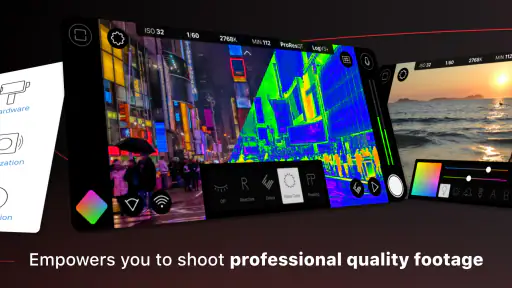
Yes. Filmic Pro is designed to give you more direct control over the image than a basic phone camera interface, including settings such as focus, exposure, shutter speed, ISO, and white balance. It also offers choices for frame rate and resolution. These options are useful when you want a consistent look across several shots, but they take practice; try a short test clip before an important recording.
Can I use Filmic Pro to record interviews, events, or other planned shoots?
Filmic Pro can suit interviews, events, and other planned filming when you want to prepare the camera settings rather than rely entirely on automatic adjustments. You can set up focus, exposure, and audio choices around the scene, then check your framing and make a test recording. For fast-moving or spontaneous moments, a simpler camera app may be quicker to open and use.
Is Filmic Pro available for both Android and iPhone?
Filmic Pro is available for compatible Android and iPhone devices, but the experience and supported camera features can vary between models. Before downloading, check the app’s page in your device’s official store and confirm that your operating system meets the minimum requirement. Also consider whether your phone’s camera hardware supports the recording options you expect to use.
Can Filmic Pro capture audio as well as video?
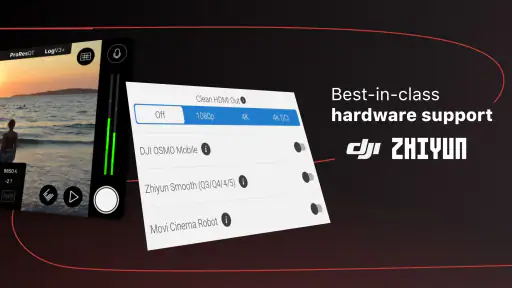
Filmic Pro includes audio options as part of its mobile video recording controls. The practical results depend on your phone and recording setup, and an external microphone may require a compatible microphone, adapter, or other accessory. Before relying on audio for an interview or project, record a short sample and listen back to check that the microphone and levels work as expected.
Does Filmic Pro support high frame rates and multiple camera lenses?
Some recording choices, including higher frame rates and use of different lenses, depend on the phone’s hardware and the app’s support for that device. A feature available on one model may not behave the same way on another. Check the compatibility information for your particular phone, then test the lens and frame-rate options you plan to use before filming something important.
Pros
- Manual focus
- exposure
- and white balance controls suit serious filmmakers.
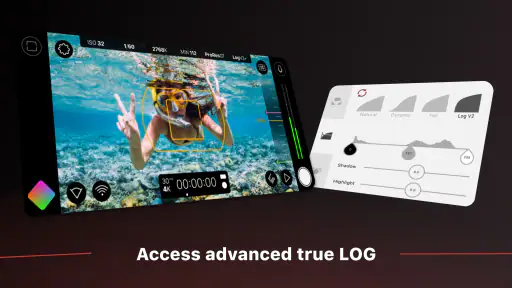
- Log and flat profiles provide more flexibility during color grading.
- Multiple frame rates and shutter settings support cinematic shooting styles.
- Audio meters and external microphone support improve recording control.
- Clean interface keeps essential camera tools accessible while filming.
Cons
- Many advanced features require a paid subscription or separate purchase.
- High-resolution recording can quickly consume storage space.
- Manual controls may feel overwhelming for casual smartphone users.
- Extended recording can cause noticeable heat and battery drain.
- Performance depends heavily on the phone’s camera hardware.
- Category
- Photography
- Version
- 7.6.4












