Doximity - Medical Network
- 2.80K
- 4.8
- Installs
- 500.00K
- Price
- Free

Screenshots
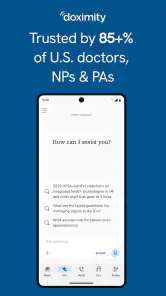
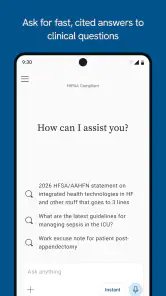
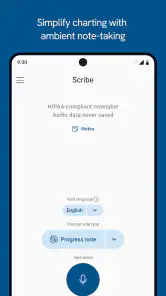
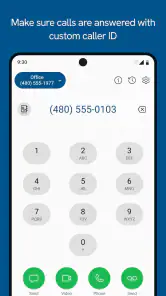
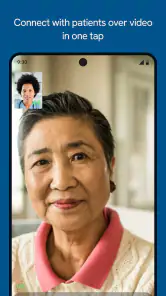
Analysis by Reviewed
I came away from Doximity with the impression that it is less a general social network and more a professional communication tool built around the daily reality of healthcare work. That distinction matters. If you are a physician or another healthcare professional who needs a focused way to stay connected with colleagues, the app has a clear purpose. If you are looking for patient education, appointment booking, or a broad medical reference library, you may find its scope too narrow.
Developed by Doximity, Inc., this free medical app is aimed at healthcare professionals and is suitable for Everyone from an age-rating perspective. It has been available since February 18, 2011, and its current version is 11.80.0, requiring at least OS 10. Its average rating sits at 4.8 from around 7.8 thousand ratings, with roughly 2.8 thousand written reviews and over 500 thousand installs. Those figures suggest a well-established professional audience rather than a short-lived networking experiment.
How Doximity feels in everyday professional use
Speed expectations when you need a focused work tool
My first impression is that Doximity is designed to get out of the way. The app’s value is not in giving me an endless stream of entertainment or a complicated workspace. It is in helping healthcare professionals connect without turning every interaction into a large administrative task. That focused purpose makes the experience feel more direct than a standard social platform.
The practical benefit is easiest to see during small gaps in a working day. A clinician may have only a short moment between appointments, rounds, or calls to check a professional message or reach a colleague. In that situation, a medical network with a clearly defined audience is more useful than searching through a general messaging service where professional contacts are mixed with personal conversations.
I would still avoid treating it as a substitute for every communication system used by a hospital or clinic. A specialist team may already depend on an internal platform, an electronic health record, or a formal escalation process. Doximity can complement those arrangements, but the app should not be treated as permission to move sensitive clinical decisions into whichever channel happens to be fastest. The speed advantage is valuable only when the communication is appropriate for the situation.
One useful habit is to decide in advance what belongs in the app and what belongs in an official clinical workflow. I would use a professional network to maintain connections, coordinate ordinary professional contact, or begin a conversation. I would not rely on it as the only place to preserve a complete patient record or handle an urgent emergency. That simple boundary makes the app more practical and reduces the risk of expecting it to do a job it was not designed to replace.
What happens during heavy-use moments
The demanding moments for an app like this are not necessarily the same as those for a game or a video editor. The pressure comes from context: a busy schedule, several conversations, limited attention, and a need to find the right person quickly. Even if the app itself is not performing a technically complex task, a small delay or unclear interaction can feel significant when I am using it between professional responsibilities.
That is why I judge Doximity more by clarity than by flashy performance. A clean professional directory is useful only when it helps me identify the right contact without unnecessary browsing. Likewise, a message is valuable when it supports a clear exchange rather than encouraging a long, distracting feed. The app’s medical focus gives it an advantage here because the intended audience and purpose are more specific than those of broad social networks.
A realistic example would be a physician trying to reconnect with a colleague after a referral discussion. Instead of relying on a personal contact list that may be out of date or a general social profile that mixes unrelated information, the professional network offers a more relevant starting point. I would still verify the person’s identity and role before discussing anything sensitive, but the app can shorten the first step of finding the appropriate professional.
The trade-off appears when a user expects a complete collaboration suite. A network can help people connect, but connection is not the same as shared documentation, structured task management, or a full team handoff. For a large department managing many simultaneous cases, a dedicated clinical or enterprise system may remain better for organized work. Doximity makes more sense as a quick professional bridge than as the entire infrastructure of a medical organization.
Reliability and the importance of recovery
For a professional communication app, reliability means more than opening quickly. I also want confidence that I can return to the right conversation, recognize the correct contact, and continue after an interruption. Healthcare work is full of interruptions, so an app that is easy to resume is more useful than one that only feels smooth during an uninterrupted session.
I found the focused nature of Doximity helpful in that respect. There are fewer reasons to wander through unrelated content, which lowers the mental cost of returning to the task. When I open a professional network for a specific reason, I can keep that reason in view instead of being pulled into a general-purpose feed. This is a small design advantage, but it matters when attention is already divided.
Recovery also depends on the situation outside the app. A weak connection, a crowded device, or an interrupted login can affect any communication service. I would not wait until an urgent issue to discover whether my usual workflow depends entirely on one app. For important professional contact, I prefer keeping the relevant institutional route available as a backup. That is not a criticism unique to Doximity; it is sensible practice for any tool used around healthcare work.
The app’s long presence in the medical category and its substantial install base make it feel like a mature option rather than an untested newcomer. Still, popularity should not be confused with universal compatibility. A network is most useful when the people I need to reach are active in the same professional environment. Before making it central to my routine, I would check whether my colleagues and referral contacts actually use it.
Device constraints and the cost of keeping another app
Doximity requires OS 10 or later, so device compatibility is an important first check for anyone using an older phone or tablet. That requirement is not especially demanding for many current devices, but it can matter in workplaces where staff rely on older hardware or where personal devices are kept for several years. A professional app is only convenient if it runs reliably on the device a user carries every day.
Resource demands are harder to judge from the app’s purpose alone, and I would not assume that a focused interface automatically means negligible battery or storage use. The sensible approach is to install it on the device used for professional communication, keep the operating system supported, and watch how it behaves alongside the other tools needed for work. If a phone is already crowded with clinical, scheduling, authentication, and communication apps, another installation adds a small but real maintenance burden.
That burden includes notifications. A medical network can be useful when it alerts me to relevant professional contact, but too many notifications can make the phone harder to manage during patient care or personal time. I recommend reviewing notification settings immediately after installation and allowing only the alerts that support a genuine workflow. The goal is not to make the app silent; it is to prevent professional networking from becoming another source of constant interruption.
Privacy and device separation also deserve thought. Some healthcare professionals use a dedicated work phone, while others combine work and personal activity on one device. Doximity may be a better fit for the first arrangement because the boundary is clearer. On a shared personal device, I would be more deliberate about lock-screen previews, account access, and who might see professional notifications. These are everyday safeguards, not reasons to reject the app, but they influence whether it feels comfortable in practice.
Where it beats ordinary alternatives
The strongest comparison is with general messaging and social platforms. Those services may be familiar and fast, but they are not built specifically around healthcare professionals. Finding a medical colleague through a broad contact list can require more manual checking, and professional identity may be less obvious. Doximity’s central advantage is the context it provides: the app starts from a medical network rather than asking users to create that context themselves.
It also differs from a hospital’s internal communication system. An internal system may be better for formal team operations, documented handoffs, and organization-specific procedures. Doximity is potentially more useful when the connection crosses institutional boundaries or involves professionals who do not share the same internal tools. That makes it especially relevant to referrals, professional relationships, and communication that extends beyond one workplace.
Compared with a medical reference app, the purpose is different again. A reference tool helps answer clinical knowledge questions; Doximity is about connecting healthcare professionals. I would not download it expecting drug information, diagnostic guidance, or a replacement for clinical resources. Its usefulness comes from people and professional contact, not from serving as a medical encyclopedia.
This distinction also explains who should skip it. Patients, caregivers, and students looking mainly for general health information are unlikely to get the best experience from a professional network. Likewise, a clinician whose entire professional circle already works inside a tightly integrated institutional platform may gain little from adding another channel. The app is most convincing for people who need a professional network that sits outside a single organization.
Three practical habits that improve the experience
My first tip is to treat the app as a contact layer, not a complete record system. If a conversation leads to an official clinical action, move the necessary information into the approved workflow rather than assuming the original exchange is enough. This keeps the convenience of a quick connection without confusing networking with documentation.
Second, use it selectively during the day. I would create a simple routine: check professional contact at planned moments, respond when the matter is suitable for this channel, and avoid allowing every notification to dictate attention. The benefit of a focused medical network disappears if it becomes another always-open social feed.
Third, test the recovery path before depending on it. Sign in during a calm period, identify how you return to a conversation after closing the app, and make sure your device setup does not hide important notifications or expose more than you intend. This is particularly useful for professionals who switch between personal and workplace devices. A few minutes of preparation can prevent confusion during a busy shift.
A fourth habit is to verify the professional context before sending anything sensitive. A recognizable name is not, by itself, enough. I would confirm that the recipient is the intended colleague, keep messages appropriately limited, and use formal institutional channels when the matter requires a documented or urgent response. The app can make contact easier, but professional judgment still controls what should be shared.
Who will benefit most from the app?
I see the greatest value for healthcare professionals who work across clinics, hospitals, specialties, or referral networks and need a convenient way to maintain professional connections. It can also suit clinicians who want a medical-specific alternative to a general social platform, especially when professional identity and context matter more than entertainment features.
The free price lowers the barrier to trying it, which is helpful for an individual user deciding whether it fits an existing routine. The Everyone age rating also makes the app broadly accessible from a store-classification standpoint, although the professional nature of the service means its practical audience is still healthcare workers rather than the general public.
I would be more cautious for organizations choosing a single communication platform for an entire department. Before standardizing on Doximity, leaders should consider whether it matches their documentation rules, security procedures, device policies, and existing systems. An individual professional may find it useful immediately, while an organization needs a wider operational review.
My performance verdict
After looking at the app through the lens of speed, heavy-use moments, reliability, and device constraints, I think Doximity succeeds because it stays focused on a real professional need: helping healthcare professionals connect. Its strongest quality is not that it replaces every other medical tool, but that it offers a more relevant environment than ordinary social or messaging apps when the conversation is professional.
I would recommend it to a healthcare professional who regularly needs to find or maintain contact with colleagues beyond one institution. I would not recommend relying on it as an emergency system, a patient-record replacement, a medical reference library, or a full department collaboration platform. Those distinctions are important, and the app becomes more useful when expectations stay realistic.
Overall, the free medical network from Doximity, Inc. feels like a sensible addition for the right audience. Its established presence, strong average rating, and focused purpose support confidence, while the main limitations come from workflow boundaries rather than a lack of ambition. My recommendation is to use it as a professional connection tool, with official clinical systems remaining the source of truth for urgent, sensitive, or documented work.
Pros
- Verified medical community helps reduce spam and impersonation.
- HIPAA-compliant tools support secure professional communication.
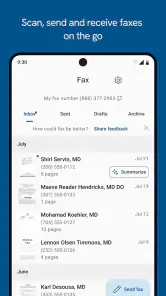
- Free access includes useful calling and fax features.
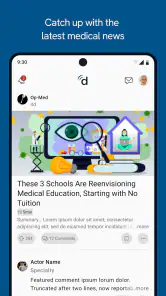
- Specialty-focused news keeps clinicians informed about healthcare topics.
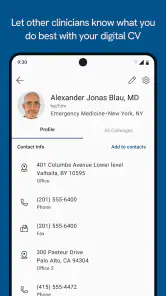
- Profile and career tools can improve professional visibility.
Cons
- Most features are designed for U.S.-based healthcare professionals.
- Some services require professional license verification to access.
- The interface can feel crowded because of its many tools and feeds.
- Patient-facing communication may depend on your organization’s policies.
- Frequent notifications can become distracting without careful settings.

- Category
- Medical
- Version
- 11.80.0