Downloader by AFTVnews
- 334.00
- 4.3
- Installs
- 50.00M
- Price
- Free

Screenshots


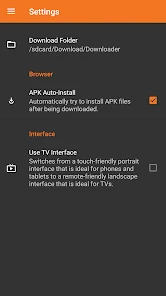
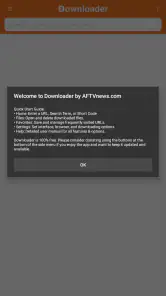
Analysis by Reviewed
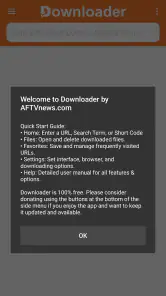
I reach for Downloader by AFTVnews when I need to move a file onto an Android device from a web address rather than hunt through several menus. Its appeal is practical: enter a URL or short code, then download the file. That direct approach suits people who already know what they want, especially when they are setting up a device or retrieving a particular file for later use.
When a direct route is more useful than browsing
The key question is not whether Downloader can replace a browser; it is whether I already have a trustworthy destination in mind. When I do, entering the address can be a more deliberate workflow than searching the web, opening several results, and trying to tell which one contains the intended file. The short-code option can also help when a source gives a compact code instead of a long address, particularly when entering text with a television remote.
That convenience has a clear boundary. A code or URL is an instruction for where to go, not a recommendation that the destination is legitimate. I still check who supplied it and whether the file is the one I intended to retrieve. If I am unsure about the source, I would rather pause and investigate in a familiar browser than use a shortcut simply because it is quicker.
Downloader is most compelling for people who repeat this kind of task: setting up a device, retrieving a known document, or moving a file from a source they already use. If downloading is an occasional side effect of ordinary web browsing, the browser already on the device may be all I need. The benefit here is a focused route for a known file, not a reason to install another tool for every user.
What is Downloader by AFTVnews?
So, what exactly is this app all about? Well, it's a nifty tool that primarily allows users to download files directly onto their Android device. Whether it's an APK, a PDF, or any other type of file, Downloader by AFTVnews has got you covered. The app is particularly popular among users of Amazon Fire TV and Firestick devices, but it's also available on Android, making it a versatile choice for many.
Readability and navigation
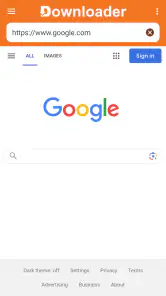
One of the first things you'll notice about this app is how easy it is to navigate. Seriously, even if you're not the most tech-savvy person in the world, you'll find this app a breeze to use. The interface is clean and straightforward, which means you can focus on what you want to download, not how to use the app. Plus, the built-in browser functionality is a game-changer, allowing you to search for files and download them directly without having to switch between apps.
That simpler route is most helpful when a file's source gives you a direct address or short code. For example, if I'm helping a family member set up a device, I can pass along the address to the intended file instead of asking them to search through unrelated pages. It also makes the app less useful when I only have a vague idea of what I'm looking for: Downloader is a way to retrieve a known file, not a curated catalog that helps me choose one.
More From Our News Desk

Weather by Xiaomi Review: Clear at a Glance, Less Clear Up Close

X Under Pressure: Can It Recover When Posting Goes Wrong?

Clash of Clans Is Won Between the Battles

Android Auto Makes the Case for Quieter Car Software

MobiOffice: Transforming Mobile Productivity with Seamless Integration

EA SPORTS FC™ Mobile Soccer: Redefining Mobile Sports Gaming
For a first-time user, I would keep the task small: start with a file from a source you recognize, enter its address carefully, and check the downloaded item before opening it. That approach makes it easier to tell whether the app's direct workflow suits you without confusing download convenience with source discovery. It also gives you a practical sense of whether typing on your particular device is comfortable enough for repeat use.
Motor and sensory considerations
For a person using a remote on a television device, or someone who finds frequent app switching tiring, keeping the download process in one place can reduce small navigation burdens. Still, this is not the same as a dedicated accessibility tool. The straightforward workflow may be easier to follow than a crowded browser, but a URL or short code still has to be entered accurately. On a device controlled with a remote, typing long addresses can be slow; a short code, when the source provides one, is often the more manageable option.
I would also consider the viewing context. A television screen viewed from across a room is not as comfortable for reading small text or checking a long address as a phone held close. If precision matters, I prefer to prepare the address on a phone or computer first, then use the simplest available input method on the device receiving the file. That small bit of planning can make the task less frustrating without assuming the app offers special input or display settings.
There is a useful trade-off between fewer transitions and more careful entry. On a phone, copying an address may be less demanding than typing it character by character; on a television, a short code may be easier to manage if one is available. If neither method is comfortable, asking someone to help enter the destination may be more practical than repeatedly correcting a long address. I would not choose this app on the assumption that it removes every motor or visual barrier: the task still depends on entering and checking the destination.
Situational access and Fire TV
If you're an Amazon Fire TV or Firestick user, you'll love how seamlessly Downloader by AFTVnews integrates with your device. The app is designed to make downloading files onto your Fire TV as simple as possible. Whether you're installing a new app or updating an existing one, this app makes the process quick and hassle-free. It's like having a personal assistant that handles all your downloading needs!
In ordinary Android use, it is a focused alternative to switching between a general browser and a separate file manager just to fetch a known file. A browser remains the better choice for reading, comparing sources, or discovering content, while a file manager is better for sorting files already on the device. Downloader makes most sense between those steps: use it to retrieve something specific, then open or organize it with the tool suited to that file.
For example, imagine I am helping someone prepare a Fire TV device in a living room. I can first confirm the intended source on a phone, then use the television workflow to fetch the specific file rather than trying to research it from across the room. That division of labor is helpful when the television is the destination but not the easiest screen for evaluating a source. If the file is unfamiliar or the address is difficult to check, I would do that research before moving to the TV.
A realistic example is getting a PDF from a trusted organization while away from a desk. I can enter its address, save the file on the device, and open it when I need it, rather than relying on a chain of browser tabs. For an APK, I would take extra care to verify that the source is one I trust before downloading. A convenient download path does not establish that a file is safe or appropriate, and that distinction matters especially when installing apps outside the usual store flow.
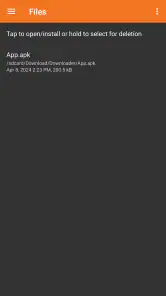
One small planning habit can prevent confusion later: keep track of why you downloaded a file and where it came from, especially if you are handling several items for someone else. A download tool solves the retrieval step, but it does not decide which copy is current or explain what to do with the file afterward. If the next step is simply reading a document, use a suitable reader; if it is organizing several files, move to a file manager rather than expecting the download workflow to do both jobs.
Security, remaining barriers, and trade-offs
Now, I know what you're thinking: "Is it safe?" And the answer is yes! The app is trusted by thousands of users and has a solid reputation for being secure. You can download files without worrying about malicious software or intrusive ads. It's always nice to know you can use an app without having to constantly look over your digital shoulder.
My practical advice is to treat Downloader as a transport tool, not a security check. The source and the file still deserve scrutiny, and a typo in an address can take you somewhere unintended. If you are uncomfortable judging download sources, or you mainly want apps reviewed and delivered through a familiar app store, the store is a more suitable choice. If you need broad web browsing, a conventional browser is more flexible; if you only manage existing downloads, a file manager may be enough.
There are also everyday access trade-offs. Entering a long URL can be tedious, and a direct-download workflow assumes the user can identify the right file and its source. I would skip this app if I expected it to recommend content, explain file types, or automatically make every download safe. Its strength is narrower: it reduces steps when I already know the destination and want to fetch a file directly.
Another sensible limit is to avoid treating every download as an installation task. A file can be retrieved for later use without being opened immediately, and taking that pause gives me time to confirm what it is and whether I actually need it. This is especially useful when helping another person: I can explain the source and purpose before handing over a file, instead of assuming the act of downloading makes the next action obvious.
Who it suits and my verdict
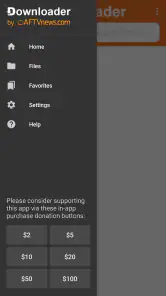
Downloader is a free Tools app from AFTVnews.com, with optional in-app purchases listed from $2 to $100 per item. It is rated for Everyone, and its Android version requires 5.1 or later. The current version is 1.5.3-ForGoogleAndroidDevices. Its average is 4.3 from around 38,000 ratings, and it has passed 50 million installs, which helps explain why it is familiar to many Android and Fire TV users.
It is best for people who frequently receive direct file addresses, use Fire TV, or want a simple way to move a known download onto a device. Someone who rarely downloads outside ordinary browsing may not need another tool, while a person who wants discovery, detailed file management, or a guided safety check should look elsewhere. The app has been available since August 18, 2017, and its focused purpose remains its clearest reason to use it.
For someone deciding whether to install it, I would ask how often they start with a known address rather than a search. If that happens regularly, the dedicated route can earn its place; if not, a standard browser likely covers the occasional download with less setup. The same distinction applies to accessibility: fewer app changes may make this workflow easier in a particular situation, but a person who struggles to enter or verify addresses may be better served by assistance or another route to the file.
In conclusion, if you're looking for a reliable, easy-to-use app to manage your downloads, Downloader by AFTVnews should definitely be on your radar. It's efficient, user-friendly, and perfect for both Android and Fire TV users. So, next time you're in a pinch and need a file downloaded stat, you'll know exactly which app to reach for!
My inclusive verdict is that Downloader can make a narrow task more approachable when the destination is known and the input method fits the device. Its directness is a genuine advantage for people who want fewer steps, but it does not substitute for readable viewing conditions, comfortable text entry, source checking, or file organization. I would recommend it to a friend who downloads specific files often, especially on a television device, while being candid that a browser, an app store, or a file manager is the better choice for other needs.
Downloader by AFTVnews Frequently Asked Questions
Can Downloader by AFTVnews be used to download files other than app APKs?
Yes. Downloader by AFTVnews is designed to download files by entering a URL or Short Code, and app APKs are one example of what you can retrieve. Before starting a download, make sure the address or code comes from a source you trust and that the file is appropriate for your device and intended use.
How do I get started with Downloader by AFTVnews?
The app’s basic purpose is to let you enter a URL or Short Code and use it to download a file to your device. If you plan to use it for an APK, check that the file is intended for your device before installing it. Downloader is a tools app developed by AFTVnews.com, and it is free to download.
Does Downloader by AFTVnews work on Android phones and tablets, or is it mainly for TV devices?
Downloader by AFTVnews is an Android tool, and its main use is downloading files by entering a URL or Short Code. It is especially associated with Android TV and Fire TV devices, where users often use it to sideload apps. The app requires Android 5.1 or later, so check your device’s software compatibility before downloading.
Is Downloader by AFTVnews free to download?
Downloader by AFTVnews is free to download, which makes it easy to try as a file-downloading tool without paying upfront. The app listing also shows optional in-app purchases, so review the purchase details shown on your device before confirming any transaction. Its content rating is Everyone, and it is developed by AFTVnews.com.
What is Downloader by AFTVnews and what does it do?
Downloader by AFTVnews is a versatile application designed to facilitate the downloading of files directly onto your Android TV or Fire TV device. Primarily used for sideloading apps, it allows users to enter a URL which the app then uses to download the desired file. This is particularly useful for installing apps that aren't available on the official app stores, making it an essential tool for expanding your device's capabilities.
Pros
- User-friendly interface and easy navigation.
- Supports a wide range of file formats.
- Fast download speeds on stable connections.
- Integrated web browser for direct downloads.
- Free to use with no hidden charges.
Cons
- Contains ads that may interrupt usage.
- Limited features compared to paid apps.
- Requires manual updates for app compatibility.
- Occasional crashes on older devices.
- No built-in media player for previews.
- Category
- Tools
- Version
- 1.5.3-ForGoogleAndroidDevices








