Dexcom G6
- 8.99K
- 3.1
- Installs
- 500.00K
- Price
- Free

Screenshots
Analysis by Reviewed
Alright, let's dive into the world of continuous glucose monitoring with the Dexcom G6. If you're someone who's been grappling with the constant ups and downs of managing diabetes, this app might just be the game-changer you've been waiting for. I’ve spent some quality time exploring its nooks and crannies, and here’s what I found.
Getting Started with Dexcom G6
First off, setting up the Dexcom G6 app is a breeze. You’ll need the physical sensor and transmitter to get going, but once you’ve got those, pairing them with the app is straightforward. The app walks you through the connection process with intuitive instructions, which is a relief for tech-challenged folks like me. Within minutes, you’ll have your blood sugar levels at your fingertips, literally.
Features That Stand Out
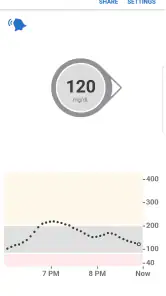
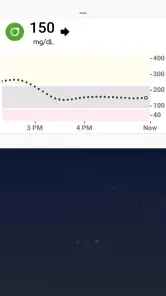
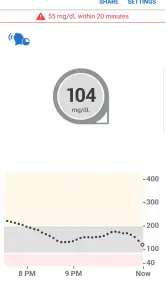
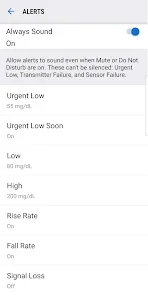
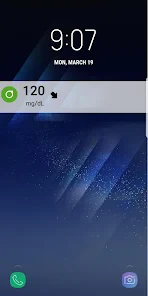
One of the most striking features of this app is the real-time glucose monitoring. You get updates every five minutes, so you’re always in the loop. This is particularly handy for those unexpected dips and spikes. And the alerts? Absolute lifesavers. You can customize them to suit your needs, ensuring you never miss a beat when it comes to your health.
Another feature worth mentioning is the share function. If you’re someone who likes to keep your family or healthcare provider in the loop, this is golden. You can share your glucose readings with up to ten followers. So, whether it's your mom, dad, or doctor, they can keep an eye on things too.
User Experience
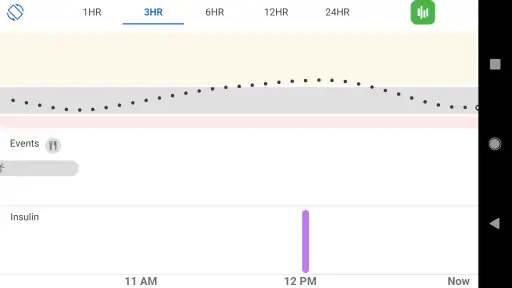
The app’s interface is clean and user-friendly. Navigating through it feels intuitive, which is a big plus. The graphs and data are laid out in a way that's easy to understand at a glance. Even if you’re not a data geek, you’ll appreciate how the app simplifies complex information into digestible chunks.
I also appreciate the app's integration capabilities. Syncing with other health apps or devices is seamless, making it a comprehensive tool in your diabetes management arsenal. It’s like having a personalized health dashboard!
Final Thoughts
In a nutshell, the Dexcom G6 app is a powerhouse for anyone needing close monitoring of their blood glucose levels. It combines functionality with user-friendly design, making it a must-have for those managing diabetes. The peace of mind it offers is unparalleled, allowing users to focus on living their lives without constantly worrying about their glucose levels.
If you’re considering stepping up your diabetes management game, this app is definitely worth a try. It’s more than just an app; it’s a companion in your health journey, offering support and insights every step of the way. So, go ahead and give it a whirl—you might just find it to be the perfect fit for your lifestyle.
Pros
- Real-time glucose monitoring.
- User-friendly interface.
- Customizable alerts.
- Seamless data sharing.
- Long sensor wear time.
Cons
- Requires smartphone compatibility.
- Frequent sensor calibration.
- High subscription cost.
- Battery life concerns.
- Limited third-party app integration.

- Category
- Medical
- Version
- 1.15.1.230