Detect Hidden Devices: DarkEye
- 145.00
- 4.7
- Installs
- 100.00K
- Price
- Free

Screenshots
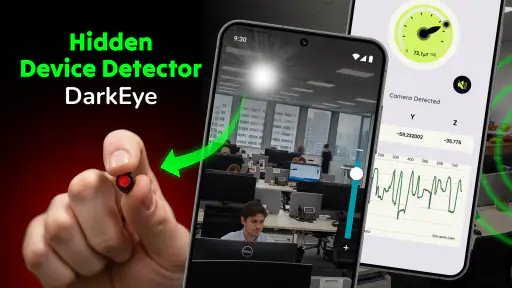
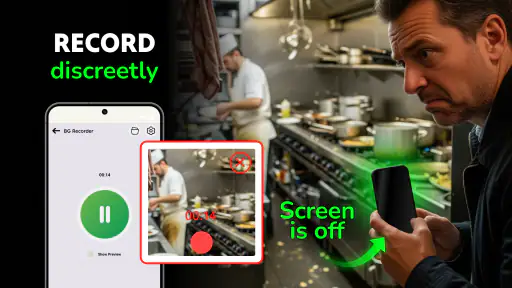
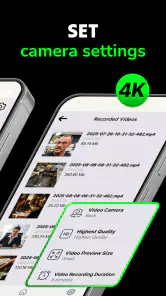
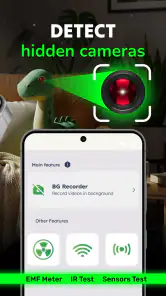
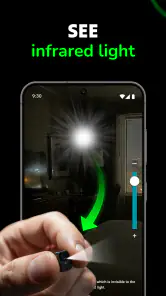
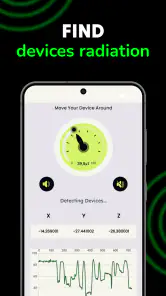
Analysis by Reviewed
When I first opened Detect Hidden Devices: DarkEye, I approached it as a practical tool rather than something I would leave running every day. Its purpose is straightforward: help you look for suspicious cameras or microphones with an Android phone, while also giving you a way to record video. That combination makes it interesting for hotel rooms, rented apartments, changing areas, offices, or any unfamiliar place where privacy matters.
My overall impression is that it is most useful as a first inspection step. It can encourage a careful visual check and give you another method to investigate a room, but I would not treat a phone-based detector as professional surveillance equipment. That distinction is important. The app can be convenient when you are already carrying your phone, yet its results still need common sense and physical inspection.
DarkEye is a free tools app from One Music Player, rated for Everyone. It has a 4.7 average from around 3.3 thousand ratings and has passed 100 thousand installs, which suggests that the idea has found a real audience. The current release is version 2.1.0, and it runs on Android 8.0 or later. Those details make it accessible to many older phones, although the quality of the experience will still depend heavily on the phone’s camera and sensors.
How I judged DarkEye before trusting it
The first question is what kind of privacy check you need
Before using the app, I would decide whether I am looking for a quick personal check or a dependable professional sweep. DarkEye belongs in the first group. It is convenient because the phone is already in your hand, and the app brings several privacy-related actions into one place. That is useful when you arrive at a hotel late at night and do not want to carry a separate detector.
However, convenience should not be confused with certainty. A hidden device may be switched off, placed outside the phone’s useful range, disguised among ordinary objects, or designed in a way that makes phone detection difficult. A positive indication can also require interpretation rather than immediate panic. I found the best mindset was to use the app to decide where to look more closely, not to let it make the entire decision for me.
What I would prepare before starting a scan
A good inspection begins with the room, not the screen. I would close curtains where possible, turn off unnecessary lights, and look at objects that have a clear view of the bed, desk, sofa, entrance, or bathroom area. Smoke detectors, alarm clocks, USB chargers, picture frames, air vents, and decorative electronics deserve attention because they are common places for small lenses to blend into the surroundings. The app is more helpful when I already know which objects need checking.
I also keep the phone steady and move slowly rather than waving it randomly. Slow movement makes it easier to notice a change in the app and to connect that change with a specific object. If I see something suspicious, I repeat the check from another angle and then inspect the object directly. This simple workflow is more reliable than accepting the first alert as proof.
The video function has a separate purpose
The ability to record video is useful, but I see it as a documentation feature rather than evidence that the detector itself is accurate. If I find an unusual device, damaged fixture, or questionable object, recording its position can help me remember what I saw and show the situation to a property manager or another trusted person. It can also document the condition of a room when I arrive.
That said, recording sensitive spaces creates its own privacy responsibility. I would avoid filming other guests, private conversations, or people who have not agreed to be recorded. The feature is most sensible when used deliberately: document a concern, stop recording, and keep the file secure. It should not turn a privacy inspection into unnecessary filming.
Why the phone itself matters
Two people can have different experiences with the same app because their phones are not identical. Camera quality, sensor availability, lens performance, battery condition, and software behavior all affect how comfortable the process feels. An older phone may still meet the Android requirement, but that does not guarantee the same practical results as a newer model.
I would also avoid running a long inspection with a nearly empty battery. A privacy check can involve repeated camera use and movement through a room, so keeping enough charge for a phone call is sensible. If I were traveling, I would inspect the room soon after arrival, before unpacking fully, and keep the phone available in case I needed to contact the accommodation provider.
Where DarkEye earns its place
It combines inspection and documentation in one familiar device
The strongest advantage is the low barrier to use. I do not need to learn a separate hardware device or remember to pack one. The app gives me a reason to examine a room carefully and lets me record relevant details with the same phone. For occasional travelers, that simplicity may matter more than having a specialized tool that stays at home.
There is also a practical benefit in having one repeatable routine. I can enter a room, inspect the obvious sightlines, check unusual electronics, use the app as an additional signal, and document anything that deserves follow-up. That routine is more valuable than pressing a button once and assuming the room is safe.
It suits cautious travelers and renters
I think DarkEye is a reasonable fit for people who stay in unfamiliar accommodation, rent short-term spaces, or work temporarily in offices and meeting rooms. It can also help someone who wants to record a suspicious object before touching it. In these situations, the app is not replacing an investigation; it is helping the user notice details and preserve a record.
A realistic example would be arriving at a rental apartment and noticing a small electronic object pointed toward the sleeping area. I would first photograph or record its location, check whether it belongs to the property, and avoid dismantling it. I would then use DarkEye as one part of the inspection, compare the result with what I can see physically, and contact the host or platform if the concern remains. The app adds structure to that process, but the judgment still belongs to me.
It is approachable for nontechnical users
People who would never buy a dedicated detector may still be willing to try a free app. That makes DarkEye useful as an entry point. The Everyone rating also makes it broadly approachable from an age-classification perspective, although younger users should still understand that privacy investigations can involve sensitive situations and should be handled with an adult when appropriate.
The app’s strong store reception is encouraging, but I would not use the rating as proof that every detection is correct. Ratings tell me that many users found value in the experience; they do not remove the need to understand the limits of phone sensors or the difference between an alert and confirmed surveillance.
Three habits that make the app more useful
- Inspect in stages: start with a visual sweep, then use the app on specific objects instead of scanning without a plan.
- Repeat suspicious results: approach from another direction, move nearby objects out of the way when appropriate, and check whether the same area remains noteworthy.
- Document before confronting: record the location and appearance of a concern before contacting a host, manager, or authority, while avoiding unnecessary footage of people.
These habits are not flashy features, but they are where I found the real value. A detector app is only as useful as the process around it. DarkEye works better when I treat it as an assistant for observation rather than an automatic verdict.
The free starting point lowers the risk of trying it
DarkEye is free to download, which makes it easy to test during a trip or before deciding whether a dedicated device is worth buying. There are in-app purchases ranging from $0.99 to $99.99 per item, so I would pay attention to any upgrade screen and avoid assuming that every capability is included at no cost. I would first establish whether the basic experience meets my needs before spending anything.
This pricing structure also changes the decision for occasional users. If I only want a quick check once or twice a year, the free entry point is appealing, but a high-priced purchase would need a clear practical benefit before I considered it. Someone who regularly handles privacy-sensitive locations may judge that differently.
Where another option may fit better
Dedicated hardware is the better choice for serious inspections
If I were responsible for checking offices, venues, rental properties, or high-risk locations regularly, I would look beyond a phone app. Dedicated radio-frequency or optical inspection equipment can be designed for a narrower purpose and may offer controls that a general smartphone cannot. I would still verify the capabilities of any device before buying it, but the category is more appropriate when the consequences of missing a device are high.
DarkEye is therefore not my first recommendation for professional investigators, security teams, or anyone who needs a documented technical sweep. In those cases, trained personnel, calibrated equipment, and a clear inspection procedure matter more than convenience. The app can still be a preliminary check, but it should not be the final layer of protection.
Manual inspection may be better for a simple concern
There are also moments when I would skip the app entirely. If I notice a camera-shaped lens in an obvious position, a cable leading to an unexplained object, or a fixture that has been physically altered, the priority is to document it safely and seek help. Spending time interpreting an app result could distract from a visible issue.
Manual inspection is also preferable when the phone is low on battery, when recording would expose other people’s privacy, or when the room is too crowded to move around safely. A flashlight, careful observation, and a phone camera used sparingly may be enough for a basic check. DarkEye adds value when it supports that process, not when it replaces it.
General camera and flashlight tools have a narrower role
A normal camera app can help me document objects, and a flashlight can reveal reflections or physical details. Those tools are familiar and do not require learning a dedicated interface. Their weakness is that they do not organize the privacy-checking task in the same focused way. DarkEye is more convenient when I want one app centered on hidden-device concerns and recording.
On the other hand, a general camera may be the better choice if my main goal is simply to record a room condition or photograph a suspicious fixture. I would not install a specialist tool merely to take a picture. The decision depends on whether I want an inspection aid or just documentation.
Privacy-conscious users should consider the trade-off
Anyone installing a detector app should think about the information involved in using it. A privacy tool can require access to phone functions that are central to scanning or recording, and I would review the permission prompts carefully before continuing. I would also avoid testing it in places where other people’s conversations, faces, or personal documents could be captured accidentally.
This is one of the less obvious trade-offs: an app intended to protect privacy can create new privacy risks if I use it carelessly. I keep recordings limited, review them afterward, and delete anything irrelevant. If I am uncomfortable with that balance, a manual inspection without recording may be the better approach.
Switching away from DarkEye is easy, but changing habits is not
There is little practical lock-in because the app is free to start and the core activity is based on a phone. If it does not suit me, I can return to manual inspection or consider dedicated equipment. The real cost of switching is learning a new procedure and deciding which level of confidence I need.
That is why I would not compare DarkEye only with other apps. The meaningful comparison is between convenience, confidence, and cost. A phone app is quick and accessible; manual checking is simple but depends more on attention; dedicated equipment can be more appropriate for serious work but requires a larger commitment. DarkEye occupies the middle ground as an accessible first layer.
Who should skip it
I would skip DarkEye if I need legally defensible findings, professional-grade detection, or a guarantee that a room contains no recording equipment. I would also avoid relying on it if I am unwilling to inspect objects physically or follow up on suspicious results. The app cannot make a difficult privacy decision disappear.
It may also be unnecessary for someone who rarely enters unfamiliar spaces and has no specific concern. Installing it out of general anxiety could encourage overinterpreting normal electronics or reflections. A calm, evidence-based inspection is more useful than repeatedly scanning every room without a reason.
My recommendation after using it as a decision tool
I recommend DarkEye to travelers, renters, and cautious users who want a convenient first step for checking unfamiliar rooms. Its free availability, support for Android 8.0 and later, and combination of detection-oriented tools with video recording make it easy to try. I especially like it when the goal is to create a repeatable inspection routine rather than chase a single dramatic alert.
My recommendation comes with a firm condition: use DarkEye as supporting evidence, never as a guarantee of privacy. Check the room visually, repeat anything suspicious, document responsibly, and contact the appropriate person when a concern remains. That approach protects you from both false reassurance and unnecessary panic.
The app is less convincing as a replacement for professional equipment. If the location is highly sensitive or the consequences of missing a device are serious, I would spend the effort on a qualified inspection instead. DarkEye can still be useful before that inspection, but I would not let its presence determine whether a room is safe.
For everyday use, though, it fills a sensible gap. Many people will not carry specialized hardware, yet they may want a little more structure than a quick glance around the room. DarkEye gives the phone a focused role in that process and keeps recording close at hand when documentation matters.
My final view is that One Music Player has made a practical, approachable tools app for occasional privacy checks. The 4.7 average and more than 100 thousand installs show that it resonates with users, while the free starting point makes experimentation simple. I would install it for travel or temporary accommodation, keep my expectations realistic, and pair it with careful observation. For that specific use, it is worth having; for professional certainty, I would choose a different category of solution.
Pros
- Quick scans can reveal suspicious cameras
- microphones
- or Bluetooth devices.
- Simple interface makes the main detection tools easy for beginners to use.
- Useful for checking hotel rooms
- rentals
- offices
- and other unfamiliar spaces.
- Provides several scanning methods instead of relying on one detection approach.
- Portable privacy check that can be used without carrying separate hardware.
Cons
- Phone sensors cannot reliably detect every hidden device or surveillance method.
- Results may include false positives from ordinary electronics and nearby metal objects.
- Some features or detailed results may require payment or in-app purchases.
- Detection quality depends heavily on your phone model and available sensors.
- A scan cannot guarantee that a room is completely free of hidden devices.

- Category
- Tools
- Version
- 2.1.0











