Cut and Paste Photo Editor
- 1.57K
- 4.5
- Installs
- 10.00M
- Price
- Free

Screenshots



Analysis by Reviewed
Ever found yourself scrolling through your photo gallery, wishing you could mix and match elements from different pics to create something truly unique? Well, that's exactly what the Cut and Paste Photo Editor app allows you to do! I’ve been playing around with this app for a while, and I’m here to spill the beans on all the fun and frustration it brings.
Unleashing Creativity with Ease
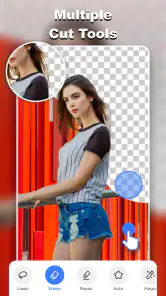
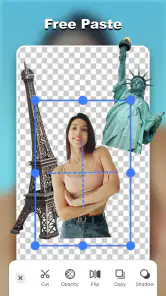
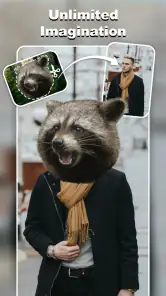
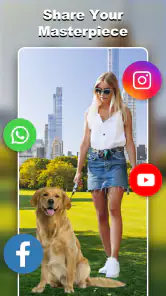
First off, let’s talk about how incredibly easy it is to use this app. The interface is super intuitive, so even if you're not a tech-savvy person, you’ll find it straightforward to navigate. You just select the photo you want to edit, cut out the part you’re interested in, and paste it onto another image. It’s as simple as that! There’s even a handy tutorial when you first open the app, which is a nice touch for beginners.
Features That Stand Out
What really sets the Cut and Paste Photo Editor apart are its editing tools. The app offers a wide variety of options for resizing, rotating, and flipping images. You can adjust the brightness and contrast, and there are filters galore to choose from. My personal favorite is the background eraser tool, which is surprisingly accurate. You can also add text and stickers, giving your photos that extra bit of flair.
Another cool feature is the app’s ability to handle multiple layers. This means you can keep adding different elements to your photo without losing any of the details. Plus, the undo button is a lifesaver, especially when you’re experimenting with new ideas.
Where It Could Improve
While the app is packed with features, it’s not without its flaws. The free version is pretty generous, but the ads can be a bit intrusive. They tend to pop up at the most inconvenient times, which can be slightly annoying when you're in the middle of a creative flow.
Moreover, while the app does a decent job with most cutouts, there are times when the edges aren’t as smooth as I’d like them to be. A little patience and some manual adjustments usually do the trick, but a more sophisticated auto-correction feature would be a welcome addition.
Final Thoughts
All in all, the Cut and Paste Photo Editor is a fantastic tool for anyone looking to get creative with their photos. Whether you're a casual user wanting to jazz up your social media posts or someone with more advanced needs, this app has something to offer. It’s easy to use, full of features, and most importantly, it makes photo editing fun. Just watch out for those pesky ads and be prepared to do a bit of manual tweaking every now and then. Happy editing!
Pros
- Easy to use interface.
- Offers a wide range of editing tools.
- Supports high-resolution images.
- Allows background removal.
- Includes fun stickers and filters.
Cons
- Contains ads that can be intrusive.
- Requires in-app purchases for some features.
- Occasional app crashes reported.
- Limited free templates available.
- Consumes a lot of device memory.

- Category
- Photography
- Version
- 1.9.2











