- 83.00
- 4.0
- Installs
- 1.00M
- Price
- Free

Screenshots

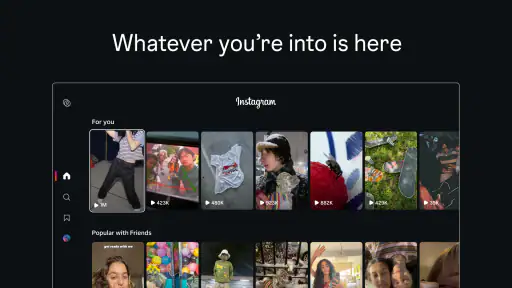

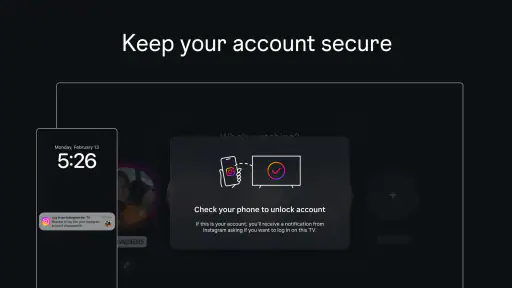
Analysis by Reviewed
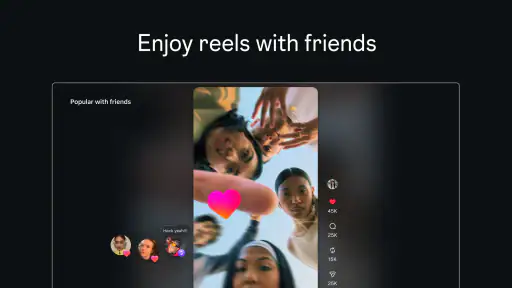
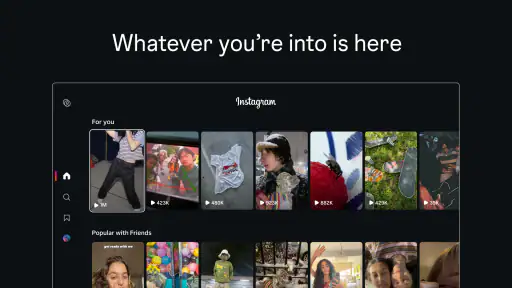
I think of Instagram as a place people open to share moments, catch up with friends and follow creators—not simply as a feed to scroll when time is free. This app gives that familiar social experience a new setting: Reels can be watched on a TV, making short videos something people can gather around rather than view alone on a phone. That shift sounds small, but it changes the social rhythm. A clip can become a shared conversation starter, while the larger screen can also make it easier to keep watching longer than intended.
From quick check-ins to shared viewing
I find the move from private phone browsing to watching Reels together most useful when the group has a reason to share the screen, rather than simply needing background entertainment. In this section, I look at how a few intentional choices can make that shift feel more like a conversation and less like an open-ended scroll.
When a phone feed moves into the room
The most interesting idea behind Instagram here is not just putting video on a different screen. It is changing who is present when you watch. On a phone, Reels usually fit into little gaps: waiting for a message, taking a break, or sitting on the bus. On a TV, watching can become a deliberate group activity. I can imagine a family or a couple trading the remote and showing one another creators they already follow, instead of passing a phone around.
That is a useful fit for people whose social life already includes sharing funny clips, recipes, music, or travel ideas. The TV gives everyone a chance to see the same thing at once, so reactions happen in the room rather than in a private message afterward. It can make casual viewing feel more communal. But it is still a stream of short videos, not a carefully arranged film night, so I would treat it as a flexible social extra rather than a replacement for longer-form entertainment.
The app is a social product from Instagram, and its central appeal remains the people and creators a user chooses to follow. The TV angle works best when there is already a reason to watch together: perhaps a friend has sent a clip, or someone wants to introduce a creator they enjoy. Without that shared interest, a large screen may simply magnify a feed that each person would rather browse privately.
How it fits into everyday conversation
In ordinary use, social apps are often less about having one complete conversation and more about maintaining a thread of small exchanges. A Reel can prompt a quick laugh, a question, or a “you would like this” message. Watching in a group changes that exchange: instead of sending a clip and waiting for a reply, people can respond immediately. That can be warmer and more spontaneous, especially when everyone is in the same room.
A practical way to make that work is to give the viewing a purpose. For example, when friends are deciding what to cook, someone can bring up a food creator and the group can talk through the idea together. Or, during a quiet evening, each person can take a turn choosing a clip rather than letting the feed run without discussion. The small act of taking turns helps keep the experience social instead of turning everyone into silent viewers.
More From Our News Desk

Weather by Xiaomi Review: Clear at a Glance, Less Clear Up Close

X Under Pressure: Can It Recover When Posting Goes Wrong?

Clash of Clans Is Won Between the Battles

Android Auto Makes the Case for Quieter Car Software

MobiOffice: Transforming Mobile Productivity with Seamless Integration

EA SPORTS FC™ Mobile Soccer: Redefining Mobile Sports Gaming
There is a trade-off, though. On a phone, it is easy to switch from watching to typing or sending something privately. A TV is less suited to those quick, personal actions, and some social exchanges are better kept one-to-one. If your main reason for opening Instagram is to message friends or respond discreetly, the phone remains the more natural place to do it. The TV experience is strongest when the point is sharing what is on screen, not managing every part of a conversation.
The attention cost of short videos
Reels make it easy to move from one clip to another, and that convenience can blur the line between a brief break and a long session. The TV setting adds another wrinkle: a video shown to a room can hold everyone’s attention, even when nobody set out to spend much time watching. I would be intentional about starting with a reason—catching up on a few creators or sharing a particular kind of clip—rather than treating the feed as background that will somehow stop on its own.
One useful habit is to make the end point social as well as personal. If you are watching with someone, agree to stop after each person has shown a clip or two, then switch back to whatever you were doing. That avoids the awkward situation where one person wants to leave but the feed keeps offering another video. It also gives the conversation room to continue without the screen competing with it.
Short videos can be excellent for discovery, but they are not always the clearest way to learn something. A creator may demonstrate a recipe or explain an idea in a lively, compressed format, yet the pace can make details easy to miss. I would use a Reel to find a topic or spark interest, then look for a more complete explanation when accuracy or step-by-step guidance matters. That distinction keeps entertaining clips from being mistaken for a full answer.
Choosing boundaries that feel comfortable
Social viewing is not automatically better just because it happens together. Some people enjoy showing their interests; others prefer to keep their feed personal. On a shared TV, the clips that appear can reveal what someone follows or finds amusing, so it is worth asking before turning an individual browsing habit into a group activity. For a relaxed household, that openness may be part of the fun. For guests or mixed-age company, it is sensible to choose what to show rather than hand over an unrestricted browsing session.
Parents should also consider the app’s Teen content rating when deciding whether it suits a young person in their household. That label is a useful starting point, not a substitute for a family’s own expectations about social media and video viewing. I would talk through what is comfortable to watch together and make clear that a TV session is not a reason to expose someone else’s account or personal feed without their consent.
Another boundary is simply being present. A shared screen can bring people together, but it can also take over a room if the videos keep playing while conversation fades. I find it works better as a deliberate activity than as constant background noise. If people have stopped reacting or talking, that is a good cue to pause and return to the room.
Practical details and who should try it
The app is free, has a Teen age rating, and is currently at version 63.0.0.2.110, with a minimum operating system requirement of 7.1. Its average rating is 4.0 from around 1,000 ratings, and it has more than a million installs. Those figures suggest a well-used social app, but they do not tell me whether the TV-centered experience will suit a particular household; that depends more on whether the people around the screen enjoy short-form video together.
I would recommend trying it if you already use Instagram and often share Reels with people nearby. It is also a natural option for someone who wants to introduce friends to creators without making everyone crowd around one small display. The clearest benefit is shared viewing, not a better way to handle private communication. If your priority is messaging, longer videos, or a more controlled viewing session, a chat app, a conventional video service, or simply the phone version may be a better fit.
Compared with other social apps, Instagram’s appeal is the connection between creator-following and everyday sharing. A messaging app is usually more direct for keeping up with a friend, while a video platform built around longer material is better when you want a complete program or a structured tutorial. Reels sit between those uses: quick, personal, and easy to pass around. The TV makes that format more collective, but does not turn it into a substitute for either private chat or long-form viewing.
My verdict on the change in rhythm
I see the TV option as a thoughtful extension for a specific kind of social moment. It can turn clips that would otherwise be watched alone into an easy shared activity, and it gives friends or family a natural reason to talk about what they are seeing. The best results come when someone chooses the viewing intentionally, invites others into it, and is willing to stop when the conversation has run its course.
The drawback is the same one that comes with any endless stream of short videos: it can absorb attention without offering a clear stopping point. On a larger screen, that can affect everyone in the room, not just the person holding a phone. If you want a social app that helps you stay in touch privately, this is not the feature to rely on. If you already enjoy Reels and want to share them more comfortably, Instagram makes that habit easier to bring into a common space. I would use it as a prompt for connection, not as a replacement for the connection itself.
A smoother way to bring clips into a group
For a casual gathering, I would use the TV as a shared destination for clips already chosen by the people in the room, rather than expect everyone to browse freely for something suitable. A person can suggest a creator or topic, then the group can decide whether to keep watching or move on. This simple approach reduces the pressure to find a universally funny video and makes it easier for quieter guests to take part without having to hand over their phone.
It also helps to separate discovery from decision-making. A Reel can give you a quick look at a recipe, a place, or a creative idea, but the group should agree on what to do with that inspiration afterward. If you are choosing dinner, for instance, save the actual planning for conversation instead of letting more clips take over. In my experience, the most useful shared viewing leaves people with something to discuss or try, rather than a vague sense that they have watched a lot.
When another kind of app makes more sense
The best alternative depends on what you want the screen to accomplish. If the goal is a direct exchange with one person, a messaging app keeps the conversation focused and private. If everyone wants to follow a story, watch a complete performance, or learn a process in detail, a service built around longer videos is usually a better match. Instagram’s strength is the lightweight social discovery that comes from following people and passing around short clips; it is less convincing when the group needs a beginning, middle, and end.
I would also skip the TV-centered use if you are the only person interested in Reels or if the room is already trying to talk through something important. A large screen can make a quick clip feel like the default activity, even when people would rather listen to music, chat, or choose a film. The app is most worthwhile when the format fits the moment, not when every spare pause needs to be filled.
Small choices that protect the conversation
A useful rule is to decide who is choosing the next clip before the first one starts. Taking turns gives everyone a fair chance to shape the session and avoids one person becoming the permanent curator. If a video leads to a story or a question, pause there; letting the conversation breathe is often more rewarding than immediately moving to another recommendation.
There is also a difference between sharing a clip and sharing an account’s whole viewing context. I would select what I intend to show rather than assume that a personal feed is suitable for a mixed group. That is especially considerate when guests are present, or when younger viewers may be watching. These small decisions do not remove the feed’s tendency to keep offering more, but they make the shared experience feel chosen rather than automatic.
Release context and practical expectations
Instagram was released on January 27, 2026, and the current version is 63.0.0.2.110. It is developed by Instagram and belongs to the social-app category, with more than a million installs. I would treat those details as context rather than a promise that every household will use the TV experience in the same way: the feature’s value depends on whether the people around the screen already enjoy sharing short videos.
One reasonable question is whether this can replace Instagram on a phone. I would not approach it that way. The TV is better suited to watching together, while a phone remains more comfortable for private replies and personal browsing. Another is whether the app suits younger viewers; its Teen rating gives families a useful signal, but parents still need to set expectations that fit their own household. And if you are looking for a structured evening of entertainment, I would choose a service designed for longer viewing instead of expecting a Reel feed to provide that shape.
Overall, I would try this as an occasional way to make a familiar social habit more communal, especially with friends or family who already exchange clips. It is not a universal improvement over phone viewing, and it does not solve the attention problem built into a stream of quick videos. But used with a little intention—choosing what to share, taking turns, and stopping when the room has moved on—it can turn a scroll into a real conversation without pretending that the screen is the point.
Instagram Frequently Asked Questions
What is Instagram, and what can you do with it?
Instagram is a social networking app for sharing photos and videos, following people and organizations, and discovering posts selected around your interests. You can publish content to your profile, share temporary Stories, create or watch Reels, and exchange messages. Features and availability may change over time, and the app can feel different depending on whom you follow and how you use its discovery tools.
Is Instagram free to download and use?
Instagram is generally free to download and use on supported Android and iOS devices. Some features may require an account, and you will need an internet connection to browse or share most content. The app may display advertisements, while certain optional services or creator offerings can involve payments. Check the current app-store listing and Instagram’s terms in your region for up-to-date details before installing.
Do I need an account to use Instagram?
An Instagram account is typically needed to use the app’s main interactive features, such as following accounts, liking or commenting on posts, publishing content, and sending messages. Some public profiles or posts may be viewable without signing in through a web browser, but access can be limited and may vary. During registration, review the information requested and choose privacy settings that suit you.
How can I make my Instagram account more private and secure?
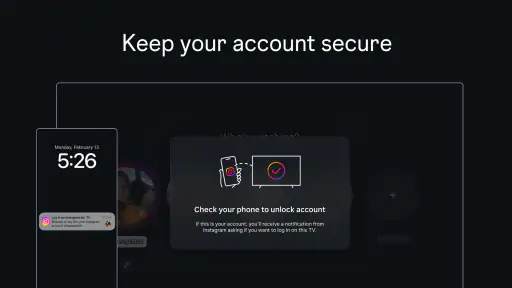
Instagram offers controls that can help you manage who sees and interacts with your content. You can set an account to private, review and remove followers, restrict or block accounts, control message requests, and adjust comment and tagging options. Enable two-factor authentication where available, use a unique password, and be cautious with suspicious links or requests. Menu names and settings may change as the app is updated.
What should I know about Instagram’s content, ads, and screen time?
Instagram includes posts and recommendations from accounts you follow as well as suggested content, and advertisements may appear in your feed or other areas. Recommendations can be adjusted in some ways, but the experience is personalized and may include material you did not seek out. If you want to manage your use, check the app’s activity or time-management tools, and use content controls and reporting options when something is unwanted.
Pros
- Easy to share photos
- videos
- Stories
- and Reels in one place.
- Direct messages make it simple to chat and share posts privately.
- Explore helps surface accounts and content based on your interests.
- Built-in editing tools and filters make quick post adjustments easy.
- Close Friends lets you share Stories with a selected audience.
Cons
- The feed can feel overwhelming
- especially with suggested posts and ads.
- Heavy video use can consume significant mobile data.
- Public profiles may attract spam
- unwanted messages
- or impersonators.
- Frequent notifications can be distracting unless carefully managed.
- Some features and shopping options vary by region or account.
- Category
- Social
- Version
- 63.0.0.2.110













