Cleaner - Clean Phone & VPN
- 14.23K
- 4.6
- Installs
- 10.00M
- Price
- Free

Screenshots


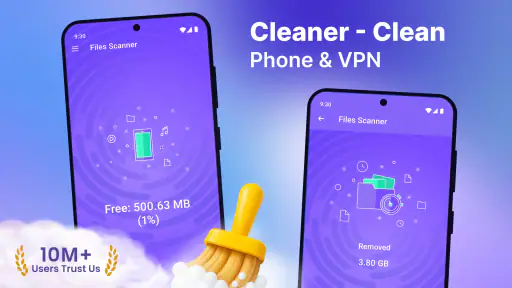
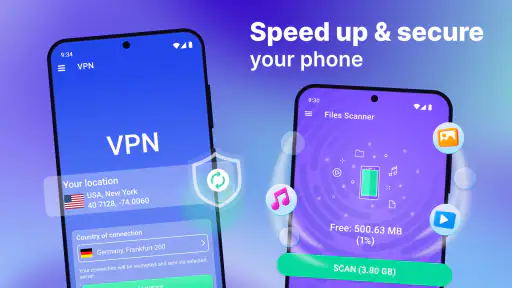
Analysis by Reviewed
I spent time with Cleaner - Clean Phone & VPN as a practical Android utility rather than treating it like a magic button for making an old phone new again. Its appeal is easy to understand: it brings phone cleaning, file management, and VPN access into one place. That combination can be convenient when storage is getting crowded or when I want a simpler way to inspect files without jumping between several tools.
What makes the app worth considering is its broad purpose. It is a free Tools app from TarrySoft, rated for Everyone, and it runs on Android 8.0 or later. The app has reached over ten million installs, with an average rating of 4.6 from around 425 thousand ratings. Those figures suggest that many Android users find the general package useful, but they do not remove the need to check what the cleaning suggestions actually contain before deleting anything.
How Cleaner fits into everyday phone maintenance
The first thing I noticed about this kind of app is that its usefulness depends less on dramatic performance claims and more on whether it helps me make sensible decisions. A cleaner is most helpful when it reveals forgotten downloads, duplicate-looking files, large videos, or leftover items that I can recognize. It is less helpful when it encourages indiscriminate deletion simply because a category sounds unnecessary.
Cleaner - Clean Phone & VPN is aimed at people who want one dashboard for several maintenance tasks. Instead of opening the system storage screen, a separate file manager, and another privacy tool, I can begin from the same app and decide what deserves attention. That is the central convenience, and it is also the main reason to choose it over relying entirely on Android’s built-in tools.
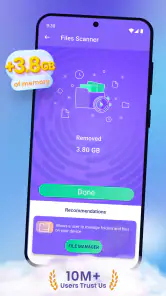
In my experience, the best workflow is not to press a cleaning command immediately. I would first scan, sort the results mentally into familiar and unfamiliar items, and then remove only things I can identify. A folder full of old screenshots is easy to judge. A vaguely named file connected to an app I still use is not. This cautious approach makes the app more useful because it turns the scan into an inspection step rather than an automatic purge.
Cleaning is most useful when storage is genuinely messy
A realistic example is a phone used for messaging, photos, and occasional downloads. After several months, the storage may contain forwarded images, exported videos, documents saved for a single trip, and screenshots that were never needed again. The app can be valuable here because it gives me a reason to review those groups together instead of waiting for the phone to become nearly full.
There is an important distinction between freeing space and improving speed. Removing unneeded files can make room for new photos or system updates, but it does not guarantee that every phone will suddenly feel faster. I would judge Cleaner mainly by how clearly it helps me locate removable content, not by expecting a permanent performance transformation after one tap.
Another non-obvious benefit is routine maintenance. A short review every few weeks is safer than a frantic cleanup when storage warnings appear. I can check large media first, then downloads, then files whose purpose I remember. That order reduces the chance of deleting something important and makes the tool feel like a filing aid rather than an emergency repair kit.
The file manager matters more than the cleaner label
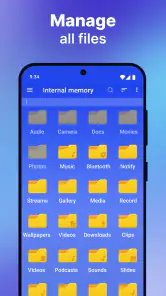
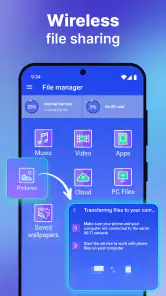
The file-management side is potentially the most practical part for users who dislike Android’s scattered storage experience. A cleaner can identify clutter, but a file manager helps me understand where that clutter lives and whether I still need it. That distinction matters when I am moving documents, checking an attachment, or looking for a file created by another app.
I would use this feature for simple jobs: finding a downloaded PDF, checking a video before deleting it, or reviewing a folder after transferring photos. I would not treat it as a replacement for a dedicated desktop-style file management system if I needed advanced automation, detailed synchronization, or professional archive handling. Cleaner is better suited to everyday phone organization than to complex document workflows.
A useful habit is to open a file before removing it whenever its name is unclear. Thumbnails and familiar locations can be misleading, especially with images that look similar. The app may make selection easier, but the final responsibility still belongs to me. That is one of the trade-offs of combining convenience with broad access to personal files.
VPN access adds convenience, but it changes the decision
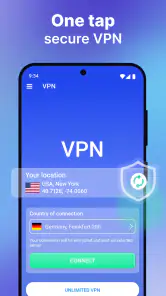
The VPN component makes the app broader than a normal storage utility. For someone who only wants to remove old downloads, it may feel like an extra feature rather than a reason to install the app. For someone who wants cleaning and a basic privacy-oriented connection option in one application, the combination is more appealing.
I would think of the VPN as a separate decision from cleaning. A person may be happy with the file tools but have different expectations for network privacy, connection behavior, or location options. Those details should be checked inside the app before relying on it for a particular travel, work, or public-network situation. The presence of a VPN label alone is not enough for me to assume it matches a specialized VPN service.
This separation also helps with troubleshooting. If file scanning is useful but the VPN does not suit my needs, I can continue using the storage tools without pretending that every part of the package has equal value. Conversely, someone who already has a trusted VPN may see little benefit in installing another app for that function.
What the free access actually means
Cleaner - Clean Phone & VPN is free to install and use as a starting point, which makes it easy to test without committing money first. That is important for this category because the value depends heavily on personal storage habits. A phone with plenty of free space and an organized file system may not gain much from a cleaner, while a phone filled with forgotten media may benefit immediately.
The app also includes in-app purchases ranging from $0.99 to $99.99 per item. I would therefore treat the free access as an opportunity to evaluate the workflow, not as proof that every capability or convenience is permanently available without payment. Before buying anything, I would check which feature the purchase unlocks, whether it changes the cleaning process I actually need, and whether the benefit is recurring or simply cosmetic.
Because the available purchase range is wide, the expensive end deserves particular caution. I would not pay based only on a promise of a cleaner phone. The sensible test is whether the free experience identifies useful files clearly and whether the paid option solves a specific annoyance that I repeatedly encounter. If it does not, staying with the free access or using Android’s own storage controls is the better value.
Where it beats the usual alternatives
Android already provides built-in storage settings, and many phones include a manufacturer file browser. Those options are often enough for users who only need to check available space or remove a few obvious downloads. Their advantage is familiarity and direct integration with the operating system.
Cleaner’s advantage is the attempt to gather several jobs in one interface. I do not have to remember which system screen contains storage categories and which separate app handles file browsing or VPN access. That convenience is meaningful for casual users, family members who want a simpler maintenance routine, or anyone who prefers a single starting point.
On the other hand, a dedicated file manager may be preferable when I need clearer folder navigation and more control. A specialist VPN may be preferable when network privacy is my main concern. Android’s native tools may be preferable when I want the smallest possible setup and do not need extra scanning. Cleaner sits between these choices: broader than a basic storage screen, but not automatically the best specialist tool for every individual task.
The app’s current version is 2.6.26.2, and it was released on December 20, 2019. For me, the practical question is not the age of the original release but whether the current experience behaves reliably on my device and Android version. Since it supports Android 8.0 and newer, compatibility is reasonably broad, but I would still test the exact functions I care about before making it part of my regular routine.
Small habits that prevent the biggest mistakes
My first tip is to start with large, recognizable media rather than obscure cache-like categories. A long video or an old exported file is easier to evaluate than a technical entry whose purpose is unclear. This produces a visible storage benefit while keeping the risk low.
My second tip is to review messaging folders separately from personal photographs. Forwarded images and received videos can look disposable, but they may include information I want to keep. I would open a sample from each group and identify the source before selecting a larger batch.
My third tip is to use the file manager as a verification step. If the cleaner reports a group of files, I would inspect their location and names before deletion. This is especially useful after moving files between folders, because duplicates can be real backups rather than accidental clutter.
My fourth tip is to avoid making a cleanup session and a VPN session part of the same rushed task. I would finish reviewing storage, close that mental task, and then decide whether the VPN is appropriate for what I am doing online. Keeping those purposes separate makes it easier to judge whether each feature is helping.
Who will get the most value
I think the app is a good fit for Android users who regularly lose track of downloaded files, want a guided way to review storage, and appreciate having a file manager alongside cleaning tools. It is also suitable for someone who wants to try a free utility before deciding whether a broader package is worth paying for.
It can be particularly useful on a shared or family phone where storage habits are inconsistent. A visual review can help explain why space disappears without requiring the user to understand every Android folder. The Everyone age rating also makes the app approachable for a broad audience, although adults should still guide less experienced users through deletion decisions.
I would be more hesitant to recommend it to a person who already has an excellent file manager and a VPN they trust. In that case, the combined package may duplicate tools rather than simplify life. I would also skip it if I am uncomfortable reviewing personal files through a third-party utility or if I expect a cleaner to repair every performance issue automatically.
People with professional storage needs should look elsewhere as well. If I need precise synchronization, elaborate folder rules, or a VPN selected for advanced network requirements, separate specialist applications are likely to provide clearer control. Cleaner is built around convenience, and convenience sometimes means fewer detailed choices.
My verdict on installing or paying
My overall view is positive but measured. Cleaner - Clean Phone & VPN is a useful all-in-one Android tool for ordinary storage housekeeping, especially when I want cleaning suggestions and file browsing in the same place. Its free entry point makes testing straightforward, while the VPN gives the package an extra use beyond storage.
The best value comes from using it as a careful inspection tool, not as an automatic delete button. If it helps me find large, familiar, unnecessary files, it earns its place. If my phone is already organized, the built-in Android tools may be enough. If privacy networking or advanced file control is my priority, a dedicated alternative may be a better choice.
I would install it for a trial cleanup, review the results slowly, and keep only the features that solve a real problem. I would not purchase an in-app item until I understood exactly what it adds and knew that the free experience had already proved useful. For the right user, that makes Cleaner - Clean Phone & VPN a convenient maintenance companion; for everyone else, it is reasonable to skip the extra layer and use focused tools instead.
Pros
- Quickly identifies large
- duplicate
- and unnecessary files.
- Includes a VPN feature for safer browsing on public networks.
- Simple interface makes storage cleanup easy for beginners.
- Helps free space without requiring advanced Android knowledge.
- Useful battery and device-management tools in one app.
Cons
- VPN performance and available locations may vary by subscription.
- Some cleanup recommendations may require manual review first.
- Frequent ads or upgrade prompts can interrupt the free experience.
- Automatic cleaning features may be limited without premium access.
- Privacy-sensitive users should review permissions before enabling all tools.

- Category
- Tools
- Version
- 2.6.26.2











