Cast Phone to TV, Chromecast
- 787.00
- 3.9
- Installs
- 10.00M
- Price
- Free

Screenshots
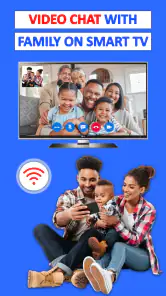



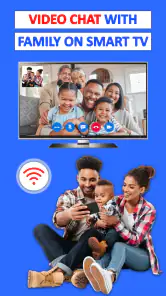

Analysis by Reviewed
I judge a casting app less by the promise of a big-screen picture than by what happens between tapping “cast” and settling in: whether the TV appears, whether the phone stays useful, and what I can do when the connection gets awkward. Cast Phone to TV, Chromecast is aimed at that everyday bridge between a phone and a television, and it makes the most sense for people who want a straightforward way to share what is already on their handset.
What to expect from the connection
The first useful distinction is between sending supported media to a TV and mirroring the whole phone screen. Those are different ways to watch: media casting can leave the phone available for other tasks, while mirroring shows the phone’s display and can make notifications or accidental taps visible to everyone. I’d choose the method to suit the moment, rather than mirror by default.
For a casual session, such as pulling up a clip to show someone across the room, the app’s simple setup is appealing. For a film night, I’d check that the television appears and start playback a little before everyone settles down. That small test helps separate an app setup issue from a slow network or a TV that is not ready to receive a cast.
When the room gets busy
A realistic use is sharing a set of holiday photos with family: the person holding the phone can move through pictures while everyone else watches on the TV. For a work presentation, screen mirroring can be handy for walking through material already open on the handset, but I would first silence notifications and confirm the display is legible from a distance. Mirroring is less forgiving than sending a video, because the whole phone interface becomes part of the presentation.
Network conditions matter more as a session gets longer or more demanding. If playback stutters, I would first check that both devices remain on the same Wi-Fi network and reduce other heavy network activity before repeatedly reconnecting. A phone that is also streaming, downloading, or running several demanding apps may have less room to spare; closing unneeded activity is a sensible troubleshooting step, not a guarantee of smoother casting.
Recovery and practical limits
If the TV disappears from the device list, I’d verify the shared network, reopen the casting screen, and give the devices a moment to rediscover one another. If that fails, reconnecting the TV to Wi-Fi or restarting the casting session is a reasonable next step. A connection that drops repeatedly can be frustrating, and no casting app can make an unreliable home network dependable.
Compatibility is another reason to keep expectations practical. “Cast” can mean different things across televisions and streaming devices, so I would confirm that the TV or receiver can be found before planning an important presentation around it. When a television’s own casting option or a streaming device’s built-in controls already work well, using those may be simpler. This app is more useful when you want a phone-based route to a compatible screen, not when you need a guaranteed solution for every TV.
You May Like

Clash of Clans Is Won Between the Battles

Android Auto Makes the Case for Quieter Car Software

MobiOffice: Transforming Mobile Productivity with Seamless Integration

EA SPORTS FC™ Mobile Soccer: Redefining Mobile Sports Gaming

How Microsoft OneDrive Became a Mobile Productivity Giant

How Google Translate Breaks Language Barriers Effortlessly
Setting Up and Getting Started
First off, setting it up was a breeze! I mean, I’m not the most tech-savvy person in the room, but the app made it super easy. Once you have the app downloaded, you just need to ensure your phone and TV are connected to the same Wi-Fi network. Open the app, and voila! The app detects available devices for casting in a jiffy.
Features That Stand Out
Now, let me tell you about the features that really caught my eye. Cast Phone to TV, Chromecast supports a wide range of formats, which means you can cast almost anything you want without worrying about compatibility issues. The app also allows you to control the playback from your phone, so you can pause, play, or skip to the next episode without having to leave your cozy spot on the couch.
What’s even cooler is the app’s ability to mirror your phone screen. So whether you’re showing off your vacation photos, giving a presentation, or streaming a live event, everything is mirrored beautifully. And trust me, the quality is top-notch. No lagging, no buffering, just seamless streaming.
Everyday Use and Functionality
In everyday use, the app is quite reliable. I’ve used it to stream movies during family nights, and it worked flawlessly. The app doesn’t bombard you with ads, which is a huge plus in my book. It’s simple, effective, and does exactly what it promises.
Another thing I loved was how the app maintained the aspect ratio of the videos. You know how sometimes when you cast, the videos end up looking stretched or squished? Yeah, none of that here. It maintains the original quality, making the viewing experience just perfect.
Who it suits, and the trade-offs
I’d recommend it to someone who wants to share phone content in a living room without learning a complicated setup, especially for casual viewing, photos, or a quick demonstration. If your main goal is watching a particular streaming service, its own app on the TV is often the better first choice: it avoids making the phone the middleman and can be easier to control. For a presentation with confidential material, I’d also prefer a setup that gives me more control over notifications and what appears onscreen.
One useful habit is to test the exact kind of content you plan to show. A video that casts cleanly does not automatically prove that every app, file, or live feed will behave the same way. Likewise, screen mirroring is convenient, but it keeps the phone’s display active and can make battery use more noticeable during a long session. I would keep the phone charged for extended viewing and avoid treating a quick successful test as a guarantee for every format or network condition.
This is a free business app from Generation z apps, with optional in-app purchases priced from $9.99 to $39.99 per item. It is rated for Everyone, has a 3.9 average from around 48,000 ratings, and has passed 10 million installs. Version 1.4.10 supports Android 7.0 and newer. Those figures suggest a widely used option, but they do not remove the practical need to check that your own TV and network cooperate.
Planning a smoother session
I get the best results when I treat casting as a small setup task rather than something to figure out while people are waiting. Before guests arrive, I would open the app, check that the intended screen is discoverable, and try a harmless image or short clip. That confirms the basic path without putting private messages or a work file on the television. It is a particularly useful routine in a shared home, where a phone may have connected to a different Wi-Fi network than the TV.
For a photo slideshow, I would also decide in advance whether to mirror the phone or send the pictures as supported media. Mirroring makes it easy to move between albums, but it can expose the status bar, incoming alerts, and any accidental swipe. Preparing the photos in one album and enabling a quiet mode before connecting keeps the handoff tidier. It is a small privacy and presentation improvement, not a way to change how the app itself connects.
During a longer viewing session, I would leave the phone somewhere with a reliable Wi-Fi signal and avoid switching networks midway through. If the connection pauses, give it a moment before tapping repeatedly; multiple attempts can make it harder to tell whether the receiver is still responding or a fresh session is needed. A quick check of the TV’s input and network state can be more useful than restarting the phone immediately.
How it compares with familiar options
The main alternative is often not another app but the TV’s own streaming apps or the built-in casting controls on a streaming device. Those are usually preferable when I want to watch a service for an entire evening, because playback can be managed directly on the television instead of depending on the phone as the source. The phone app has a different advantage: it can make material already on the handset easier to show, especially photos, a browser view, or a quick walkthrough that does not have a convenient TV app.
Compared with plugging in a cable or adapter, wireless casting is less cluttered and makes it easier to move around the room. A wired connection can be the safer choice when a presentation must start on time or when the Wi-Fi is congested, though it requires compatible hardware and a cable setup. I see this app as a convenient middle ground for informal sharing, not a replacement for every television’s native features or a dependable wired presentation system.
There is also a practical difference between casting a video and mirroring the screen. If supported media can be sent directly, the phone may remain free for other tasks; mirroring is more flexible for showing an app that has no cast control, but every visible phone action becomes part of the display. I would choose based on what I need to show and how much control I want to retain, rather than assuming one mode is always faster or better.
Where it may not be the right fit
I would skip this approach if a household needs a connection that works identically across a mix of older and newer televisions without checking compatibility. The same goes for a high-stakes meeting where a notification, a discovery delay, or a flaky network would interrupt the presentation. In those cases, a tested room system, the TV’s own controls, or a wired connection is a more sensible choice than relying on a phone app at the last minute.
It is also not my first choice when the content is protected or available only through a service that expects playback inside its own television app. The useful test is straightforward: try the particular service or file before planning around it. A successful connection tells me the devices can see each other; it does not promise that every source will display or behave the same way. That distinction prevents a common disappointment when a general casting tool is treated as a universal workaround.
Because the app is free to install but offers paid in-app items, I would explore the basic workflow before considering any purchase. The important decision is whether it finds your screen consistently and handles the content you actually want to share. I would not pay simply on the assumption that an optional purchase can solve a TV compatibility or home-network problem.
Final Thoughts
All in all, if you’re someone who loves convenience and quality viewing experiences, Cast Phone to TV, Chromecast is a must-have. It turns your living room into a mini-theater and your phone into a remote control. The app is super user-friendly and doesn’t require you to jump through hoops to get it working. So, if you haven’t tried it yet, give it a go and thank me later!
My more measured verdict is that it is worth trying when you regularly want to put phone content on a compatible TV and value a simple starting point. I would skip it if you need a flawless, low-maintenance connection for important work, or if your television’s native apps already cover what you watch. Casting can be quick and pleasant when the devices and Wi-Fi are a good match; the app cannot erase the limits of either. For everyday sharing, that trade-off is reasonable, as long as I test the setup before relying on it.
Cast Phone to TV, Chromecast Frequently Asked Questions
What does Cast Phone to TV, Chromecast do?
Cast Phone to TV, Chromecast is a screen-mirroring app designed to cast a phone screen to a television and share content on a larger display. Its store description also refers to Miracast. It may be useful when you want to show phone content on a TV rather than have everyone gather around a small screen; the experience depends on having a compatible casting setup.
Who develops the app, and what kind of app is it?
The developer is Generation z apps, and the app is listed in the Business category. Its purpose is screen mirroring and TV casting, so it is aimed at people looking to share phone content on a television. The app is free to download, with optional in-app purchases available. Considering those basics can help you decide whether its focus matches what you want from a casting app.
What does the app’s age rating mean, and who is it intended for?
Cast Phone to TV, Chromecast is rated Everyone, so its content is considered suitable for a broad audience. It is a screen-mirroring and TV-casting app for people who want to share phone content on a television. The app is free to download, but optional in-app purchases are available, so it is worth checking those before making a purchase.
Is Cast Phone to TV, Chromecast free to download?
The app is free to download, and it offers in-app purchases priced from $9.99 to $39.99 per item. Its developer is Generation z apps, and it is listed in the Business category. If you are deciding whether it suits your needs, you can start with the free download and review any purchase details shown in the app before choosing an optional paid item.
What is Cast Phone to TV, Chromecast and what devices are compatible?
Cast Phone to TV, Chromecast is an application that allows users to stream content from their smartphones directly to their TV using a Chromecast device. Compatible with both Android and iOS, the app supports a wide range of media formats, including videos, photos, and music. Ensure your TV has a Chromecast device or built-in Chromecast functionality to use this app effectively. The Android version requires Android 7.0 or later.
Pros
- Seamless phone to TV casting
- Supports multiple file formats
- User-friendly interface
- High-quality video streaming
- Quick and easy setup
Cons
- Requires stable Wi-Fi connection
- Limited free version features
- May lag on older devices
- Occasional connectivity issues
- Ads in free version

- Category
- Business
- Version
- 1.4.10












