TV Cast - Cast for Chromecast
- 96.00
- 3.8
- Installs
- 1.00M
- Price
- Free

Screenshots
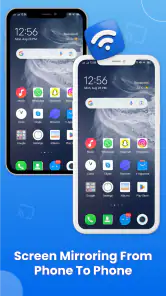

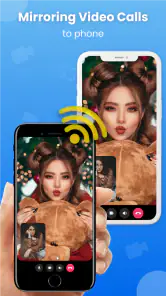


Analysis by Reviewed
Have you ever found yourself tangled in HDMI cables, trying to project your phone onto the TV? Well, those days are long gone with TV Cast - Cast for Chromecast. This app is your best buddy when it comes to streaming videos, photos, and even music straight from your phone to your Chromecast-enabled TV. Let’s dive into what makes this app a must-have for all streaming enthusiasts.
The Streaming Experience
Setting up TV Cast - Cast for Chromecast is as easy as pie. Once you’ve downloaded the app, it’s just a matter of connecting your phone and Chromecast to the same Wi-Fi network. Voila! You’re ready to stream. The app’s interface is intuitive, making it super easy to navigate. Whether you’re a tech guru or someone who struggles with new apps, you’ll find this one user-friendly.
Features to Love
The app supports a wide range of media formats, so you’re not limited to specific files. Be it videos, music, or photos, you can cast it all. What’s cool is the ability to browse the web and stream videos directly from there. Imagine finding a hilarious cat video and being able to share it with everyone in the room on the big screen without missing a beat!
Another neat feature is the ad-blocker. Yes, you heard it right! The app helps you block those pesky ads that pop up during your streaming sessions. This means uninterrupted entertainment, which is a huge plus in my book.
Performance and Reliability
Now, you might wonder about the streaming quality. I’ve tested it, and let me tell you, it’s pretty solid. Videos stream smoothly without buffering, provided your internet connection is stable. The app doesn’t crash or freeze, which is crucial when you’re midway through a gripping movie scene.
Personal Touch
One thing I appreciate about this app is the personalized settings. You can adjust the video quality and even tweak the playback speed to match your preferences. It’s small touches like these that make TV Cast - Cast for Chromecast stand out from the crowd.
In conclusion, if you’re looking for a seamless streaming experience, this app is a game-changer. It’s reliable, easy to use, and packed with features that enhance your viewing experience. So, why wait? Give it a try and transform your TV nights into an epic adventure.
Pros
- Easy setup process.
- Supports multiple video formats.
- No ads in premium version.
- High-quality streaming.
- Compatible with various devices.
Cons
- Limited features in free version.
- Occasional connection drops.
- No support for 4K streaming.
- May lag with large files.
- Requires Chromecast device.

- Category
- Tools
- Version
- 1.6.8











