Beautix - AI Hair Changer
- 29.00
- 4.3
- Installs
- 1.00M
- Price
- Free

Screenshots

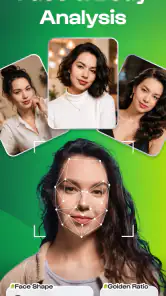
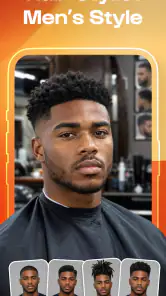





Analysis by Reviewed
For a useful hairstyle preview, I want more than a dramatic before-and-after: I want a result that helps me decide what to ask for and what might not suit me. Beautix gives me a way to explore hair changes on my own portrait, which makes it a practical starting point if I am curious about a new cut or color but not ready to commit. I see its role as visual brainstorming, not a substitute for a stylist’s judgment.
A quick question to settle before you begin
Before opening a hair preview app, it helps to name the uncertainty you actually have. If you are unsure whether a warm brown feels more like you than a cool one, a personal image can make that comparison easier. If you are trying to find a cut that works with a specific hair texture or daily routine, a still-photo preview cannot answer the whole question. Knowing which kind of decision you are making keeps the experiment useful rather than turning it into a hunt for a perfect-looking image.
I would also treat the first session as a way to learn what you like, not as a final verdict. Pick one change that matters, such as length or shade, and compare a small set of alternatives. When you find a direction that feels promising, pause and consider whether you would still choose it outside the novelty of seeing a new look. That extra moment of reflection is a simple way to keep a fun preview from becoming an impulsive salon request.
Trying a new look without committing
Beautix, made by Growly, focuses on one clear job rather than trying to be a full photo-editing suite. You bring in a personal photo and use AI-assisted hair changes to see how alternate styles or shades might look. That makes it relevant both to people considering a substantial haircut and to anyone who simply wants to play with a different color for a picture.
The appeal is easy to understand: hair is one of the most noticeable parts of a portrait, but it is awkward to visualize a dramatic change from a reference image alone. A preview can help narrow down the conversation you want to have with a stylist. It cannot reproduce the exact way real hair falls, reflects light, or behaves after a cut, so I would treat the image as a starting point rather than a promise.
On the store, Beautix has a 4.3 average from around five thousand ratings and more than a million installs. It is free to download, with in-app purchases listed at up to $89.99 per item. That price range is worth noticing before you get invested in a particular workflow: check what is available without paying and what a purchase actually covers before committing. The app is rated for Everyone, but that age label does not tell you whether its editing results will suit every user or purpose.
What a useful preview can—and cannot—tell you
The strongest use case is comparing broad directions: shorter versus longer, a warmer shade versus a cooler one, or a familiar look against something more adventurous. I would avoid treating a generated result as a precise salon instruction. A photo captures one angle and one moment; it cannot show how a style will look from behind, how it will sit after washing, or how much daily styling it might require.
More From Our News Desk

Clash of Clans Is Won Between the Battles

Android Auto Makes the Case for Quieter Car Software

MobiOffice: Transforming Mobile Productivity with Seamless Integration

EA SPORTS FC™ Mobile Soccer: Redefining Mobile Sports Gaming

How Microsoft OneDrive Became a Mobile Productivity Giant

How Google Translate Breaks Language Barriers Effortlessly
For a more helpful comparison, start with a clear photo in even light and keep your face angle consistent while you explore. That is a practical way to reduce distractions: if the lighting or pose changes between pictures, it becomes harder to tell whether the hair itself is what you prefer. A second useful check is to compare the preview with a reference photo of the real cut or color you have in mind. The app can help you decide whether the general direction feels right, while the reference helps communicate details a simulation may not capture.
This is also a sensible tool for low-stakes experimentation. If I were considering a bold color but unsure whether I liked it on myself, I would use a preview to decide whether to keep researching, not to assume that the result will look identical in person. For a subtle trim, a simulation may offer less value because small differences in shape can be difficult to judge in a single portrait.
How it fits into a real decision
Imagine you are deciding whether to go from long dark hair to a shoulder-length cut with a lighter tone. Before an appointment, you could use Beautix to test the overall combination, save your preferred direction in your own notes, and bring a reference image to the stylist. The useful outcome is not “the app chose my haircut”; it is arriving with a clearer sense of what you like and what you still need to ask about.
I would keep the consultation focused on details the preview cannot settle: whether your current hair can reach the shade you want, what maintenance the color requires, and how the cut will work with your natural texture. A digital image may make a dramatic transformation look effortless, while real hair can involve practical trade-offs. That gap is not a flaw unique to Beautix; it is the limitation of using a still-photo simulation for a physical change.
Compared with ordinary photo editors, which typically give you general tools for modifying an image, Beautix is more purpose-built for hair experimentation. Compared with browsing hairstyle galleries, it offers a more personal point of reference because the subject is your own photo. Those alternatives may still be better when you need broad editing control or want to inspect real examples from multiple angles. The app’s value is in making a first-person visual comparison convenient, not replacing either a professional consultation or a general editor.
Speed expectations and busy editing sessions
Because the core idea depends on AI changing part of a portrait, I would not judge the experience by expecting every adjustment to feel like a simple color filter. The time a preview takes may depend on the image and the work involved, and I would leave a little room for processing rather than planning to test a long list of looks in a rush. The most useful approach is to decide what you want to compare before opening the editor: perhaps two lengths or a few color directions, rather than making every possible variation.
That small bit of planning also makes the results easier to assess. If you change several things at once, you may not know whether you prefer the new shade, the new shape, or just the overall effect. I would compare one decision at a time, then revisit the strongest option after a short pause. This is a better use of an AI preview than rapidly cycling through looks until one happens to feel exciting.
For heavier sessions—say, trying several color families on one portrait or testing a number of styles before a salon visit—I would work in short rounds. Keep the original image available and avoid relying on a single edited result as your only reference. If the app slows down or a preview does not appear as expected, a sensible recovery is to return to the original photo and try a simpler comparison, rather than assuming the first output is definitive. That is ordinary caution for image-processing apps, not a claim about a specific failure pattern.
Reliability, photo choice, and device limits
AI hair previews are only as convincing as the photo they start with. Hair that blends into a dark background, a strong shadow across the head, or a tilted pose can make it harder to judge the edge and shape of a result. If a preview looks oddly cut out or does not match your face, I would first try a cleaner image before deciding the app itself is unusable. This is one of the most important practical checks: a poor input can make a useful concept look disappointing.
Beautix is currently version 1.3.4 and requires Android 7.0 or later. That gives Android users a clear baseline for compatibility, but meeting the minimum does not guarantee that every device will feel equally responsive. Image editing can be more demanding than browsing a static page, so on an older or already busy phone I would close other apps and begin with a reasonably sized, well-lit portrait. I would not install it on a device that falls below the stated Android requirement.
For reliability, I would make the original photo the anchor of the process and keep any images I care about outside the editing session as well. If you are comparing looks for an important decision, write down what you liked—such as the length, parting, or color direction—rather than trusting yourself to remember a sequence of previews. That simple habit helps if you need to revisit the decision later and avoids treating a temporary on-screen result as a permanent record.
There is a practical distinction between “the app opened” and “the preview is dependable enough to guide a choice.” I would judge a result by whether the hair looks plausible around the face and whether it helps answer the question I actually had. A strange edge or an implausible fit should be treated as inconclusive, not as evidence that the style would look strange in real life. If the image is central to a costly or major change, use the preview to prepare questions for a stylist instead of making the decision from the screen alone.
Who will get the most from Beautix
I can see Beautix working well for someone who already has a photo they like and wants a quick way to explore hair possibilities on their own face. It is especially useful when the uncertainty is visual—“Would I enjoy seeing myself with a warmer shade?”—rather than technical. It can also make a salon conversation more concrete, since a rough personal preview can help explain the direction you are considering.
I would skip it if you need an exact prediction of a finished haircut, a detailed consultation about hair health, or a realistic view of how a style behaves from every angle. It is also a weaker fit if you mainly want broad retouching tools or professional photo controls; a general-purpose editor is more appropriate for that. And if you are reluctant to explore the purchase options, check the free experience first rather than assuming every part of the app is included at no cost.
The photography category makes sense: the app starts with a portrait and changes how the hair appears within it. But I would not confuse that with a complete salon-planning service. A hairstyle choice involves texture, upkeep, and personal taste as well as appearance in one image. Beautix can sharpen the first part of that decision; the rest still benefits from real-world advice.
My performance verdict
Beautix is a focused, approachable way to test hairstyle and color ideas against your own photo. Its best performance is not measured only by how quickly it produces a change; it is whether the preview helps you make a more considered choice. Use a clean image, compare a small number of options at a time, and keep the distinction between a visual simulation and a real result firmly in mind.
I would recommend giving it a try if you are curious about a new look and want a personal reference before talking with a stylist. I would be more cautious if you expect a flawless, salon-accurate prediction or need a full editing toolkit. The free download lowers the barrier to trying it, but the listed in-app purchase ceiling makes it worth checking the terms of any paid option before buying. For Android, the minimum requirement is 7.0; the app’s current version is 1.3.4.
Overall, Beautix is most convincing as a low-pressure decision aid: a way to explore, eliminate ideas that do not feel like you, and arrive at a clearer starting point. I would use it to guide a conversation, not to dictate a haircut. That balance is what makes this kind of hair-changing app genuinely useful—and what keeps its limits in perspective.
Beautix - AI Hair Changer Frequently Asked Questions
What is Beautix - AI Hair Changer?
Beautix is an AI-powered photo editing app designed to preview different hairstyles and hair colors on a picture. You upload or take a photo, choose from the available looks, and let the app generate an edited image. Results can vary depending on the photo, lighting, and hairstyle selected, so treat previews as inspiration rather than an exact prediction of how a real haircut or dye job will look.
How do I get the best hairstyle results in Beautix?
For a clearer preview, use a well-lit, front-facing photo in which your hair and face are easy to see. Keep your head unobstructed and avoid strong filters, shadows, or busy backgrounds where possible. AI edits may look less convincing when hair covers the face or the source image is blurry. Try more than one style, since different options can produce noticeably different results on the same photo.
Is Beautix - AI Hair Changer free to use?
The app may offer some features or previews at no cost, while additional styles, edits, or other tools may require payment or a subscription. Pricing, trial terms, and available features can change between app versions and regions. Before confirming a purchase, check the current listing and the in-app subscription screen carefully, including renewal timing and cancellation instructions.
Does Beautix require my photos, and how are they handled?
Using a photo-editing app generally requires permission to select images from your device or take a new picture. The app may process images on your device or send them to online services to create AI results; the exact handling can depend on its current privacy policy and settings. Review the permissions and privacy information before uploading personal photos, especially pictures of other people.
Can I save or share the hairstyle images created in Beautix?
Beautix is intended to let users view edited hairstyle previews, and the available version may provide options to save or share finished images. These options, image quality, and any restrictions can vary by device, app version, or account plan. Check the controls shown after generating an edit, and review any applicable terms before sharing images publicly or using them for commercial purposes.
Pros
- Try different hairstyles and colors virtually before visiting a salon.
- AI-generated previews make it easy to compare new looks.
- A convenient way to explore styles without changing your real hair.
- Useful for finding inspiration to share with a hairstylist.
- Quick digital makeover experience without salon equipment.
Cons
- Results may not accurately reflect how a style looks in real life.
- Hair detection can struggle with complex backgrounds or accessories.
- Some styles or features may require payment or a subscription.
- AI edits may look artificial around the hairline or face.
- Uploading photos may raise privacy concerns for some users.

- Category
- Photography
- Version
- 1.3.4