BabySleep: Whitenoise lullaby
- 6.63K
- 4.5
- Installs
- 5.00M
- Price
- Free

Screenshots

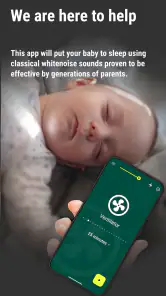
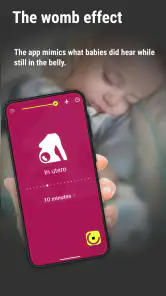
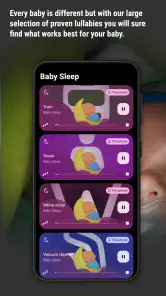
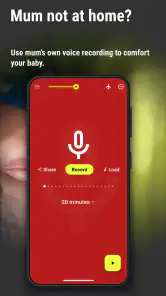


Analysis by Reviewed
When bedtime feels unpredictable, I find it reassuring to have one simple thing to try rather than a long list of sleep advice. BabySleep: Whitenoise lullaby is a parenting app built around that small, practical idea: offer a steady sound or lullaby while your baby settles. It is not a sleep plan, and it cannot tell you why a child is unsettled, but it can give a bedtime routine a familiar audio cue.
What to expect from a simple sleep-sound app
BabySleep is a free parenting app from Petr Nálevka (Urbandroid), released in 2013. It has an average rating of 4.5 from around 75,000 ratings, with more than 5 million installs. Those figures suggest it has reached plenty of families, but they don’t guarantee that a particular sound will suit your baby. I’d treat it as a practical tool to try, not a promise of instant sleep: babies differ, and a sound that settles one child may bother another.
The central idea is straightforward: use a steady sound or lullaby as part of a familiar wind-down routine. The app includes 14 built-in lullabies and lets you record your own, which gives you a useful choice between ready-made audio and a familiar voice. It’s rated for everyone, though the person choosing and managing playback will usually be the parent or caregiver.
That narrow focus is useful if you want sound, not a broader parenting dashboard. You can approach it without making a complicated plan: decide when you will try audio, choose a single option, and pay attention to your child’s response. If your baby is already settling comfortably in quiet, there is no need to add another step just because the app is available.
Getting Started with BabySleep
Downloading BabySleep: Whitenoise lullaby was a breeze. Available on both Android and iOS, it’s accessible to any parent in need of a few extra hours of sleep. Once installed, the user-friendly interface made it easy to navigate through the various sound options. I was immediately impressed by the range of white noise and lullabies available. From gentle rain sounds to the calming hum of a fan, there’s something to suit every baby’s preference.
First setup: keep the first try uncomplicated
For a first session, I’d start with one sound rather than changing several things at once. Try it during a familiar settling moment, keep the playback at a comfortable level, and give your baby a little time to respond. If you change the sound, volume, and bedtime routine together, it becomes harder to tell what helped. A recorded lullaby can be worth trying when a caregiver’s voice is part of the baby’s usual comfort, while a built-in option may be easier when you want a consistent sound without recording anything.
One useful trade-off is that the app can support a routine, but it can’t replace one. I’d use the same sound as a cue during naps or bedtime rather than expecting it to solve hunger, discomfort, or an overtired spell. If the audio seems to make your baby more alert, stop it and try a different approach; there’s no reason to persist with a sound simply because it is labelled soothing.
More From Our News Desk

Weather by Xiaomi Review: Clear at a Glance, Less Clear Up Close

X Under Pressure: Can It Recover When Posting Goes Wrong?

Clash of Clans Is Won Between the Battles

Android Auto Makes the Case for Quieter Car Software

MobiOffice: Transforming Mobile Productivity with Seamless Integration

EA SPORTS FC™ Mobile Soccer: Redefining Mobile Sports Gaming
Choosing a starting point that suits your household
If you are wondering whether to begin with a recording or one of the built-in lullabies, I would base that choice on what is already familiar to your baby. A recording makes sense if your voice is part of the usual settling routine and you can record a short, calm passage without turning setup into a project. If you would rather not record yourself, a built-in choice keeps the first attempt simple. Either way, the goal is not to find the objectively best sound; it is to see whether your child responds well to one steady option.
For a first-time user, I would also decide in advance what counts as a useful result. It need not mean falling asleep immediately. Perhaps your baby becomes calmer while being held, or the sound helps you keep the same quiet routine during a nap. These smaller observations help prevent a common frustration: expecting an audio app to produce an immediate, dramatic change every time.
Features That Stand Out
One of the standout features of this app is the ability to mix and match sounds. You can layer different noises to create a personalized sleep environment for your baby. I found this particularly useful as my little one seemed to respond well to a combination of ocean waves and soft wind chimes. The app also includes a timer, which is a lifesaver for those nights when you don’t want the sounds playing all night long.
Another neat feature is the ability to save your favorite sound combinations. This means you can quickly access them the next time your baby is fighting sleep – no need to remember which sounds worked best last time. Plus, the app runs offline, so it’s perfect for travel or those times when your Wi-Fi decides to take a break.
Making the first successful action repeatable
When you find a sound that seems to help, save that combination and reuse it in the same part of the routine. That small step matters on a tired evening: you don’t have to browse through options while holding a fussy baby. The timer is also handy when you want audio for settling but don’t want to leave it running by default. I’d choose a duration that fits your routine, then check that playback has stopped before putting the phone aside.
Offline use makes the app a reasonable travel companion for a visit or a night away, especially if you want to keep the bedtime cue familiar without relying on a connection. It’s still worth testing your chosen sound before you need it in an unfamiliar room. A saved setup is convenient, but it doesn’t guarantee that the new surroundings or the baby’s mood will produce the same result.
A realistic evening, from first try to familiar cue
Picture arriving home late after a family visit. Your baby is tired, the usual room is unavailable, and you want to keep the settling steps recognizable without unpacking a separate sound device. If you have already saved a combination that your child tolerates, you can bring up that choice rather than experimenting in the moment. If you have not found a preferred sound yet, a single built-in option is a calmer first test than building a layered mix while everyone is tired.
That is where the practical value lies: not in guaranteeing sleep, but in reducing the number of decisions you have to make during a difficult transition. I would use the timer if I only wanted the sound for the settling period, and I would keep the phone positioned safely out of the baby’s reach. The app is a convenience for the caregiver, so it should not distract from checking the child or become something placed in the sleep space.
Real-Life Impact
Since incorporating BabySleep into our bedtime routine, I’ve noticed a real difference in my baby’s sleep patterns. The consistent use of white noise seems to help her settle faster and stay asleep longer. It’s not just the baby who benefits, though – I’ve found myself feeling more rested and less stressed knowing that I have a reliable tool to help with those challenging sleep times.
What’s more, the app’s design is refreshingly simple, focusing on functionality without any unnecessary frills. It’s clear that the developers understand what parents need and have crafted an app that delivers just that.
One small but useful habit is to make changes only when there is a reason. If a sound works at home, keep using the saved setup for a while instead of testing every alternative out of curiosity. If it stops helping, try a different single sound during a later settling period. This makes it easier to notice patterns without turning each bedtime into an experiment, and it gives another caregiver a clear option to reuse.
Who is likely to appreciate it, and who may not
I think this is most helpful for caregivers who want a repeatable sound cue, especially when routines happen in more than one place or when different adults take turns settling the baby. The saved combinations and offline playback are practical in those situations because the useful setup can be easy to return to. It can also suit a parent who wants to try a familiar voice recording without relying on a general music library.
It is a weaker match if you prefer a quiet sleep environment, already have a dedicated sound device that works well, or want detailed guidance on sleep schedules and patterns. BabySleep is focused on audio, so I would not choose it expecting tracking, diagnosis, or a complete bedtime program. And if your baby reacts badly to a particular sound, the right next step is to stop using it, not to keep adjusting the mix in hopes of forcing a result.
Where it fits among the alternatives
Compared with playing a lullaby from a general music app, this is more focused on baby sleep: the built-in choices, custom recording, saved combinations, and offline playback are aimed at making a repeatable routine easier. A dedicated white-noise device may be preferable if you want a separate bedside tool and don’t want a phone involved. A familiar music player may suit you better if you already have a specific playlist and don’t need BabySleep’s sleep-oriented options.
The main limitation is that sound selection is personal, so having several choices doesn’t remove the trial-and-error. Layering audio can also make it harder to identify which part your baby responds to; I’d build a combination gradually instead of starting with multiple sounds. If your child settles best in quiet, or you’d rather avoid playing audio at bedtime, this app may not be the right fit.
There is also a real trade-off in using a phone as the sound source. It is convenient because the app can travel with you, but the phone is still the device you may need for other things. I’d set up the sound before you start the bedtime routine, rather than browsing while trying to soothe your child, and make sure the phone is not somewhere the baby can reach. If having a screen or phone nearby makes your routine feel busier, a simple standalone device may be the more comfortable choice.
Common confusions before relying on it
A sound that seems calming one evening may not work the next, and that does not necessarily mean you chose the wrong setting. Babies’ needs and surroundings change; I would treat a saved sound as a familiar option, not a guarantee. Likewise, a timer helps you control a listening session, but it does not decide when your baby is ready to sleep. Keep observing your child rather than treating the end of playback as a cue to leave the room or stop checking in.
It is also easy to assume that more layers must make a better sleep environment. I would resist that instinct. Begin with one sound, and add another only if you have a clear reason to test it. A combination that sounds pleasant to an adult may be too busy for a baby, and adding several elements at once makes it harder to learn which one is welcome. The simplest setup that your child tolerates is often the easiest one to repeat.
Final Thoughts
In my experience, BabySleep: Whitenoise lullaby is a must-have app for any parent looking to improve their baby’s sleep routine. With its wide selection of sounds, customizable features, and easy-to-use interface, it offers a practical solution to one of parenting’s biggest challenges. If you’re a sleep-deprived parent, give this app a try – it might just be the key to a more peaceful night for both you and your baby.
I’d recommend approaching it with modest expectations: pick one sound, try it in a calm and repeatable moment, and keep the option that seems to help your child. That makes the app most useful for parents who want a simple audio cue, rather than a detailed sleep tracker or a substitute for a broader bedtime routine. For a first-time user, the reassuring part is that you can begin with a built-in lullaby, learn what your baby tolerates, and only explore recording or layering if there’s a clear reason to do so.
My practical recommendation is to install it when you have a quiet moment, not in the middle of a bedtime struggle. Explore one or two choices, save a setup only after you know you want to reuse it, and try that cue during a routine you already follow. If it helps, keep it uncomplicated. If it does not, you have learned something about your baby’s preferences and can return to silence, a familiar song, or another approach without feeling that you failed to use the app correctly.
BabySleep: Whitenoise lullaby Frequently Asked Questions
What age group is BabySleep: Whitenoise Lullaby intended for?
BabySleep: Whitenoise Lullaby is a parenting app centered on soothing sounds for babies, while its Everyone content rating means the app itself is classified as suitable for a general audience. Parents can decide when and how to use it as part of their child’s routine, keeping the phone or speaker at a comfortable distance and choosing a volume that feels appropriate for the baby.
How many people have downloaded BabySleep: Whitenoise Lullaby?
BabySleep: Whitenoise Lullaby has been installed by over 5 million users, which suggests it has reached many families looking for a sound-based bedtime aid. That kind of reach can be reassuring when choosing an app, although every baby responds differently to audio. The most useful test is whether its built-in melodies or a recording you make fits your household’s bedtime routine.
Is BabySleep: Whitenoise Lullaby free, and who makes it?
BabySleep: Whitenoise Lullaby is a free parenting app developed by Petr Nálevka (Urbandroid). It is intended for parents looking for calming sounds to use as part of a baby’s bedtime routine. The app has an Everyone content rating, so its store age classification is suitable for a general audience; parents should still choose sounds and volume with their own baby in mind.
What does BabySleep: Whitenoise Lullaby include?
The app includes 14 built-in lullabies and lets parents record their own, giving families a way to try familiar or personalized sounds at bedtime. Its focus is on soothing audio rather than sleep monitoring. That makes it most relevant to caregivers who want a simple sound-based aid and are comfortable deciding which melodies or recordings best suit their child.
What is BabySleep: Whitenoise Lullaby and how does it work?
BabySleep: Whitenoise Lullaby is a soothing app designed to help babies fall asleep faster and stay asleep longer using white noise and lullabies. It features a variety of calming sounds and melodies that mimic the comforting noises a baby hears in the womb or in a peaceful environment. The app allows parents to select and customize sound durations and combinations to suit their baby's preferences, providing a restful sleep experience.
Pros
- Helps babies fall asleep faster
- Wide variety of soothing sounds
- User-friendly interface
- Customizable playlists
- Offline access available
Cons
- Limited free features
- Ads can be disruptive
- No parental control features
- Sound loop is sometimes noticeable
- Battery consumption can be high
- Category
- Parenting
- Version
- Varies with device











