AR Drawing Sketch Paint
- 182.00
- 4.5
- Installs
- 10.00M
- Price
- Free
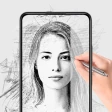
Screenshots
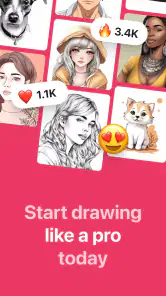
Analysis by Reviewed
I like the idea of a drawing app that brings a reference image onto the page without asking me to copy it by eye. That is the practical appeal of AR Drawing Sketch Paint: it uses a phone camera view as a guide while you trace on paper. I’d treat it as a helper for getting started, not a substitute for learning to draw or for a full digital illustration studio.
A shared drawing session at home
One useful household scenario is a quick, low-pressure drawing activity: someone chooses a picture, sets paper on a table, and takes turns tracing parts of it. A child might follow the outline of an animal while an adult steadies the phone, or siblings could each try the same simple reference and compare their results. That kind of shared use makes the app easier to enjoy than handing over a phone and expecting a beginner to work everything out alone.
The camera-guided approach is most helpful when the goal is a recognizable starting shape. It can reduce the frustration of placing an outline, but the person drawing still controls the pencil, pressure, shading, and finishing details. I’d let each person add their own marks after tracing; otherwise, the activity can become copying rather than experimenting.
Set up the phone before the paper
For a smoother session, I’d pick the reference image and prepare the drawing space before asking someone else to begin. Put the paper on a steady surface, frame it clearly with the camera, and avoid moving the phone once the guide is positioned. If the phone shifts, the projected guide may no longer line up with the marks, so a stable setup matters more than rushing into the first stroke.
This also helps answer a practical question: can you use it for a quick sketch without elaborate equipment? The basic concept is simple—phone, camera view, and paper—but a steady hand or a secure place for the device makes tracing much less awkward. For a long session, I’d arrange the phone so it does not need to be held continuously. That is a small workflow choice, but it can make the difference between enjoying the drawing and fighting the setup.
Keeping shared use comfortable
On a shared device, I would agree on a simple handoff: choose the image together, let one person position the guide, then pass the drawing role to the next person. This avoids repeatedly changing the reference while someone is midway through an outline. It is also a sensible way to keep personal photos and app use separate in practice: use an image everyone is comfortable selecting, and return the phone to its usual owner when the activity is done.
I would not assume that a drawing app automatically provides household accounts, child profiles, or supervision tools. Instead, I’d treat the phone’s normal settings and the adult’s presence as the boundaries. That matters especially if younger children are using a family device: they may be able to follow the drawing task, but they still need help choosing images and navigating anything beyond the sketch itself.
You May Like

Clash of Clans Is Won Between the Battles

Android Auto Makes the Case for Quieter Car Software

MobiOffice: Transforming Mobile Productivity with Seamless Integration

EA SPORTS FC™ Mobile Soccer: Redefining Mobile Sports Gaming

How Microsoft OneDrive Became a Mobile Productivity Giant

How Google Translate Breaks Language Barriers Effortlessly
Getting Started with AR Drawing
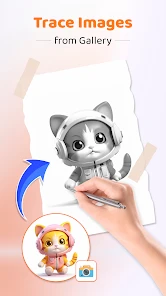
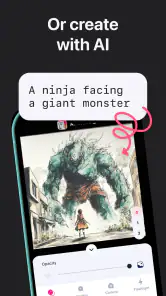
First things first, setting up AR Drawing Sketch Paint is a breeze. Once downloaded, the app welcomes you with a simple yet intuitive interface. It doesn’t bombard you with unnecessary features, which I appreciate. Instead, it focuses on what matters - giving you the tools to create stunning art pieces using augmented reality. You simply choose a picture from your gallery or take a new one, and the app allows you to overlay a sketch that you can trace directly onto your paper through your phone’s camera.
Making the reference easier to trace
Before drawing, I’d look at the image as a set of large shapes rather than a finished picture to reproduce exactly. A pet, toy, leaf, or familiar household object often works better for a first attempt than a crowded scene: you can recognize the outline quickly and decide which details are worth keeping. If the reference has a complicated background, focus on the main subject instead of trying to copy every edge. This makes the session feel manageable and leaves room for personal choices.
It also helps to decide what “finished” means before starting. For a quick activity, an outline with a few added details may be enough; for a more careful sketch, leave time to shade and refine the parts the guide does not solve for you. The overlay can help with placement, but it cannot make the pencil marks uniform or choose which details matter. I find that distinction useful because it keeps expectations realistic for first-time users.
The Artistic Tools
What makes this app a game-changer are its versatile tools. You can select from a variety of brushes and colors to bring your artwork to life. Whether you’re into fine lines or bold strokes, this app has got you covered. Plus, the color palette is expansive enough to satisfy even the pickiest of artists. The layering option is another gem, allowing you to experiment without ruining your base sketch. It’s like having Photoshop capabilities but in an easily accessible format!
Using the paper-and-screen workflow well
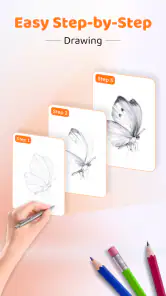
The most useful way to approach the camera guide is to treat it as temporary scaffolding. I’d trace the broad outline first, then pause and check whether the drawing still reads clearly on paper before adding small marks. That pause is an easy way to avoid spending time on detail when the overall shape needs adjusting. Once the main form is down, you can put the phone aside and finish the sketch by eye, which gives the result a less mechanical feel.
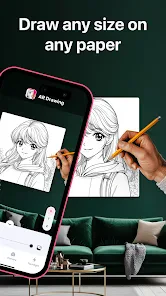
This workflow is especially handy for a greeting-card doodle, a simple decoration, or a personal practice exercise when you want to get past the blank-page stage. It is less convenient for a large sheet or a drawing that needs repeated, precise alignment: even a small change in the phone’s position can make the guide harder to follow. I’d keep the paper size modest and the device stable rather than trying to turn a casual setup into a drafting station.
Augmented Reality Magic
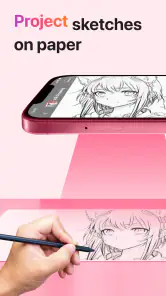
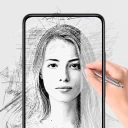
The real magic lies in its augmented reality feature. By pointing your device at a piece of paper, you can see your chosen image appear as a guideline you can trace. This feature is especially beneficial for beginners who might struggle with proportions and perspective. It’s a fantastic way to practice and improve your skills while having fun. And for those more experienced, it opens a whole new dimension of creativity.
When a different drawing method makes more sense
Compared with a printed picture placed beside the page, a camera overlay can make it easier to position a reference over the drawing area and switch to another image without preparing a new print. The paper-and-pencil method still has an advantage when you want to look back and forth freely or avoid keeping a phone positioned above the work. A digital canvas is the better choice when editing, undoing, and exporting a polished screen-based image matter more than making marks on paper.
That makes this app a particularly good fit for someone who enjoys the physical feel of sketching but finds freehand proportions discouraging. It is not the right shortcut for every learner, though. If your goal is to improve observation, try alternating between a traced attempt and a second attempt without the overlay. If your goal is a finished digital illustration, start in an art app built around drawing directly on the screen instead.
Choosing the right kind of drawing app
Compared with a conventional drawing app, this approach puts the physical page at the centre of the activity. A standard digital canvas is better if you want to draw directly on a screen, undo freely, or build a polished digital file. A printed reference can also work for tracing, but the camera overlay is convenient when you want to switch images without printing. I see this app as a bridge between those options: useful for transferring a rough outline to paper, less suited to detailed digital painting or a finished illustration workflow.
A non-obvious tip is to choose a reference with a clear silhouette and uncomplicated details when you are learning. Fine textures and busy backgrounds can make a tracing guide harder to follow, while a strong outline gives you room to add your own shading later. Another trade-off is that tracing can help with proportion but will not teach every underlying skill by itself. After following the outline, try drawing one part again without the guide; that turns a convenient aid into a more useful practice exercise.
Coordination on a shared phone
When several people want a turn, I’d settle the order and image choice before the phone is positioned. That avoids a common source of friction: someone reaching over to change the reference while another person is halfway through a line. For a group activity, one person can manage the phone while another draws, then they can swap roles. It keeps the camera setup steady and gives the person holding the device a real part in the activity rather than making them a passive helper.
If everyone wants to draw independently, it may be simpler to make one sketch at a time rather than trying to coordinate multiple sheets around a single phone. A shared device is a practical way to try the activity, but it naturally creates a turn-taking limit. I’d see that as part of the household plan: agree on a short session, save each person’s paper work separately, and avoid assuming the app will organize or preserve everyone’s projects for them.
User Experience and Design
Let’s talk about the user experience. The app is incredibly user-friendly. Navigation is smooth, and the minimalistic design ensures that you’re not distracted by clutter. The developers clearly focused on functionality, and it shows. Plus, the app’s performance is stellar; I didn’t experience any lag or crashes, which is a huge plus when you’re in the zone and creating art.
For a beginner, the most useful measure of ease is whether the app helps you get to the first pencil mark without turning setup into its own project. This camera-led format has a clear purpose, so it makes more sense for a short tracing session than for browsing a large collection of digital art tools. I’d still expect a little trial and adjustment while aligning the view; the phone angle, paper position, and drawing posture all affect how comfortable the activity feels.
AR Drawing Sketch Paint is an art and design app from Amazic Fun Hub. It is free to install, with in-app purchases ranging from $2.99 to $25.99 per item, so I’d check the purchase choices before handing the device to a child or another household member. Its age rating is Everyone. The app was released on January 10, 2024, and version 1.5.0 lists Android 8.0 as the minimum operating system. Those details make it accessible to many Android users, though a compatible version alone does not guarantee that every camera setup or drawing surface will feel equally convenient.
For household use, the age label is only one part of the decision. I’d help a younger user choose a suitable reference, explain that tracing is a starting aid rather than a promise of a perfect result, and keep an eye on any purchase prompts when sharing the phone. That is a straightforward way to set expectations without making the drawing session feel like a lesson or relying on account features the app may not offer.
Its 4.5 average comes from around 86,000 ratings, and it has over 10 million installs. I take that as a sign that the basic tracing idea has broad appeal, not as proof that it will suit every artist. If you want a screen-first tool with precise editing controls, I’d choose a dedicated digital drawing app instead. If you want a low-barrier way to sketch an outline onto paper, this format is the more natural fit.
A useful test is to try one simple image and notice what actually slows you down: choosing a reference, holding the phone steady, or making the marks on paper. If the drawing itself is the enjoyable part and the setup feels manageable, the app is serving its purpose. If most of the time goes into repositioning the device, a printed reference or a different drawing method may suit your space better.
Moreover, the app’s community feature allows you to share your creations and gain inspiration from other artists. It’s like Instagram for sketch artists, where you can not only showcase your work but also learn and grow by interacting with fellow art enthusiasts.
For a shared household device, I’d treat sharing artwork as a separate choice from sharing the tracing session. A person may be happy to show a finished sketch but not want to post it publicly, so it is worth asking before anyone shares another person’s work. The most relaxed setup is to let each artist decide what happens to their paper drawing and to keep the activity enjoyable even if nobody wants to share anything afterward.
Final Thoughts
In conclusion, AR Drawing Sketch Paint is more than just a drawing app; it’s a platform that fosters creativity and learning. Whether you’re a novice trying to learn the ropes or a seasoned artist looking to experiment with new techniques, this app is a fantastic addition to your digital toolkit. The seamless integration of augmented reality with traditional sketching methods is nothing short of revolutionary. So, if you haven’t already, give it a whirl and watch your artistic skills soar!
I’d recommend it most to beginners, casual sketchers, and households looking for a shared paper-and-phone activity. I would skip it if my main aim were professional digital editing, independent drawing practice without a guide, or a tightly managed child account experience. For everyone else, the best test is a short session with a simple image and a steady phone position. If tracing makes starting less intimidating, it has done something genuinely useful; the creativity still comes from what you choose to do with the outline.
AR Drawing Sketch Paint Frequently Asked Questions
Does AR Drawing Sketch Paint need an internet connection to work?
If you are considering the app for drawing away from home, it is sensible to check how it behaves in the places where you plan to use it. AR Drawing Sketch Paint centers on tracing and sketching with augmented reality, so the experience depends on using your device’s camera and viewing the drawing surface through the app. Try opening the app and choosing your drawing materials before relying on it somewhere without a connection.
Will I need extra equipment to trace a drawing with AR Drawing Sketch Paint?
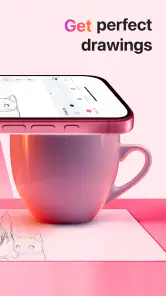
The app is intended to help you trace and sketch with augmented reality, using a smartphone camera to display outlines over a real-world surface. You will need a device you can position so its screen remains visible while you draw, along with paper or another suitable drawing surface and your usual art materials. A stable setup can make it easier to follow the projected outline as you work.
Can AR Drawing Sketch Paint help me learn to draw rather than simply copy outlines?
It can be useful as a practice aid if you want visual guidance while drawing. The app’s trace-drawing focus gives you outlines to follow, which may help you work on observing shapes and controlling your lines. It does not replace practice or personal creativity, but beginners may find guided tracing less intimidating, while more experienced artists can use it as one way to explore a subject.
Is AR Drawing Sketch Paint free to download, and are there in-app purchases?
AR Drawing Sketch Paint is free to download, so you can try its AR sketching approach without an upfront purchase. The app also offers in-app purchases, with items ranging from $2.99 to $25.99. Check the purchase details shown in the app before buying, especially if you are downloading it for a child or want to keep spending limited.
What is AR Drawing Sketch Paint and how does it work?
AR Drawing Sketch Paint is an innovative application that combines augmented reality (AR) with traditional drawing techniques. It allows users to project outlines on a real-world canvas using their smartphone camera. By following these outlines, users can create accurate sketches or paintings on various surfaces, offering a unique and interactive drawing experience. Its focus is trace drawing, so it may suit people who want visual guidance while practicing.
Pros
- Intuitive user interface for beginners.
- Wide range of drawing tools available.
- Supports multiple layers for complex art.
- Offers creative AR drawing experiences.
- High-quality export options for sharing.
Cons
- Requires a stable internet connection.
- Can be resource-heavy on older devices.
- Limited free version features.
- Occasional bugs with AR functions.
- Some tools need in-app purchases.
- Category
- Art & Design
- Version
- 1.5.0












