All Email Connect
- 2.07K
- 4.2
- Installs
- 5.00M
- Price
- Free

Screenshots

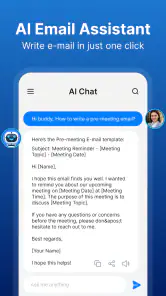
Analysis by Reviewed
I’d treat All Email Connect as an option for people who want to bring several inboxes into one place, rather than as a reason to abandon every email tool they already use. Its appeal is straightforward: fewer app switches when you’re checking personal and work messages. In my experience, that convenience matters most when the accounts serve different purposes and I need a quick overview, not when I’m doing careful, detailed work on one mailbox.
Start with a workflow, not every account
A useful way to decide whether a combined inbox suits you is to think about the moments when you check email. If you mainly scan for new messages between other tasks, gathering accounts in one place can make that routine lighter. If you spend long stretches filing, searching, and answering from one address, your provider’s own app may still be the better workbench. I’d begin with the accounts I check regularly, rather than adding every address I’ve ever used simply because I can.
That selective start also makes the first few days more informative. Notice whether you can tell which account received each message at a glance, and whether you naturally remember to check the right inbox. If the unified view makes messages easier to overlook or identities harder to distinguish, keep those accounts separate. An all-in-one setup is useful only when it makes your actual routine clearer.
A practical routine for several inboxes
A useful way to start is to add the accounts you actually check, then spend a few days noticing which messages need a reply and which can wait. Keeping an eye on several addresses in a shared app can make it easier to spot a message sent to the “wrong” account, but it can also blur the boundary between work and personal time. I’d decide in advance which inboxes belong in the combined view and which are better left separate.
For example, imagine checking mail while commuting, then replying to a time-sensitive message between appointments. One place to review the accounts can save a detour through separate apps. I’d still pause before sending: check the sender address and recipient, especially if you handle work correspondence alongside personal mail. A convenient combined inbox is only helpful if it doesn’t make it easier to answer from the wrong identity.
That extra glance is a small habit with real value when messages have different audiences. Before sending a work reply, I’d confirm not just the recipient but also the account shown as the sender. For a routine personal note, the check may feel unnecessary, but making it automatic is safer than relying on memory when I’m in a hurry. The point isn’t to slow every message down; it’s to add a quick identity check where a mix-up would matter.
Settings worth checking before you rely on alerts
Before relying on notifications, I’d check which alert choices are available and adjust them to match the accounts that truly need attention. A quiet personal inbox and a work address with urgent messages have different needs; treating them identically can either create noise or make important mail too easy to miss. Notification controls are most useful when they support a clear routine, not when they replace one.
You May Like

Clash of Clans Is Won Between the Battles

Android Auto Makes the Case for Quieter Car Software

MobiOffice: Transforming Mobile Productivity with Seamless Integration

EA SPORTS FC™ Mobile Soccer: Redefining Mobile Sports Gaming

How Microsoft OneDrive Became a Mobile Productivity Giant

How Google Translate Breaks Language Barriers Effortlessly
A practical test is to leave the setup in place through a normal day and notice which alerts actually change what you do. If a notification merely pulls you away from a task without prompting a useful response, it may deserve less attention. If a message needs a quick answer, an alert can help—but I’d avoid turning every incoming email into a demand to react immediately. The right balance depends on how each account is used, not just on how many messages arrive.
I’d also test the everyday tasks that matter to me—opening an attachment, replying, and composing a new message—before making the app my default. That quick trial helps reveal whether the combined setup fits the way I work. If something feels awkward, keeping a provider’s own app for that particular account is a reasonable compromise rather than a failure of the all-in-one approach.
Who benefits, and where I’d be cautious
This kind of email app is most appealing to someone who regularly checks more than one address and values a single place to look. It may be less suitable if you depend on a provider-specific workflow, need strict separation between accounts, or prefer to keep sensitive work mail inside an organization’s approved tools. I wouldn’t assume that using one interface changes the security arrangements of the underlying email accounts, so I’d review the account and device settings that matter to me rather than relying on broad reassurance.
For example, a freelancer who checks a client address, a personal inbox, and a project mailbox may appreciate one place to scan for incoming requests. A person whose employer requires a particular mail app or tightly managed work setup should follow that requirement instead. The convenience of combining accounts doesn’t outweigh a workplace rule or a need to keep business communication within approved systems.
Compared with using each provider’s own app, a unified inbox can reduce switching, while dedicated apps may offer a more familiar experience for their particular services. The trade-off is simple: convenience across accounts versus the focused controls and habits you may already have. I’d keep the provider apps available until I’m confident that everyday sending and receiving work as expected.
Faster patterns without rushing replies
The most useful shortcut here may be a repeatable habit rather than a clever feature: scan the combined inbox at set points in your day, then handle messages that need attention. That can be more manageable than reopening email every time you have a spare moment. I’d separate a quick triage pass—deciding what deserves a reply—from the more careful work of composing messages that need detail.
For instance, if I’m between appointments, I can use a brief check to identify whether anything is time-sensitive, then wait until I have a suitable moment to write a considered response. That prevents the convenience of one inbox from turning into hurried replies. It also gives me a chance to open the relevant account deliberately before sending, especially when the message concerns work or a private matter.
Another useful trade-off is deciding which accounts should generate interruptions and which can wait for a manual check. I wouldn’t try to make every inbox equally prominent just for consistency. A newsletter address, a family account, and a work address do not carry the same urgency. Matching the way you check each account to its purpose can reduce distraction while keeping important correspondence visible.
What the all-in-one approach does—and does not—solve
A shared place to read mail can simplify account switching, but it doesn’t automatically create a better filing system or make decisions about which messages deserve attention. I’d keep any existing habits for organizing important correspondence until I know how the combined setup handles the tasks I depend on. If you regularly need a particular provider’s specialized tools, a general inbox may be a useful front door rather than a complete replacement.
It’s also worth thinking about the practical cost of concentration: when several addresses appear together, a quick scan can expose you to more kinds of messages at once. That may be convenient, but it can make a personal break feel less separate from work. Choosing which accounts to combine is therefore a boundary-setting decision as much as a convenience choice. I’d leave out any mailbox that I don’t want following me into every email check.
As a communication app from AI Email & Access, All Email Connect is free and intended for everyone. It has a 4.2 average from around 15,000 ratings, with over 5 million installs, so it has attracted a sizeable audience. It was released on April 8, 2023, and version 3.1 supports Android 7.0 and later. Those details make it easy to judge basic compatibility, but the best test is still whether it handles your own mix of accounts comfortably.
Using All Email Connect in everyday email routines
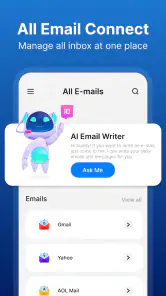
Picture this: all your email accounts in one place. Sounds like a dream, doesn't it? All Email Connect promises to do just that. Whether you're using Gmail, Yahoo, Outlook, or any other email provider, this app has got you covered. I found the setup process to be a breeze. Just a few taps, and all my emails were synced into one neat hub. It's like having a personal assistant sorting out your inbox chaos!
Interface and User Experience
The interface is sleek, modern, and incredibly user-friendly. I love how everything is intuitively placed, making navigation a piece of cake. Even if you’re not the most tech-savvy person, you’ll find it easy to get the hang of it. The app also offers customization options, which means you can tweak the settings to suit your preferences. Fancy a dark mode? No problem, it’s just a tap away!
For a first-time user, I’d treat that initial setup as a chance to make deliberate choices rather than a reason to connect every address immediately. Start with the inboxes you want to check together, then send a test message to an address you control if you want to confirm which account is being used. This is a simple way to build confidence in the sending flow before a real work or personal reply depends on it.
When deciding whether to keep the app as your main email view, ask yourself a few practical questions: can you identify the account behind a message, can you handle your common replies comfortably, and do the alerts fit your day? If those answers are yes, the unified setup is doing useful work. If one account remains awkward, you can keep its dedicated app in your routine and still use the combined view for the others.
What really stands out is the app's ability to send notifications for important emails only. No more annoying pings for every single message. This feature is a game-changer for maintaining focus during work hours. Plus, the integrated calendar helps keep your schedule on track without switching apps.
I’d still make notifications earn their place. A message marked important is only helpful if the alert arrives at a moment when you can act on it; otherwise, it becomes another interruption. If you’re using email around meetings or focused work, set a routine for when you’ll check less urgent mail and let that routine carry the load. The calendar integration can be convenient when you want email and scheduling close together, but it shouldn’t replace whichever calendar workflow you already trust for essential plans.
Performance and Reliability
Performance-wise, All Email Connect runs smoothly without any noticeable lags. I was impressed by how swiftly it loaded emails and attachments. It’s quite reliable too; I haven’t experienced any crashes or bugs during my usage, which is always a plus. The developers seem to be on top of updates, ensuring the app stays in tip-top shape.
Speed is most noticeable in the small moments: opening a message while you’re already moving through the day, checking an attachment before a conversation, or switching from one account’s mail to another. Even so, I’d judge reliability over repeated ordinary use, not from one quick session. Before depending on any email app for an important exchange, try the same basic actions you expect to use regularly and make sure they feel predictable on your device.
My main caution is about treating a smooth combined inbox as proof that every account behaves identically. Different email providers can have their own conventions and tools, so the experience that feels natural for one address may not be ideal for another. If you rely on a special workflow inside a provider’s app, keep it available rather than assuming a general email interface will be a perfect substitute.
It’s worth mentioning the app's security features. With all the cyber threats out there, knowing that my emails are protected is a relief. The app uses encryption and has several layers of security to safeguard your data, so you can rest easy knowing your information is in safe hands.
I’d approach security with sensible care rather than treating any app as a reason to stop paying attention. Use the security options available for your email accounts and device, and be especially thoughtful about which work or sensitive addresses you connect. If your organization specifies an approved app, that guidance should take priority. For personal accounts, I’d choose a setup I understand and feel comfortable maintaining, instead of connecting more inboxes than I need.
Final Thoughts
In conclusion, I’d say All Email Connect is a must-have for anyone looking to streamline their email management. It consolidates all your accounts into one easy-to-use platform, saving you time and hassle. It’s efficient, secure, and most importantly, user-friendly. Whether you’re a busy professional or just someone who likes having their emails in order, this app is definitely worth a try.
I’d soften that recommendation for anyone whose day depends on strict account separation, employer-approved tools, or a provider-specific feature they use constantly. For those people, the best arrangement may be a selective one: use a unified inbox for ordinary personal accounts and keep specialized or managed mail in its own app. That approach gives you the convenience where it helps without forcing every message into the same workflow.
So, why not give it a shot and see for yourself? Who knows, it might just become your new favorite app!
My practical verdict is to try it with a small, representative set of accounts and judge it by real tasks: finding a new message, checking its account identity, opening an attachment, replying, and composing from the intended address. If those steps feel clear and the notifications suit your routine, it can be a handy way to reduce app hopping. If they don’t, there’s no need to move everything over; keeping a provider’s app for the accounts that need it is a perfectly sensible outcome.
All Email Connect Frequently Asked Questions
Can I use All Email Connect for work and personal email in the same place?
All Email Connect is presented as an app for managing emails in one place, which may suit people who want to keep work and personal correspondence together rather than switching between separate inboxes. The published app description emphasizes managing all emails through a single app. Before moving your everyday routine into it, review the account-connection options and decide whether the combined view fits how you organize messages.
Is All Email Connect free to download, and what kind of app is it?
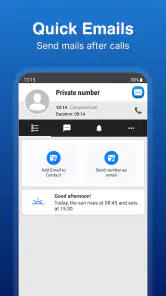
All Email Connect is a free communication app for bringing email management into one place. Its store summary highlights managing all emails and sending mails right after calls, which may appeal if you want a single app for everyday email tasks. It is rated for Everyone, so it is presented for a broad audience. As with any app, check the app’s permissions and setup screens before connecting your accounts.
What is All Email Connect and how does it work?
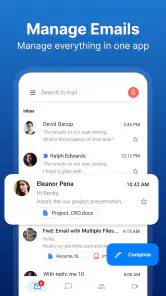
All Email Connect is an application designed to streamline your email management by allowing you to access multiple email accounts from different providers all in one place. It supports various email services such as Gmail, Yahoo Mail, Outlook, and more. The app integrates seamlessly with your existing accounts, providing a unified inbox and advanced features like email categorization, notifications, and quick replies to enhance your productivity.
Is All Email Connect secure for managing multiple email accounts?
Yes, All Email Connect prioritizes the security and privacy of its users. The app employs advanced encryption protocols to protect your emails and personal data. Additionally, it supports two-factor authentication, ensuring that only authorized users can access your accounts. Regular updates and security patches are also implemented to safeguard against any vulnerabilities.
Can I customize notifications and alerts in All Email Connect?
Absolutely! All Email Connect offers a highly customizable notification system. Users can set personalized alerts for each email account, including specific sounds, vibration patterns, and notification timing. This means you can be alerted to important emails without being overwhelmed by constant notifications, allowing you to stay focused on what's important.
Pros
- Supports multiple email providers easily.
- User-friendly interface with intuitive navigation.
- Quick setup with minimal configuration needed.
- Efficient email management and organization.
- Frequent updates with new features.
Cons
- Some features require premium subscription.
- Occasional sync issues with certain providers.
- Limited customization options for themes.
- Ads can be intrusive in free version.
- No offline access for emails.

- Category
- Communication
- Version
- 3.1











