AI Photo - AI Video Generator
- 8.00
- 4.5
- Installs
- 500.00K
- Price
- Free

Screenshots
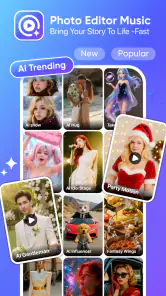
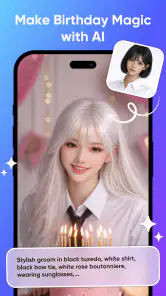
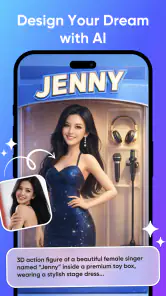
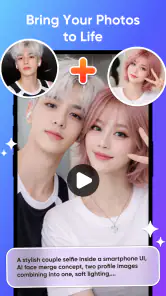
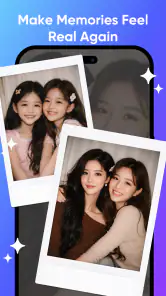
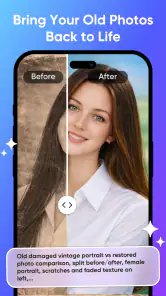
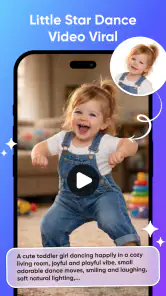
Analysis by Reviewed
I’d treat AI Photo - AI Video Generator as a creative tool for trying ideas, not as a guaranteed shortcut to a polished video. Its appeal is the mix of AI image editing and video creation in one photography app: you can start with a picture, explore a visual transformation, and see whether the result is worth refining or sharing. In my view, that makes it most interesting for casual experiments and quick social content, rather than for anyone who needs precise, repeatable production.
What to expect when you start creating
The app is developed by ZAppsolution, and its focus is clear from the first impression: it brings AI-assisted visual work into a mobile photography workflow. The name AI Photo points to the image side, while the broader toolset aims to turn creative prompts and photos into animated or video-style results. That combination can be convenient when you want to test an idea without switching between several editing apps.
It is listed as a free app, with optional in-app purchases priced from $7.99 to $49.99 per item. I would explore the available workflow before committing to any purchase, especially if you are only curious about one particular effect. A free starting point lowers the barrier to trying it, but the purchase range means it is sensible to check what is included at each step rather than assuming every tool or output is available without charge.
The listing shows an average rating of 4.5 from nearly a thousand ratings, and the app has passed half a million installs. Those figures suggest that it has found an audience, but they do not tell me whether a particular style will suit your taste or how smoothly it will run on your phone. I would use them as context, then judge the actual creative results for yourself.
Speed depends on the kind of result
For an app that generates or transforms visual content with AI, “fast” is not just a matter of how quickly a screen opens. A simple photo adjustment and an animated result are different workloads, so I would expect more involved creations to take more patience than browsing or choosing an image. I would not plan a last-minute video around an untested effect; try it once beforehand and leave room to make another version if the first does not land.
A practical way to keep the process manageable is to decide what you want before opening the editor. Choose the source photo, think about the mood or movement you are aiming for, and avoid changing several creative choices at once. That makes it easier to tell whether the result is improving and avoids spending time generating variations that do not answer a clear question.
For a quick social post, I would also keep the first attempt modest: use a photo with an obvious subject and a simple visual intention. A portrait with a clear face, for example, is easier to evaluate than a busy group shot full of competing details. This is not a guarantee of a better AI result, but it gives you a cleaner basis for deciding whether the app’s interpretation is usable.
When a creative session gets demanding
The heaviest moments are likely to be the ones where you are repeatedly generating or revising content, rather than simply viewing a finished image. That is where patience, battery, and available device resources matter most in any mobile creation workflow. I would avoid treating a long run of experiments as a lightweight background task, particularly if you are also recording, editing, or moving between other demanding apps.
One useful habit is to keep a clean original photo outside the editing process. If an AI transformation changes the subject too much, you can return to the untouched source rather than trying to reverse a chain of edits. It also lets you compare the generated version with the original and decide whether the effect adds something or merely makes the picture less recognisable.
Another trade-off is the tension between novelty and control. AI tools can produce a striking interpretation, but that does not necessarily mean they will preserve every detail you care about. If a product shot must show a specific label, or a family picture needs everyone to look natural, I would inspect the result closely and favour a conventional editor when accuracy matters more than surprise.
Reliability and a sensible recovery routine
I would approach reliability in terms of protecting the work, not assuming that every creative attempt will be perfect on the first try. Keep the original image, review each result before sharing it, and save or export a version once you are happy with it. That simple routine gives you a fallback if you decide to try a more adventurous variation afterward.
For a realistic everyday example, imagine you have a photo from a weekend walk and want a short, more lively post for friends. I would select the clearest frame, make one AI-driven version, and compare it with the original before doing anything else. If the movement or styling distracts from the moment, I would stop there and use a standard photo editor for a restrained crop or colour adjustment. The point is not to force every image through AI; it is to use the app when its interpretation adds a clear creative benefit.
The app is rated for Everyone, which makes it broadly suitable from an age-rating perspective. That does not remove the need for adult judgement about what children create or share online, but it does make the classification less restrictive than an app intended for mature audiences. I would still review generated content before posting, particularly when it includes recognisable people or personal photos.
Device fit, version, and practical limits
The current version is 1.0.14, and the minimum operating-system requirement is Android 8.0. That gives owners of older supported Android devices a potential route to try it, but meeting the minimum does not guarantee the same comfort or responsiveness on every phone. A newer device may feel better suited to repeated image and video work, while an older one is best approached with a short test session before you rely on it.
If you are choosing between this and a conventional photo editor, the difference is mainly about intention. A traditional editor is usually the better fit when you want predictable control over cropping, colour, or fine retouching. This app makes more sense when you want to explore AI-led transformations and motion, and you are comfortable judging a result rather than specifying every detail yourself. For careful business imagery or exact brand consistency, I would keep a more controlled editor in the workflow.
It is also worth considering how often you expect to use the tools. If you only want one playful effect for a single picture, try the free experience first and see whether it meets that narrow need. If you plan to create regularly, compare the available purchase options with your actual habits before paying. A broad price range can represent different items, so I would not assume that one purchase unlocks everything.
Who will enjoy it, and who should skip it
I think this app suits people who like visual experimentation, want to make a photo feel more animated, or need a quick creative starting point for a post. It may also help someone who has an idea but lacks the patience to assemble a visual effect manually. Its photography focus gives the AI work a natural home, rather than making it feel like an unrelated tool bolted onto a general utility app.
I would skip it if your main requirement is exact editing control, dependable batch work, or a tightly managed professional video pipeline. It is also not the best choice if you dislike reviewing several interpretations or would rather know precisely what each adjustment will do. In those cases, a conventional editor or a dedicated video application is a more sensible primary tool, with AI Photo reserved for occasional experiments.
My performance verdict
Overall, I see AI Photo - AI Video Generator as a free-to-try creative option for people who value exploration more than pixel-level control. Its combination of AI photo editing and video-oriented creation is the reason to install it, while the main cautions are the variable demands of more ambitious results, the need to inspect outputs, and the possibility of paid items. I would begin with a single nonessential photo, learn how the app handles it, and only then decide whether it deserves a place in a regular workflow.
The developer, ZAppsolution, has positioned it for a broad audience, and its Everyone rating supports that general accessibility. The app has a current version of 1.0.14 and requires Android 8.0 or later. For me, those details make it easy to consider if you have a compatible phone, but the best reason to keep it is simple: you enjoy seeing what an AI interpretation can do with your own pictures. If you need speed and consistency above all else, use it selectively; if you like creative surprises, it is worth giving a careful first try.
AI Photo - AI Video Generator Frequently Asked Questions
What is AI Photo - AI Video Generator?
AI Photo - AI Video Generator is an app designed to use artificial intelligence to create or transform visual content, such as images and short videos. Depending on the tools available in your version, you may be able to start with a text prompt, upload a photo, or apply an AI effect. Check the app listing and in-app descriptions for the exact features currently offered.
How do I create an image or video with the app?
The usual workflow is to choose an image or video tool, provide a prompt or select a photo, then adjust any available style or generation options and start processing. Results may take time to appear, especially when demand is high or a feature requires an internet connection. Follow the on-screen instructions, and review the result before saving or sharing it.
Is AI Photo - AI Video Generator free to use?
The app may be available to download without an upfront charge, but that does not necessarily mean every feature is free. AI generations, premium effects, subscriptions, or usage credits may require payment, and pricing can vary by platform or region. Before starting a trial or purchasing anything, review the current store listing, subscription terms, and payment details shown in the app.
Do I need an internet connection, and can I use my own photos?
AI generation commonly relies on online processing, so a stable internet connection may be needed to create or edit content. If the app lets you upload personal photos, it will also need permission to access the relevant images on your device. Grant only the permissions needed for the features you intend to use, and consult the app’s privacy policy to understand how uploads are handled.
Is content made with the app safe to share or use commercially?
AI-generated results can contain visual errors or resemble existing material, so inspect each image or video before sharing it. Whether you can use a result commercially depends on the app’s current terms, the source material, and applicable laws; do not assume that generated content is automatically free of restrictions. Avoid uploading sensitive photos, and disclose AI use when it is relevant to your audience.
Pros
- Quickly turns text prompts into images and short videos.
- AI styles make it easy to create varied looks.
- Useful for social posts
- profile pictures
- and creative projects.
- No advanced editing skills are needed to get started.
- Combines photo and video generation in one app.
Cons
- Generated results may not match the prompt exactly.
- Free use may be limited by credits or daily quotas.
- Some features or styles may require a paid subscription.
- Video generation can take longer than creating a still image.
- Results may include visual glitches
- especially in details.

- Category
- Photography
- Version
- 1.0.14













