AI Logo Generator, Logo Maker
- 1.15K
- 4.8
- Installs
- 1.00M
- Price
- Free

Screenshots
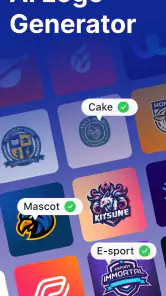
Analysis by Reviewed
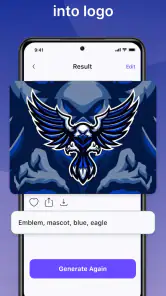
When I first open a logo app, I want a clear route from a rough idea to something I can actually show someone. AI Logo Generator, Logo Maker is aimed at that early creative step: it helps turn a business name and a preferred visual direction into logo concepts, without requiring me to start with a blank canvas. I’d treat the results as a starting point to refine, rather than assuming the first suggestion is ready for every use.
What to expect from a quick logo tool
This is an art and design app from Apps You Love, and its focus is practical branding work. It is free to install, rated for Everyone, and offers in-app purchases from $4.49 to $69.99 per item. The app has a 4.8 average from around 62,000 ratings, with over a million installs. Those figures suggest it has found an audience, but they don’t tell me whether a particular design will suit your business; that still depends on how carefully you choose and edit a concept.
The useful expectation is speed, not a substitute for a full identity project. If you need a first logo for a side project, a community event, or a small shop’s social profile, generated options can help you get past the blank-page problem. If you need a distinctive identity that must work across packaging, signage, and a formal brand system, I’d use this as an idea generator and compare the result with work from a professional designer or a more flexible design program.
Designing Made Easy
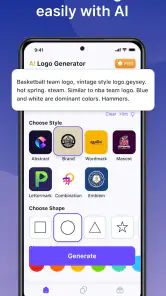
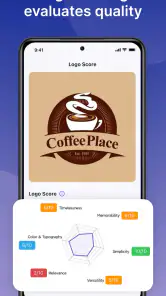
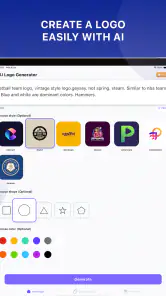
Ever found yourself staring blankly at a screen, struggling to come up with a logo design that doesn't scream 'amateur hour'? Well, say goodbye to those days! With the AI Logo Generator, Logo Maker, creating a logo is as easy as pie. Right off the bat, I was impressed by the intuitive interface. It’s clean, straightforward, and doesn’t require a design degree to navigate. Just pick your style, enter your brand name, and voila! The app generates a plethora of options for you to choose from.
Getting from setup to a usable first draft
For a first session, I’d have the exact business or project name ready and decide what the logo needs to do before browsing styles. A mark for a tiny profile image has different demands from one that will sit beside a longer name on a flyer. After entering the name and choosing a visual direction, compare the generated ideas for shape and readability first; color is easier to adjust later, while a crowded silhouette can remain hard to recognize at small sizes.
A realistic example: if I were preparing a simple announcement for a weekend craft stall, I’d make a few concepts, save the most legible one, and check it at the size it will appear on the post. I would avoid choosing only by how attractive a large preview looks. A useful logo should still be recognizable when reduced, and the wording should not disappear into decorative elements. This small check can prevent a polished-looking draft from becoming impractical.
Features That Spark Creativity
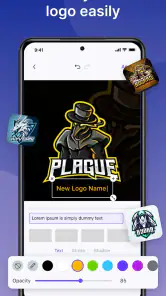
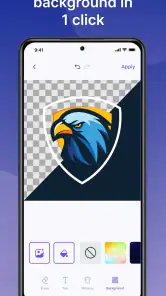
The app boasts a variety of features that cater to both newbies and seasoned designers. The AI-driven design suggestions are a game-changer. It’s like having a mini design team in your pocket! The app offers a wide array of templates, colors, and fonts, making customization a breeze. Plus, the option to tweak every little detail ensures that your logo is uniquely yours.
More From Our News Desk

Weather by Xiaomi Review: Clear at a Glance, Less Clear Up Close

X Under Pressure: Can It Recover When Posting Goes Wrong?

Clash of Clans Is Won Between the Battles

Android Auto Makes the Case for Quieter Car Software

MobiOffice: Transforming Mobile Productivity with Seamless Integration

EA SPORTS FC™ Mobile Soccer: Redefining Mobile Sports Gaming
One of my favorite features is the ability to see your logo in different mockups. Whether it’s on business cards, t-shirts, or websites, you get a real sense of how your design will look in the real world. This feature not only sparks creativity but also boosts confidence in your design choices.
Make mockups a test, not a verdict
I find mockups most useful as a way to spot mismatches: a detailed design may look lively on a large display but feel busy on a business card, while a strong wordmark may work better on a simple background. Treat these previews as a visual check, not proof that the design is print-ready or suitable for every platform. Before settling on a version, look at the name, icon, and contrast independently, and consider whether the logo would still make sense without its mockup setting.
One practical trade-off is that having many templates and adjustment choices can make it tempting to keep polishing without improving the core idea. I’d set a simple goal for each pass: first choose a recognizable concept, then refine its colors or lettering, and finally test it in context. If several rounds leave you with designs that feel interchangeable, that is a sign to bring in a hand-drawn sketch or a more deliberate design tool rather than endlessly swapping decorative details.
Where it fits among design alternatives
Compared with starting from scratch in a general graphics editor, this app’s guided concept generation is the more reassuring route when I have a name but no visual idea. A general editor gives more freedom to build shapes and layouts precisely, but that freedom can be overwhelming for a first-time user. Template-based design tools can also be a good choice when the main goal is a complete social post or flyer rather than a standalone logo. I’d choose this app to brainstorm a mark, then move elsewhere if I need finer control over a wider brand system.
Why You Should Try It
Now, you might be wondering, “Do I really need another design app?” Trust me, this one’s worth checking out. The AI Logo Generator, Logo Maker is perfect for those quick projects where you need a professional-looking logo without the hassle. It’s also a fantastic tool for brainstorming and getting a jumpstart on your design ideas.
Another major perk is the app’s affordability. It offers a free version with basic features, and for those who want to dive deeper into customization, there’s a premium option that won’t break the bank. Compared to hiring a professional designer, it’s a steal!
Costs, expectations, and who should look elsewhere
The app itself is free, but in-app purchases range from $4.49 to $69.99 per item, so I’d check what an option includes before paying. I wouldn’t assume that every template or adjustment is available at no cost, or that a purchase is necessary to try the basic workflow. If you only need a rough concept for an informal project, start with what is available without buying anything and decide whether the added choices solve a real problem for you.
This is most appealing if you’re a first-time creator, a solo seller, or someone testing a project before investing in a full identity. I’d skip it as the only tool if your work depends on precise vector construction, a tightly controlled brand guide, or a logo system that must be consistent across many products. In those cases, a professional designer or a more advanced graphics program is a better fit. The app’s current version is 124.0 and its minimum operating system requirement is Android 8.0, which is worth checking before installing on an older Android device.
So, whether you’re a small business owner, a budding entrepreneur, or simply someone who loves to dabble in design, give this app a whirl. Who knows, you might just create the next iconic logo!
A sensible next step after choosing a design
Once you have a draft you like, I’d keep a note of why it works: perhaps the name is easy to read, the symbol is memorable, or the colors suit the project. That makes later revisions more focused. Before using it publicly, check that the spelling is correct and that the design remains clear on both a plain background and the mockup where you intend to use it. If you need versions for different backgrounds or exact export formats, confirm those needs in the app before building a workflow around it.
In conclusion, the AI Logo Generator, Logo Maker is a fantastic tool that combines ease of use with powerful features. It’s the perfect companion for anyone looking to create stunning logos with minimal effort. So go ahead, unleash your creativity and let the app do the heavy lifting. Happy designing!
AI Logo Generator, Logo Maker Frequently Asked Questions
How much storage space should I allow before installing AI Logo Generator, Logo Maker?
It is sensible to leave enough free space for an app installation and its working files, especially if you plan to create and keep several logo designs. The app is an Art & Design tool for making logos and business visuals, so your own saved projects may also need room on your device. Check your available storage before downloading, and keep some space free for normal device use.
Is AI Logo Generator, Logo Maker suitable for beginners?
The app is designed with an intuitive interface, making it user-friendly for both beginners and experienced designers. Its AI-assisted approach is intended to help users explore logo ideas without needing professional design experience, while customization tools give you ways to adjust a result. If you are new to design, expect to spend some time comparing options and refining a logo to suit your project.
Does AI Logo Generator, Logo Maker require an internet connection?
Whether an internet connection is needed can depend on the feature you are using, such as generating or browsing design ideas. It is best to have a reliable connection when first opening the app and exploring its available tools. If you plan to work somewhere with limited connectivity, check how the app behaves there before relying on it for a time-sensitive logo project.
What devices can run AI Logo Generator, Logo Maker?
AI Logo Generator, Logo Maker is an Art & Design app for Android, with a minimum operating-system requirement of Android 8.0. Before downloading, check that your device meets this requirement so the app can install and run as expected. It is listed for Everyone, making its stated age classification suitable for a broad audience.
Who develops AI Logo Generator, Logo Maker, and what can it help me create?
Developed by Apps You Love, AI Logo Generator, Logo Maker is intended for creating logos and other business visuals. Its store description presents it as an AI logo maker for professional logos, branding, and business visuals, so it may be useful if you want to explore visual identity ideas for a project or business. The app is free to download, with optional in-app purchases.
Pros
- Easy-to-use interface for quick logo creation.
- Offers a wide variety of design templates.
- Allows customization of colors and fonts.
- No design skills needed to create a logo.
- Supports exporting logos in high resolution.
Cons
- Limited free options; many features are paid.
- Occasional bugs can disrupt the design process.
- Requires internet connection to access templates.
- Customization options can be overwhelming.
- Some templates may appear generic or overused.
- Category
- Art & Design
- Version
- 124.0












