AI Art Generator: AI Picture
- 1.44K
- 4.2
- Installs
- 1.00M
- Price
- Free

Screenshots
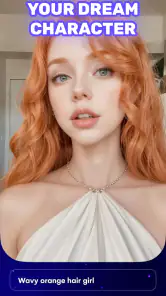
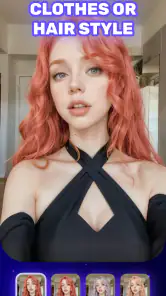
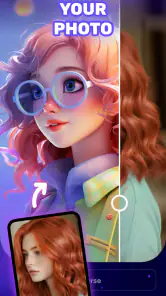
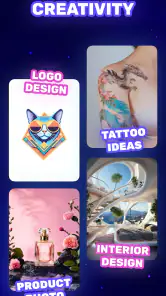
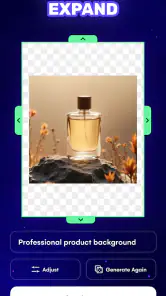
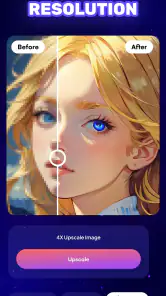
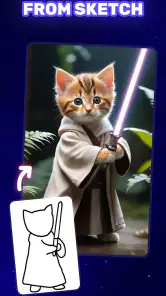
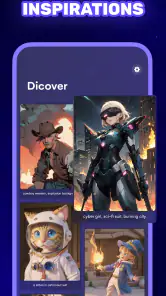
Analysis by Reviewed
I find AI Art Generator: AI Picture most useful when I have a visual idea but want help exploring it quickly, rather than when I need precise, production-ready artwork. It turns written prompts into images, making experimentation approachable even if drawing is not your skill. The results can be fun and surprising, but they still depend on how clearly you describe what you want and how much you are willing to refine an idea.
Where it fits in an art-making routine
As an AI art app from TAPUNIVERSE, it sits between a hands-on drawing program and a general image-editing tool. Instead of building an image stroke by stroke, I start with a description and let the generator interpret it. That makes it a handy sketching partner for mood boards, a playful image for a group chat, or a starting point when I am stuck on a visual direction. It is less suited to work that depends on exact layout, careful lettering, or consistent details across several images.
A realistic use is planning a themed invitation: I might try a cozy autumn garden, compare a few stylistic directions, then choose one image as a reference while making the finished design elsewhere. I would not assume the generated image will contain accurate text or match a strict brand palette. Treating it as an idea generator, rather than a complete design studio, makes its strengths clearer and avoids frustration.
Unleashing Your Inner Artist
Have you ever had an idea for a piece of art but lacked the skills to bring it to life? With AI Art Generator: AI Picture, those days are over. This app utilizes cutting-edge artificial intelligence to transform your text prompts into beautiful artworks. Whether you want to create a surreal landscape or a futuristic cityscape, this app has got you covered.
The process is as simple as it gets. You enter a description of the image you envision, and the AI does the rest. It's like having a personal artist at your fingertips, ready to paint your imagination onto a digital canvas. The app offers a variety of styles to choose from, giving you the freedom to experiment and discover what suits your taste best.
The Magic Behind the Scenes
So, how does this app work its magic? The developers have integrated state-of-the-art AI algorithms to interpret your inputs and generate images that reflect your vision. It's fascinating to see the AI evolve and improve, learning from each prompt to provide more accurate results over time. The technology behind it is complex, but the user experience remains incredibly intuitive and user-friendly.
One of the standout features of this app is its ability to generate high-quality images in a matter of seconds. You don't have to wait long to see your ideas come to life. Plus, the app allows you to save your creations in high resolution, making it perfect for printing or sharing on social media platforms.
More From Our News Desk

Weather by Xiaomi Review: Clear at a Glance, Less Clear Up Close

X Under Pressure: Can It Recover When Posting Goes Wrong?

Clash of Clans Is Won Between the Battles

Android Auto Makes the Case for Quieter Car Software

MobiOffice: Transforming Mobile Productivity with Seamless Integration

EA SPORTS FC™ Mobile Soccer: Redefining Mobile Sports Gaming
Getting better results without overworking a prompt
I get more useful variations by treating a prompt like a brief: name the subject, describe the setting, and then add one or two visual cues that matter most, such as lighting or mood. If I pile on conflicting details, the result can feel muddled. A practical approach is to change one element at a time between attempts; that makes it easier to tell whether a new style or a clearer description improved the image.
For a small personal project, I would save promising results as references and keep the final typography or precise edits for a dedicated design app. That division of labor is important: a generated picture can establish atmosphere, but it may not be a dependable substitute for editable layers or exact control. If you need to revise a particular object without changing the rest of the composition, a conventional editor may be the more efficient choice.
Making the output useful beyond the first image
A practical way to get more from a generated image is to decide in advance what job it needs to do. If I am making a mood board, a rough image can be successful even when a small detail is odd; I am looking for color, atmosphere, and composition, not a finished illustration. For a profile picture or a shareable image, I would be more selective, checking the focal point and edges before deciding that a result is ready.
I also find it useful to keep a short note of the prompt choices that produced a direction I like. That does not make the next image identical, but it gives me a starting point instead of making me reconstruct the whole idea from memory. When testing alternatives, I would keep the subject and setting steady while changing the mood or visual treatment. This makes comparisons fairer and helps avoid spending time on several prompts that differ in too many ways to learn from.
There is a trade-off in chasing a more polished result: every extra instruction gives the generator more to interpret, and a long prompt can dilute the elements that matter most. I would put the essential subject first, then add only the details that would change my decision about whether the image works. If the image is merely a private reference, I would accept a rougher result; if I plan to share it, I would spend a little longer reviewing it for misplaced or inconsistent details.
Who will enjoy it, and what to consider
The app is a good fit for curious beginners, casual creators, and anyone who wants to turn a passing idea into a visual quickly. It can also help an artist brainstorm compositions before drawing them by hand. I would steer away if your main need is a professional illustration workflow, repeatable character designs, or dependable text inside an image; those tasks call for more direct control than prompt-based generation usually offers.
It is free to try, with optional in-app purchases ranging from under a dollar to just under forty dollars per item. I would explore the available experience before paying, especially if I only need occasional images. The Teen content rating is also worth keeping in mind when deciding whether it is appropriate for a younger user. For an Android device, it supports version 6.0 or later.
For a family project, I would treat the age rating as a prompt for an adult to look at the app and its generated results alongside a teen, rather than assuming every possible image is suitable for every setting. For casual use, I would also decide what counts as “finished” before starting: a concept image may be enough, while a school poster or event graphic will still need checking and layout work elsewhere. That distinction helps keep expectations realistic and reduces the temptation to pay for more experimentation before knowing what the project actually needs.
Choosing the right tool for the job
The comparison with other creative tools is not simply about which one produces the prettiest image. A drawing app is a better fit when I need to place every line and object deliberately, and a photo editor is more dependable when I already have a picture and want to crop, retouch, or adjust it. This generator has a different role: it helps me move from words to visual possibilities, especially when I do not have an image to begin with.
For a small business graphic, for example, I would use it to explore broad visual directions, then recreate the chosen idea with tools that offer dependable typography and layout. For a personal gift, a loose, imaginative result may be all I need. For a project that must preserve a particular person’s appearance, product shape, or exact arrangement, I would choose a workflow with more direct editing and repeatability. The best choice depends on how costly a mismatch would be.
Before relying on a generated image in a public-facing project, I would inspect it at the size where people will actually see it. A detail that is easy to overlook in a thumbnail can become distracting when enlarged or placed next to text. I would also keep the original prompt with the saved image so I can revisit the idea if I need another direction. These are small habits, but they make prompt-based work easier to assess and hand off to a conventional design tool.
How it compares and what may change
Against a drawing app, this tool trades manual precision for speed and surprise; against a basic photo editor, it creates an image from an idea instead of mainly adjusting an existing one. Neither alternative is automatically better. I would choose a drawing app for control, a photo editor for reliable retouching, and this generator for quick concept exploration when a blank canvas feels like a barrier.
The app was released on November 3, 2022, and its current version is 4.1.18. Those facts show that it has had time to move beyond its initial release, but they do not tell me which specific features changed or guarantee what will arrive next. Existing users should judge each update by whether it improves their own prompt-to-image routine; for new users, the current version is the practical starting point. I would watch for clearer creative controls and a smoother path from generated concept to finished design, while treating those as hopes rather than promised changes.
For people already using it, the useful question is whether the current experience still fits their habits: can they get a good starting image with prompts they understand, and can they finish the work comfortably in their usual editor? A version number alone is not a reason to change a workflow. I would keep an older prompt or reference image that matters to a project, then test a new version on a low-stakes idea before depending on it for a deadline. That approach separates a genuine improvement in personal results from the excitement of seeing a newer release.
Why You Should Try It
If you're still on the fence about giving this app a try, let me share why I think it's worth your time. Firstly, it's a fantastic tool for anyone looking to explore your creative potential. Whether you're an aspiring artist or someone who simply enjoys playing with new technology, AI Art Generator: AI Picture offers endless possibilities for creative expression.
Additionally, the app is constantly updated with new features and improvements, ensuring that users always have something fresh to look forward to. The community of users is also active and vibrant, providing inspiration and support as you embark on your artistic journey.
In conclusion, AI Art Generator: AI Picture is more than just an app; it's a gateway to a world of creativity and imagination. Whether you're using it for fun or as a serious tool for art creation, it delivers on its promise to turn your ideas into reality. So why not give it a shot and see what masterpieces you can create?
Its audience numbers suggest plenty of people are giving it a try: it has more than a million installs, a 4.2 average from around 69,000 ratings, and about 1,400 written reviews. I take that as a sign of broad interest, not proof that every image will land perfectly. If you want a low-friction way to test visual ideas, it is worth exploring; if accuracy, repeatability, or hands-on editing comes first, I would start with a more controlled art tool instead.
A sensible first session
If I were recommending a first try to a friend, I would start with a low-pressure prompt rather than an important commission. Pick one clear subject, give it a setting and mood, then compare a small number of variations. The goal is to learn how the app interprets your language, not to force a perfect result from the first attempt. Once you know whether its visual choices suit you, it is easier to decide whether it deserves a place in a regular creative routine.
That first experiment can answer a few practical questions: do you enjoy describing images more than drawing them, are the available styles close to what you want, and is the result useful enough to finish elsewhere? If the answer is yes, it can be a convenient source of ideas. If you find yourself repeatedly fighting the composition or needing exact revisions, that is a useful sign to switch to a tool with hands-on controls rather than keep rewriting prompts.
What to keep in mind before committing
The free starting point makes casual exploration approachable, but the optional purchases mean I would check the cost shown in the app before making a paid choice and consider how often I expect to use it. A one-off experiment and a regular creative habit are different cases. I would not pay simply because a first image is imperfect; I would first try clearer, simpler wording and decide whether the app’s basic workflow is enjoyable for me.
There is also a difference between an image that looks appealing and one that is ready for a particular purpose. A generated picture can be a strong visual reference without being suitable as a final poster, logo, or precise illustration. If I need exact words, consistent details across a set, or easy object-by-object correction, I would plan to use a separate design or drawing tool. That division of work is not a failure of the generator; it is a sensible way to use it.
Overall, I see it as an approachable prompt-to-image option for people who value quick exploration more than fine control. It is worth trying for personal ideas, visual references, and playful experiments, while a dedicated editor remains the better choice for exacting work. Going in with that distinction makes the app easier to enjoy and gives you a clearer basis for deciding whether it belongs in your own toolkit.
AI Art Generator: AI Picture Frequently Asked Questions
What should I know about AI Art Generator: AI Picture before downloading it?
AI Art Generator: AI Picture is an Art & Design app focused on creating AI-generated pictures. It is free to download, is rated Teen, and includes in-app purchases. If you are deciding whether it suits you, consider your device’s Android version, the age guidance, and whether you are comfortable with optional paid features.
Who makes AI Art Generator: AI Picture, and is it actively versioned?
AI Art Generator: AI Picture is developed by TAPUNIVERSE. Its current version is 4.1.18, so you can check the version shown on your device’s app store when deciding whether to install or update it. The app’s main purpose is AI picture generation, making it most relevant to people looking for a creative tool rather than a general photo editor.
Does AI Art Generator: AI Picture work on my Android device?
AI Art Generator: AI Picture is an Art & Design app for Android devices running Android 6.0 or later. It is developed by TAPUNIVERSE and has a Teen content rating, so it may not be suitable for younger users. Checking your device’s Android version and the age guidance before installing can help you decide whether the app fits your needs.
Is AI Art Generator: AI Picture free to download and use?
The app is free to download, and it also offers in-app purchases ranging from $0.99 to $39.99 per item. That means you can try it without paying upfront, but some purchases may add costs as you use it. Before confirming a purchase, review the price shown in the app and consider whether its paid options suit your budget.
What is AI Art Generator: AI Picture and how does it work?
AI Art Generator: AI Picture is an innovative application that uses artificial intelligence to create stunning artworks from simple text prompts or existing images. By leveraging advanced algorithms, the app transforms your ideas into unique art pieces, offering a wide range of styles and artistic elements. Users can easily generate art by entering a description or uploading an image, and the AI does the rest, providing an easy and creative experience for artists and non-artists alike.
Pros
- Generates high-quality images quickly.
- User-friendly interface simplifies creation.
- Supports various art styles.
- No advanced skills required.
- Regular updates enhance features.
Cons
- Limited free version features.
- Occasional AI inaccuracies.
- Requires online access.
- Ads can be intrusive.
- High-quality images may take time.
- Category
- Art & Design
- Version
- 4.1.18













