Universal AC Remote Control
- 932.00
- 4.2
- Installs
- 10.00M
- Price
- Free

Screenshots
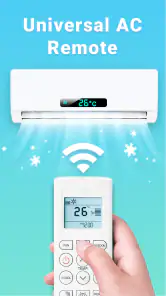



Analysis by Reviewed
I judge an AC remote app less by how many buttons it puts on a screen and more by whether I can find the right control when I’m hot, distracted, or trying not to wake someone. Universal AC Remote Control is intended to replace a misplaced or inconvenient air-conditioner remote with a phone, and that simple purpose is appealing. It is a free House & Home app from TV Master - Smart TV Remote Control, rated for Everyone. It has a 4.2 average from around 287,000 ratings and over 10 million installs, so it has clearly reached a broad audience. Those figures suggest popularity, though they don’t guarantee it will work with every AC unit or suit every user.
Finding the controls without extra fuss
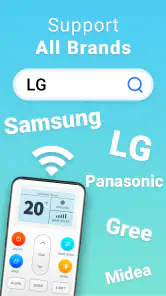
First things first, setting up the AC Remote - Air Conditioner app is a breeze. Once you've downloaded it from your respective app store, you'll find the interface to be super intuitive. I mean, even my grandma could navigate through it without breaking a sweat. The app supports a multitude of air conditioner brands, so chances are, yours is on the list.
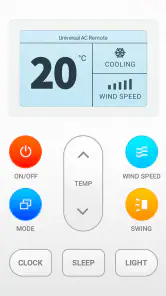
For readability and navigation, the practical test is whether the main controls are easy to recognize and reach, not simply whether the screen looks uncluttered. I’d check the temperature and power controls before relying on the app in a hurry, then keep the phone’s display at a comfortable size and brightness. That small trial also helps reveal whether the layout works for someone who has trouble with small on-screen targets or reading low-contrast text. I wouldn’t assume every person will find it equally accessible just because the controls seem straightforward to me.
Features Galore
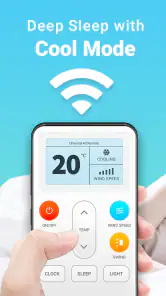
Now, let's talk features. The app turns your smartphone into a universal remote, which means no more flipping couch cushions looking for that elusive remote control. One of my favorite features is the ability to set timers. I'm a bit forgetful, so being able to schedule when my AC turns on or off has been a lifesaver. Plus, if you're like me and love coming home to a perfectly cooled room, you can adjust the temperature from anywhere. Yup, you heard that right. If you're stuck in traffic, just whip out your phone and set your AC to your desired temp before you even step through the door.
A useful way to judge whether that remote replacement is right for you is to start with one ordinary task: changing the setting while seated, then trying it from the spot where you usually need the AC. If the phone has to be aimed at the indoor unit, your position and the room layout may matter; a chair with a clear line of sight can be more convenient than reaching for a wall-mounted unit. Timers are a different kind of help: they can reduce the need to remember a later adjustment, but I’d check the selected time and setting rather than assume a schedule has taken effect.
Seamless Connectivity
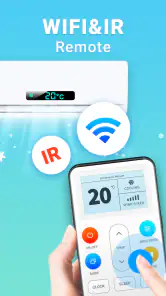
Connectivity is another highlight. The app connects quickly to your air conditioner, and I haven’t experienced any lag or disconnects. It's like magic! You just point your phone at the AC unit, and voilà, instant control. It's compatible with both Wi-Fi and IR, so whether your AC is internet-enabled or not, you're covered.
That distinction matters in day-to-day use. Infrared control depends on a compatible phone transmitter and a usable path to the AC, so it is not the same as controlling a unit through the home network from another location. Before building a routine around remote operation, I’d test the connection from the places I expect to use it and confirm what works with my particular unit. If a command fails, checking aim, distance, and whether the AC responds to its original remote is a sensible first troubleshooting step. A dedicated remote remains the safer fallback when the phone is unavailable or the room arrangement blocks the signal.
More From Our News Desk

Clash of Clans Is Won Between the Battles

Android Auto Makes the Case for Quieter Car Software

MobiOffice: Transforming Mobile Productivity with Seamless Integration

EA SPORTS FC™ Mobile Soccer: Redefining Mobile Sports Gaming

How Microsoft OneDrive Became a Mobile Productivity Giant

How Google Translate Breaks Language Barriers Effortlessly
Keeping It Cool and Simple
If you're worried about the app being a battery hog, fear not. It’s surprisingly light on resources and won’t drain your phone's battery like some other apps do. Also, the developers have done a stellar job keeping the user interface clean and clutter-free, ensuring that you focus on what matters most—adjusting your air conditioner settings with ease.
For people with motor or sensory considerations, using a phone can be a mixed trade-off rather than an automatic improvement. It keeps a remote from being lost among cushions, and a familiar touchscreen may be easier to handle than several small physical buttons. On the other hand, a glass screen offers no tactile confirmation, and tapping the wrong control can be harder to notice if the display is difficult to see. I’d try it in a calm moment and compare it with the original remote; whichever gives clearer feedback and requires less effort is the better everyday choice.
One realistic use is arriving home on a warm day and making a quick adjustment before settling down. If the connection method works from that location, the phone can save a walk to the unit or a search for the remote. In a shared home, though, I’d agree on who can change the setting and avoid assuming that one person’s preferred temperature suits everyone. For a visitor, keeping the original remote nearby may be more considerate than expecting them to install and learn an app just to adjust the room.
Where a phone remote may fall short
The app is most appealing if you often misplace the AC remote, prefer managing household controls from a phone, or want to try timer-based operation. It is less compelling if your existing remote is always at hand, if you need large physical buttons, or if you rely on tactile controls without looking at a screen. People whose AC does not respond to the app’s available connection method should not treat it as a dependable replacement. In those cases, the manufacturer’s remote or a compatible dedicated controller is the more practical option.
Compared with a standard AC remote, a phone app can be easier to keep nearby and may offer a different way to handle timers, but the physical remote does not depend on a charged phone or navigating a touchscreen. Compared with a smart-home control you already use, this app may be a simpler, AC-focused option; however, convenience depends on compatibility and connection, not just the word “universal.” The app is currently at version 3.3.5, and it requires Android 5.0 or later. I’d check that requirement and test the essential controls before putting the original remote away.
Small checks that make it more dependable
I’d set it up while the room is comfortable rather than waiting until the AC is urgently needed. That gives me time to find the right unit or control option, try a basic command, and confirm the response without having to troubleshoot while uncomfortable. I’d test power and temperature separately, since a successful power command alone does not prove every control I need will behave as expected.
For a household with more than one air conditioner, I’d also be deliberate about which unit I’m testing. A command that reaches the wrong unit can be confusing, especially if rooms are close together. Trying one unit at a time and watching for a clear response helps establish a reliable habit. It is a small bit of setup, but it is better than making a last-minute adjustment and wondering whether the phone has changed the intended room.
Timers are most useful when they match a predictable routine, such as wanting the AC to stop after you have gone to bed. I’d treat them as a convenience to verify, not as a substitute for checking the setting. If your schedule changes from day to day, a timer may create more fiddling than simply turning the unit off when you leave. The app makes most sense when the routine is steady enough that scheduled control saves attention instead of adding another thing to remember.
There is also a practical phone-sharing question. If one person configures the app but someone else usually adjusts the temperature, that second person should try the controls before the original remote is put away. The touchscreen may be familiar to one household member and awkward for another, and a phone can be locked, charging elsewhere, or in use for something else. Keeping the physical remote in its usual spot gives everyone a fallback while the household decides whether the app genuinely works for them.
Who is likely to appreciate it
I can see this being useful for someone who already keeps a phone close by and regularly loses the small AC remote. It can also suit a person who prefers adjusting settings from a single familiar device, provided the screen is comfortable to use and the connection works in their room. The main benefit is not that a phone automatically makes every control easier; it is that it changes where the control lives and how you reach it.
It is less suitable for someone who needs tactile buttons, wants a controller that works without depending on a phone, or needs a dependable way to operate the AC when the handset is unavailable. It may also disappoint anyone expecting “universal” to mean guaranteed compatibility across every air conditioner and phone. I’d treat compatibility as something to prove with the actual equipment, not as a reason to discard the original remote before testing.
For people who find screens tiring, a quick check in the lighting and seating conditions where they will use the app is more useful than judging it at a desk. Glare, small targets, or needing to hold the phone at an awkward angle can change the experience. Someone who uses phone accessibility settings may find the display easier to manage, but I would still check the actual control layout and feedback rather than assume those settings solve every issue.
My inclusive verdict
In conclusion, the AC Remote - Air Conditioner app is a solid addition to your smartphone arsenal. It's simple, effective, and downright handy, especially during those scorching summer months. Whether you're tech-savvy or not, this app makes managing your air conditioner a hassle-free experience. So, if you're tired of misplacing your remote or just want a bit more convenience in your life, give this app a whirl. I promise, you won't regret it!
I’d consider it a convenient extra, not a guaranteed replacement for every remote or every way of interacting with an AC. Its value is strongest when the controls are comfortable to read and operate, the unit responds reliably from the places you use the phone, and timers fit your routine. If those conditions hold, it can make small adjustments easier without adding much ceremony. If they don’t, keeping the physical remote—or choosing a controller with controls better suited to your needs—is a perfectly sensible choice.
My overall recommendation is to try it alongside the existing remote, not in place of it from day one. That approach lets you find out whether your air conditioner responds, whether the controls suit your hands and eyesight, and whether timers actually fit your habits. If the answer is yes, the app can earn a place in your everyday routine. If not, you have lost little by testing it, and the physical remote remains the straightforward option.
Universal AC Remote Control Frequently Asked Questions
Does Universal AC Remote Control work on iPhones as well as Android phones?
Before downloading, check which version of the app is available for your device and whether your phone can use the control method needed for your air conditioner. The app is intended to turn a phone into an AC remote, but having the app installed does not by itself ensure that the phone can send commands to every unit. Compatibility depends on the phone, the AC, and how they communicate.
What should I check on my air conditioner before choosing an app-based remote?
Check the air conditioner’s brand and model and consider how it normally receives remote commands. An app-based remote may need a compatible infrared control method or a supported smart-AC connection. It is also useful to keep the original remote nearby during setup, so you can continue operating the unit while testing whether the app can control its functions.
Will Universal AC Remote Control work on my phone?
Before downloading, check that your phone runs Android 5.0 or later, the app’s minimum operating-system requirement. Whether it can send commands to your air conditioner also depends on the control method your phone and AC support. The app is designed to control AC units, but the phone’s operating-system compatibility alone does not guarantee that every handset can communicate with every air conditioner.
Is Universal AC Remote Control free to download, and what should I know about its audience rating?
Universal AC Remote Control is free to download and is rated for Everyone, so it is presented as suitable for a general audience. The app is in the House & Home category and is developed by TV Master - Smart TV Remote Control. Those details can help you decide whether it fits your needs, while the questions below cover how it works and what to check before relying on it as your AC remote.
What is the AC Remote app and how does it work?
The AC Remote app is a digital solution that transforms your smartphone into a universal remote control for your air conditioner. By using infrared (IR) technology, or through Wi-Fi for smart ACs, this app allows you to adjust temperature, fan speed, and other settings without needing the physical remote. It's compatible with various air conditioner brands, making it a versatile tool for users.
Pros
- User-friendly interface simplifies usage
- Compatible with a wide range of AC brands
- Customizable settings for personalized comfort
- Energy-saving features reduce electricity bills
- Remote access from anywhere via smartphone
Cons
- Requires stable internet connection
- Limited features for older AC models
- Occasional app crashes reported
- Data privacy concerns with location access
- Subscription needed for premium features
- Category
- House & Home
- Version
- 3.3.5











