Piano Fire 2: Slide Challenge
- 319.00
- 4.5
- Installs
- 50.00M
- Price
- Free

Screenshots

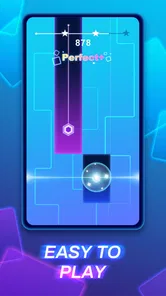
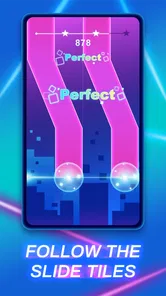
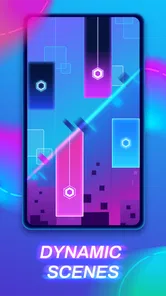
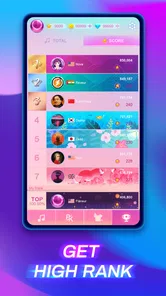
Analysis by Reviewed
So, I recently stumbled upon this app called Piano Fire 2: Slide Challenge, and I have to say, it’s quite the musical adventure! Whether you're a seasoned pianist or someone who just loves the soothing tunes of a piano, this app has something for everyone. Let’s dive into what makes this app a fun and engaging experience.
The Musical Journey Begins
Once you open Piano Fire 2: Slide Challenge, you're greeted with a sleek interface that's easy on the eyes. The app offers a variety of songs to choose from, ranging from classical pieces to modern hits. What I love most is how it combines the rhythmic fun of a music game with the challenge of mastering piano keys. It’s like having a mini concert right in your pocket!
There’s a useful distinction to keep in mind: this is a music game, not a piano lesson. I’d choose it for a quick rhythm challenge, not to learn note names, read sheet music, or build piano technique. The falling-note presentation can make the action feel musical, but success is about responding to the game’s cues rather than practising a real keyboard part.
Gameplay and Features
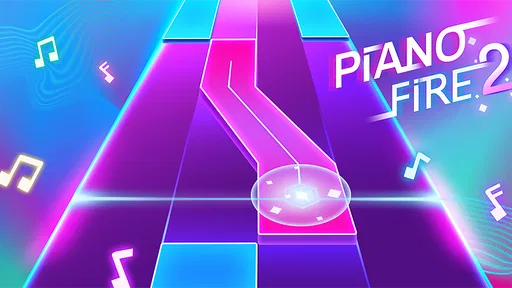
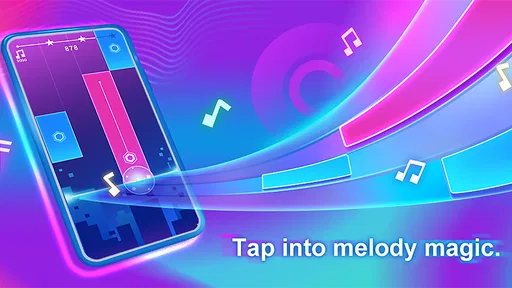
The gameplay is where Piano Fire 2 really shines. The app uses a sliding mechanic that’s both intuitive and challenging. As notes fall from the top of your screen, you have to slide your finger across the screen to hit the right notes at the right time. It’s a test of both skill and timing, and it keeps you on your toes!
In practice, I’d start by watching the note pattern for a moment instead of swiping as fast as possible. Sliding calls for a slightly different kind of attention from games that ask for a separate tap on every beat: you need to track where a note is headed and guide your finger accordingly. If a run goes wrong, noticing whether I mistimed a move or crossed the screen too hastily gives me something specific to adjust on the next attempt.
That makes the game a handy fit for a short break. If I’m waiting for a ride or have a few spare minutes between tasks, I can focus on one song and stop when I’m ready. For a relaxed commute, I’d keep the volume at a comfortable level and play somewhere I can look at the screen; it isn’t a good choice when I need my attention on walking, driving, or a conversation.
Making a Short Session Count
One useful way to approach a run is to treat it as a small listening-and-reaction exercise rather than a test of musical knowledge. I’d pick a song that sounds appealing, give the opening pattern my attention, and notice how the cues line up with the soundtrack. When I miss, I can decide whether the problem was timing, a rushed slide, or simply losing track of the next cue. That makes a retry more informative than repeating the same motion without thinking.
More From Our News Desk

Weather by Xiaomi Review: Clear at a Glance, Less Clear Up Close

X Under Pressure: Can It Recover When Posting Goes Wrong?

Clash of Clans Is Won Between the Battles

Android Auto Makes the Case for Quieter Car Software

MobiOffice: Transforming Mobile Productivity with Seamless Integration

EA SPORTS FC™ Mobile Soccer: Redefining Mobile Sports Gaming
This is also why I’d play with the phone held steadily, rather than trying to operate it one-handed while doing something else. The slide mechanic asks for controlled movement across the screen, and a distracted hand can turn a manageable pattern into a messy attempt. If I’m standing in a queue, I’d keep the session brief and make sure I’m not blocking people or missing an announcement; at home, a few uninterrupted minutes are better for judging whether a song’s pace feels enjoyable.
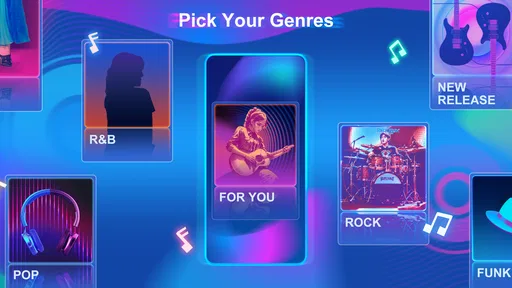
One of the standout features is the song library. The app developers have done a fantastic job of curating a list that caters to all musical tastes. Whether you’re into Beethoven or Billie Eilish, there’s something here for you. Plus, they keep adding new tracks, so the experience always feels fresh.
Music taste is personal, so I wouldn’t assume every selection will land for every player. I’d browse the available songs before settling into a long session, and treat familiar tunes as an extra pleasure rather than a requirement. If you mainly want to play along with a particular artist or choose from a very specific catalogue, a dedicated music service or a different rhythm game may suit you better.
Choosing It Over Other Music Games
Compared with a conventional piano-learning app, this is the more playful choice but the less useful one for building transferable keyboard skills. A lesson app usually asks you to work through instruction and practice; here, the appeal is responding to moving cues and seeing how cleanly you can complete a song. I’d choose this game when I want active entertainment, not when I’ve set aside time to learn an instrument.
Against rhythm games built around tapping, the sliding action changes the feel of play. It asks me to follow a moving path with my finger, so it can feel more fluid than repeatedly striking separate points. That distinction is a matter of preference: players who enjoy tracing a cue may find it satisfying, while someone who prefers simple, sharply defined taps may find the swipes less comfortable. If you’re deciding between styles, the key question is whether sliding feels natural on your screen.
Why You'll Love It
I personally found myself getting lost in the music, trying to beat my high scores. It’s one of those games where you think you’ll only play for five minutes, but an hour later, you’re still tapping away! The app also has a social feature where you can share scores with friends, adding a layer of competitiveness that’s always fun.
The appeal of a high score is that it gives a clear reason to try again: I make a run, see how I did, and want another chance to handle the tricky section more cleanly. That loop works best when I set a small target, such as improving one song, rather than letting repeated retries turn a casual break into a frustrating grind. Sharing results can add friendly motivation, though players who prefer private, uncompetitive play may simply ignore that part.
A realistic routine for me would be to play a song while taking a break after finishing a task, then stop once I’ve either improved my run or decided the pattern is not clicking. I wouldn’t use it as background entertainment because the visual cues are central to the challenge, and I wouldn’t start a session during a moment when I need to answer messages or keep an eye on something else. The game’s short-burst appeal works best when I can give it my eyes and hands for a few minutes.
As a free game from Adaric Music, Piano Fire 2 is easy to consider as a no-cost way to try this style of play. It has a 4.7 average from around 13,000 ratings, and has passed 10 million installs. The current version is 1.0.35, and it was released on June 13, 2024. Its Mature 17+ rating is also worth checking before you install it, especially if you’re choosing a game for a younger player.
The age rating matters in a practical way: I’d check it before handing the phone to a teenager or setting up a family device, rather than assuming a music theme automatically makes the game suitable for every age. The game is free to install, which lowers the barrier to trying its particular rhythm style, but I’d still decide whether its music selection and reflex-focused play are what I actually want before making it part of my routine.
What really sets Piano Fire 2 apart is its accessibility. You don’t need to be a piano prodigy to enjoy it. The app is designed to gradually increase in difficulty, making it suitable for all skill levels. And let’s not forget the stunning visual effects that accompany each song, making the experience all the more immersive.
Accessibility doesn’t mean it will feel effortless throughout. The timing challenge can become demanding, and visual effects that add excitement may also compete with the notes for attention when I’m trying to concentrate. If I’m getting distracted or missing cues, I’d take a short pause and return with a fresh focus rather than keep repeating the same attempt. Players who want a quiet, low-stimulation music experience may prefer listening to songs or choosing a slower, less reactive game.
When I’d Put It Down
I’d skip this one if I wanted to practise piano fundamentals, explore a particular artist’s catalogue, or play without watching the screen. It is also a poor match for anyone who finds retrying the same short challenge irritating; a high-score loop can feel motivating to one person and repetitive to another. The best way to judge that is to try a few different songs and notice whether a failed run makes you curious to adjust your timing or simply eager to quit.
For players who enjoy music but don’t want a demanding session, I’d compare it with simply listening to a playlist. Listening is more relaxing and doesn’t require constant attention, while this game gives the music an active, reactive role. If I want to settle down, I’d choose the playlist; if I want a quick challenge that keeps my hands and eyes engaged, I’d choose the game. That trade-off is more important than whether I already know how to play piano.
Final Thoughts
In conclusion, Piano Fire 2: Slide Challenge is a must-try for anyone who enjoys music games or wants to explore their musical side. It’s engaging, challenging, and a whole lot of fun. So, whether you’re looking to kill time or improve your musical skills, this app is definitely worth a download. Happy sliding!
My recommendation is strongest for people who enjoy quick reflex challenges, replaying songs to sharpen a score, and having music as part of the action. I’d skip it if your main goal is structured piano practice, if you dislike retry-based gameplay, or if you need a game that works without close visual attention. For a short, focused session, though, its slide-and-time loop has a clear pull: make a run, learn from the result, and decide whether you want one more go.
Piano Fire 2: Slide Challenge Frequently Asked Questions
Does Piano Fire 2: Slide Challenge need an internet connection?
You can enjoy the core appeal of Piano Fire 2: Slide Challenge through its music-and-tile gameplay, but some features may require internet access. A connection is also needed to download the game in the first place. If you expect to play while offline, check how the game behaves on your device before relying on it for a trip or another period without connectivity.
How much storage space does Piano Fire 2: Slide Challenge need?
The amount of storage a mobile game uses can vary with its version and the device it is installed on. Before downloading Piano Fire 2: Slide Challenge, make sure your phone or tablet has enough free space for the installation and any updates. If storage is tight, reviewing your device’s available space first can help prevent an interrupted download or installation.
Can I play Piano Fire 2: Slide Challenge with headphones?
Yes, headphones are a natural way to experience a music game like Piano Fire 2: Slide Challenge, especially when you want to focus on the rhythm and timing of each tile. They can also make the music easier to hear in a busy environment. Use a comfortable volume, and make sure audio is enabled on your device before starting a session.
Is Piano Fire 2: Slide Challenge suitable for younger players?
Piano Fire 2: Slide Challenge has a Mature 17+ content rating, so it may not be appropriate for children or younger teens. Parents and guardians should check the rating and decide whether the game is suitable before allowing a download. The game is a music-focused tile challenge, but its age rating is an important consideration for families.
What is Piano Fire 2: Slide Challenge and how does it work?
Piano Fire 2: Slide Challenge is a dynamic mobile game that combines music with fast-paced slide mechanics. It allows players to tap along to popular tunes while navigating through challenging levels. The game tests your reflexes and rhythm skills, offering a unique blend of music and gaming entertainment that's designed to keep players engaged. Its store summary describes the experience as tapping and sliding tiles alongside pop music.
Pros
- Engaging gameplay with dynamic music integration.
- Intuitive controls for easy learning curve.
- Visually appealing graphics and animations.
- Regular updates with new songs and challenges.
- Offline mode available for uninterrupted play.
Cons
- Limited song selection in free version.
- In-app ads can disrupt gameplay flow.
- Requires precise timing
- challenging for beginners.
- Battery drains quickly during extended play.
- Occasional lag on older devices.













