Avatar Maker Dress up for kids
- 2.58K
- 3.3
- Installs
- 50.00M
- Price
- Free

Screenshots
Analysis by Reviewed
I can see why Avatar Maker Dress up for kids catches a child’s attention quickly: choosing a look gives them an immediate creative task, with no long explanation needed. In the first few sessions, that low barrier is a real strength. A child can try a style, change their mind, and make another version, while a parent can join in by asking what kind of character they are making. I’d treat it as a short, playful activity rather than an app that will reliably occupy a whole afternoon.
Why the first sessions work
The appeal is easy to understand even before a child has a story in mind. The avatar gives them a starting point, and changing hair and clothes turns a blank idea into something they can show someone else. For a quiet moment at home or a brief wait, that kind of open-ended play can be more inviting than a game with rules to learn. The useful parent’s trick is to offer a small prompt—“make someone ready for a rainy day” or “design a character for a story”—instead of leaving the child to cycle through options without a goal.
How it fits into a routine
For Pazu Games, this is an educational game built around avatar creation, and I think its strongest learning value comes from the conversation around play. A child can compare colors, explain why two pieces belong together, or invent a personality for the character. Those are small opportunities to practice describing choices, not a substitute for a structured lesson. If your child enjoys drawing outfits or making up characters already, this can be a handy digital variation; if they prefer challenges, scores, or clear stages, the open-ended format may not give them enough to return to.
Unleashing Creativity
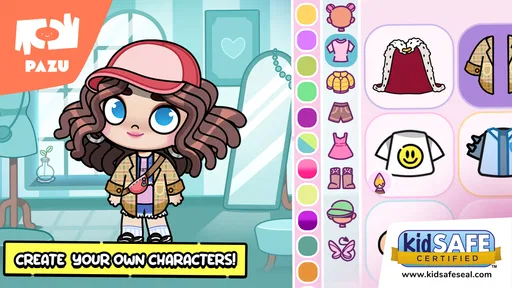
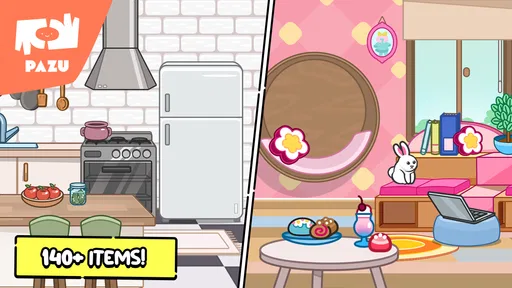
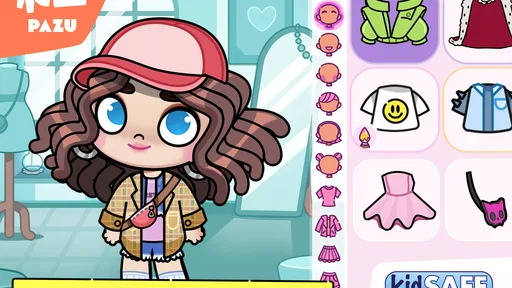
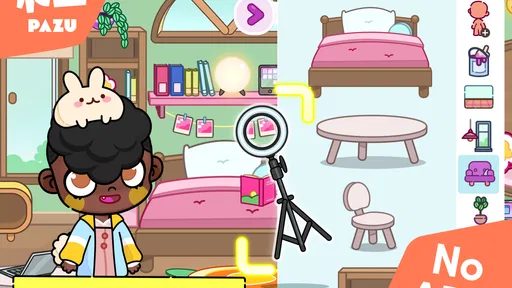
From the moment I opened Avatar Maker Dress up for kids, I could tell it was something special. The interface is super user-friendly, making it easy for kids to navigate. You don't need to worry about them getting lost in menus or settings. The app is designed to spark creativity, allowing children to create their own avatars with a wide range of customization options. They can choose everything from hairstyles to outfits, ensuring their avatars are as unique as they are.
Endless Outfit Combinations
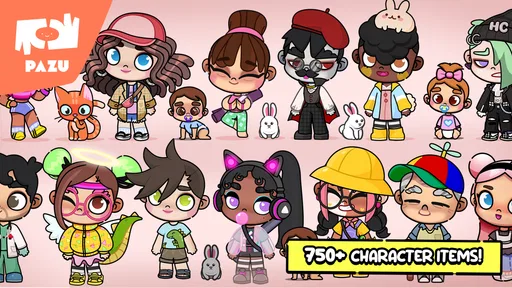
One of the standout features of this app is the sheer variety of outfits available. Kids can mix and match clothes, resulting in endless combinations. Whether they want their avatar to dress up as a superhero, a princess, or something entirely out of their imagination, the possibilities are endless. The colorful graphics and appealing designs make it all the more enjoyable.
Interactive and Educational
What's even better is that Avatar Maker Dress up for kids isn't just about dressing up avatars; it also has an educational twist. As kids play around with different outfits and styles, they're also learning about fashion and developing their sense of style. It's a great way to encourage them to express their creativity while subtly teaching them about colors and patterns.
Safe for Kids
As a parent, I always look for apps that are safe for my children, and this app ticks all the boxes. There are no inappropriate ads or content, and it doesn't require any personal information. The developers have ensured a safe environment for kids to play and explore without any worries.
More From Our News Desk

Weather by Xiaomi Review: Clear at a Glance, Less Clear Up Close

X Under Pressure: Can It Recover When Posting Goes Wrong?

Clash of Clans Is Won Between the Battles

Android Auto Makes the Case for Quieter Car Software

MobiOffice: Transforming Mobile Productivity with Seamless Integration

EA SPORTS FC™ Mobile Soccer: Redefining Mobile Sports Gaming
What to expect after the novelty
Dress-up play tends to stay fresh when a child invents a reason for each new look. One practical routine is to create a character for a different everyday situation—school, a celebration, or an imaginary trip—and ask the child to explain the choices. That adds a storytelling element without needing extra game systems. If they mostly repeat the same outfit changes, though, the activity may lose its pull; I wouldn’t count on new combinations alone to keep interest going month after month.
Choosing it over other creative apps
Compared with drawing apps, this is the easier choice for a child who wants to assemble a character rather than make every line from scratch. Compared with games built around levels and objectives, it offers more freedom but less direction. That trade-off matters: kids who like experimenting with appearance may settle into it, while children who want a clear task or a sense of progress will probably be happier elsewhere. I’d also avoid presenting it as a full storytelling tool; the story comes from the child’s imagination, not from a structured sequence I can rely on.
Keeping the experience manageable
The game is free to start, but it includes optional in-app purchases ranging from $6.49 to $59.99 per item, so I’d check purchase settings before handing a device to a child. That is the main practical point I’d plan around, rather than assuming every available choice is included. It is rated for Everyone, has more than 10 million installs, and holds an average rating of 3.1 from around 107,000 ratings, so I’d read that mixed reception as a reason to match expectations: it is a focused dress-up activity, not a deep game. Its current version is 1.10, it was released on January 5, 2022, and it requires Android 6.0 or later.
Making a small session feel worthwhile
A simple way to get more from a brief play session is to give the child a design constraint rather than an answer. Ask for an outfit using a color they don’t usually choose, or a look suited to a character who has a particular job or mood. The constraint gives the child a reason to compare options, but still leaves the decisions theirs. I find this more rewarding than asking them to make the “best” avatar, which can turn a playful activity into a search for approval.
Another useful approach is to let the child describe the finished character before moving on. They might name the character, explain where they are going, or say why a certain outfit fits. This makes the screen part of a short make-and-tell activity instead of the whole event. It also gives an adult a natural stopping point: once the child has made and explained one look, there is no need to keep extending the session simply because more combinations are possible.
A practical fit for family life
Picture a child waiting while dinner is being prepared. They can make a character for an imaginary restaurant, choose a look, then tell a nearby adult what the character is ordering or celebrating. That is a realistic use for a lightweight creative game: it occupies a short gap and gives the family something to talk about. It is less convincing as a dependable way to manage a long wait, because open-ended dress-up can run out of steam when the child has no fresh idea or adult interaction to build on.
For a caregiver, the better question is not whether the game can hold a child’s attention indefinitely, but whether it makes a short screen break feel active. I’d keep it available for moments when a child already enjoys pretend play, and pair it with a prompt if they need help getting started. If the child asks for a new goal every few minutes, that is a sign that a level-based game, a physical drawing activity, or a shared story may suit that moment better.
Where the creative trade-off shows
Avatar creation sits between drawing and conventional play. Unlike a blank page, it offers ready-made visual choices, so a child who feels unsure about drawing can still make a character that looks finished. But the same convenience limits how much the child is inventing visually: they are selecting and combining rather than sketching every detail. I see that as a useful distinction for parents, not a flaw that needs to be fixed. Choose it when the aim is quick styling and character talk; choose drawing when the child wants to control the image from the first mark.
It also differs from story games, where the app supplies a sequence of events and rewards progress through them. Here, the child supplies the reason for the outfit. That can encourage imagination, but it asks more of a child who relies on the game to provide direction. If they enjoy making up roles, the freedom is the point. If they want the game to tell them what happens next, the lack of built-in structure may feel like an empty space rather than an invitation.
What adults should check before handing over the device
Because paid items are available, I would look at the device’s purchase controls before a child plays independently. That small bit of preparation is more useful than trying to explain every possible purchase in the middle of an excited session. A parent can also make the boundary clear in ordinary language: the child may explore the included play, while any purchase is an adult decision. The game is free to begin, but “free” should not be taken to mean that every option is necessarily available without spending.
Families may also wonder whether it suits a very young child who cannot read menus confidently. The game’s simple dress-up premise can be approachable, but I would still sit nearby at first and see how that particular child handles the choices and navigation. An age rating of Everyone is helpful context, not a promise that every child will use any app comfortably without supervision. For a child who is easily frustrated by choices, a parent’s prompt and a brief shared session can make the difference between enjoyable play and aimless tapping.
Who will get the most from it
I’d recommend it to younger children who enjoy styling characters and to adults who want an easy prompt for imaginative conversation. I’d skip it for a child who quickly tires of open-ended choices, or for anyone looking for extensive narrative, building mechanics, or a progression system. Pazu Games has made a simple creative play space, and its value depends less on the length of a session than on whether a child brings a fresh idea to it.
It is also a better match for families who are comfortable with a focused activity that can be picked up and put down, rather than a game that becomes part of a daily routine through new challenges. If a child returns because they have a new character idea, the app is doing its job. If the only reason they want to reopen it is to search for more options, interest may fade once the initial excitement of changing outfits wears off. I would let the child’s own play habits guide whether it earns a place on the device.
Does it earn a lasting place?
For lasting value, I judge this less by how many looks a child can make than by whether the activity changes as their ideas change. A child might first enjoy matching colors, then start making characters for imaginary occasions, and later use the avatar as a starting point for a story told aloud. That progression comes from the child, not a promise of new objectives, so it will vary from one family to another. A parent can encourage it with a fresh prompt now and then, but shouldn’t have to turn every session into a lesson.
My practical verdict is to try it as a short creative option, especially if dress-up already appeals to your child, and then watch what happens after the first burst of curiosity. If they begin inventing distinct characters and can explain their choices, it is giving them a reason to return. If they make the same kind of look repeatedly and ask for more direction, there is no need to keep coaxing them; another activity may be a better use of their time. That makes it a worthwhile fit for the right child, but not an automatic long-term staple for every family.
In conclusion, Avatar Maker Dress up for kids is a fantastic app that combines creativity, fun, and education. It offers a safe space for children to express themselves and explore their creativity. If you're looking for an app that keeps your kids entertained while also stimulating their imagination, this is a must-have. Give it a try, and watch as your kids dive into a world of fun and fashion!
Avatar Maker Dress up for kids Frequently Asked Questions
What does the game invite children to do?
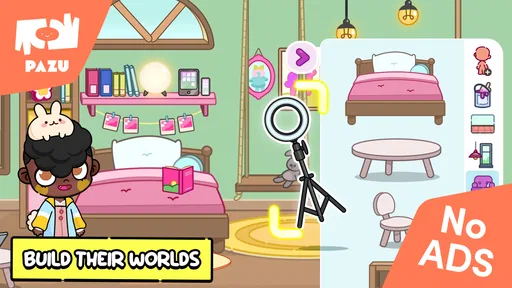
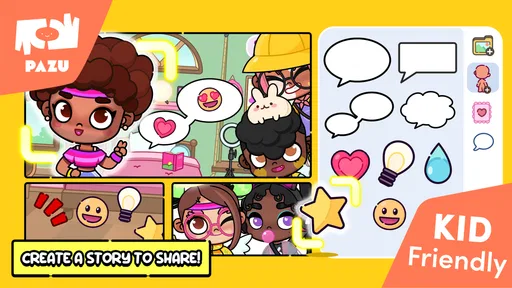
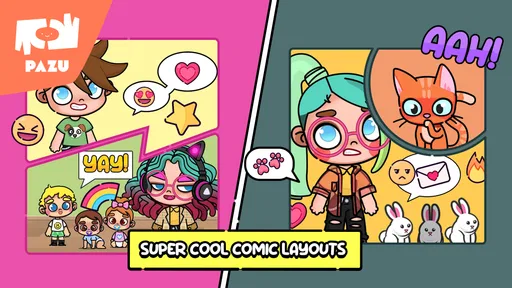
Avatar Maker Dress up for kids invites children to create an avatar and use it as the starting point for stories and a virtual world of their own. It is a creative activity centered on character-making, so it may appeal to kids who enjoy imagining characters and settings. Families can consider whether this style of open-ended play is a good fit for their child.
Who develops Avatar Maker Dress up for kids?
Avatar Maker Dress up for kids is developed by Pazu Games. Knowing the developer can help parents identify the game when browsing for children’s apps and decide whether it is one they want to explore. The game is presented as an educational experience focused on avatars and creativity, rather than as a competitive challenge.
What kind of game is Avatar Maker Dress up for kids?
Avatar Maker Dress up for kids is an educational game focused on creating avatars and building a virtual world. Its central idea is to let children shape a character and use it as a starting point for their own stories. That makes it a creative option for families looking for a playful activity rather than a game centered on competition.
Is Avatar Maker Dress up for kids free to download?
Yes, Avatar Maker Dress up for kids is free to download. It also offers optional in-app purchases, so some content may require a purchase. The game is made by Pazu Games, and its age rating is Everyone. Parents may want to check the purchase controls on their device before handing the game to a child, especially if they prefer to manage spending themselves.
What age group is Avatar Maker Dress up for kids suitable for?
Avatar Maker Dress up for kids is designed primarily for children aged 4 to 12 years old. The app provides a fun and safe environment for young users to express their creativity by designing avatars. Its simple interface and colorful graphics are tailored to engage children, making it an ideal choice for parents seeking educational and entertaining apps for their kids.
Pros
- Colorful and engaging interface.
- User-friendly for young children.
- Wide variety of clothing options.
- Promotes creativity in children.
- No in-app purchases required.
Cons
- Limited avatar customization options.
- Occasional app crashes reported.
- Some outfits lack cultural diversity.
- Ads can be intrusive at times.
- Requires internet for full features.













