Avatar World ®
- 49.01K
- 4.7
- Installs
- 100.00M
- Price
- Free

Screenshots


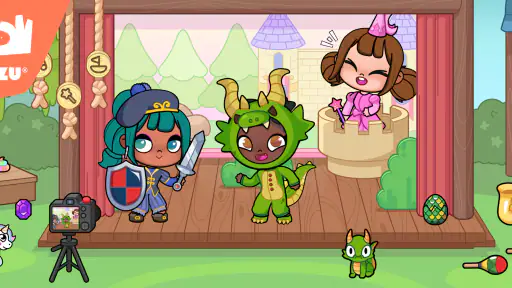
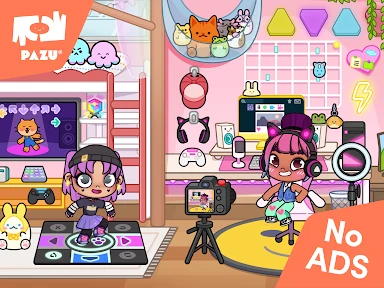
Analysis by Reviewed
I think Avatar World ® works best as a small creative playground: a place to invent a character, try out a look, and give that character a setting. It does not ask me to master a complicated system before I can enjoy it. I can simply start with an idea and explore. That relaxed approach is its appeal, though it also means players who need missions, competition, or a steady sense of achievement may want something different.
A relaxed routine for making characters
I find it works best as a short, repeatable creative activity rather than a game I need to approach with a fixed goal. I’ll open it with a loose idea—perhaps a character with a particular mood or style—then make a few choices and see where they lead. Because the changes appear as I make them, I can compare looks immediately instead of committing to a design before I know how it feels.
That makes it an easy fit for a quiet break at home or a child’s creative playtime with an adult nearby. If someone asks whether they need to know how to draw or have a detailed plan, I’d say no: experimenting is part of the appeal. On the other hand, someone looking for action, competitive role-playing systems, or a clearly defined progression may find this kind of open-ended play too gentle.
Reads About Avatar World ®
Making a character, then finding a rhythm
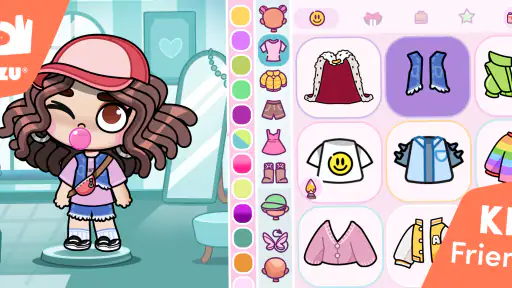
When I first opened Avatar World ®, I was immediately drawn into its vibrant and user-friendly interface. The app offers a wide array of options to customize your avatar, from skin tones and hairstyles to outfits and accessories. It’s like having a virtual closet full of endless possibilities. I spent hours tweaking every detail to get my avatar just right, and trust me, it’s a lot of fun! Whether you want to create a mini version of yourself or design a completely new character, this app has got you covered.
Features That Stand Out
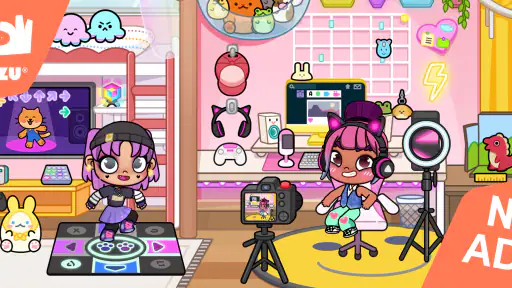
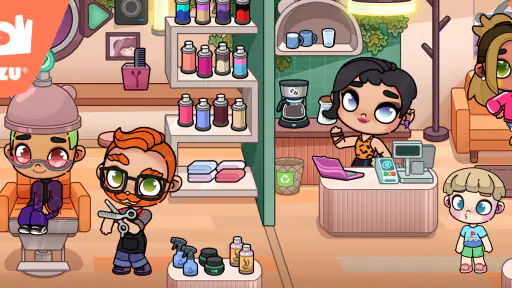
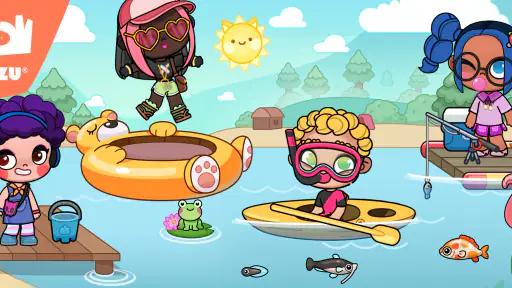
One of the features I absolutely love is the real-time customization. You can see changes as you make them, which makes the whole process smooth and engaging. Plus, the app offers a variety of themes and backgrounds to place your avatar in different settings, from bustling cityscapes to serene beaches. It’s all about bringing your avatar to life in the most creative ways possible.
For a more satisfying session, I’d decide on one small goal before browsing: try a new color combination, build a character around an accessory, or choose a background that changes the feel of the design. This keeps the process playful without turning it into a long hunt for a perfect look. A useful trade-off is that abundant choices invite experimentation, but they can also make it easy to spend time revisiting tiny details. I usually stop when the overall character reads clearly, rather than trying to optimize every element.
Another cool feature is the social sharing option. Once you’re done crafting your masterpiece, you can easily share your avatar on social media or set it as your profile picture. It’s a fun way to showcase your creativity to friends and family.
More From Our News Desk

Android Auto Makes the Case for Quieter Car Software

MobiOffice: Transforming Mobile Productivity with Seamless Integration

EA SPORTS FC™ Mobile Soccer: Redefining Mobile Sports Gaming

How Microsoft OneDrive Became a Mobile Productivity Giant

How Google Translate Breaks Language Barriers Effortlessly

Why Google Sheets Is the Ultimate Mobile Productivity Tool
Simple controls, with a few practical checks
What impressed me most about Avatar World ® is how intuitive it is. Even if you’re not tech-savvy, you’ll find navigating through the app to be a breeze. The developers have done a fantastic job at keeping things simple yet engaging, ensuring that users of all ages can enjoy the app.
Since the game is aimed at Everyone, I’d still treat sharing as a choice to make together if a child is playing. Before posting an image elsewhere, check what is visible in the picture and use the sharing destination you actually want; a creative result does not need to be shared publicly to be enjoyable. This small habit makes the app easier to use as a family activity, especially when the goal is simply to show a new character to someone nearby.
And let's not forget the regular updates! The app is frequently updated with new features and customization options, keeping things fresh and exciting. It’s like getting a new toy every few weeks, and who doesn’t love that?
Where it fits among role-playing games
Avatar World is a free role-playing game from Pazu Games, with a 4.7 average from around 4.1 million ratings and over 100 million installs. It was released on December 12, 2022, and version 1.145 requires Android 6.0 or later. The game is rated for Everyone, while optional in-app purchases range from $0.99 to $14.99 per item.
Compared with role-playing games built around battles, quests, or character statistics, this one puts the emphasis on visual expression and imaginative play. That is a real strength for someone who wants to make characters without learning complicated systems. It is also the reason I would choose a more story-driven or strategy-focused game if I wanted clear challenges and measurable progress. The free entry point makes it easy to try, though families should keep in mind that optional purchases are part of the experience.
On a normal day, I can imagine a child choosing a character idea after school, adjusting the outfit and setting, then showing the result to a parent rather than settling in for a lengthy session. Adults who enjoy styling and visual storytelling can get something from that same loop, too. It is less suited to players who want deep role-playing mechanics or a structured campaign, and the open-ended format may not hold attention if customization itself is not appealing.
Small habits that make sessions smoother
I get more out of a character-making session when I treat it like a quick design exercise rather than a search for the single best combination. Starting with a mood—cheerful, calm, dramatic, or playful—gives me a simple filter for the options. If a choice does not fit, I move on instead of reopening every earlier decision. This is especially useful for younger players, who can otherwise get stuck cycling through details without feeling finished.
Another practical pattern is to make one visible change at a time and pause to judge the whole look. Since customization updates in real time, there is no need to remember how a previous option looked. I can compare the current result with the character’s overall feel, then keep or undo the change. That makes experimenting less frustrating and helps prevent small details from taking over the session.
When a child wants to share a creation, I’d make the moment about describing the character before deciding where the image goes: who the character is, what the setting suggests, and which detail matters most. It turns the finished design into a little storytelling prompt without requiring public posting. For a parent nearby, this also creates a natural chance to guide sharing choices without interrupting the creative flow.
What to check before settling in
The game is free to start, but optional in-app purchases are worth discussing before handing over a device. I’d agree on whether purchases are allowed and make sure the person playing knows that choosing an item is different from simply changing an avatar’s look. That conversation is more useful than waiting until a child encounters a purchase option and has to guess what to do.
If you’re deciding whether it suits a particular device, the Android requirement is version 6.0 or later. The current version is 1.145, and the game has been available since December 12, 2022. I’d also consider the kind of session you want: this is a visual, hands-on activity, so it fits a few minutes of focused play better than an audience-free background game. A child who enjoys making choices and showing someone the result is more likely to connect with it than one who expects constant action.
The Everyone age rating makes it approachable for a broad audience, but age suitability is not the same as a family’s preferred way to handle purchases or sharing. I’d use it alongside an adult when a younger child is learning how those choices work. For older players, the same guidance can be brief: enjoy the design process, and be deliberate about any purchase or post.
Who will enjoy it—and who may not
I’d recommend it to children who like outfits, characters, and imaginative scenarios, as well as adults who enjoy visual styling without needing a serious design tool. It can also work as a low-pressure activity during a quiet moment together: one person suggests a character concept, the other experiments with its appearance, and then they decide what sort of setting suits it. That shared use gives the open-ended format a simple purpose without adding rules the game does not need.
I would skip it if I wanted a role-playing game with tactical decisions, a campaign to follow, or a clear sense of leveling up. Someone looking for a drawing app may also prefer a tool built around making images from scratch rather than selecting and combining character options. And if customization feels like indecision rather than play, the number of choices can become a drawback. The game’s strength is that it leaves room for personal ideas; that same freedom means the player has to supply much of the motivation.
Against the usual role-playing alternatives, the trade-off is straightforward. Traditional quest or battle-focused games give me objectives and measurable progress, while this one gives more attention to appearance and creative play. For a short, relaxed session, I prefer that lighter approach. For a long-term challenge or a story I can follow, I’d choose something with a stronger progression structure instead.
A creative game best enjoyed on its own terms
In conclusion, Avatar World ® is more than just a customization app. It’s a space where creativity knows no bounds, and you can express yourself in countless ways. Whether you’re a creative soul looking for a new outlet or just someone who enjoys tinkering with digital characters, this app is sure to provide hours of enjoyment. So, go ahead and give it a try; you might just find yourself hooked like I did!
My recommendation comes with one qualification: approach it as a playful character-making space, not as a conventional role-playing adventure. Choose a small idea, experiment with the look, and stop when the character feels coherent. With that simple routine, it is easier to enjoy the freedom without getting bogged down in endless tweaking. If that sounds like the kind of low-pressure creativity you or your child would enjoy, it is well worth trying.
Avatar World ® Frequently Asked Questions
What does “Be Whoever You Want!” mean in Avatar World®?
“Be Whoever You Want!” captures the creative focus of Avatar World®. The game lets you create and customize avatars, choosing details such as outfits, accessories, hairstyles, and facial features. It is designed around personal expression, so you can make characters that reflect your own ideas and explore role-playing through the avatars you create.
Who develops Avatar World®, and what kind of game is it?
Avatar World® is developed by Pazu Games and is a role-playing game centered on creativity and avatar design. Rather than focusing only on a single character appearance, it gives players options for personalizing outfits, accessories, hairstyles, and facial features. It may appeal to anyone who enjoys inventing characters and expressing ideas through customized avatars.
Is Avatar World® a game, and what is it like to play?
Avatar World® is a role-playing game from Pazu Games, built around the idea “Be Whoever You Want!” It is a creative application that allows users to design and customize their own avatars with a wide range of options. Users can personalize their characters with various outfits, accessories, hairstyles, and facial features. The app provides an immersive environment where users can express their creativity and bring their unique avatars to life.
What age rating does Avatar World® have, and is it suitable for children?
Avatar World® has an Everyone content rating, making it suitable for a broad audience. The app is user-friendly and encourages creativity through avatar design and personalization. Parents considering it for younger players may also want to review the purchase settings on the device, since optional in-app purchases are available. Its focus on creative expression makes it approachable for users interested in designing characters.
What is Avatar World® and what can I do in the app?
Avatar World® is a creative application that allows users to design and customize their own avatars with a wide range of options. Users can personalize their characters with various outfits, accessories, hairstyles, and facial features. The app provides an immersive environment where users can express their creativity and bring their unique avatars to life.
Pros
- Rich character customization options.
- Engaging storyline and quests.
- High-quality graphics and sound.
- Frequent updates with new content.
- Supports offline play.
Cons
- Requires significant device storage.
- High battery consumption.
- In-app purchases can be pricey.
- Occasional connectivity issues.
- Limited support for older devices.
- Category
- Role Playing
- Version
- 1.145