Zain Iraq
- 1.79K
- 4.0
- Installs
- 5.00M
- Price
- Free

Screenshots


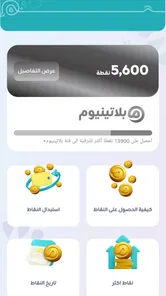

Analysis by Reviewed
I approached Zain Iraq as a practical account-management app rather than a general business tool, and that distinction matters. It is built for customers of ZAIN IRAQ who want to handle everyday mobile-service tasks from a phone instead of relying on a shop visit or a call. My impression is positive overall, but the experience depends heavily on getting the first setup steps right and understanding which problems belong to the app and which belong to the mobile network.
The app is free, aimed at everyone, and developed by ZAIN IRAQ. It has been available since July 2014, so it is not a new experiment. Its current version is 6.5.4, and it runs on Android 7.0 or later. That combination makes it accessible to many older phones, although an older operating system or a heavily customized device can still make sign-in and screen loading feel less smooth than expected.
Getting past the first points of friction
The biggest obstacle is usually not learning the interface. It is reaching a usable account screen in the first place. A carrier app needs to identify the customer, connect to the operator’s services, and display information that may change with the network. If any one of those steps is interrupted, the result can look like a frozen page, an endless loading message, or an account that appears incomplete.
I would begin with the phone number and the connection being used. If you are trying to manage a ZAIN IRAQ line, keep that line available while starting the process. Switching repeatedly between Wi-Fi and mobile data during sign-in can make it difficult to tell whether a failed attempt came from the connection, the session, or the app itself. A short, clean attempt is more useful than tapping the same button many times.
It is also worth checking that the application came from the official developer name, ZAIN IRAQ. This is especially important when several similarly named telecom applications appear in search results. Using the wrong app can produce confusing login behavior even when the phone number is correct.
Once installed, I recommend opening it in a place with a stable signal and allowing the initial screens to finish before moving through the menus. Carrier applications often need a moment to retrieve account information. Closing the app during that first exchange, then reopening it repeatedly, can leave you unsure whether the problem is persistent or simply a temporary interruption.
Small setup checks that save time
Before blaming the app, I would check four simple things: the phone is online, the Zain line is active, the device has enough free storage for normal app operation, and the operating system meets the Android 7.0 minimum. These checks are not exciting, but they remove the most common sources of wasted effort.
More From Our News Desk

Weather by Xiaomi Review: Clear at a Glance, Less Clear Up Close

X Under Pressure: Can It Recover When Posting Goes Wrong?

Clash of Clans Is Won Between the Battles

Android Auto Makes the Case for Quieter Car Software

MobiOffice: Transforming Mobile Productivity with Seamless Integration

EA SPORTS FC™ Mobile Soccer: Redefining Mobile Sports Gaming
If the phone has aggressive battery-saving software, temporarily allowing the app to operate normally may help it complete a request. Some devices stop background network activity quickly, especially when the screen turns off. I would not change several system settings at once; make one adjustment, try the same action again, and note whether anything changes.
Another useful habit is to keep the phone’s date and time set automatically. Secure account sessions can behave strangely when the device clock is far out of sync. This is a general phone check rather than a special feature of the application, but it is easy to overlook when a login suddenly fails.
The app is free, which removes a financial barrier to trying it. Still, free does not mean every account action will work without a network connection. The application is a doorway to operator services, not a replacement for the operator’s underlying signal or account systems. I would therefore avoid testing it for the first time when I urgently need a recharge or account detail.
How I would handle a stalled login or blank screen
My recovery sequence would be deliberately boring. First, I would move to a stronger connection and wait briefly. Next, I would close the app normally and open it again. If the issue remains, I would restart the phone, then try once more without switching networks in the middle of the process.
If the application still behaves incorrectly, I would check for an available update through the normal app store before taking more drastic steps. The installed version is 6.5.4, but app-store availability and device compatibility can change over time. Updating is usually safer than immediately deleting local app data, because clearing data may remove a remembered session and force the whole sign-in process to start again.
Clearing the cache can be a reasonable next step on Android when pages repeatedly display old or incomplete content. I would treat clearing storage as a later option, not the first response. It can solve corrupted local information, but it also creates extra work if the account details or verification method are not close at hand.
When an action fails, I would record exactly what happened: whether the screen was blank, whether a message appeared, whether the app returned to the start page, and whether other internet applications worked at the same time. That detail is much more useful when contacting ZAIN IRAQ support than saying only that “the app does not work.”
Recovering the workflow without repeating the same mistake
A common mistake is to treat every failed tap as proof that the previous request did not go through. With account and service actions, the screen can fail to refresh even though the request has reached the operator’s system. Repeating the same action immediately may create uncertainty about what actually happened.
For that reason, I would pause after a failed or delayed action and check the account view again before trying it a second time. If the app offers a refreshed balance, status, or transaction view, use that as the first confirmation. If the information has not changed, then retry once under a stable connection rather than pressing repeatedly.
This approach is particularly useful when you are handling something time-sensitive from a weak signal area. Move somewhere with better reception, reopen the relevant screen, and confirm the current account state before continuing. The goal is to separate “the page did not update” from “the request was rejected.”
I also prefer using one device and one connection while recovering an interrupted session. Starting on Wi-Fi, moving to mobile data, and then signing in from another phone makes the sequence harder to understand. A clean retry on the original device gives you a clearer result.
Keep any important confirmation information until the account view reflects the change. I would not rely on a disappearing notification alone. A visible updated status is a more practical sign that the workflow has completed, while a delayed screen may simply need reopening.
What the app is good at in daily use
The strongest reason to keep a carrier app installed is convenience. Instead of searching for a store, waiting for a representative, or remembering a service code, I can start with the account interface on the phone I already carry. That is most useful for routine checks and quick account management when I am away from a branch.
A realistic example would be preparing for a long day outside the house. I would open the app before leaving, check the line’s current status, and deal with any obvious account task while I still have a reliable connection. If something fails, I have time to use another channel instead of discovering the problem when I need the service immediately.
It is also useful for people who manage more than one Zain-related task across the household, provided the account and sign-in process support the way they need to work. The benefit is not that the app turns a complicated account into a full business platform; it is that common operator interactions can be gathered in one place.
The business category can be slightly misleading if you expect tools for invoices, team projects, sales, or document management. This is a telecom self-service application. Its business value comes from managing a mobile relationship efficiently, not from helping run a company. A small-business owner with one Zain line may appreciate that convenience, but a company needing shared administration should not assume this app is a complete corporate control panel.
Where it falls short compared with the usual alternatives
The main alternative is often not another app. It may be a phone call, a service code, a retail shop, or a browser-based account page. Each option has a different advantage. A phone call can be better when the account is blocked or the identity check needs human help. A shop is more suitable for physical SIM issues or identity-related matters. A service code may be faster for a familiar, simple request when the app cannot connect.
Compared with those options, the app is most attractive when you want a visual account view and do not want to repeat information to a representative. It is less attractive when your connection is unstable, your phone is old, or the issue is clearly outside routine self-service. In those situations, the app may only confirm that something is wrong without explaining how to fix the underlying account problem.
I would also avoid treating it as a universal replacement for every ZAIN IRAQ support route. An app can present account information, but it cannot repair a damaged SIM, improve weak coverage in a particular building, or resolve every verification problem by itself. Knowing that boundary prevents a lot of frustration.
When the network, phone, or account is the real problem
One of the most important distinctions is whether other applications can reach the internet. If video, messaging, and ordinary web pages also fail, the carrier app is probably not the only issue. Try the basic connection checks first: move to a different location, toggle the connection once, and restart the phone if necessary.
If other apps work normally but Zain Iraq alone fails, then an app update, a stuck session, or a service-side interruption becomes more plausible. That is the moment to follow the controlled recovery process rather than changing every phone setting.
Account status can create a similar illusion. A suspended, newly changed, or otherwise restricted line may not behave like a normal active account. The app may be displaying the result of that account state rather than causing it. If the same restriction appears through another official channel, contacting ZAIN IRAQ is more sensible than reinstalling repeatedly.
Phone age matters too. Android 7.0 is the minimum, but meeting a minimum requirement does not guarantee a modern experience on every device. Limited memory, outdated system components, or manufacturer-specific background restrictions can cause slow loading and unexpected closures. On an older phone, I would keep other heavy applications closed while using the account app and make sure the device is not nearly full.
Who should install it, and who should skip it
I would recommend it to ZAIN IRAQ customers who prefer self-service, want a central place for routine account tasks, and usually have a dependable internet connection. It is also a sensible choice for someone who dislikes memorizing service codes and would rather see account information arranged on a screen.
I would be more cautious if you rarely use mobile data, have an unreliable connection, or need help with issues that normally require a person. In those cases, keep another support method available. Installing the app can still be worthwhile, but it should be viewed as an extra channel rather than your only way to manage the line.
People expecting a broad business suite should skip it unless their needs are specifically tied to ZAIN IRAQ mobile service. The app’s value is focused and practical. That focus is a strength for subscribers, but it is a mismatch for anyone looking for accounting, team collaboration, customer relationship management, or general office tools.
My practical verdict after weighing the friction
The public response is encouraging: the app has an average rating of 4.0 from around 38 thousand ratings, with more than 5 million installs and roughly 1.8 thousand written reviews. Those figures suggest that it serves a substantial audience, while the rating also leaves room for the occasional frustrating session. I think that balance matches the nature of carrier apps: useful when the account and connection cooperate, but less forgiving when either one does not.
My advice is to install it before you need it, complete the initial setup during a calm moment, and test the account view while the phone has a strong connection. Keep the operating system compatible, update the app when appropriate, and avoid repeating a transaction before checking whether the first attempt actually registered. Those habits make a bigger difference than constantly reinstalling.
The practical takeaway is simple: use Zain Iraq as a convenient self-service doorway, not as a cure for every network or account problem. For routine management, it can save time and reduce dependence on traditional support channels. For blocked accounts, physical SIM problems, weak coverage, or persistent service errors, another official route will usually be the better choice.
Zain Iraq Frequently Asked Questions
Can I download Zain Iraq on Android or iPhone?
Zain Iraq is available as a mobile app, so look for it in the official app store for your device. On Android, check that your operating system meets the app’s minimum requirement before installing. Using an official store also helps you confirm the app’s publisher and receive updates through the usual channel. The app is free to download, though your mobile data use or any transactions may involve separate costs.
Who develops Zain Iraq, and is it intended for customers in Iraq?
Zain Iraq is developed by ZAIN IRAQ and is intended to help people manage services connected with Zain Iraq. Its account tools are most useful to subscribers who have a Zain number to sign in with. If you are looking for a general phone-management or payment app, this is more specifically a Zain customer self-service app. Its business focus is reflected in the kind of account and service tasks it offers.
Can I use Zain Iraq if I am not yet a Zain customer?
Zain Iraq is primarily a self-service app for people with Zain Iraq accounts, so its main features are intended for subscribers managing a mobile line. You can install the app to explore its interface, but account-specific tools such as balance checks, usage details, recharges, and package management generally require signing in with a Zain number. If you are considering joining, check Zain Iraq’s official channels for current service information.
What is Zain Iraq and what can I use the app for?
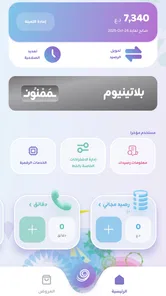
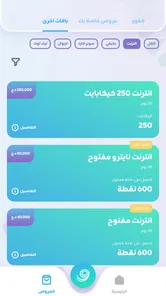
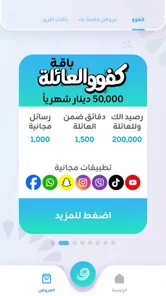
Zain Iraq is the official self-service app for Zain Iraq customers. After installing it, users can typically check their balance, monitor internet and voice usage, recharge prepaid lines, pay bills, activate or manage packages, and review available offers. The exact options may differ depending on whether you use a prepaid or postpaid number and which services are available in your region.
Can I use Zain Iraq to recharge my line and pay bills?
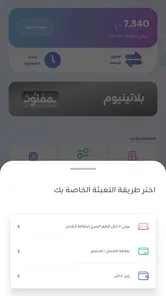
Yes, one of the main reasons to install Zain Iraq is to manage payments without visiting a shop. Prepaid customers can usually recharge their balance, while postpaid users may be able to view outstanding amounts and pay bills through supported payment methods. Before confirming a transaction, check the selected phone number, amount, and payment details carefully, as availability can depend on local banking or wallet services.
Pros
- Convenient access to Zain Iraq account and services in one app.
- Users can check balances and remaining data without contacting support.
- Mobile recharge options make topping up quick and practical.
- The app may provide current offers tailored to Zain Iraq subscribers.
- Useful for managing multiple Zain services from a single account.
Cons
- Some features may require a stable mobile data or Wi-Fi connection.
- App performance can vary depending on device model and Android or iOS version.
- Certain services may be limited to Zain Iraq customers or specific plans.
- Occasional login or verification issues may interrupt account access.
- Some promotions and prices may change without much notice.











