Workday
- 41.55K
- 4.3
- Installs
- 10.00M
- Price
- Free

Screenshots
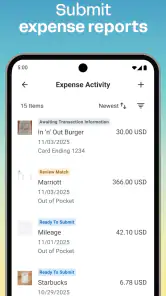
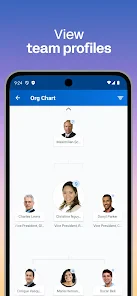
Analysis by Reviewed
Have you ever felt like managing your work schedule is like trying to solve a Rubik's cube blindfolded? That's where Workday swoops in to save the day. This app is like your own personal assistant, helping you navigate the chaos of work-life balance with ease. Let me take you on a tour of what makes this app a must-have for anyone looking to streamline their professional life.
Features That Stand Out
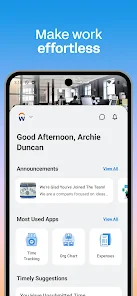
First off, let's talk about the intuitive interface. When you open Workday, you're greeted by a clean and user-friendly design that makes finding what you need a breeze. The dashboard is organized in a way that even the most tech-averse person could appreciate. Everything from your work schedule to payroll information is right there, just a tap away.
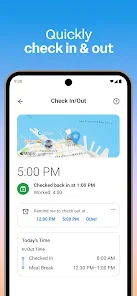
One of the standout features is the time tracking capability. You can clock in and out with just a tap, and it automatically logs your hours. This means no more scrambling to remember how many hours you worked last week or trying to decipher your scribbled notes. Plus, it syncs seamlessly with your calendar, ensuring you never miss a meeting or deadline.
Employee Self-Service
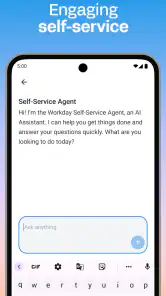
Another game-changer is the employee self-service feature. Need to request time off? Done. Want to update your personal information? Easy peasy. This feature empowers employees to manage their own data without having to go through HR, saving time for everyone involved.
And let's not forget about the notifications. You get real-time alerts for important updates, whether it's a change in company policy or an upcoming team event. It's like having a personal assistant who never sleeps.
Why You’ll Love It
So, why should you care about Workday? It's simple: it makes your life easier. Whether you're trying to juggle multiple projects, keep track of your hours, or stay updated on company news, this app has got you covered.
The mobile app is another highlight. It's available for both Android and iOS, so you can manage your work life on the go. The app is fast, responsive, and doesn't hog your phone's battery life, which is a big win in my book.
In conclusion, Workday isn't just an app; it's a tool that simplifies your professional life. It's reliable, easy to use, and packed with features that cater to the modern employee's needs. Whether you're a seasoned professional or just starting your career, this app is definitely worth checking out. Trust me, once you start using it, you'll wonder how you ever managed without it.
Pros
- User-friendly interface for easy navigation.
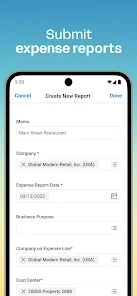
- Comprehensive HR and finance management.
- Regular updates with new features.
- Strong reporting and analytics tools.
- Cloud-based for remote access.
Cons
- Steep learning curve initially.
- High cost for small businesses.
- Limited offline functionality.
- Customization can be complex.
- Occasional slow performance issues.

- Category
- Business
- Version
- 2025.11.1











