Vrbo Vacation Rentals
- 18.79K
- 4.8
- Installs
- 10.00M
- Price
- Free

Screenshots
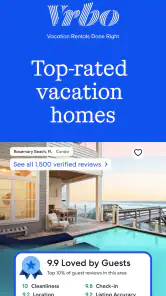
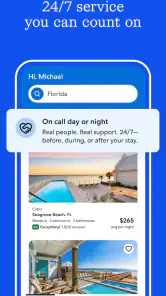



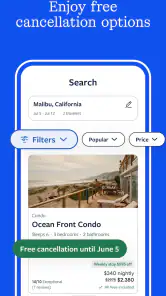
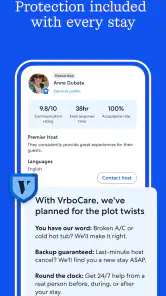
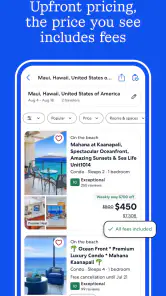
Analysis by Reviewed
I tend to judge a travel app less by the thrill of its first search than by whether it still helps once the group chat fills up with opinions and the trip gets closer. Vrbo Vacation Rentals is most useful when the place to stay is central to the trip: a family break, a reunion, or a few days away with friends where having a whole property matters more than finding the cheapest bed for one night.
Where the search earns its keep
The app gives travelers a way to browse a large selection of whole-home rentals, with search tools that can help narrow choices by practical needs such as bedroom count, pets, or location. That makes it a natural fit when a hotel room would split a group across separate bookings or leave everyone without a shared place to relax. The trade-off is that a rental calls for more checking than a quick hotel reservation: I’d read the listing carefully and compare location, sleeping arrangements, and the total plan for the stay before getting attached to the photos.
For example, if I were arranging a long weekend with relatives, I’d first agree on the must-haves—enough sleeping space, a pet-friendly option if needed, and a location that works for the people arriving. Then I’d save a short list and use the map to see which properties make the planned activities realistic. This two-pass approach is more useful than endlessly scrolling: it separates genuine needs from nice-looking extras and makes it easier to discuss options with everyone.
Useful beyond the first search
That shortlist is also where the app can earn a place in a regular travel routine. A saved set of candidates gives me something concrete to revisit when dates or plans shift, rather than forcing me to start over from memory. I’d use it early, while comparing destinations and accommodation styles, then return when the group has settled on a location. The value is less about browsing for its own sake and more about keeping a complicated decision organized.
Vrbo sits in a different lane from hotel-booking apps and broad travel search tools. Hotels can be simpler for a short stop, a solo trip, or plans that may change quickly; a rental can be more appealing when shared space and a home-like layout are part of the point. Compared with searching across general accommodation listings, Vrbo’s focus on vacation rentals makes it easier to keep the search centered on that kind of stay. I wouldn’t treat it as the only place to compare, though: if flexibility, a hotel’s familiar setup, or a particular location is the priority, checking alternatives can be the sensible next step.
The checks that prevent avoidable friction
One practical habit I’d keep is checking the map at more than one zoom level. A property may look close to an attraction on a broad view while still being inconvenient for the specific route or daily plans. I’d also ask the group to agree on what “enough space” means before searching; bedroom count alone may not settle questions about who shares rooms or where everyone will spend time indoors. These checks make the decision more grounded than choosing by appealing photos alone.
Another useful distinction is between the app’s role and the property itself. The app can help find and compare listings, but the stay depends on the details of the individual rental and the booking arrangement. I’d review descriptions and reviews with care, then keep booking information easy to find so the group knows where to look as departure approaches. That small bit of organization matters when one person books for several travelers and becomes the point of contact.
You May Like

Clash of Clans Is Won Between the Battles

Android Auto Makes the Case for Quieter Car Software

MobiOffice: Transforming Mobile Productivity with Seamless Integration

EA SPORTS FC™ Mobile Soccer: Redefining Mobile Sports Gaming

How Microsoft OneDrive Became a Mobile Productivity Giant

How Google Translate Breaks Language Barriers Effortlessly
What Makes Vrbo Stand Out?
Let's be real, there's no shortage of vacation rental apps out there. However, Vrbo Vacation Rentals carves out its niche by offering a treasure trove of unique properties. From rustic cabins hidden in the woods to luxurious beachfront villas, Vrbo caters to those looking to stray from the beaten path. The app is user-friendly, allowing you to filter through thousands of options based on your preferences, whether that be the number of bedrooms, pet-friendliness, or proximity to local attractions.
Ease of Use
Navigating through the app is as simple as pie. The interface is intuitive and clean, presenting you with high-quality images and comprehensive descriptions of each property. You can easily bookmark your favorites, making it a breeze to compare options later. Plus, the app's map feature is a game-changer, helping you visualize where your potential stay is located in relation to landmarks or planned activities.
In everyday use, I’d treat the map and saved favorites as a pair: bookmark plausible options first, then compare their locations once the list is short enough to judge. That avoids mistaking a striking photo for a practical choice. It also helps when plans involve different interests, such as one person wanting quiet while another hopes to spend most of the trip near local attractions. The map won’t make that decision for the group, but it can make the trade-off visible.
Booking and Customer Support
Booking through Vrbo is straightforward. Once you've settled on a rental, the app guides you through the booking process with step-by-step instructions. Payment options are flexible, catering to a variety of needs. And let's not forget the customer support, which is available 24/7. In my experience, the responses were prompt, and the representatives were eager to help resolve any issues.
Before confirming a place, I’d make sure the people traveling with me are aligned on the dates, sleeping setup, and location. That sounds obvious, but it can prevent the awkward moment when one person assumes a rental suits everyone and another discovers a deal-breaker later. If a detail in the listing affects the trip, I’d settle it before booking rather than relying on assumptions. For travelers who need a highly standardized stay or want to make a very last-minute decision, a hotel app may feel more direct.
While the app does a fantastic job of connecting travelers with property owners, it’s the sense of security it offers that truly impressed me. With robust security measures in place, including secure payment gateways and verified reviews, you can confidently book your stay knowing that you’re in safe hands.
Keeping the habit—and knowing when to stop
My long-term verdict is that this app earns space on a phone when I expect to plan rental-based trips more than once or need to coordinate a stay with several people. The travel app is free, developed by Vrbo, and has an average rating of 4.8 from around 270,000 ratings, with more than 10 million installs. It is rated for Everyone, and its current version is 2025.48.0; it first appeared on June 16, 2017, and requires iOS or Android 10 or later. Those details make it an established option, but they don’t remove the need to assess each listing on its own merits.
There is some natural fatigue in rental searching: plenty of attractive options can make it tempting to keep browsing after the useful choices are already clear. I’d set a short list of non-negotiables, save only realistic candidates, and stop when one meets the group’s needs and budget. If I’m traveling alone, staying briefly, or prioritizing predictable hotel services over shared living space, I’d choose a different kind of booking app instead. For trips where the property is part of the experience, though, Vrbo remains a practical tool I’d return to—not because it replaces every travel option, but because it makes comparing vacation rentals feel manageable.
Choosing a rental for the people, not just the itinerary
A useful way to make the search less abstract is to picture a normal day at the destination. If some of the group will wake early while others sleep in, or if children and adults need different places to unwind, the layout can matter as much as the route to the main attraction. I’d use the listing details to test those everyday needs rather than imagining the property only as a place to sleep. A rental can be a poor fit even when it is attractive and well located if its sleeping arrangements don’t suit the people sharing it.
This is where a whole-property search has a practical advantage over browsing hotel rooms: it encourages me to consider how the group will spend time together between outings. For a family arriving at different times, a shared living area may make the first evening easier than coordinating separate rooms. But if everyone expects to spend most of the day out and only needs a reliable bed, the extra space may not justify the additional comparison and planning. The right choice depends on how much the lodging itself contributes to the trip.
Making the shortlist work for a real group
Saved options are most helpful when they have a reason attached. I’d keep the shortlist small and note, outside the browsing session if needed, why each candidate survived: room arrangement, approximate area, pet suitability, or a feature the group specifically values. That prevents a common planning loop in which people repeatedly reopen attractive listings but forget what distinguished them. It also makes it easier to remove an option when one of its practical advantages no longer matters.
For a realistic example, imagine a group trying to settle a weekend while one person is still checking transport and another is focused on whether a pet can come. I’d avoid asking everyone to browse the entire selection independently. Instead, I’d agree on the essentials, share a few plausible choices, and use the map to discuss the compromise between convenience and the kind of property the group wants. The app supports the search, but a clear decision process is what stops the conversation from turning into an endless vote on photos.
Where another travel app may be the smarter choice
Vrbo is a focused tool for vacation rentals, not a substitute for every part of travel planning. If I need a brief overnight stop, a solo room, or a familiar hotel arrangement, a hotel-booking app can be faster to compare against those needs. Broad travel search tools may also make sense when I have not decided what kind of accommodation I want and would rather compare different categories in one place. I’d use Vrbo when I have already decided that a rental is a serious possibility, rather than opening it by default for every trip.
That distinction matters for travelers who value predictability above space. A rental listing requires attention to the specific property and its arrangements, while a hotel’s standardized room setup may be easier to evaluate quickly. Conversely, a large group that wants to share a base may find the rental-focused browsing more relevant than a hotel search that leaves everyone comparing separate rooms. Neither approach wins universally; the better choice is the one that fits the group’s routine, flexibility needs, and tolerance for checking details.
Keeping the planning workload under control
Rental research can quietly become a second trip: looking at more places feels productive, but after a point the extra browsing makes the decision harder. I’d set a stopping rule before opening the app, such as agreeing that any candidate must meet the group’s essential location and sleeping needs. Once a suitable option remains, I’d move to careful listing checks instead of continuing to collect possibilities. This is a small discipline, but it helps turn the app from a source of inspiration into a practical decision tool.
I’d also separate questions that can be answered from the listing from questions that need agreement among travelers. The map can help compare areas, and the description can clarify the property’s stated setup, but neither resolves whether the group is comfortable sharing rooms or traveling farther for a preferred style of stay. Settling those preferences first saves time and reduces the chance that someone treats a personal preference as a requirement after the search is nearly finished.
Final Thoughts
In a world where planning a vacation can be as stressful as it is exciting, Vrbo Vacation Rentals offers a breath of fresh air. Its extensive collection of unique accommodations paired with an easy-to-use interface makes it a must-have app for any traveler. Whether you're planning a romantic getaway, a family reunion, or a solo retreat, Vrbo is likely to have something that fits the bill. So, why not give it a whirl on your next travel adventure? Trust me, you won’t regret it!
Vrbo Vacation Rentals Frequently Asked Questions
Can I save Vrbo rentals to compare later?
Saving properties can be useful when you are browsing several destinations or deciding between different places to stay. Use the app to review listings and keep track of options that interest you, then revisit their photos, details, availability, and terms before booking. This makes it easier to compare rentals against your trip plans rather than choosing based on a single feature.
Can I use Vrbo to find a rental that suits my trip?
Vrbo is a Travel & Local app for finding vacation rentals, with a search covering over 2 million properties. You can look for a place by destination and dates, then compare listings by reviewing their details and photos. Before booking, check that the property’s location, available dates, and stated terms fit your plans.
Is Vrbo free to download, and which devices can run it?
The Vrbo app is free to download and is rated for Everyone. Its current version is 2025.48.0, and it requires Android 10 or later. The app is developed by Vrbo and is available for travelers who want to search for vacation rentals, review listings, and manage their booking activity from a mobile device.
What is Vrbo and how does it work?
Vrbo, short for Vacation Rentals by Owner, is a platform where homeowners can list their properties for rent, allowing travelers to find unique accommodations for their vacations. Users can search for rentals by location, review property details, view photos, and book directly through the app. The app enables seamless communication between property owners and renters, ensuring a smooth booking experience.
How do I book a rental on Vrbo?
To book a rental on Vrbo, first download the app and create an account. Use the search bar to enter your desired destination and travel dates. Browse through the available listings, and once you find a suitable property, you can view the details, check availability, and read reviews. If satisfied, proceed to book by following the app's secure payment process. Booking confirmations are sent via email.
Pros
- Wide range of rental options available.
- User-friendly interface for easy navigation.
- Comprehensive search filters enhance usability.
- Secure payment options for peace of mind.
- 24/7 customer support for assistance.
Cons
- Some listings may have hidden fees.
- Limited availability during peak seasons.
- Occasional app crashes reported by users.
- Communication with hosts can be slow.
- Not all properties have instant booking.

- Category
- Travel & Local
- Version
- 2025.48.0