Viggle AI: Meme Generator
- 771.00
- 4.7
- Installs
- 5.00M
- Price
- Free
Screenshots
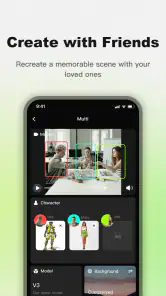
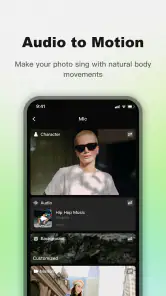
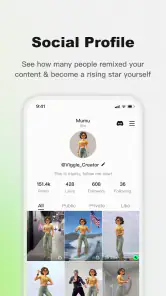
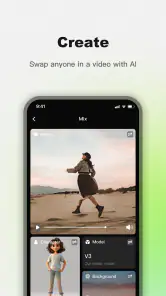
Analysis by Reviewed
My first impression of Viggle AI: Meme Generator is that it makes the first attempt feel low-pressure: I can start with a template, add a caption, and have something to share without learning a complicated editor. That quick payoff is useful when a joke is already in my head and I want to get it into a group chat before the moment passes. The real question, though, is whether an app built around fast laughs still earns a place on my phone after the novelty wears off.
From quick laughs to a repeat habit
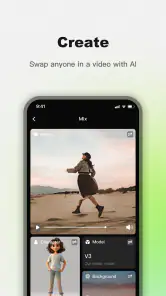
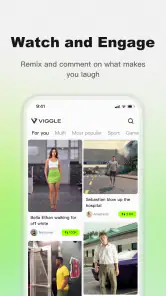
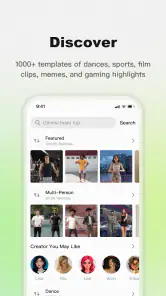
First off, let's talk about how easy it is to dive into Viggle AI: Meme Generator. The app's interface is super intuitive. You don't have to be a tech whiz to navigate through it. As soon as you open it, you're greeted with a plethora of meme templates. Whether you're into classic memes or the latest trends, Viggle AI has got you covered.
Creating a meme is as simple as selecting a template, typing in your text, and voila! You've got yourself a meme. The app uses AI to suggest text based on the image, which is a cool feature if you're stuck for ideas. It's like having a funny friend who's always ready with a punchline.
For a realistic everyday use, I can picture turning an amusing moment from a work chat or a family conversation into a quick visual reply. The useful trick is to decide on the joke before browsing for a template: a clear punchline makes it easier to choose an image that supports it, rather than settling for a familiar picture and forcing a caption onto it. If the AI suggestion misses the tone, I would treat it as a prompt to riff on, not as a finished joke. That keeps the result sounding like me instead of like an app-generated one-liner.
Features that Make Viggle AI Stand Out
One of the standout features of this app is its AI capabilities. The AI doesn't just suggest text; it learns from the memes you create and gets better at predicting what you might want to say. It's almost like the app reads your mind — which is both impressive and a little bit spooky, in the best way possible!
Another great feature is the ability to customize your memes. You can tweak the font, size, and color of your text, giving you total control over how your meme looks. Plus, you can add stickers and effects to give your creation that extra bit of pizzazz. The app even allows you to create memes in different languages, so you can share your humor with friends around the world.
Those adjustments matter most when a meme has to remain readable on a small screen. I would keep the caption short, check that the text stands out against the image, and avoid adding stickers just because they are available. A busy layout can bury the joke. For friends who use different languages, the language option can make a shared gag more accessible, though the humor still needs to make sense in that language; a direct translation may not carry the same timing or wordplay.
Sharing the Laughter
Once your masterpiece is ready, sharing it is a breeze. Viggle AI connects directly to your social media platforms, so you can post your memes on Instagram, Facebook, or Twitter with just a tap. You can also save them to your device for later, or send them directly to friends via messaging apps. It's all about spreading the laughter far and wide!
That choice between posting and saving gives the app two different roles: it can be a fast reply in a conversation, or a small creative tool for making something to share later. I would save a version when I want to check the caption or layout before posting publicly. If I mainly need precise image editing, layered design, or a carefully branded graphic, a conventional photo editor or design app is the better fit; this is most appealing when the goal is a quick meme rather than a polished visual project.
What keeps it useful—and what can wear thin
Viggle AI is an entertainment app from WarpEngine, and the appeal is clear for anyone who enjoys making visual jokes, reacting to friends, or trying out captions without starting from a blank canvas. It is free to download, rated for Everyone, and has a 4.7 average from around 125,000 ratings, with over 5 million installs. Its current version is 1.4.6, and it is listed for Android 7.0 and up. Those figures suggest a broad audience, but they do not guarantee that its style will suit every person or every kind of humor.
The first-week fun can come from browsing templates and testing how the suggestions respond to different images. Longer-term value depends more on whether I actually have occasions to make memes. If my friends share jokes in chats every day, a quick caption workflow can become a handy habit. If I rarely post or send memes, the same template browsing may start to feel like scrolling for inspiration without a reason to create. I would judge its staying power by whether I return to make a specific joke, not by how many options I can browse in one sitting.
There is also a maintenance trade-off. A meme app feels most useful when the templates and ideas match the kind of humor I want to share, so I would keep my workflow simple: choose a fitting image, write a concise caption, make only the changes that improve clarity, then save or send it. Reworking fonts, colors, stickers, and effects for every small joke can turn a quick laugh into a chore. AI suggestions can reduce the blank-page pause, but they cannot replace knowing the person who will receive the meme or the context that makes the joke land.
People sometimes ask whether they need to be experienced to make something worthwhile. I don't think so: the template-led approach is approachable, and customization gives beginners room to adjust without requiring a full design process. Another practical consideration is cost. The app is free, but in-app purchases range from $2.99 to $749.99 per item, so I would check the purchase details carefully before paying for anything and decide whether the free experience already does what I need. If I only want an occasional captioned image, a basic editor may be enough; if I enjoy making and sharing memes regularly, the dedicated workflow is more convenient.
My honest reservation is that meme-making is naturally repetitive when the same joke formats and visual habits come around again. No tool can keep a stale punchline fresh, and an AI suggestion may be amusing one day and awkward the next. I would skip this app if I want a general-purpose image editor, dislike template-driven humor, or need professional control over a graphic. It is a better match for casual creators who value speed and enjoy adapting a joke to a particular conversation.
What I love most about Viggle AI: Meme Generator is how it brings people together through humor. In a world where things can get a bit serious, this app offers a much-needed dose of fun and creativity. Whether you're a meme-making newbie or a seasoned pro, there's something here for everyone. So go ahead, download the app, and unleash your inner meme genius!
Does it earn a lasting spot?
For me, the lasting value is not that every generated meme will be brilliant; it is that the app can shorten the distance between noticing a funny moment and sharing a response. That is a modest but real benefit when I use it with friends who enjoy this kind of humor. If I go weeks without making a meme, I would not keep it out of obligation. But for an active group chat or someone who likes turning everyday observations into quick visual jokes, it can remain useful after the first burst of curiosity—provided the making stays faster than the joke gets old.
Viggle AI: Meme Generator Frequently Asked Questions
Do I need an account to try Viggle AI: Meme Generator?
Viggle AI: Meme Generator is an entertainment app focused on remixing people into memes, so its appeal is easy to understand before you begin: it is made for playful, creative results. Whether you prefer to start creating immediately or set up an account first can depend on the app’s current sign-in flow. Before uploading personal images, take a moment to review the permissions and choices presented in the app.
What kind of images should I prepare before making a meme?
The app’s purpose is to help users turn people into meme-style creations, so a clear image of the person or subject you want to remix is a sensible place to start. Choose an image you have the right to use, especially if you plan to share the result publicly. The creative outcome will depend on the image and the options available in the app when you make it.
Can I use Viggle AI: Meme Generator on an older phone?
Viggle AI: Meme Generator is an entertainment app from WarpEngine, and its current version is 1.4.6. It supports Android 7.0 and later, which makes it an option for many older Android devices as well as newer ones. The app is free to download, so you can check whether it suits your device and meme-making needs before deciding whether to purchase anything.
Is Viggle AI: Meme Generator suitable for children?
The app has an Everyone content rating, so it is presented as suitable for a general audience. Its purpose is to help users remix people into memes, making it primarily a creative entertainment tool. As with any app that lets people create and share content, parents may still want to guide younger users on what images they choose and where they share their finished creations.
Does Viggle AI: Meme Generator have many users and positive feedback?
Viggle AI: Meme Generator has attracted a sizable audience, with over five million installs. It has a 4.7 average rating from around 125,000 ratings, alongside 771 written reviews. Those figures suggest that many users have tried the app and rated their experience positively, though individual opinions can vary depending on the features and creative results each person is looking for.
Pros
- Easy to use interface.
- Wide variety of meme templates.
- Fast meme creation process.
- Regular template updates.
- High-quality image output.
Cons
- Limited customization options.
- Some ads in free version.
- Occasional app crashes.
- Requires internet connection.
- Limited font choices.

- Category
- Entertainment
- Version
- 1.4.6